
Interactive dashboard
Successor Trustee & Trust Administration OS
Built for Adult children and relatives named successor trustee of a parent's revocable living trust — untrained, handling other people's money, and accountable to every beneficiary for each asset retitled and each dollar distributed
Try it live
Click around the real dashboard
Interactive demo · a few tabs unlocked
See it in action
The dashboard
What it is
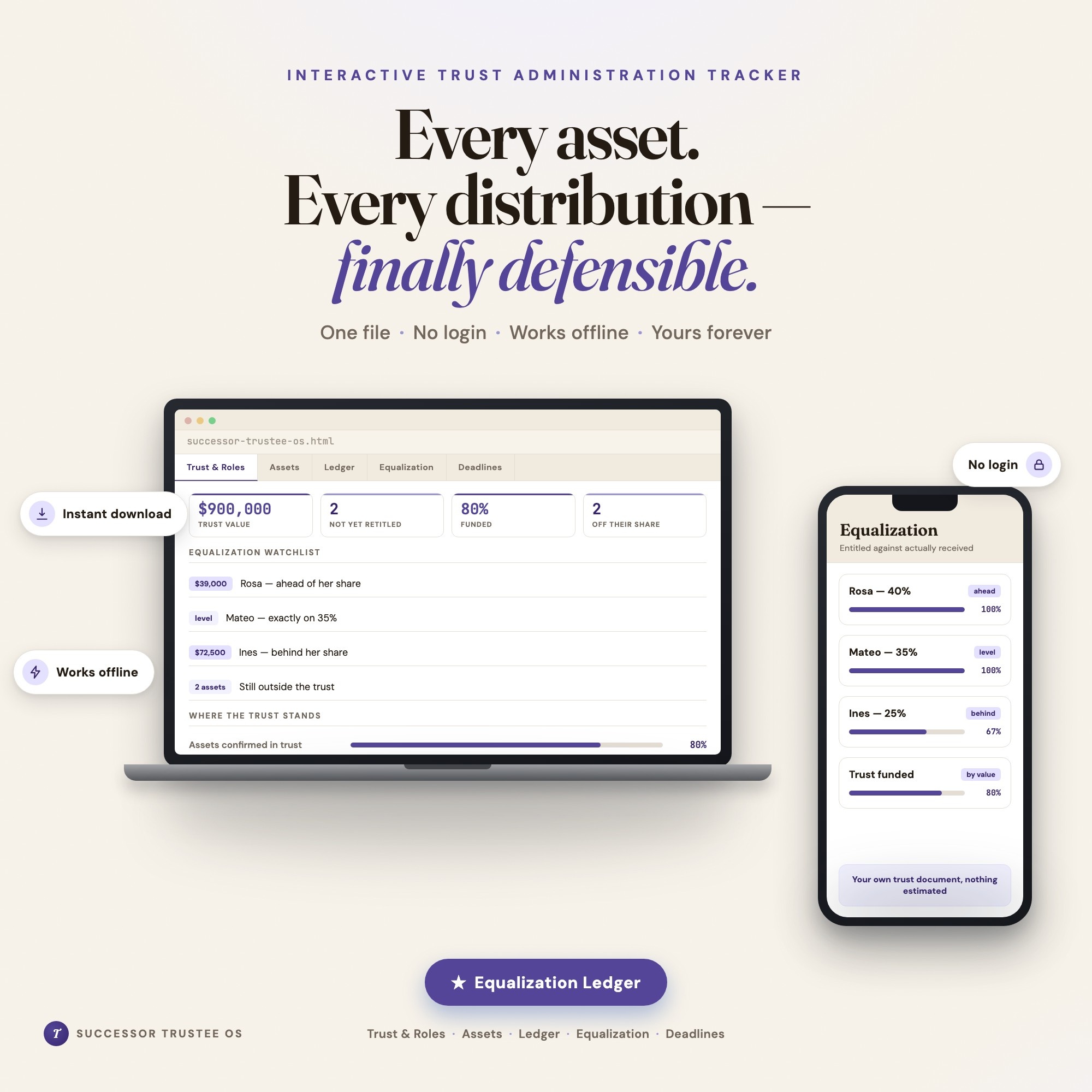
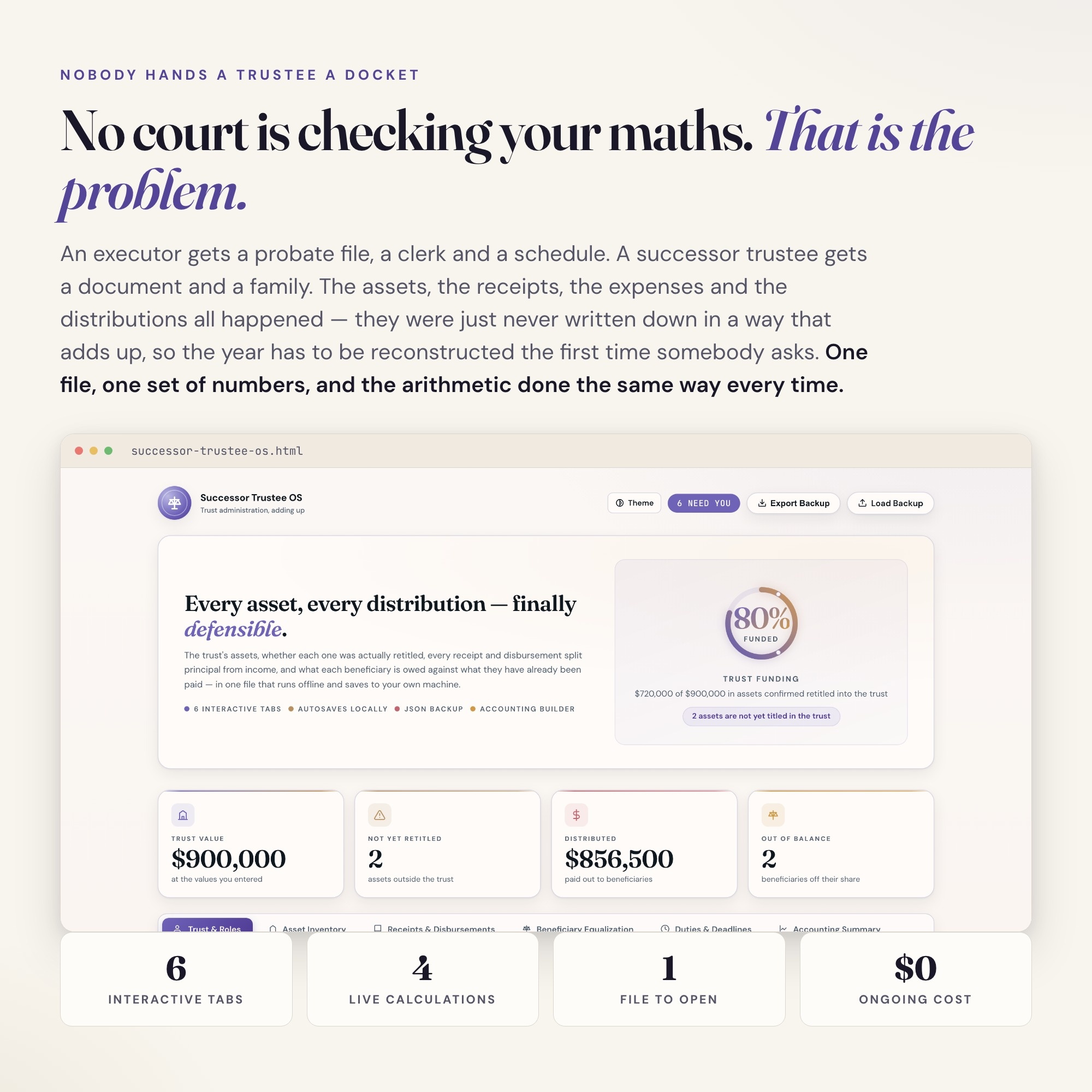
Built for adult children and relatives named successor trustee of a parent’s revocable living trust — untrained, handling other people’s money, and accountable to every beneficiary for each asset retitled and each dollar distributed. Every trust asset, every dollar in and out, every beneficiary’s share — in one file It is a browser-native interactive dashboard that lives in a single HTML file, with nothing to install.
What is Successor Trustee & Trust Administration OS?
Successor Trustee & Trust Administration OS is an interactive dashboard that opens in your web browser. It is one self-contained HTML file — you download it once, double-click it, and it runs. It is built for adult children and relatives named successor trustee of a parent’s revocable living trust — untrained, handling other people’s money, and accountable to every beneficiary for each asset retitled and each dollar distributed.
What is included in Successor Trustee & Trust Administration OS?
6 sections, all in the one file:
- Trust & Roles
- Asset Inventory
- Trust Ledger
- Beneficiary Equalization
- Duties Calendar
- Accounting Summary
Does Successor Trustee & Trust Administration OS need Excel, Google Sheets or a subscription?
No. There is no app to install, no account to create, no login and no recurring fee. It opens in Chrome, Safari, Edge or Firefox on macOS, Windows, iPad or Chromebook, and it keeps working offline once the file is on your machine.
Where does Successor Trustee & Trust Administration OS store my data?
On your own device, in your own browser. Nothing is uploaded, no account is created and no analytics are collected. You can export a backup file at any time and load it on another computer.
Can I change how Successor Trustee & Trust Administration OS looks?
Yes — colour, background, typeface and text size are all adjustable from inside the dashboard, and your choice is remembered the next time you open it.
How much is Successor Trustee & Trust Administration OS and how is it delivered?
$28, delivered as an instant download the moment you pay. Because it is a digital file, all sales are final.
More about Successor Trustee & Trust Administration OS
You were named successor trustee. There is no court telling you what to do next, no docket, no clerk checking your maths — and that is exactly the problem.
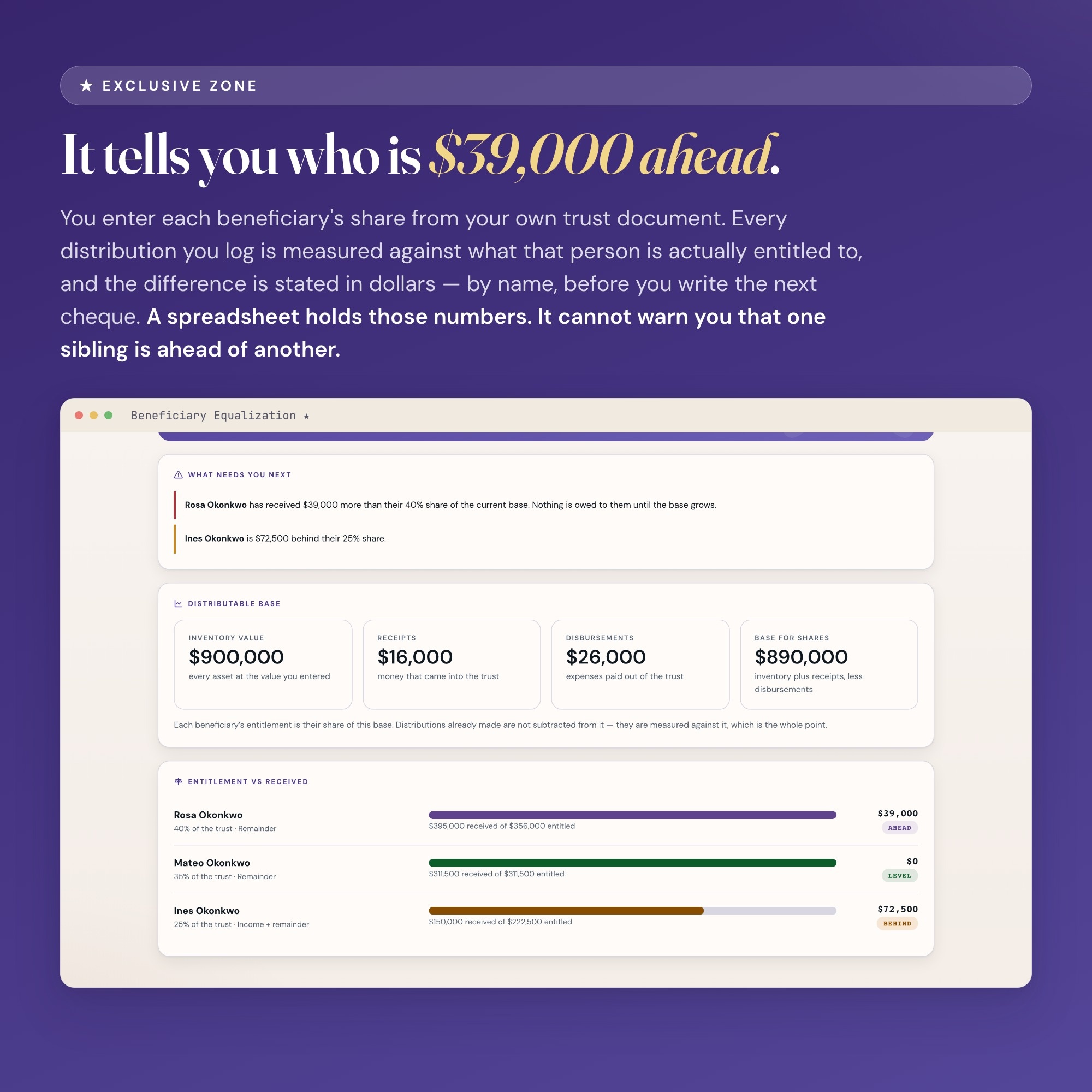
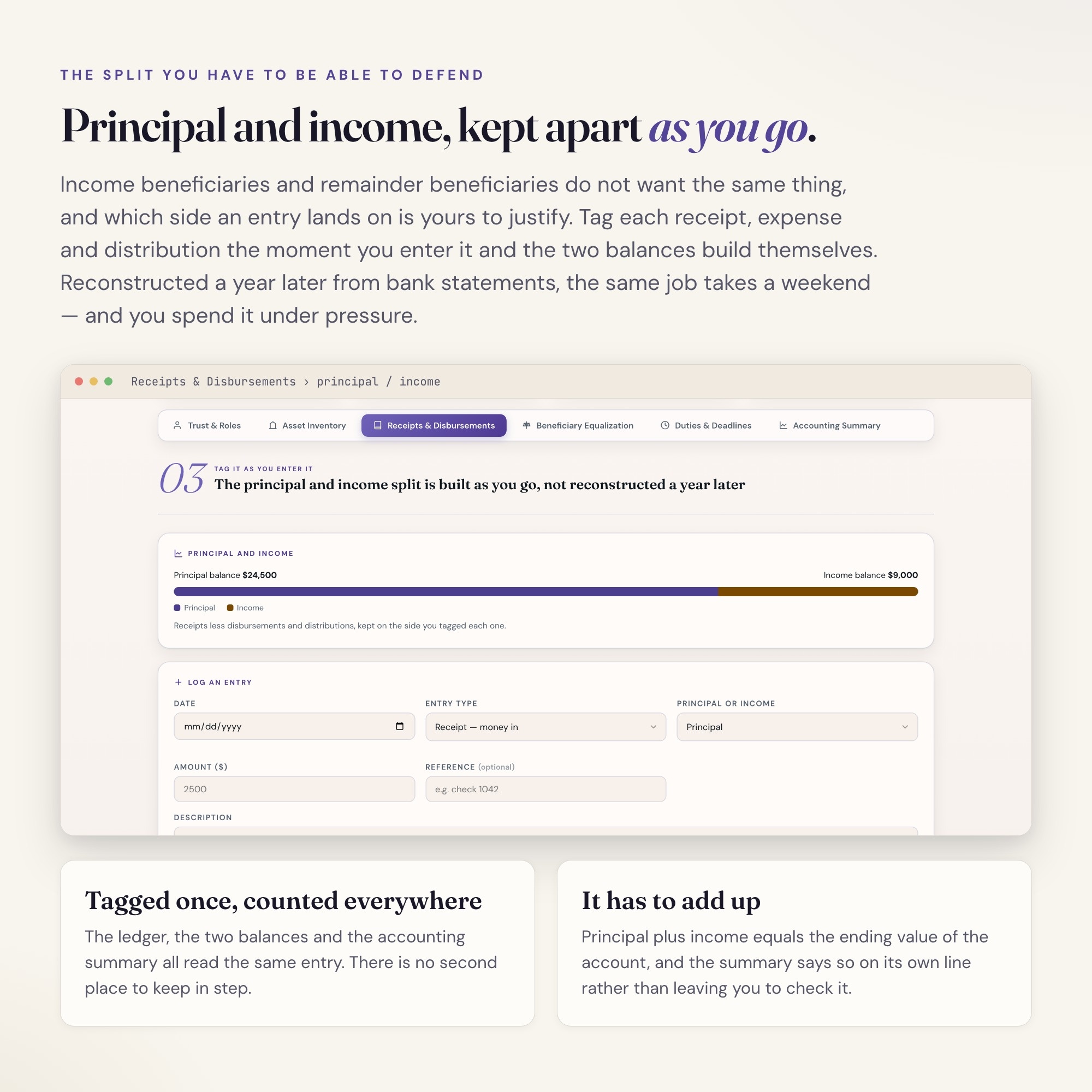
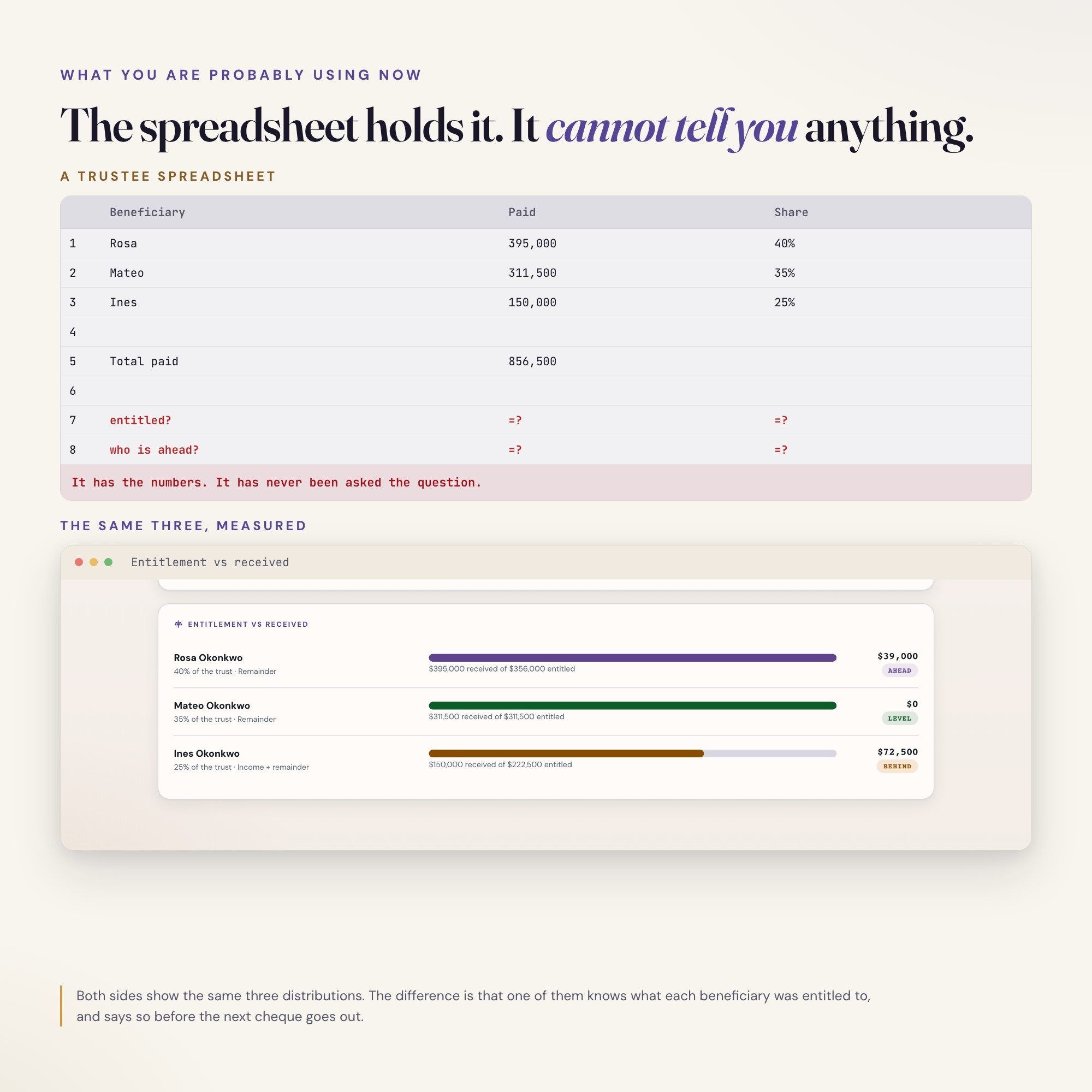
★ EXCLUSIVE ZONE: The only successor trustee dashboard on Etsy with a Beneficiary Equalization Ledger. You enter each beneficiary’s share from your own trust document; every distribution you log is measured against what that person is actually entitled to. It shows you, by name, who is ahead and who is behind, and by how much — before you write the next cheque. It also keeps principal separate from income, because income beneficiaries and remainder beneficiaries do not want the same thing and the split is yours to defend. Every other trustee tool in this niche is an Excel workbook, a Word template, or a PDF handbook. A spreadsheet cannot warn you. A handbook cannot add.
WHAT’S INSIDE
This interactive HTML dashboard runs in any browser — double-click, start tracking:
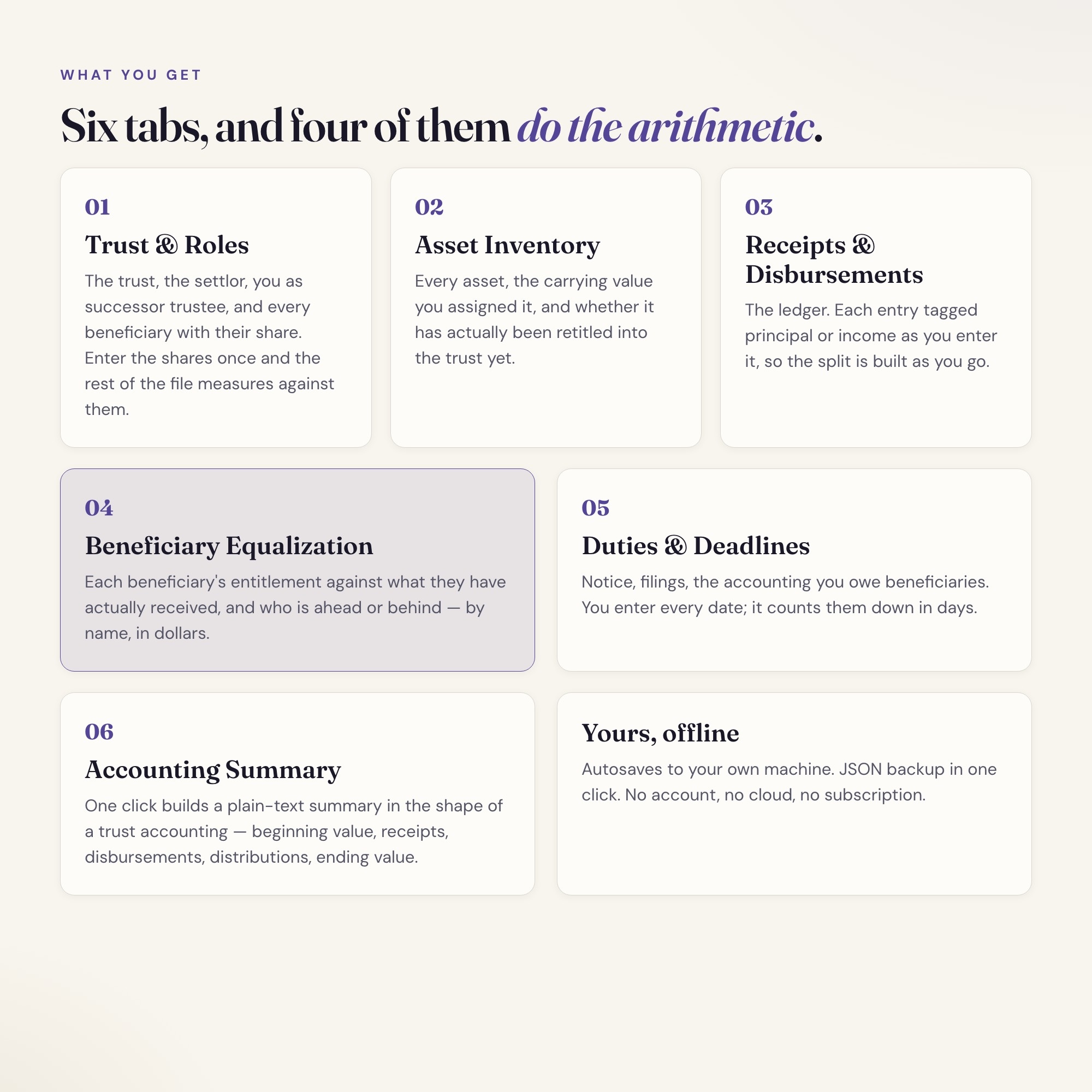
Tab 1 — Trust & Roles: The trust name and date, the settlor, you as successor trustee, and every beneficiary with their share of the trust. Enter the shares once and every other tab does its arithmetic against them.
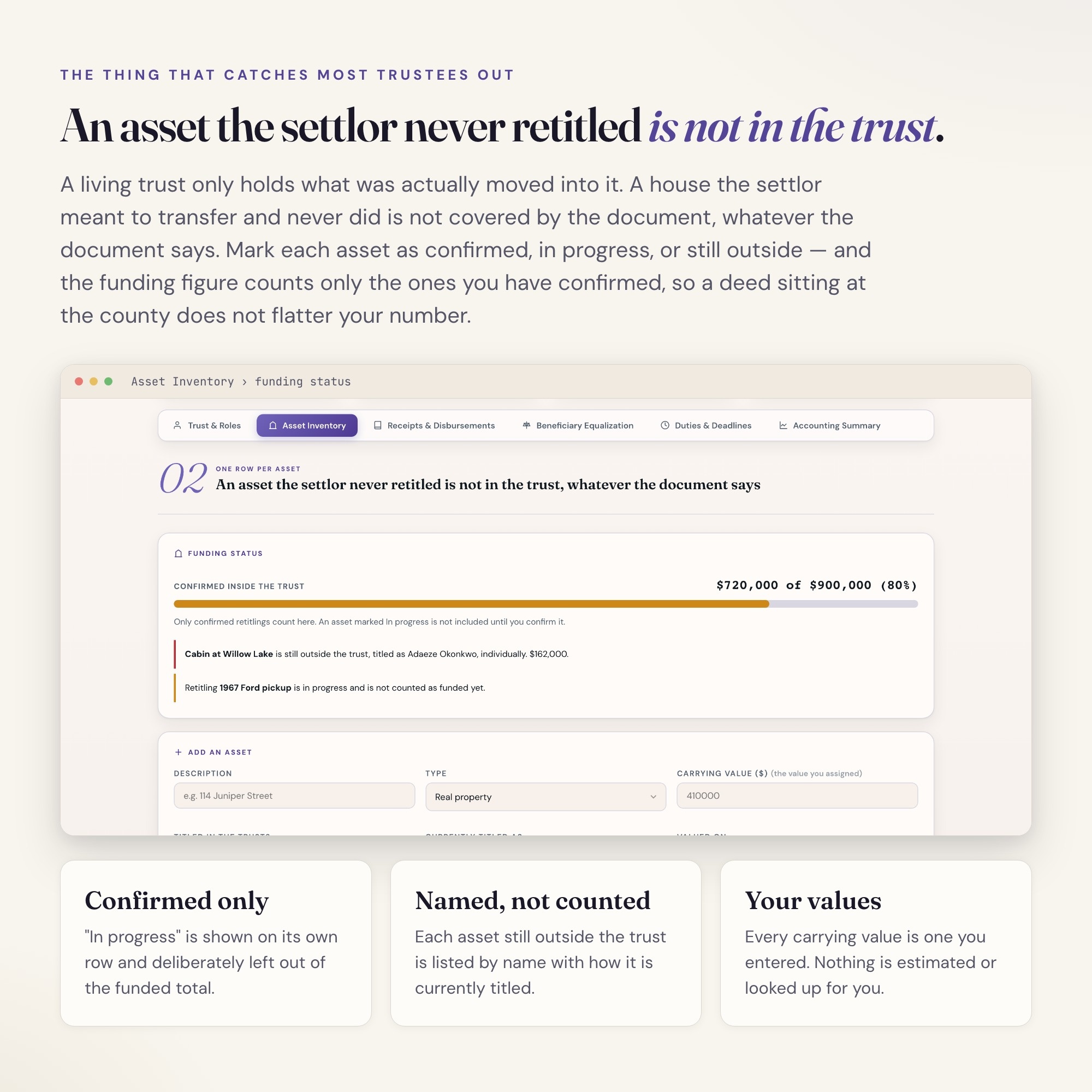
Tab 2 — Asset Inventory: Every asset that belongs to the trust, with the carrying value you assigned it and whether it has actually been retitled into the trust yet. Unfunded assets are the single most common surprise in a living trust, and they get their own flag.
Tab 3 — Receipts & Disbursements: The ledger. Each entry tagged principal or income as you enter it, so the split is built as you go instead of reconstructed a year later under pressure.
Tab 4 — Beneficiary Equalization: The exclusive zone. Each beneficiary’s entitlement against what they have actually received, who is over- and under-distributed, and the running principal and income balances — recalculated the moment you log anything.
Tab 5 — Duties & Deadlines: Trustee notice, tax filings, the annual accounting you owe beneficiaries, and any date your own trust instrument sets. You enter the dates; it counts them down in days.
Tab 6 — Accounting Summary: One click builds a plain-text summary in the shape of a trust accounting — beginning value, receipts, disbursements, distributions, ending value, and where every beneficiary stands. Paste it into your records or your attorney’s email.
THIS IS FOR YOU IF:
-
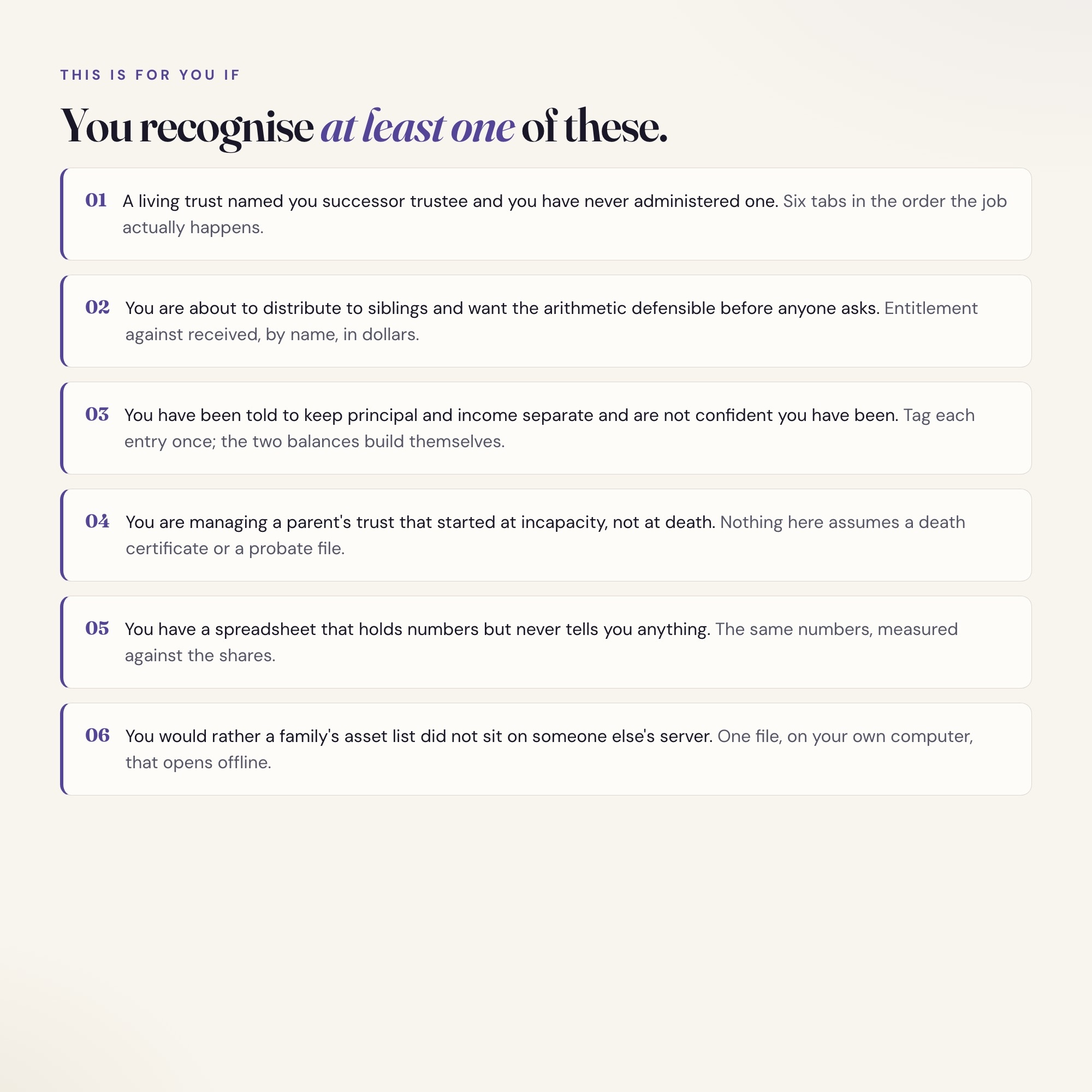
A living trust named you successor trustee and you have never administered one
-
You are managing a parent’s trust that started at incapacity, not at death, and nobody handed you a checklist
-
You are about to distribute to siblings and you want the arithmetic to be defensible before anyone asks
-
You have been told to keep principal and income separate and are not confident you have been doing it
-
You have a spreadsheet that holds numbers but never tells you anything
-
You want one file that opens offline, with no account and no subscription, holding details that should not sit on someone else’s server
WHAT THIS IS NOT
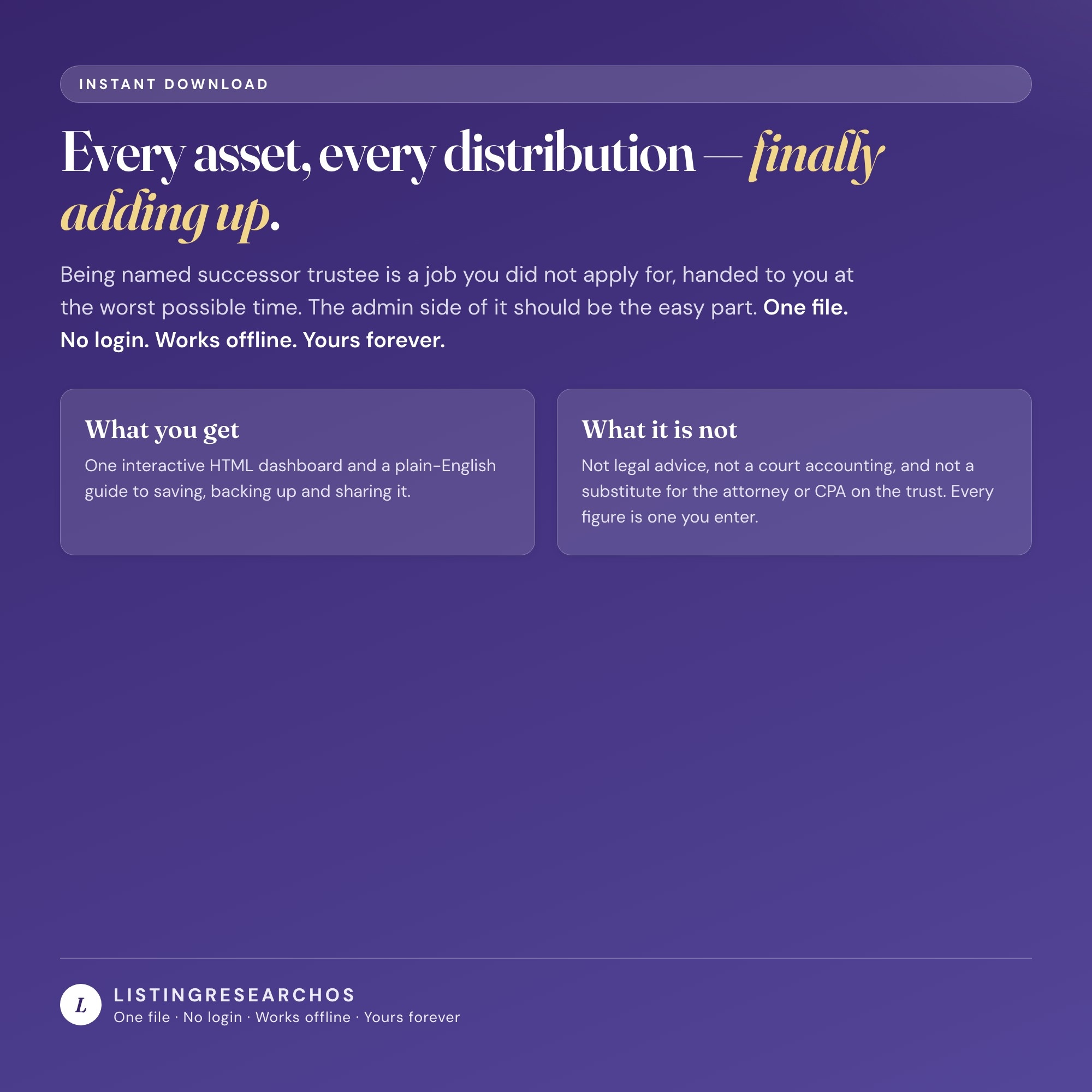
This is a personal administration tracker. It is not legal advice, not a court accounting, and not a substitute for the attorney or CPA on the trust. It knows no state’s trustee statute and sets no deadline of its own — every share percentage, every date and every carrying value is one you enter from your own trust instrument and your own advisors. It does the arithmetic on what you enter and supplies no rules.
YOUR DATA IS SAFE
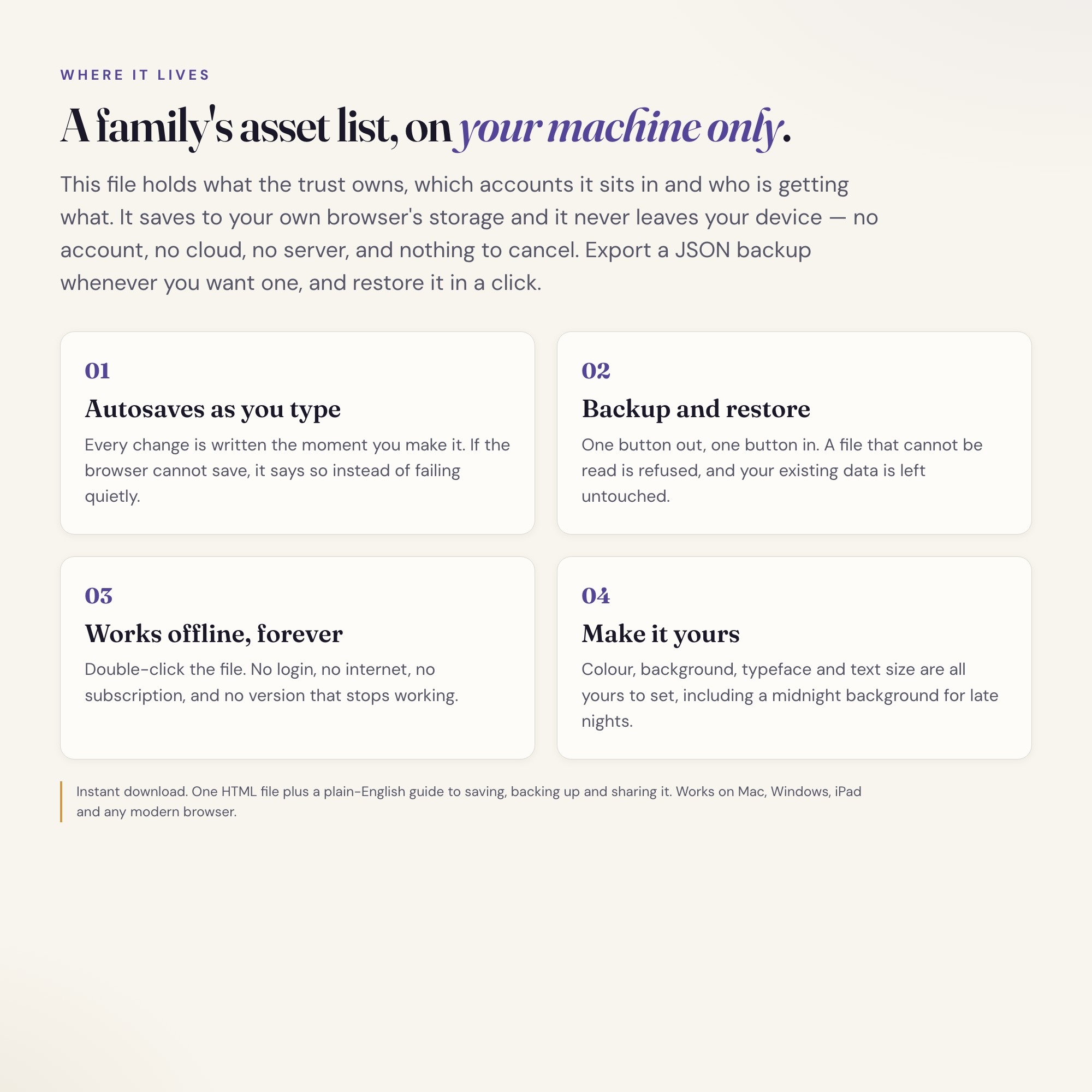
Everything saves automatically to your browser’s local storage. No account, no cloud, no server — your data never leaves your device, which matters when the file holds a family’s asset list. Export a backup JSON anytime and restore it in one click.
FILES INCLUDED
-
dashboard.html (the complete interactive dashboard — open in any browser)
-
HOW-TO-SAVE.txt (plain-English guide for saving, backing up, and sharing)
Drop it in your Dropbox or Google Drive to open from any computer. Works on Mac, Windows, iPad, and any device with a modern browser.
Every asset, every distribution, every beneficiary — finally in one place, and finally adding up.
5 Tabs included
- ◈
Trust & Roles
The trust, the trustee, co-trustees, beneficiaries and their shares
- ≡
Asset Inventory
Every trust asset with its date-of-death value and whether it has been retitled into the trust
- ⊞
Trust Ledger
Every receipt and disbursement, principal separated from income
- ◉
Beneficiary Equalization
EXCLUSIVE: what each beneficiary has received against their share, and who is still owed how much
- ★
Duties Calendar
Notices, filings and deadlines the trustee enters, counted in days
Exclusive Feature
Beneficiary Equalization Ledger — every distribution logged against each beneficiary's share of the trust, so the trustee can see at a glance who has been paid ahead, who is behind, and the exact amount that levels them.
This is built into the fifth tab and is unavailable in any static template, spreadsheet, or Notion template on the market.
Gallery
Learn more
Before you buy
Frequently asked questions
- What is Successor Trustee & Trust Administration OS?
- Successor Trustee & Trust Administration OS is an interactive dashboard that opens in your web browser. It is one self-contained HTML file — download it once, double-click it, and it runs. No app, no account, no subscription.
- Does Successor Trustee & Trust Administration OS need Excel or Google Sheets?
- No. It is not a spreadsheet and does not open in one. It runs in Chrome, Safari, Edge or Firefox on macOS, Windows, iPad or Chromebook, and keeps working offline.
- What is included in Successor Trustee & Trust Administration OS?
- 6 sections in a single file: Trust & Roles, Asset Inventory, Trust Ledger, Beneficiary Equalization, Duties Calendar, Accounting Summary.
- Can I change the colours and text size in Successor Trustee & Trust Administration OS?
- Yes. Colour, background, typeface and text size are adjustable from inside the dashboard, and the setting is remembered.
- Does it work offline?
- Yes — completely. The dashboard is a single HTML file. Once downloaded, it runs entirely in your browser with no internet connection needed. All data autosaves to your browser's localStorage.
- Which devices and browsers are supported?
- Works in Chrome, Edge, Safari, and Firefox on macOS, Windows, iPad, and Chromebook. No app to install, no account to create. Just open the file.
- What is your refund policy?
- All sales are final. This is an instant download delivered in full at payment, so it cannot be returned. If a file will not open or a feature does not work as described, that is a defect and it gets fixed at no cost — email hello@listingresearchos.com and you will get a corrected file.
- How do I install it?
- There is nothing to install. After purchase, download the HTML file. Double-click to open in your browser. That's it. A HOW-TO-SAVE.txt is included explaining how to back up and restore your data.
- Is my data private?
- Completely. Everything runs locally — no login, no analytics, no data sent to any server. Your data is stored only in your browser's localStorage. You own it entirely.
You might also like
One-time purchase
Get it for $28.00
Instant download. Open in any browser. Yours forever.