
Interactive dashboard
Net Worth Tracker Dashboard, Assets Liabilities Calculator, Milestone Runway Projection, Works Offline No Google Account, Instant Download
Built for someone who has money in five or six different places and has never once seen the single number they add up to
Try it live
Click around the real dashboard
Interactive demo · a few tabs unlocked
See it in action
The dashboard
What it is
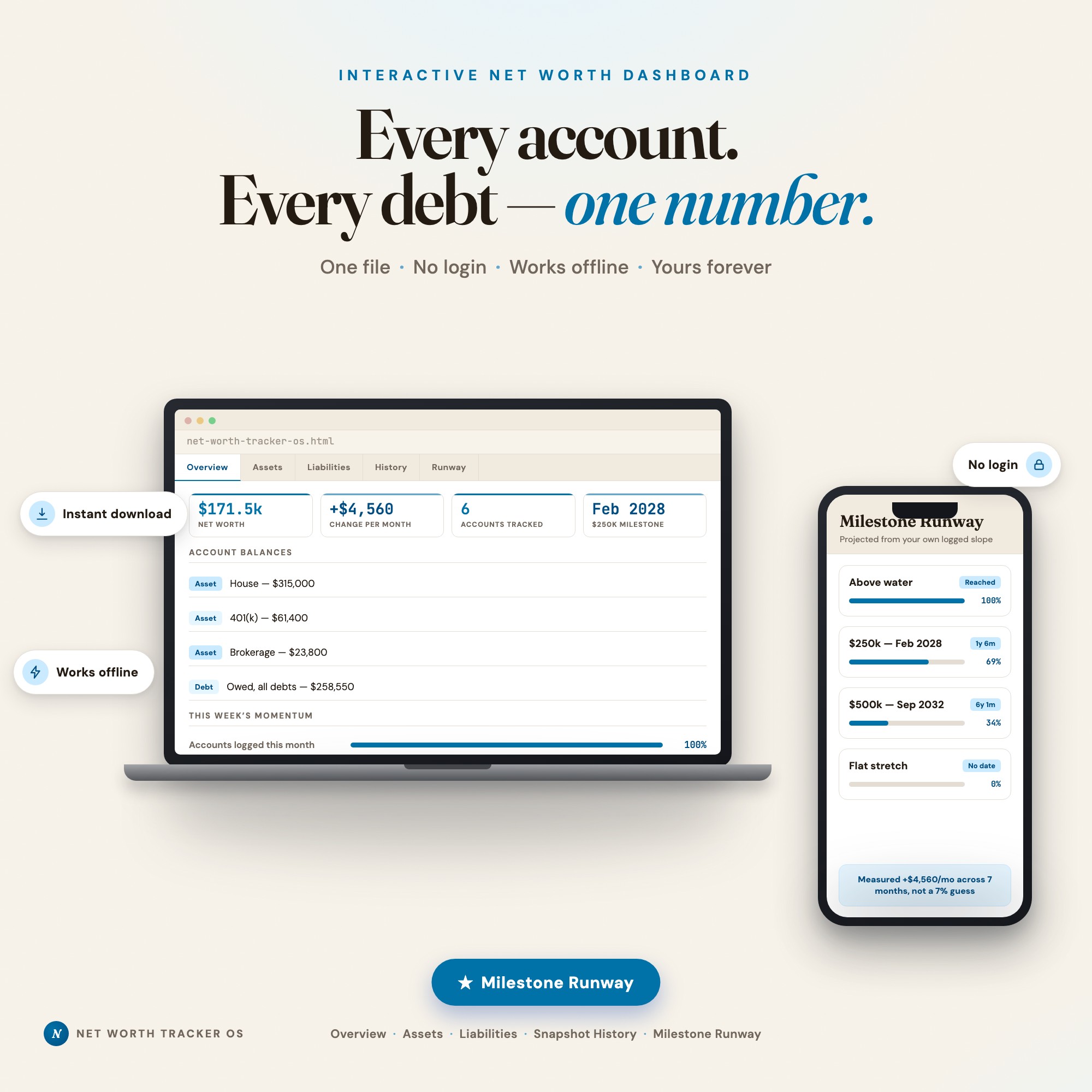
Built for someone who has money in five or six different places and has never once seen the single number they add up to. See the one number your six accounts add up to, and the date you cross the next milestone It is a browser-native interactive dashboard that lives in a single HTML file, with nothing to install.
What is Net Worth Tracker Dashboard?
Net Worth Tracker Dashboard is an interactive dashboard that opens in your web browser. It is one self-contained HTML file — you download it once, double-click it, and it runs. It is built for someone who has money in five or six different places and has never once seen the single number they add up to.
What is included in Net Worth Tracker Dashboard?
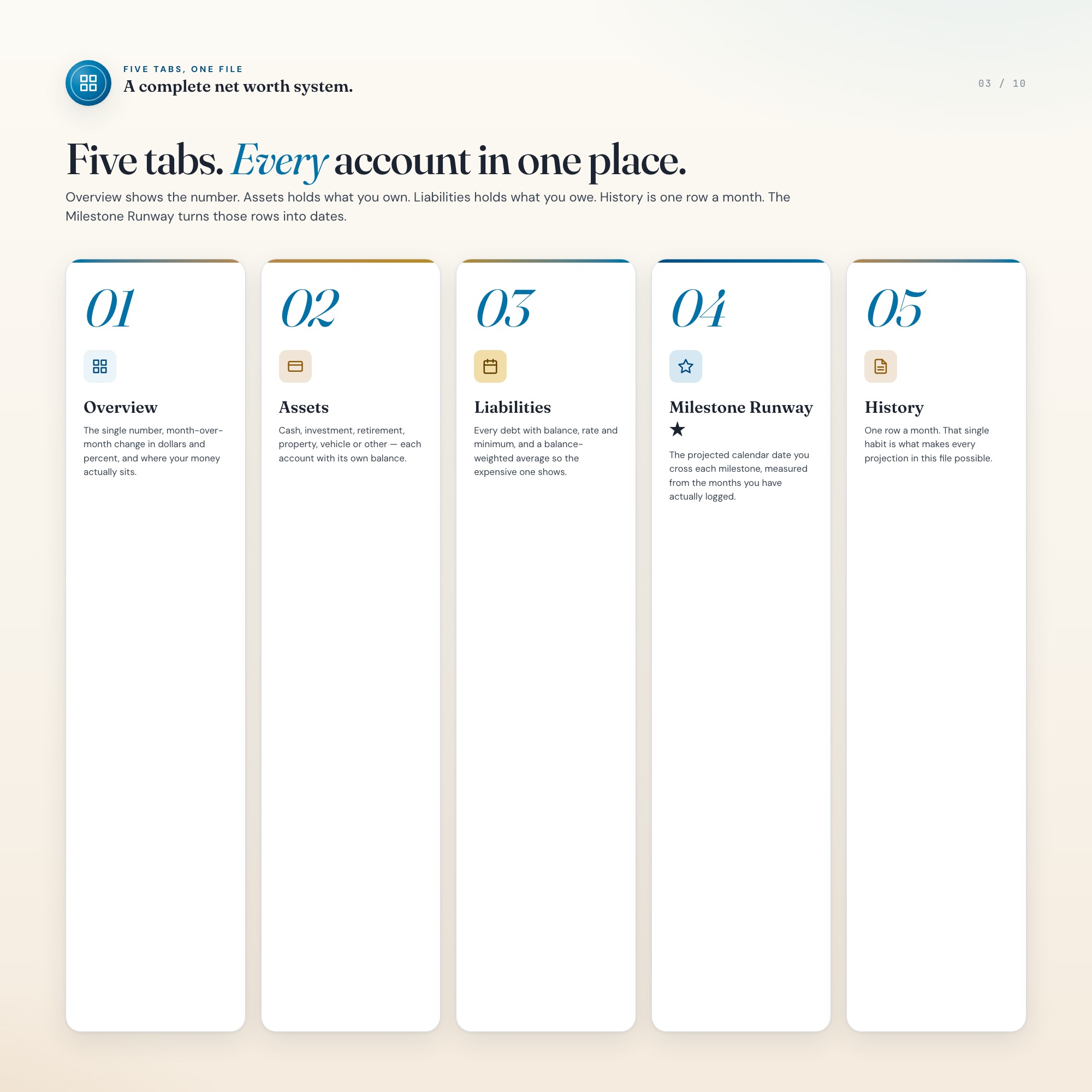
5 sections, all in the one file:
- Overview
- Assets
- Liabilities
- History
- Milestone Runway
Does Net Worth Tracker Dashboard need Excel, Google Sheets or a subscription?
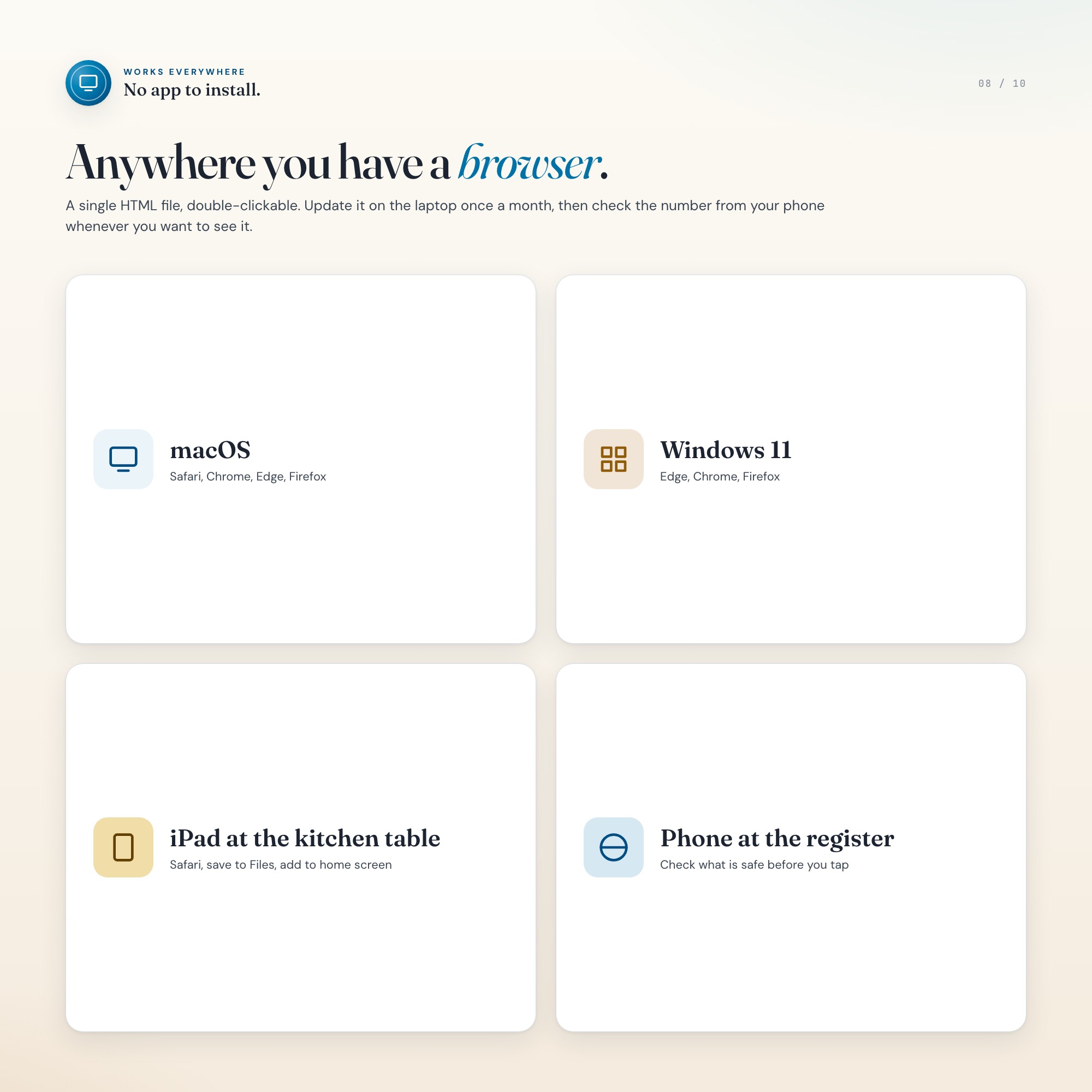
No. There is no app to install, no account to create, no login and no recurring fee. It opens in Chrome, Safari, Edge or Firefox on macOS, Windows, iPad or Chromebook, and it keeps working offline once the file is on your machine.
Where does Net Worth Tracker Dashboard store my data?
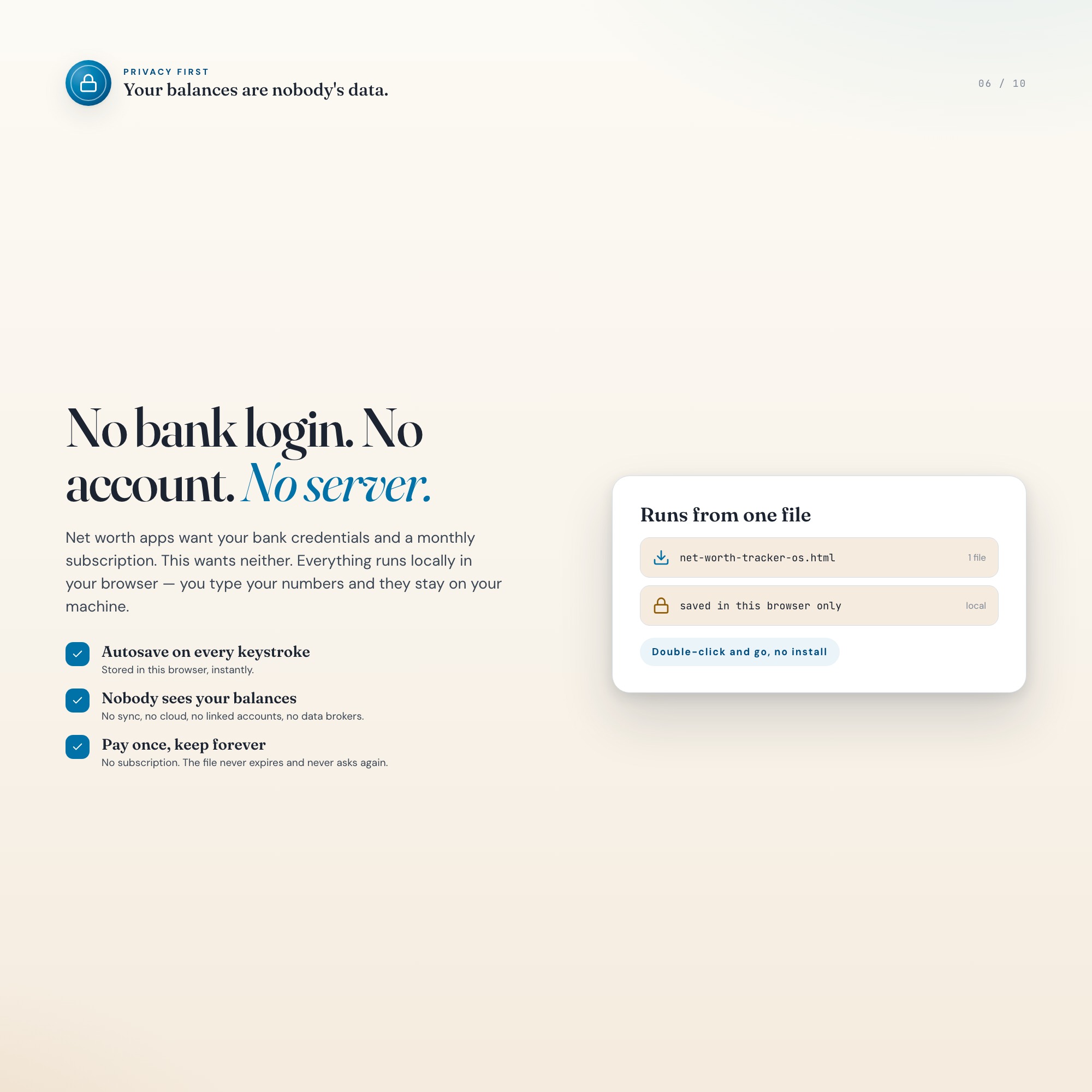
On your own device, in your own browser. Nothing is uploaded, no account is created and no analytics are collected. You can export a backup file at any time and load it on another computer.
How much is Net Worth Tracker Dashboard and how is it delivered?
$24, delivered as an instant download the moment you pay. Because it is a digital file, all sales are final.
More about Net Worth Tracker Dashboard
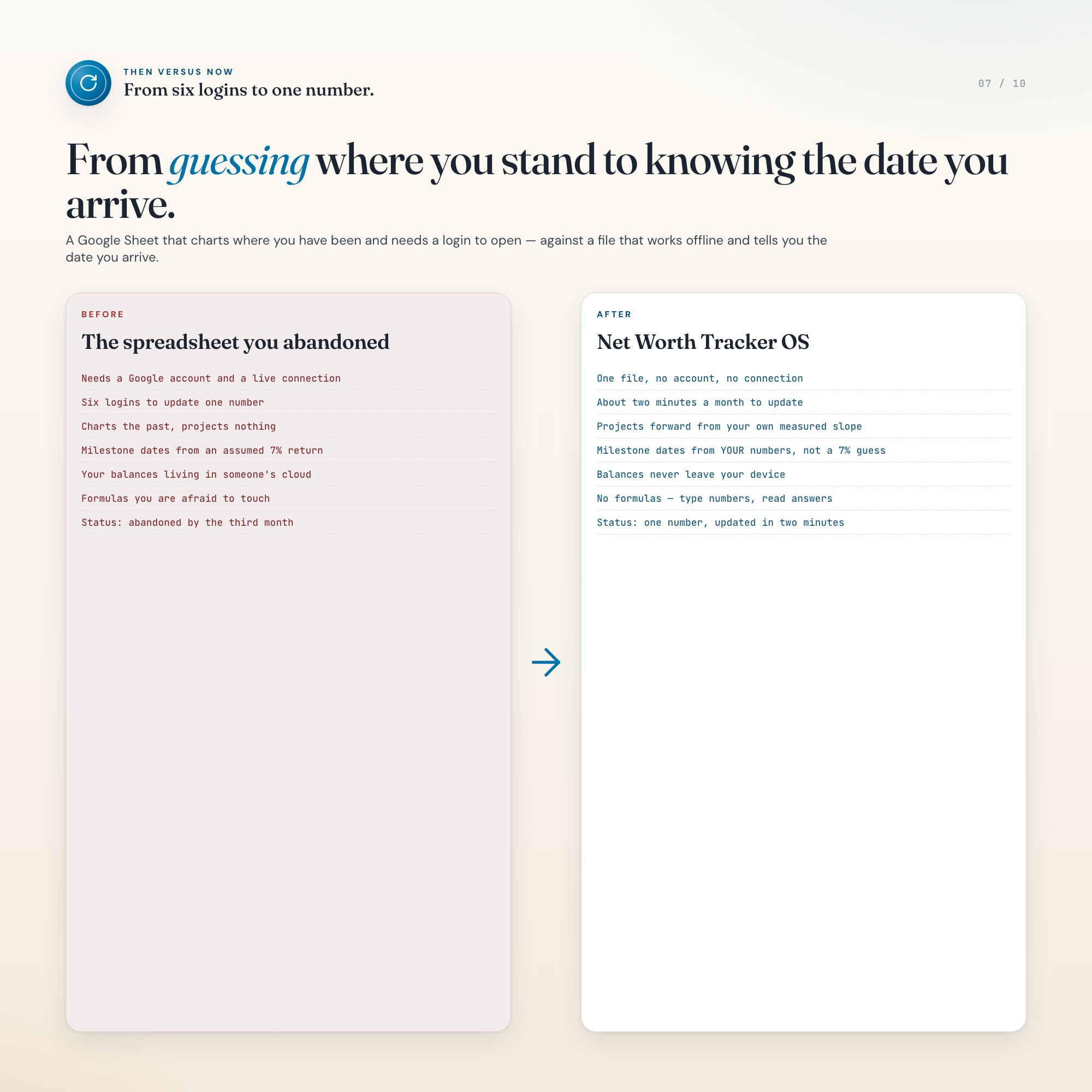
Your checking balance is in a banking app. The 401(k) is behind a portal you reset the password
for every time. There is a brokerage login, a car loan statement, a mortgage servicer. Checking
all of them takes twenty minutes, so it never happens — and the single number that would actually
tell you whether this year went well does not exist anywhere.
This is one HTML file. You open it, you type in what you have and what you owe, and you have that
number. About two minutes a month after that.
★ EXCLUSIVE ZONE — MILESTONE RUNWAY
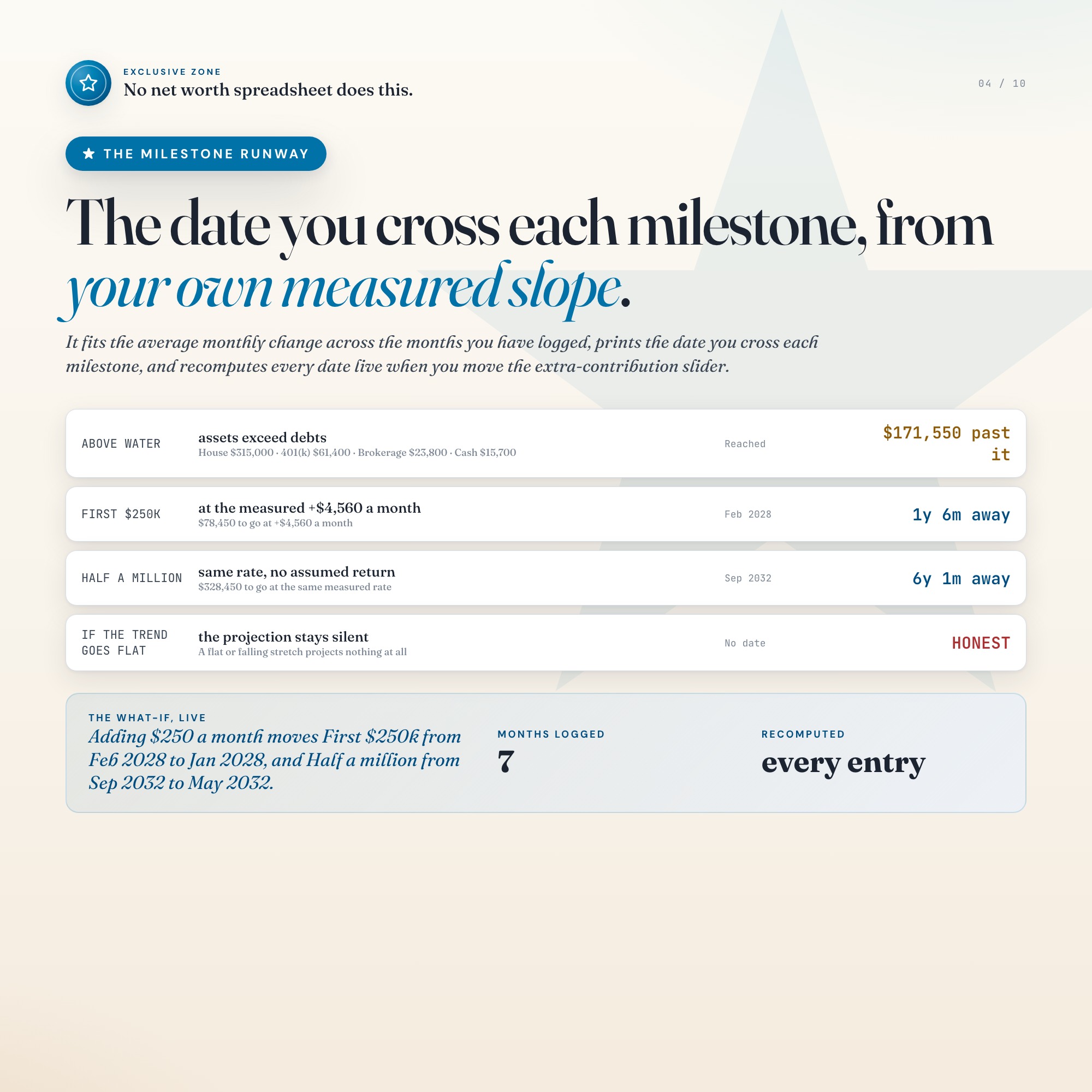
Every other net worth template charts where you have been. This one reads the months you have
actually logged, measures your real average monthly change, and prints the calendar date you
cross each milestone you set.
Not an assumed 7% market return — your own measured slope. Move the contribution slider and every
projected date recomputes at once, so you can see exactly what an extra $250 a month is worth:
your $250k date moving from February 2028 to January 2028, your half-million from September 2032
to May 2032.
And it stays honest. A flat or falling stretch shows no date at all, because at that rate there
isn’t one.
What’s inside
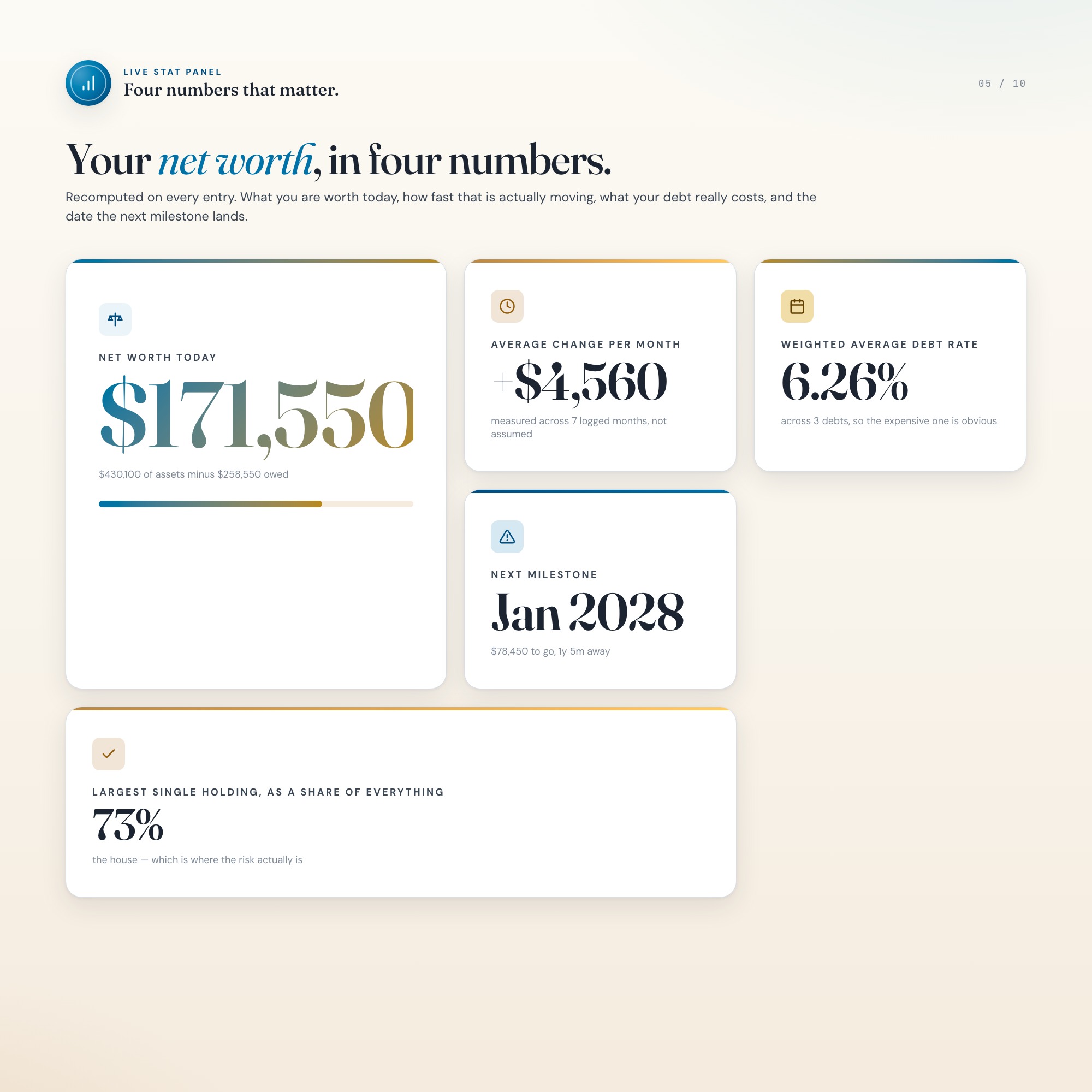
• Overview — the single number, month-over-month change in dollars and percent, and where your
money actually sits by category
• Assets — every account by type: cash, investment, retirement, property, vehicle, other
• Liabilities — every debt with balance, rate and minimum, with a balance-weighted average rate
so the expensive debt is obvious
• History — one row a month, the whole habit; take today’s snapshot in one click
• ★ Milestone Runway — projected crossing date for every milestone, plus the contribution what-if
Why offline matters
No Google account. No sign-up. No subscription. No internet connection required, ever. Your
account balances never leave your own device — there is no server for them to go to.
Works in Chrome, Safari, Firefox and Edge, on Mac, Windows, iPad and phone. It autosaves as you
type, and Export Backup writes a file you keep. In ten years, when the app you were going to use
instead has shut down, this file still opens.
This is for you if
• You have money in more than three places and have never seen the total
• You have tried a net worth spreadsheet and abandoned it by the third month
• You want the projection to come from your actual numbers, not a generic calculator
• You would rather not hand your full financial picture to another cloud service
What you get
One ZIP containing dashboard.html and a short HOW-TO-SAVE text file. Instant download — the
file is yours the moment you buy.
All sales are final on instant digital downloads. If anything is broken, message me and I will
fix it free.
You deserve to know where you actually stand. This helps you make that happen.
5 Tabs included
- ◈
Overview
the single number, month-over-month change in dollars and percent, and the assets-versus-liabilities split
- ≡
Assets
every account by type — cash, investment, retirement, property, vehicle, other — with its own balance
- ⊞
Liabilities
every debt with balance, interest rate and minimum payment, totalled against assets
- ◉
History
one row per month; the snapshot log that feeds both the trend and the projection
- ★
Milestone Runway
the engine — projected crossing date for each milestone from your own logged slope, plus a contribution what-if that recomputes every date live
Exclusive Feature
Milestone Runway — reads the monthly snapshots you have actually logged, fits your real average monthly change, and prints the projected calendar date you cross each milestone you set. A contribution what-if recomputes every date live, so you can see that adding $250/month moves your $100k date from March 2029 to July 2028. Every competitor charts where you HAVE been; this projects forward from your own measured slope instead of an assumed market return.
This is built into the fifth tab and is unavailable in any static template, spreadsheet, or Notion template on the market.
Gallery



Learn more
Debt Payoff Tracker Printable vs Interactive: What Each One Is Good For
A printable debt payoff tracker is great for motivation and weak when your plan changes. Here is where each style works, and how to use both.
GuideNet Worth vs Liquid Net Worth: Which Number Matters and When
Net worth is everything you own minus what you owe. Liquid net worth counts only what you can spend. Here is how to calculate both and when each matters.
GuideHow to Track Net Worth Monthly (and Why Most People Quit by March)
Calculating net worth once is easy. Tracking it monthly is where the habit dies. Here is what to log, how long it should take, and what the number is for.
ComparisonEmpower vs Monarch vs an Offline Net Worth Dashboard: Which Fits How You Actually Track
Three ways to track net worth: a free tool that sells advice, a subscription that syncs everything, and a file you own. What each one really costs.
List7 Net Worth Milestones and What Each One Actually Changes
Net worth milestones are usually presented as bragging rights. Here is what each one changes about your actual options, and which ones are overrated.
Before you buy
Frequently asked questions
- What is Net Worth Tracker Dashboard?
- Net Worth Tracker Dashboard is an interactive dashboard that opens in your web browser. It is one self-contained HTML file — download it once, double-click it, and it runs. No app, no account, no subscription.
- Does Net Worth Tracker Dashboard need Excel or Google Sheets?
- No. It is not a spreadsheet and does not open in one. It runs in Chrome, Safari, Edge or Firefox on macOS, Windows, iPad or Chromebook, and keeps working offline.
- What is included in Net Worth Tracker Dashboard?
- 5 sections in a single file: Overview, Assets, Liabilities, History, Milestone Runway.
- Does it work offline?
- Yes — completely. The dashboard is a single HTML file. Once downloaded, it runs entirely in your browser with no internet connection needed. All data autosaves to your browser's localStorage.
- Which devices and browsers are supported?
- Works in Chrome, Edge, Safari, and Firefox on macOS, Windows, iPad, and Chromebook. No app to install, no account to create. Just open the file.
- What is your refund policy?
- All sales are final. This is an instant download delivered in full at payment, so it cannot be returned. If a file will not open or a feature does not work as described, that is a defect and it gets fixed at no cost — email hello@listingresearchos.com and you will get a corrected file.
- How do I install it?
- There is nothing to install. After purchase, download the HTML file. Double-click to open in your browser. That's it. A HOW-TO-SAVE.txt is included explaining how to back up and restore your data.
- Is my data private?
- Completely. Everything runs locally — no login, no analytics, no data sent to any server. Your data is stored only in your browser's localStorage. You own it entirely.
You might also like


One-time purchase
Get it for $24.00
Instant download. Open in any browser. Yours forever.