
Empower vs Monarch vs an Offline Net Worth Dashboard: Which Fits How You Actually Track
Three ways to track net worth: a free tool that sells advice, a subscription that syncs everything, and a file you own. What each one really costs.
Published August 6, 2026
Our verdict
Empower if you want free aggregation and can ignore the sales calls. Monarch if household budgeting is the real job. An offline dashboard if you want to own the history and project a date from your own slope.
Net worth tracking splits into three approaches, and the differences between them are not really about features. They are about what you are willing to trade — your data, a monthly fee, or five minutes of typing.
Here is an honest read on each.
Empower Personal Dashboard: Free Aggregation With a Business Model
Empower — formerly Personal Capital — offers a free dashboard that links your accounts and shows net worth, allocation, and retirement projections. The tooling is genuinely good, particularly the investment analysis, which is more sophisticated than anything else in the free tier.
What it does well. Aggregation across banks, brokerages and retirement accounts in one view. Fee analysis on your investment holdings, which is legitimately valuable and something most people have never seen. Retirement modelling that is more serious than a two-input calculator.
What you are actually paying. Empower is a wealth management firm. The free dashboard is client acquisition, and it works well enough that they can afford to give away a good product. Once your linked assets are substantial, you can expect outreach from an advisor. That is not a hidden catch — it is the stated model — but people who sign up thinking of it as “just a tracker” are frequently surprised by the phone call.
Who it suits. Someone with meaningful invested assets who wants free portfolio-level analysis and is comfortable declining a sales conversation.
Monarch Money: A Subscription That Does the Household Job
Monarch is a paid personal finance app that arrived into the gap Mint left behind. It does budgeting, transaction categorisation, goal tracking and net worth, with genuinely good support for couples managing money together.
What it does well. Shared household access, so two people see the same picture without sharing one login. Real budgeting rather than net worth as an afterthought. Active development, and a customer relationship where you are the paying customer rather than the lead.
What it costs. A subscription, billed monthly or annually. Pricing moves, so check it directly rather than trusting any article. The more relevant cost is structural: your financial history lives inside a service, and access to it continues for exactly as long as you keep paying and the company keeps operating.
Who it suits. Households where the real problem is coordinating spending between two people, and net worth is one output among several. If budgeting is the job, this is the strongest option of the three.
An Offline Dashboard: You Type, You Own It
The third approach drops linking entirely. You log balances yourself, once a month, into a file that lives on your computer.
What it does well. No aggregator, no standing connection to your bank, no account, no subscription, nothing to discontinue. The file works with no internet connection. Nothing is uploaded, so there is no privacy policy to read. And because you typed each figure, you know it is current — there is no silently stale connection reporting a two-month-old balance as today’s.
What it costs. Five minutes a month of typing, and the discipline to actually do it. That second part is the real cost, and it is why the approach is not for everyone. A linked tool updates whether or not you show up. A manual one does not.
Where it can be better, not just cheaper. Manual entry has one non-obvious advantage: because you are logging discrete monthly snapshots rather than a continuous feed, you end up with a clean series of comparable data points. That series is exactly what you need to compute a slope — your real average monthly change — and project forward from it.
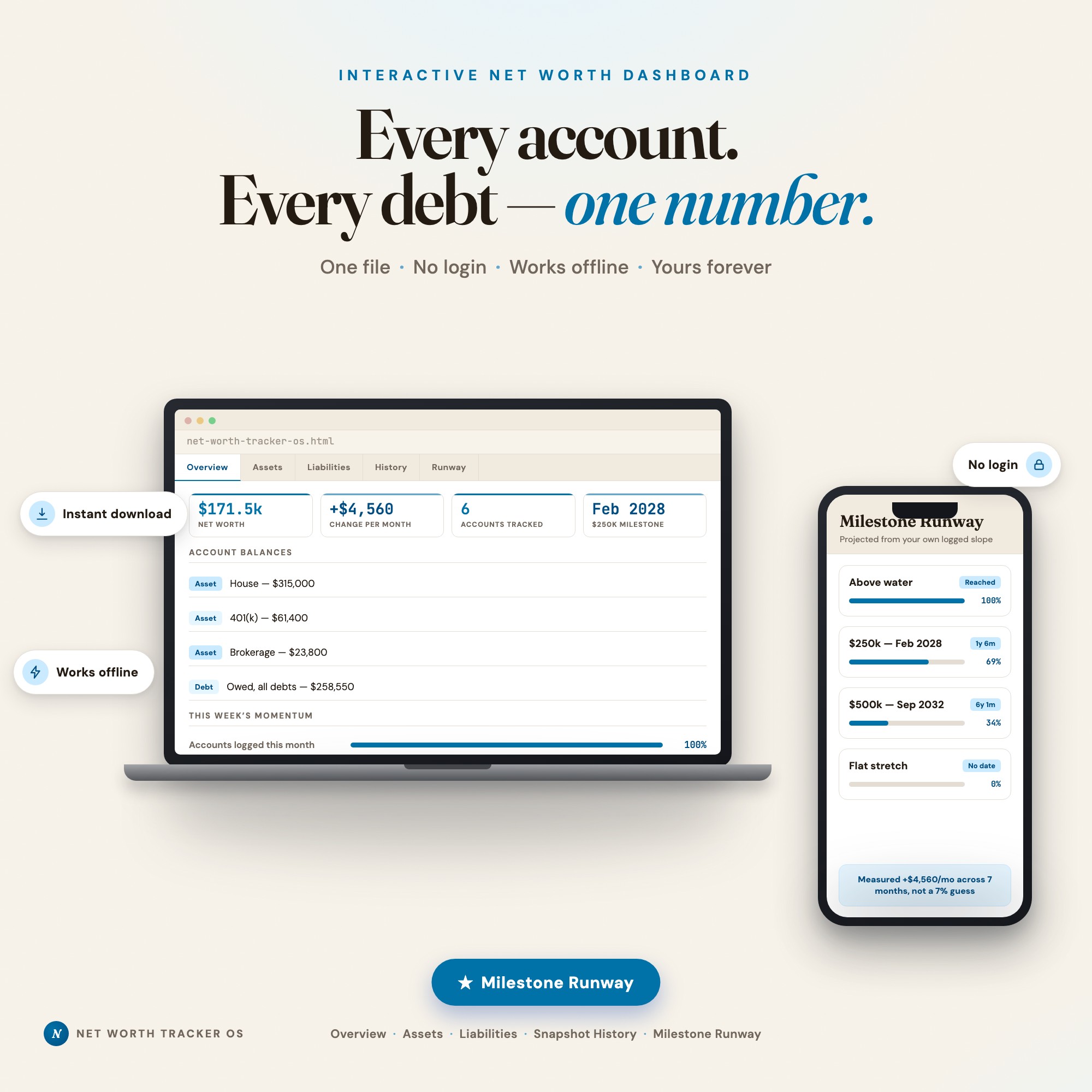
The Net Worth Tracker Dashboard is built around that. Its Milestone Runway tab reads the snapshots you have logged, fits your actual average monthly change, and prints the projected calendar date you cross each milestone you set. A contribution what-if recomputes every date live, so adding $250 a month shows up as a date moving rather than a vague improvement. It is a one-time $24 purchase and runs as a single file in your browser.
The Honest Comparison
| Empower | Monarch | Offline dashboard | |
|---|---|---|---|
| Cost | Free | Subscription | One-time |
| Account linking | Yes | Yes | No |
| Data leaves your machine | Yes | Yes | No |
| Budgeting | Light | Strong | No |
| Works offline | No | No | Yes |
| Survives the company folding | No | No | Yes |
| Projects a date from your own slope | No | No | Yes |
| Effort per month | Near zero | Near zero | About five minutes |
How to Pick
Answer one question: what is the actual job?
If the job is managing household spending, pick Monarch. Net worth is a byproduct of that work and you should optimise for the budgeting.
If the job is understanding an investment portfolio, pick Empower. The fee analysis alone is worth the sales call, and free is hard to argue with.
If the job is watching one number move over years and knowing when you cross the next milestone, pick the offline file. Not because linking is bad, but because that job needs a clean monthly series you own, and it needs to still be there in five years regardless of who got acquired.
There is no wrong answer here. There is only the question of which cost you would rather pay — a sales call, a subscription, or five minutes a month.
Frequently asked questions
- Is Empower's net worth tracker really free?
- The dashboard is free to use. Empower is a wealth management firm, and the free tool is the top of that funnel — once your linked balances cross a threshold, expect contact from an advisor. That is the business model, stated plainly. Whether it is a fair trade depends entirely on how you feel about that call.
- What happened to Mint, and why does it matter here?
- Intuit shut Mint down and moved users toward Credit Karma. It matters because Mint was the default answer to this question for over a decade, and its users learned the hard way that a free tool holding years of your financial history can be discontinued on someone else's schedule. Any tool you choose should be evaluated with that in mind.
- Do I need bank linking to track net worth accurately?
- No. Linking saves typing, not accuracy — an aggregator reads the same balance you can read yourself. It also introduces a failure mode manual entry does not have: connections break silently when institutions change their login flow, and a stale balance looks exactly like a current one.
- Which of these projects when I will hit a net worth goal?
- Most tools chart history and stop there, or project using an assumed market return you enter yourself. Projecting from your own logged month-over-month slope is the less common approach, and it is what the offline dashboard in this comparison is built around.
- Can I use more than one of these?
- Plenty of people do — a linked tool for day-to-day balances and a separate monthly snapshot file for the long record. If you go that way, the snapshot file is the one that should survive, because it is the one that is not dependent on a company continuing to exist.
The winner: interactive dashboards
No spreadsheet. No subscription. One HTML file that runs offline in your browser.
ListingResearchOS Shop
Stop comparing — start using
Interactive dashboards. One-time purchase. No subscriptions. Works offline.
Browse all dashboards →