
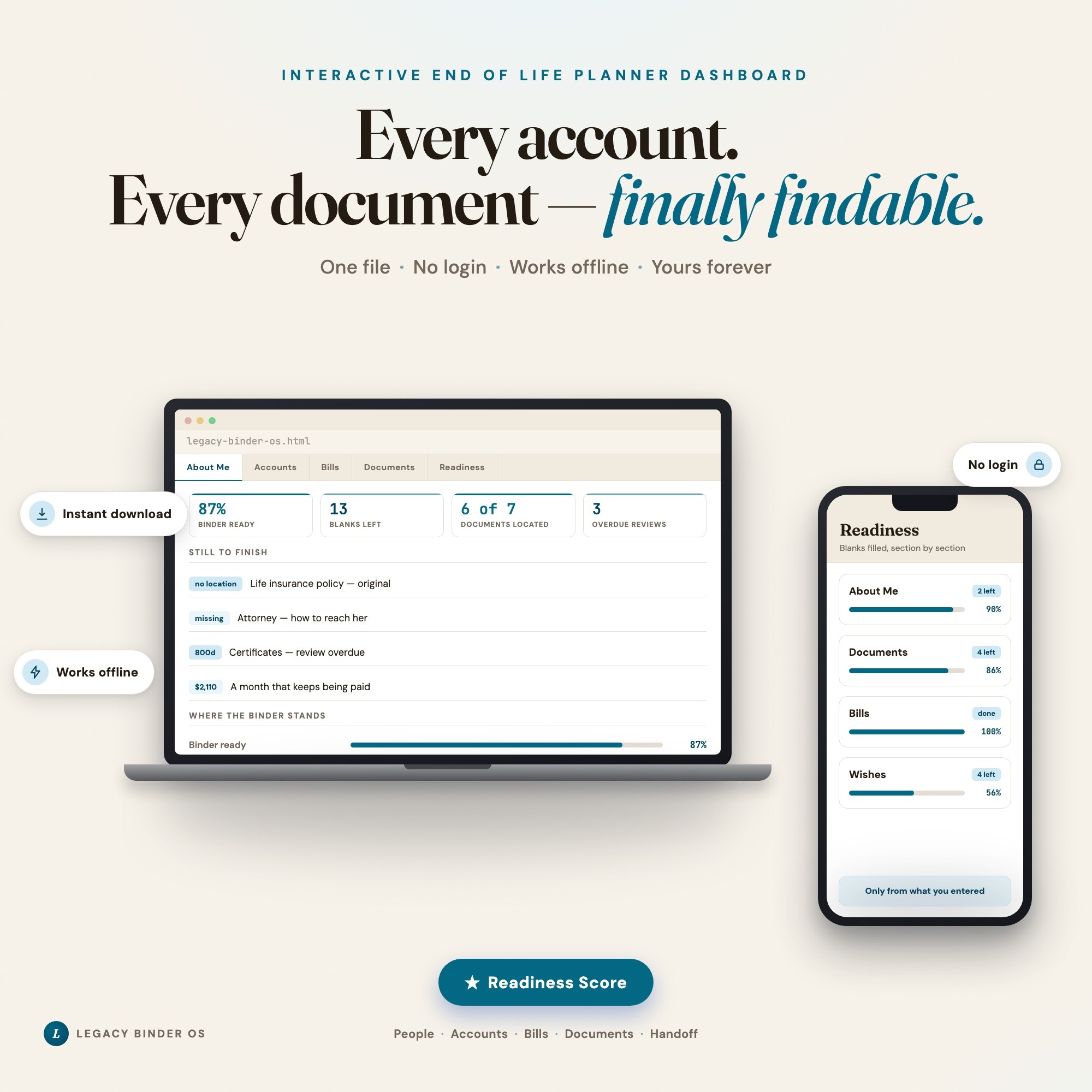
Interactive dashboard
Legacy Binder OS
Built for The one person in a family who knows where everything is — the will, the life insurance, which card the autopays ride on — and wants the people they love to be able to find it without them
Try it live
Click around the real dashboard
Interactive demo · a few tabs unlocked
See it in action
The dashboard
What it is
Built for the one person in a family who knows where everything is — the will, the life insurance, which card the autopays ride on — and wants the people they love to be able to find it without them. Every account. Every document — finally findable. It is a browser-native interactive dashboard that lives in a single HTML file, with nothing to install.
What is Legacy Binder OS?
Legacy Binder OS is an interactive dashboard that opens in your web browser. It is one self-contained HTML file — you download it once, double-click it, and it runs. It is built for the one person in a family who knows where everything is — the will, the life insurance, which card the autopays ride on — and wants the people they love to be able to find it without them.
What is included in Legacy Binder OS?
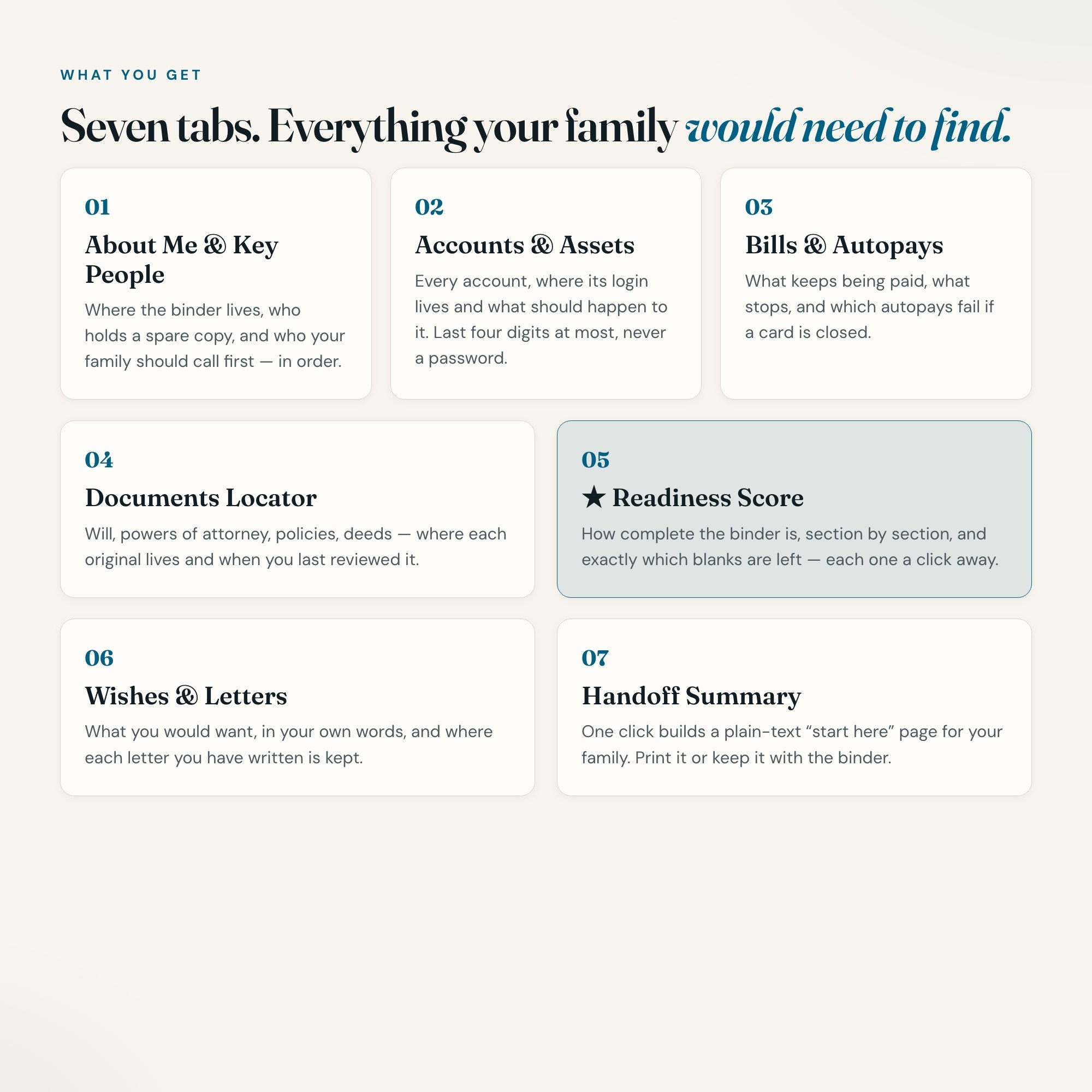
7 sections, all in the one file:
- About Me & Key People
- Accounts & Assets
- Bills & Autopays
- Documents Locator
- Readiness Score
- Wishes & Letters
- Handoff Summary
Does Legacy Binder OS need Excel, Google Sheets or a subscription?
No. There is no app to install, no account to create, no login and no recurring fee. It opens in Chrome, Safari, Edge or Firefox on macOS, Windows, iPad or Chromebook, and it keeps working offline once the file is on your machine.
Where does Legacy Binder OS store my data?
On your own device, in your own browser. Nothing is uploaded, no account is created and no analytics are collected. You can export a backup file at any time and load it on another computer.
Can I change how Legacy Binder OS looks?
Yes — colour, background, typeface and text size are all adjustable from inside the dashboard, and your choice is remembered the next time you open it.
How much is Legacy Binder OS and how is it delivered?
$26, delivered as an instant download the moment you pay. Because it is a digital file, all sales are final.
More about Legacy Binder OS
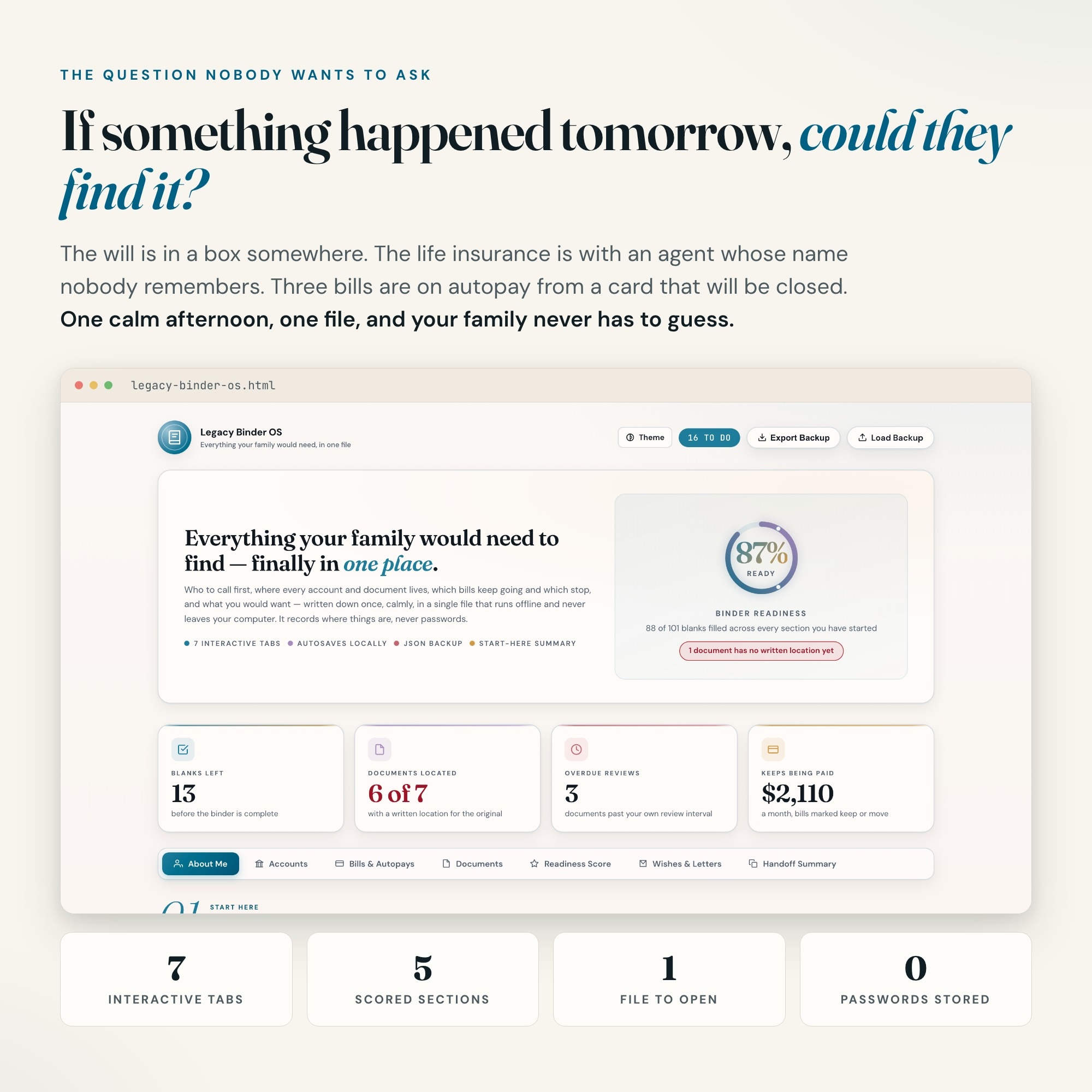
If something happened tomorrow, could your family find the will, the life insurance policy, and the account the mortgage is paid from? This end of life planner dashboard puts the answer in one calm, private file.
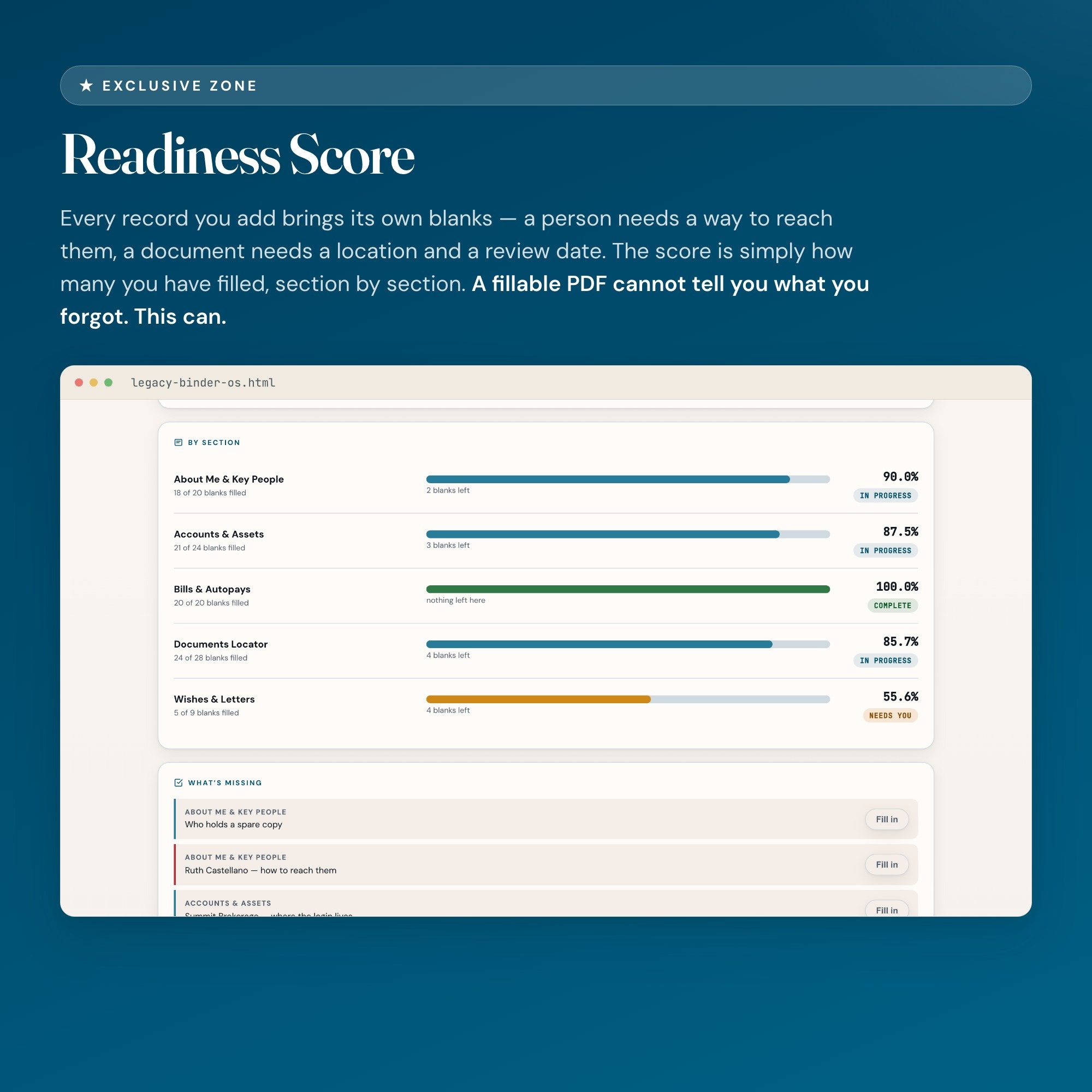
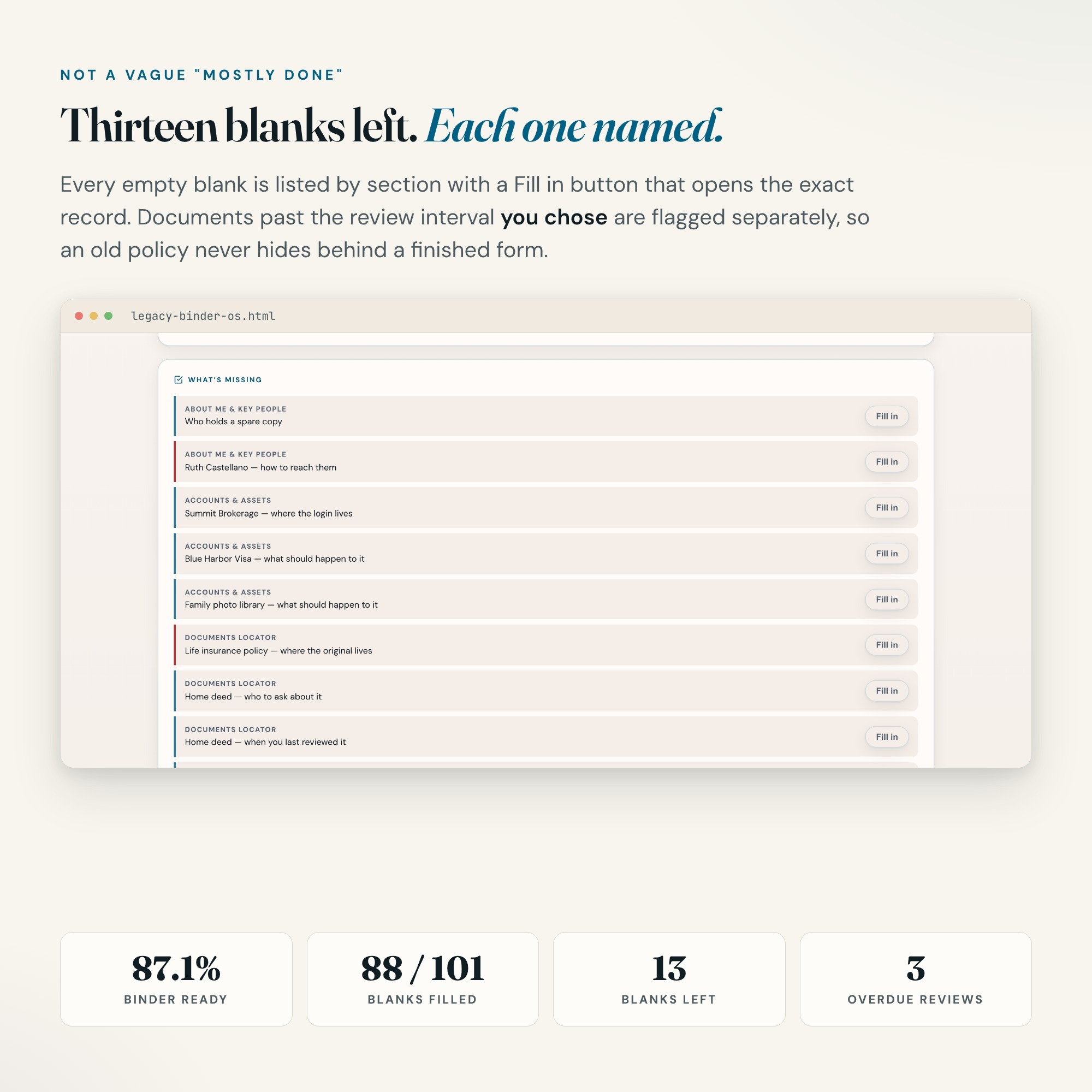
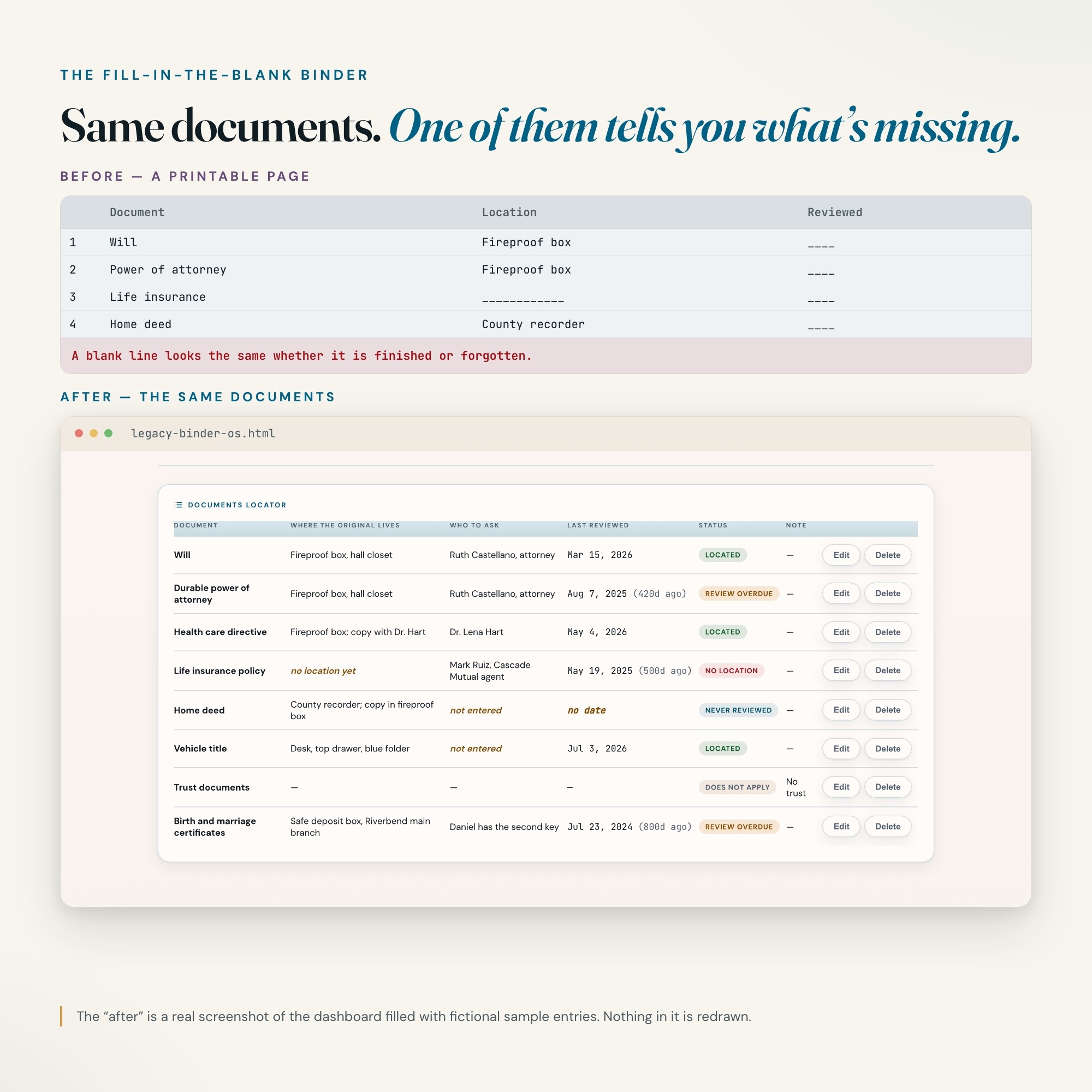
★ EXCLUSIVE ZONE: The only emergency binder on Etsy with a Readiness Score. Every person, account, bill and document you add brings its own blanks — a phone number, where the login lives, where the original is kept, when you last reviewed it. The dashboard shows how complete your binder is, section by section, lists every blank that is still empty with a button that takes you straight to it, and flags any document older than the review interval you chose. Every other “what if” binder in this niche is a printable PDF, a fillable PDF, a Word template or a spreadsheet. A blank line on a printable looks the same whether it is finished or forgotten. This one tells you which.
WHAT’S INSIDE
This interactive HTML dashboard runs in any browser — double-click and start:
Tab 1 — About Me & Key People: Where your printed binder is kept, who holds a spare copy, how often you want to review it, and the people your family should call first, in order, with how to reach each one.
Tab 2 — Accounts & Assets: Every bank, retirement, investment and insurance account, credit card, loan and digital account — where its login lives and what should happen to it. There is no password field, and account numbers keep the last four digits at most.
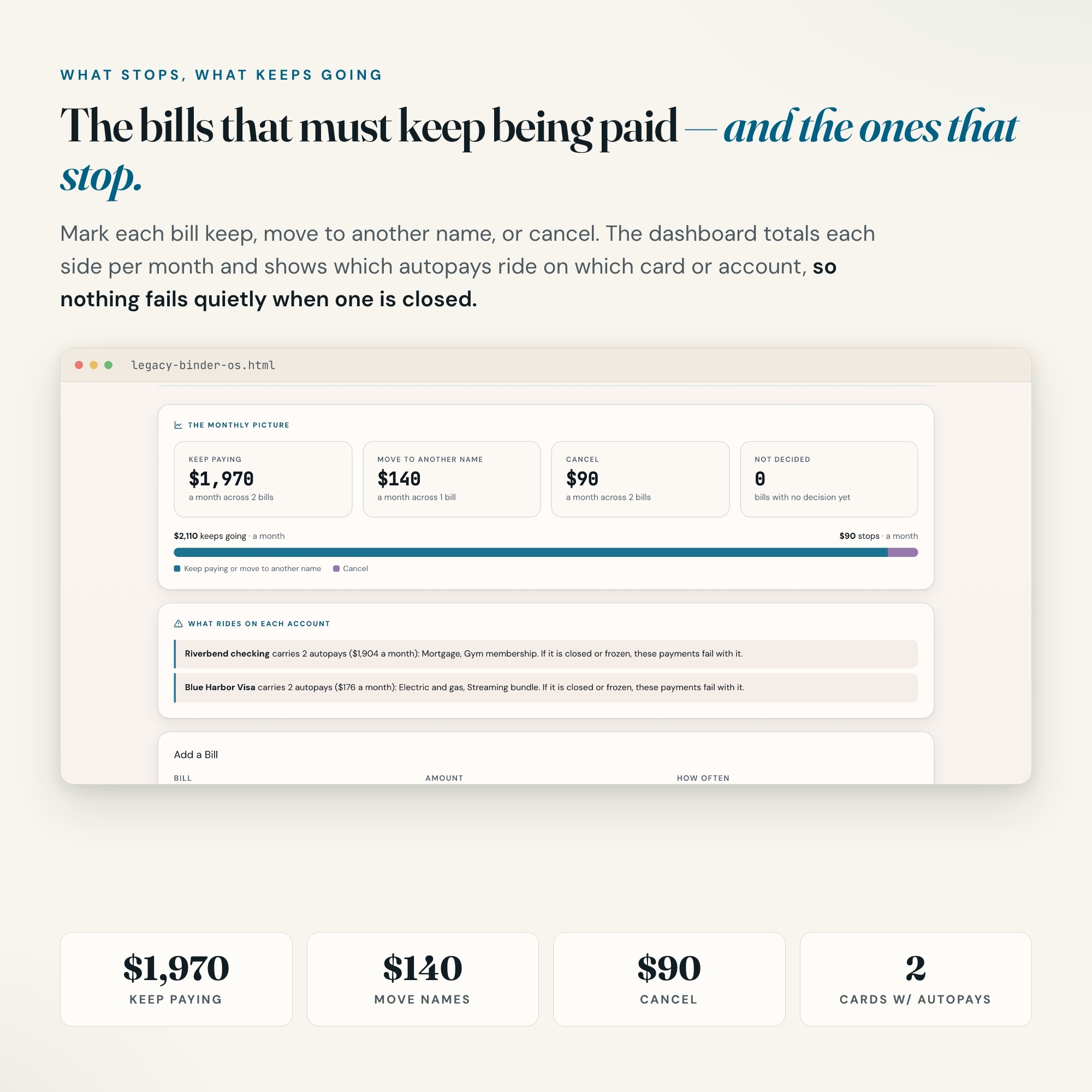
Tab 3 — Bills & Autopays: Every regular bill, what it is paid from, and whether it should keep being paid, move to another name, or be cancelled. Totals per month for what keeps going and what stops, and a list of which autopays ride on which card or account — so nothing fails quietly when one is closed.
Tab 4 — Documents Locator: Will, powers of attorney, health care directive, insurance policies, deeds, titles, certificates — where each original lives, who to ask about it, and when you last reviewed it. Mark anything that does not apply to you and it is left out of the score.
Tab 5 — ★ Readiness Score: The exclusive zone. Your binder’s completeness by section, every missing blank listed and one click away, and every document overdue for your own review.
Tab 6 — Wishes & Letters: What you would want, in your own words — arrangements, pets, personal items, your digital life, and anything you want your family to know — plus where each letter you have written is kept.
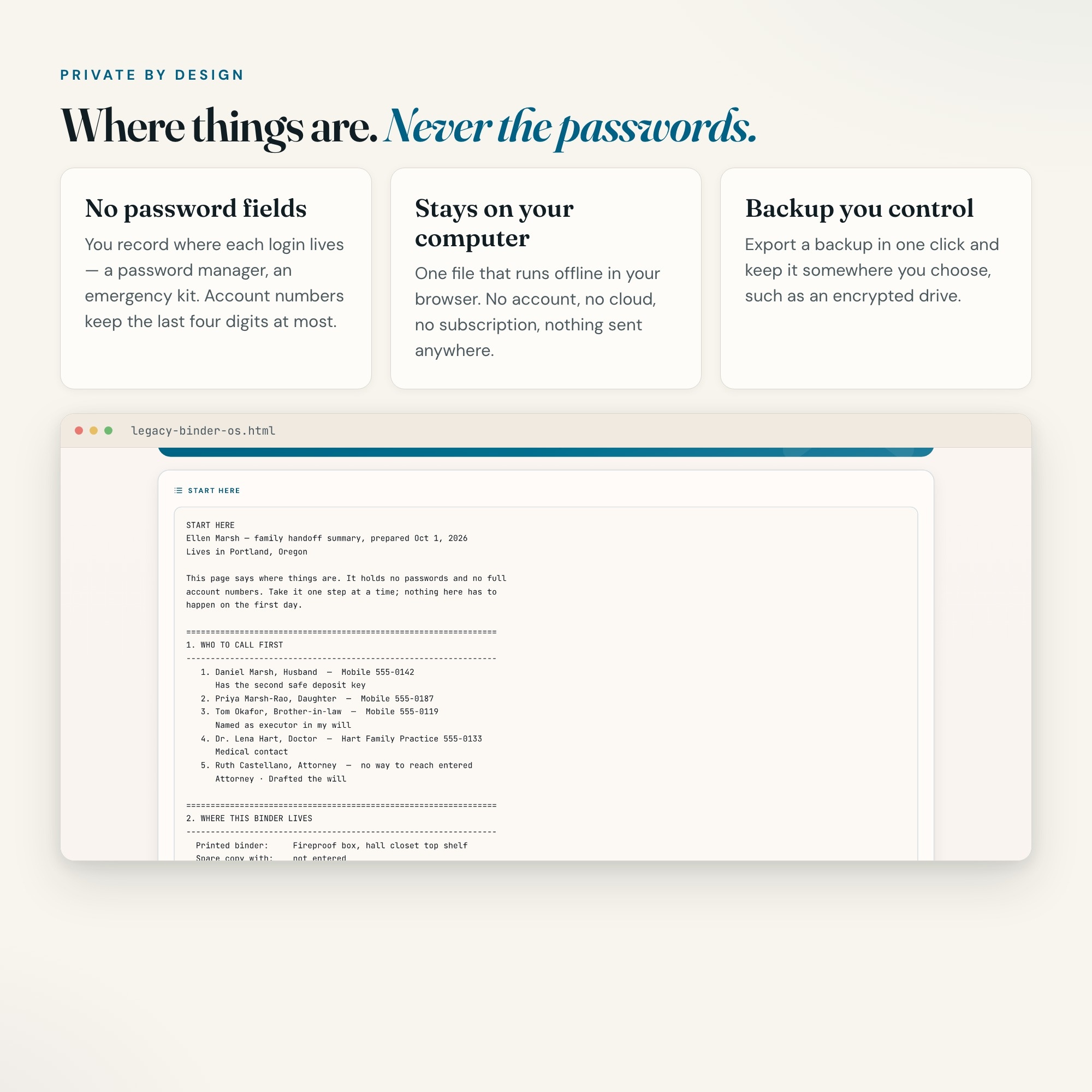
Tab 7 — Handoff Summary: One button builds a plain-text “start here” page for your family: who to call, where everything is, which bills keep going, your wishes and your letters. Copy it, print it, keep it with the binder.
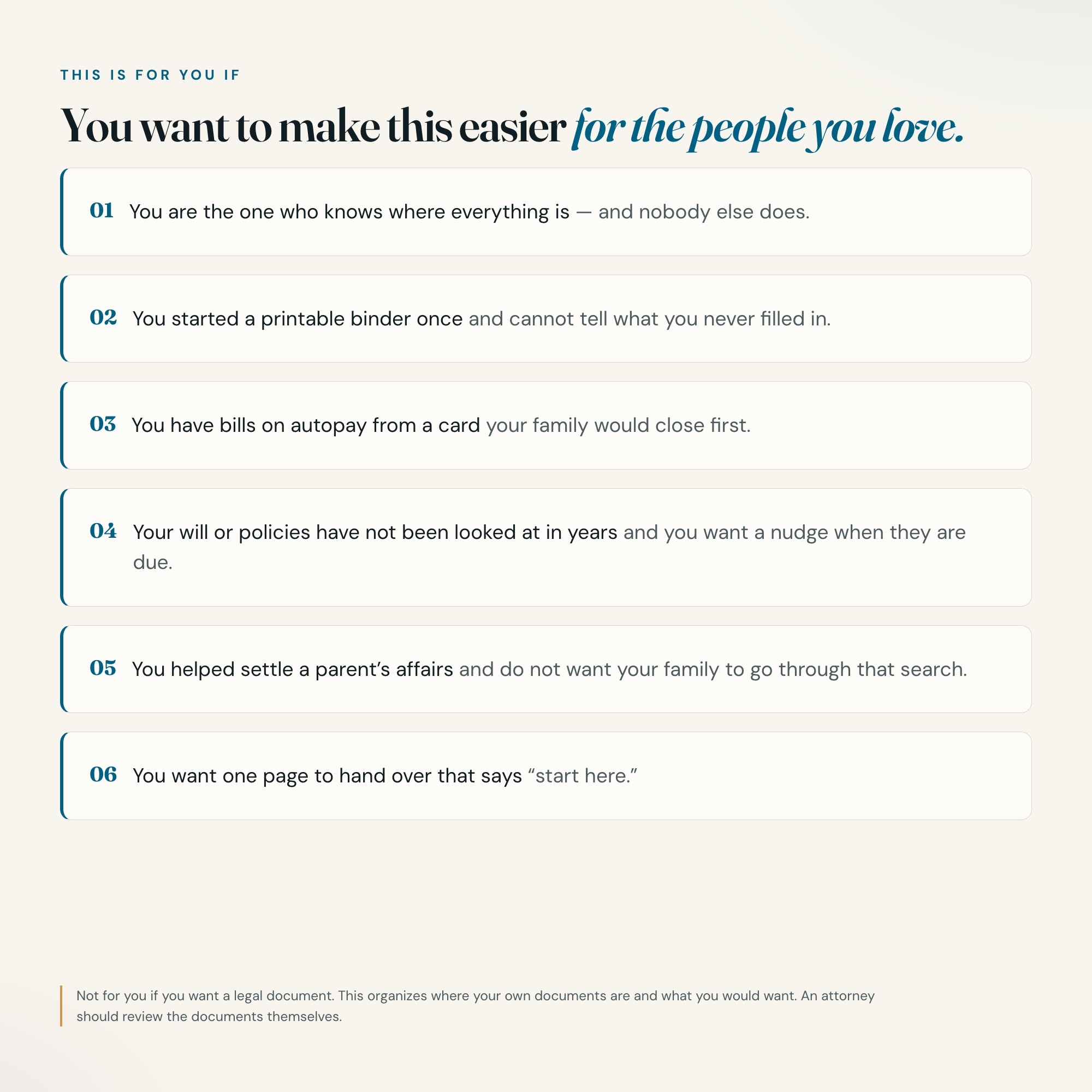
THIS IS FOR YOU IF
-
You are the one who knows where everything is, and nobody else does
-
You started a printable binder once and cannot tell what you never filled in
-
You have bills on autopay from a card your family would close first
-
Your will or policies have not been looked at in years and you want a nudge when they are due
-
You helped settle a parent’s affairs and do not want your family to go through that search
-
You want one page to hand over that says “start here”
HOW IT WORKS
One file. Double-click it and it opens in Chrome, Safari, Edge or Firefox. It saves to your own computer as you type — no login, no account, no subscription, no internet needed after download. Export a backup whenever you like and keep it somewhere you choose, such as an encrypted drive. Four-way theme control: colour, background, typeface and text size.
PRIVATE BY DESIGN
This file records WHERE things are, never the secrets themselves. Do not type passwords, Social Security numbers or full account numbers into it — note where they live instead (“password manager”, “emergency kit in the desk”). Nothing is uploaded anywhere.
WHAT IT IS NOT
This is a personal organizer, not legal advice and not a legal document. It does not create a will, a power of attorney or a health care directive, and it knows no state’s rules. It records where your own documents are and what you would want, so your family can find them. Have an attorney review your actual documents.
FREE NOTION VERSION
Prefer to work in Notion? Message the shop after your purchase and I will send you a Notion version of this dashboard at no extra cost.
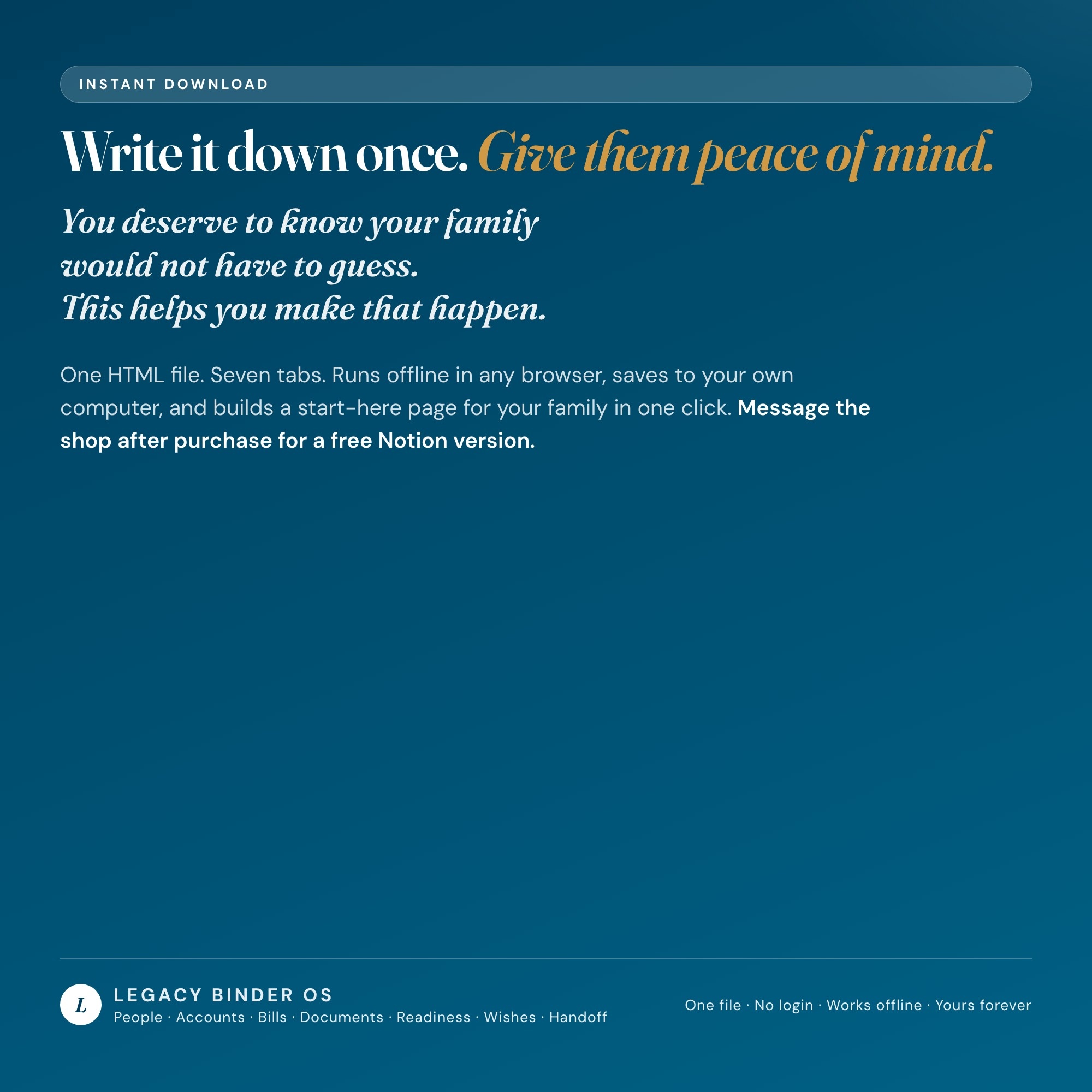
You deserve to know your family would not have to guess. This helps you make that happen.
INSTANT DOWNLOAD — all sales are final on digital items.
5 Tabs included
- ◈
About Me & Key People
Who the binder is for, who to call first, who holds a spare copy
- ≡
Accounts & Assets
Every account, where it lives, and the last four digits at most — never passwords
- ⊞
Bills & Autopays
What keeps being paid, what stops, and which card each autopay rides on
- ◉
Documents Locator
Wills, powers of attorney, policies and deeds — where each original is and when you last reviewed it
- ★
Readiness Score
EXCLUSIVE: how complete the binder is, section by section, and exactly which blanks are left
Exclusive Feature
Readiness Score — every record you add brings its own blanks: a person needs a way to reach them, a document needs a location and a review date. The score shows how ready the binder is section by section and names every blank left, so nothing you forgot hides behind a finished-looking form.
This is built into the fifth tab and is unavailable in any static template, spreadsheet, or Notion template on the market.
Gallery
Learn more
Before you buy
Frequently asked questions
- What is Legacy Binder OS?
- Legacy Binder OS is an interactive dashboard that opens in your web browser. It is one self-contained HTML file — download it once, double-click it, and it runs. No app, no account, no subscription.
- Does Legacy Binder OS need Excel or Google Sheets?
- No. It is not a spreadsheet and does not open in one. It runs in Chrome, Safari, Edge or Firefox on macOS, Windows, iPad or Chromebook, and keeps working offline.
- What is included in Legacy Binder OS?
- 7 sections in a single file: About Me & Key People, Accounts & Assets, Bills & Autopays, Documents Locator, Readiness Score, Wishes & Letters, Handoff Summary.
- Can I change the colours and text size in Legacy Binder OS?
- Yes. Colour, background, typeface and text size are adjustable from inside the dashboard, and the setting is remembered.
- Does it work offline?
- Yes — completely. The dashboard is a single HTML file. Once downloaded, it runs entirely in your browser with no internet connection needed. All data autosaves to your browser's localStorage.
- Which devices and browsers are supported?
- Works in Chrome, Edge, Safari, and Firefox on macOS, Windows, iPad, and Chromebook. No app to install, no account to create. Just open the file.
- What is your refund policy?
- All sales are final. This is an instant download delivered in full at payment, so it cannot be returned. If a file will not open or a feature does not work as described, that is a defect and it gets fixed at no cost — email hello@listingresearchos.com and you will get a corrected file.
- How do I install it?
- There is nothing to install. After purchase, download the HTML file. Double-click to open in your browser. That's it. A HOW-TO-SAVE.txt is included explaining how to back up and restore your data.
- Is my data private?
- Completely. Everything runs locally — no login, no analytics, no data sent to any server. Your data is stored only in your browser's localStorage. You own it entirely.
You might also like
One-time purchase
Get it for $26.00
Instant download. Open in any browser. Yours forever.