
Emergency Binder Checklist: What to Include (and What to Leave Out)
A practical emergency binder checklist: key people, accounts, bills, documents — and why passwords and full account numbers never belong in it.
Published October 1, 2026
If something happened to you tomorrow, could the people you love find the will, the life insurance policy, or the account the mortgage gets paid from — without calling you to ask? Most families can’t, not because nobody thought about it, but because the person who knows where everything is never got around to writing it down. Here’s what an emergency binder actually needs, and what should never go in one.
1. Key People, in the Order They Should Be Called
Start with who your family should reach first, second, and third — and how to reach each one. This might be an attorney, a sibling, a close friend who knows your situation, or whoever holds a spare copy of the binder itself. Note where the physical binder lives and how often you plan to review it, so the people who need it aren’t searching a house to find it.
2. Every Account — Where It Lives, Not How to Log In
List every bank, retirement, investment, and insurance account, every credit card and loan, and any digital account that matters — and for each one, where it lives and what should happen to it. This is where the checklist gets tempting to over-fill: don’t. Note at most the last four digits of an account number, and never include a login or password. The goal is for your family to know an account exists and who to contact about it, not for the binder itself to become a way in.
3. Bills and What Rides on Which Card
List every regular bill and whether it should keep being paid, move to someone else’s name, or get cancelled. This matters more than it sounds like it should: if a bill is on autopay from a card that gets closed first, it can fail silently for months before anyone notices — and by then there are late fees, a lapsed policy, or a service that’s been cut off without warning. Note which autopays ride on which card or account so nothing falls through that gap.
4. Documents — Where the Original Actually Is
Will, power of attorney, health care directive, insurance policies, deeds, titles, certificates — for each one, where the original is kept, who to ask about it, and when you last reviewed it. A lot of “I have a binder” turns out to mean a binder with a line that says “will” and nothing after it. The location is the part that actually helps; the category name alone doesn’t get anyone into a locked drawer or a safe deposit box.
5. What You’d Want, in Your Own Words
Arrangements, pets, personal items, your digital accounts, anything you want your family to know — this section is yours to write, not a form with boxes. It doesn’t need to be exhaustive on day one. It needs to exist, in language your family will recognize as yours.
What Should Never Be in There
Passwords, Social Security numbers, and full account numbers do not belong in any binder — physical or digital, printed or saved to a device. If something is readable, it’s findable by more than just your family. Note where the actual secrets live instead: a password manager, a safe deposit box, an emergency kit in a specific drawer. The binder’s job is to point, not to hold.
How the Dashboard Catches What a Printable Can’t
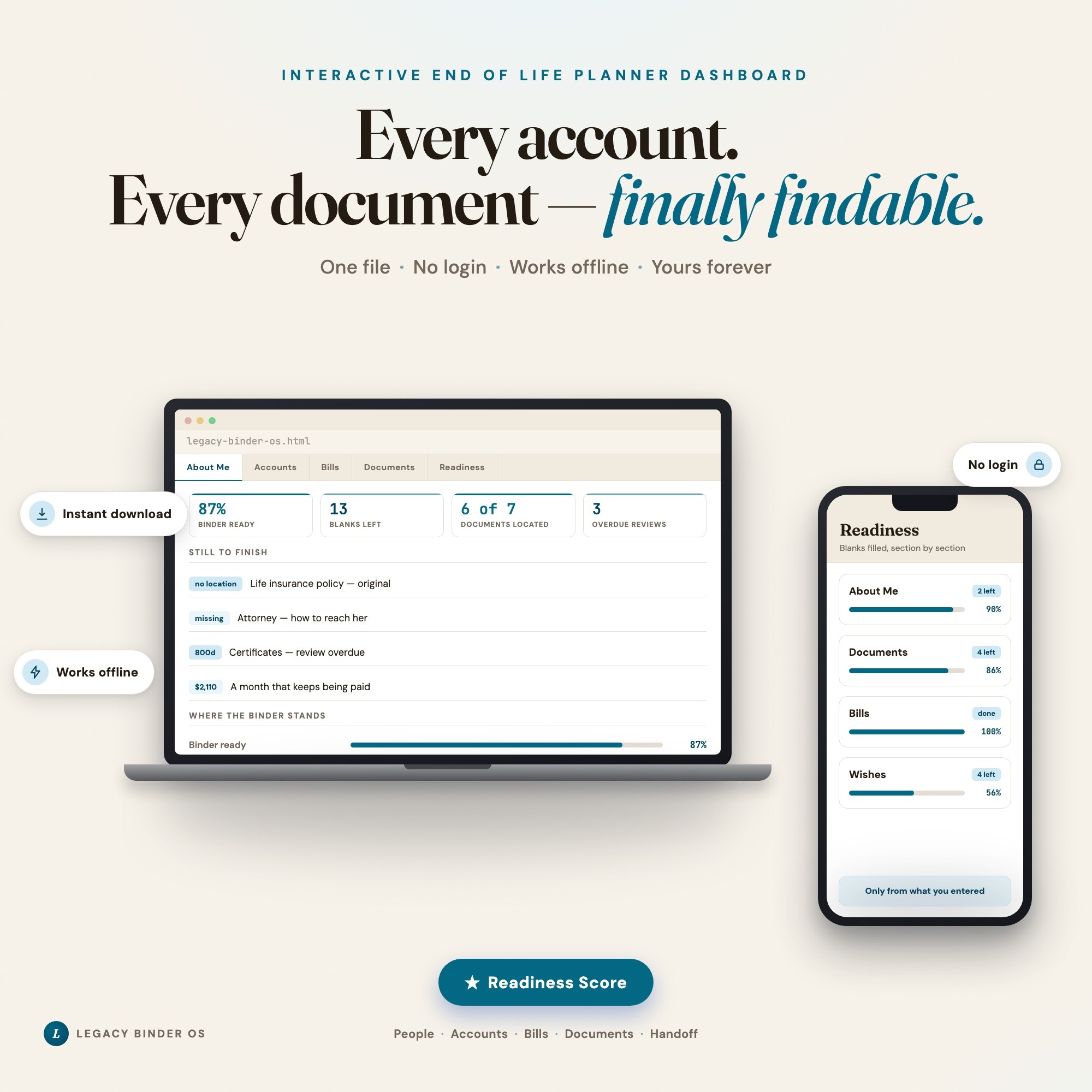
A printed checklist can’t tell you which lines are finished and which are blank because nobody got to them — a blank line looks the same either way. Legacy Binder OS tracks all of the above — key people, accounts, bills and autopays, and a documents locator — and adds a ★ Readiness Score that most “what if” binders on Etsy don’t have: every person, account, bill, and document you add brings its own blanks (a phone number, a document location, a review date), and the dashboard shows how complete each section is, lists every blank left with a button that jumps straight to it, and flags any document you haven’t reviewed within the interval you set. The Wishes & Letters tab holds what you’d want in your own words, and Handoff Summary builds a one-click, plain-text “start here” page for your family — who to call, where everything is, what keeps getting paid, where your letters are.
This file records where things are, never the secrets themselves — there’s no password field anywhere in it, and account numbers keep the last four digits at most. It is a personal organizer, not legal advice and not a legal document; have an attorney review your actual will, power of attorney, and directives.
Frequently asked questions
- What should go in an emergency binder?
- Key people and how to reach them, every account and where it lives, which bills are on autopay and what card they ride on, where important documents are physically located, and your own wishes in your own words. The binder should record where things are and what you want — not the sensitive details themselves.
- Should I put passwords in my emergency binder?
- No. Never write passwords, Social Security numbers, or full account numbers into any binder — physical or digital. Instead, note where those live: 'password manager,' 'safe deposit box at the branch on Main St,' 'emergency kit in the desk drawer.' The binder should point to where the secrets are kept, not hold the secrets itself.
- How is this different from a will?
- A will is a legal document that an attorney drafts and that governs how your estate is distributed. An emergency binder is a personal organizer — it records where your will and other documents physically are, so your family can find them, but it doesn't create or replace any legal document.
- How do I know if my emergency binder is actually finished?
- A binder with blank lines next to filled-in ones looks the same at a glance — you can't tell what you skipped from what you forgot. The honest test is whether every section has a way to flag what's still missing, not just a form that looks complete.
- How much is Legacy Binder OS and how is it delivered?
- $26, delivered as an instant download the moment you pay. Because it is a digital file, all sales are final.
Ready-made dashboards
Skip setup — grab an interactive dashboard built for this exact workflow.
ListingResearchOS Shop
All dashboards — one-time purchase, yours forever
Single HTML files. No subscriptions. No login. Works offline in any browser.
Browse all dashboards →