

Interactive dashboard
Job Search Command Center, Interactive Job Application Tracker Dashboard, Pipeline Kanban + Offer Comparison Engine, Career Planner
Built for Laid-off tech professionals and career switchers managing 30 to 100 active applications across LinkedIn, Indeed, and direct company sites.
Try it live
Click around the real dashboard
Interactive demo · a few tabs unlocked
See it in action
The dashboard
What it is
Built for laid-off tech professionals and career switchers managing 30 to 100 active applications across LinkedIn, Indeed, and direct company sites. Apply with intention. Track with discipline. Negotiate with leverage. It is a browser-native interactive dashboard that lives in a single HTML file, with nothing to install.
What is Job Search Command Center?
Job Search Command Center is an interactive dashboard that opens in your web browser. It is one self-contained HTML file — you download it once, double-click it, and it runs. It is built for laid-off tech professionals and career switchers managing 30 to 100 active applications across LinkedIn, Indeed, and direct company sites.
What is included in Job Search Command Center?
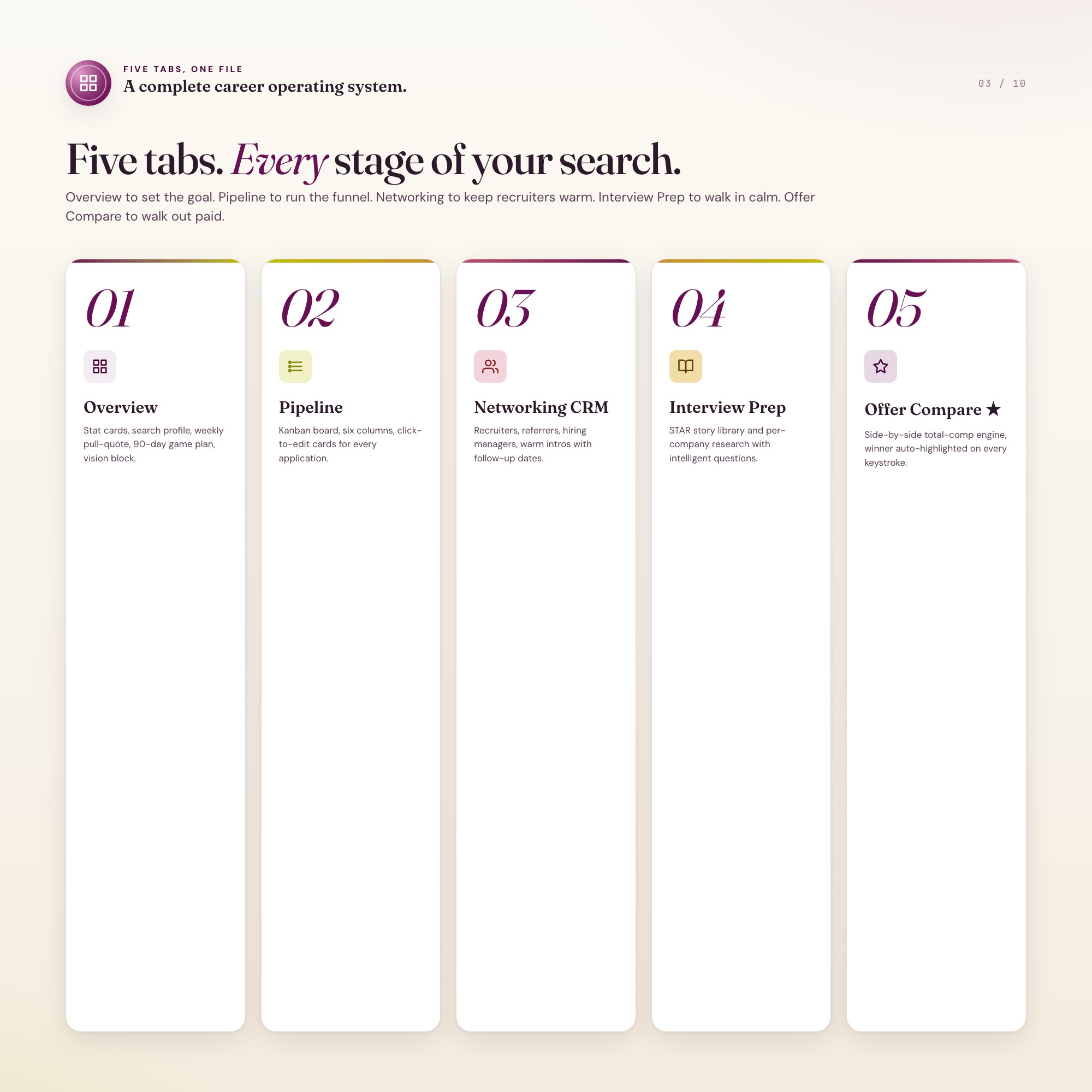
5 sections, all in the one file:
- Overview
- Pipeline
- Networking CRM
- Interview Prep
- Offer Compare
Does Job Search Command Center need Excel, Google Sheets or a subscription?
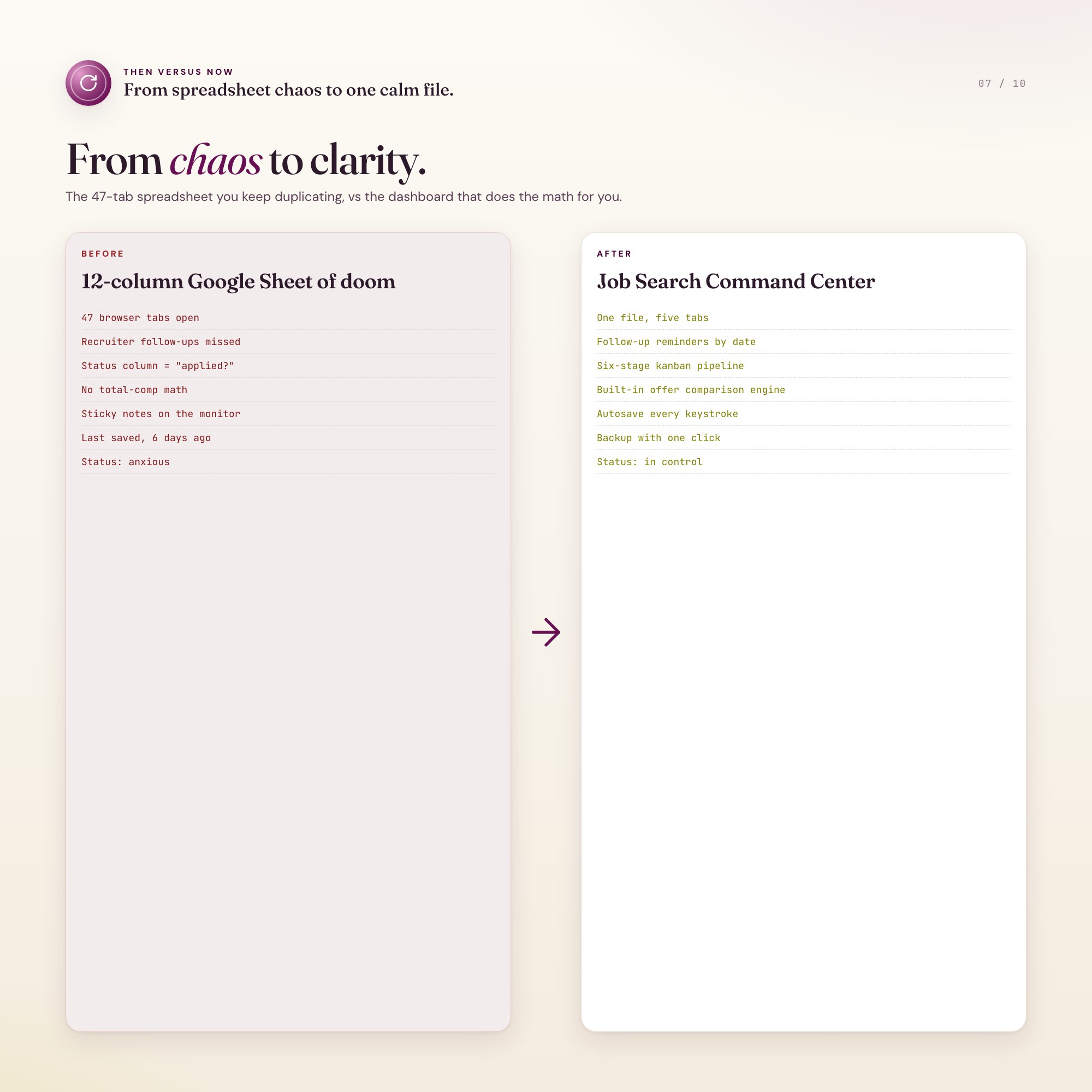
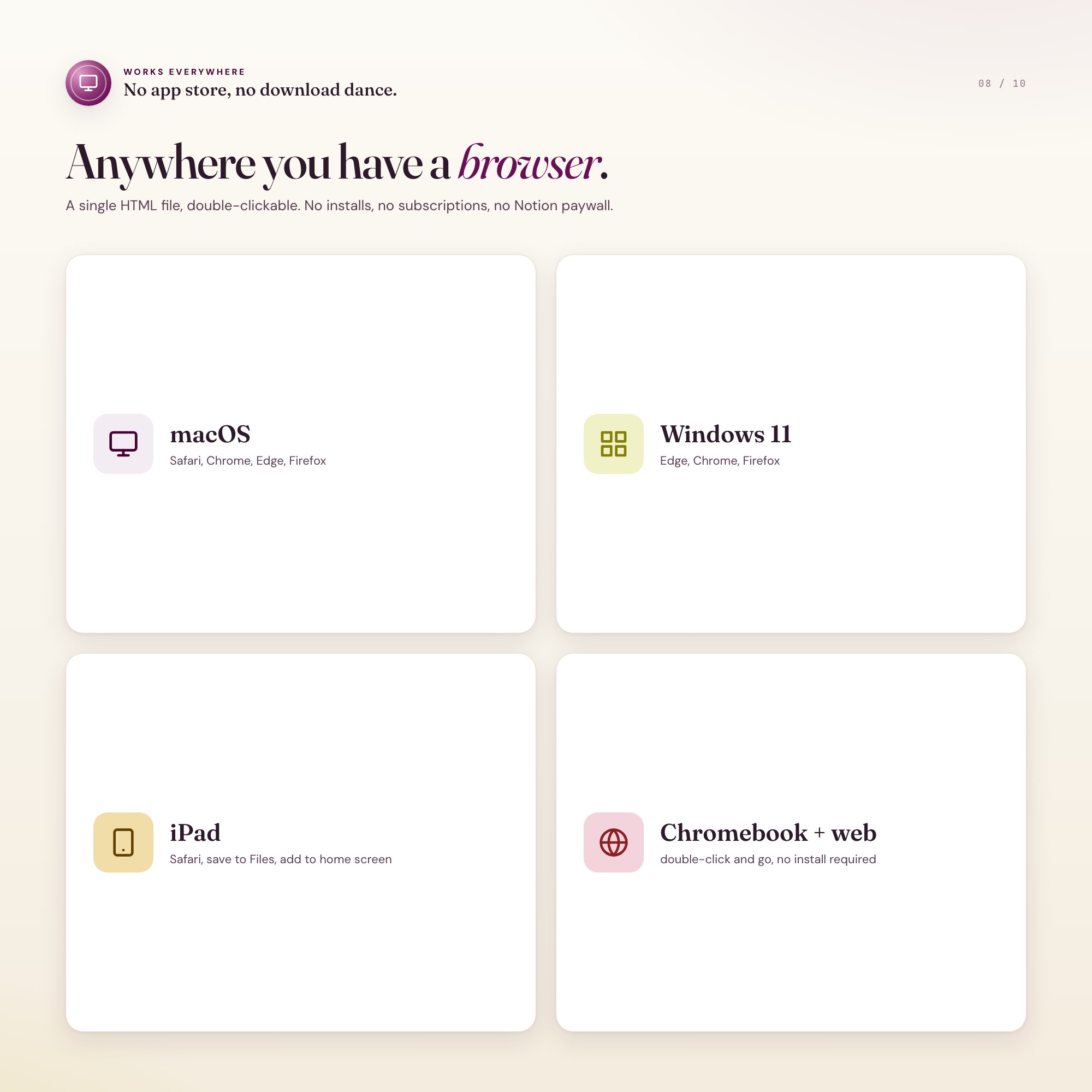
No. There is no app to install, no account to create, no login and no recurring fee. It opens in Chrome, Safari, Edge or Firefox on macOS, Windows, iPad or Chromebook, and it keeps working offline once the file is on your machine.
Where does Job Search Command Center store my data?
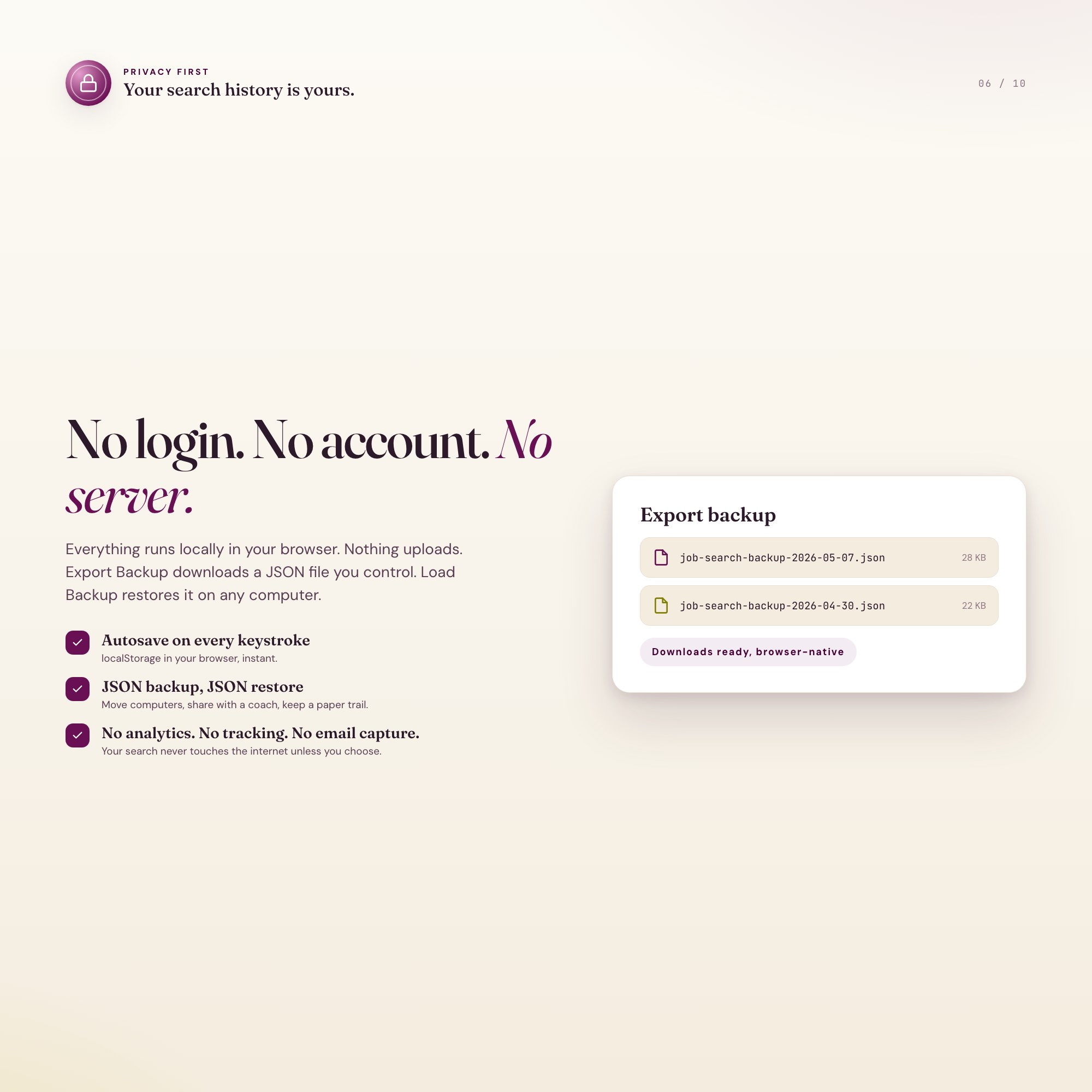
On your own device, in your own browser. Nothing is uploaded, no account is created and no analytics are collected. You can export a backup file at any time and load it on another computer.
Can I change how Job Search Command Center looks?
Yes — colour, background, typeface and text size are all adjustable from inside the dashboard, and your choice is remembered the next time you open it.
How much is Job Search Command Center and how is it delivered?
$24, delivered as an instant download the moment you pay. Because it is a digital file, all sales are final.
More about Job Search Command Center
The Job Search Command Center fixes that in one HTML file. Open it in Chrome, type in your applications, and watch a complete career operating system come to life: a kanban pipeline that shows exactly what stage every company is in, a networking CRM that nudges you to follow up before the trail goes cold, an interview prep workspace with STAR stories and per-company research, and the feature no competitor offers, an Offer Comparison Engine that calculates true total comp across base, bonus, equity vesting, sign-on, relocation, and benefits side by side.
Every keystroke autosaves to your browser. Close the tab, reopen tomorrow, your search is exactly where you left it. Export a JSON backup any time you want to keep a copy or move computers.
★ EXCLUSIVE ZONE
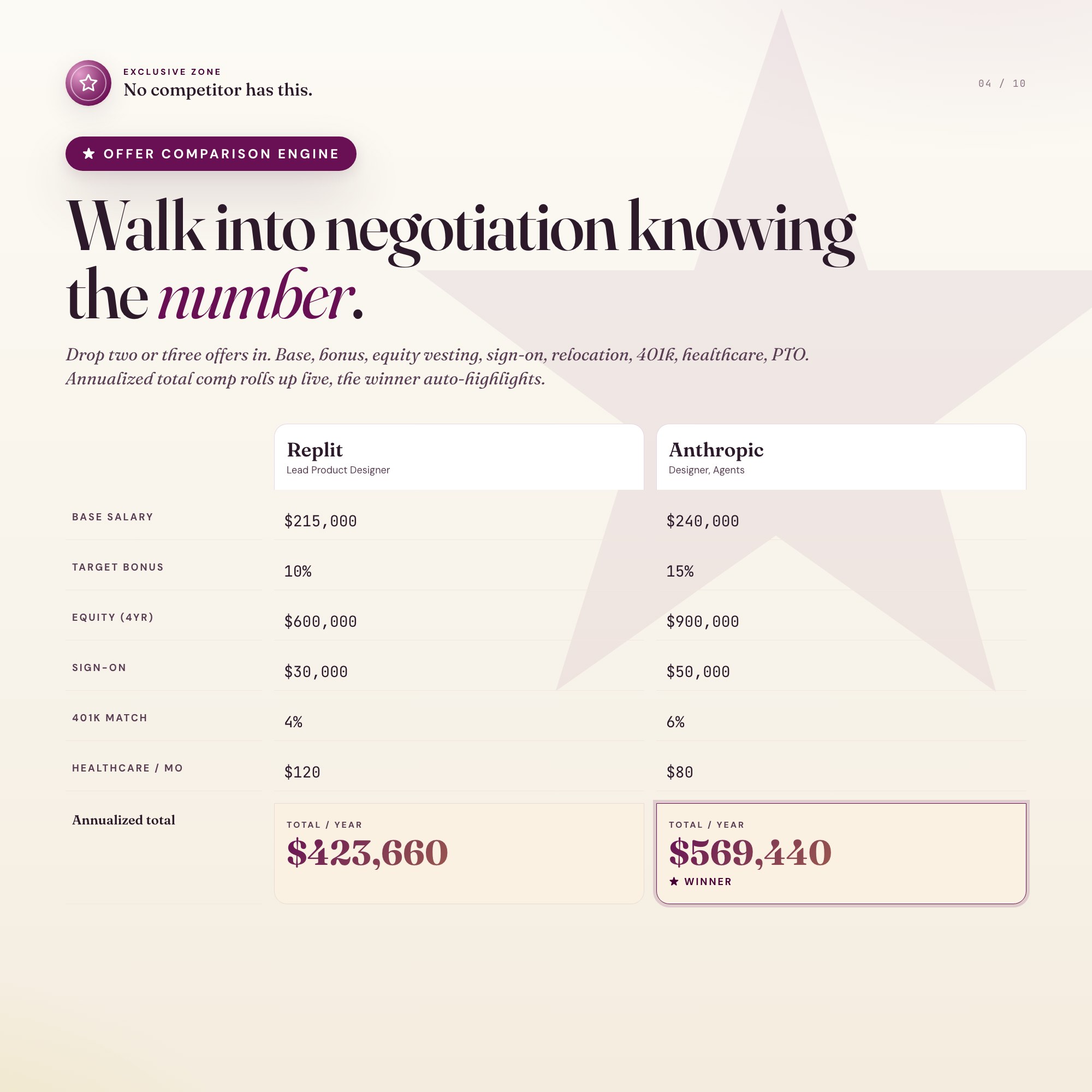
The Offer Comparison Engine is built into Tab 5 and is the reason this product exists. Drop two or three offers in. It rolls up base salary, target bonus, equity grant value across the vesting cliff, sign-on, relocation, 401k match, healthcare premium, PTO days, and remote flexibility into a single annualized total. The winner gets highlighted. You walk into negotiation knowing exactly what number to ask for.
WHAT’S INSIDE (5 tabs)
-
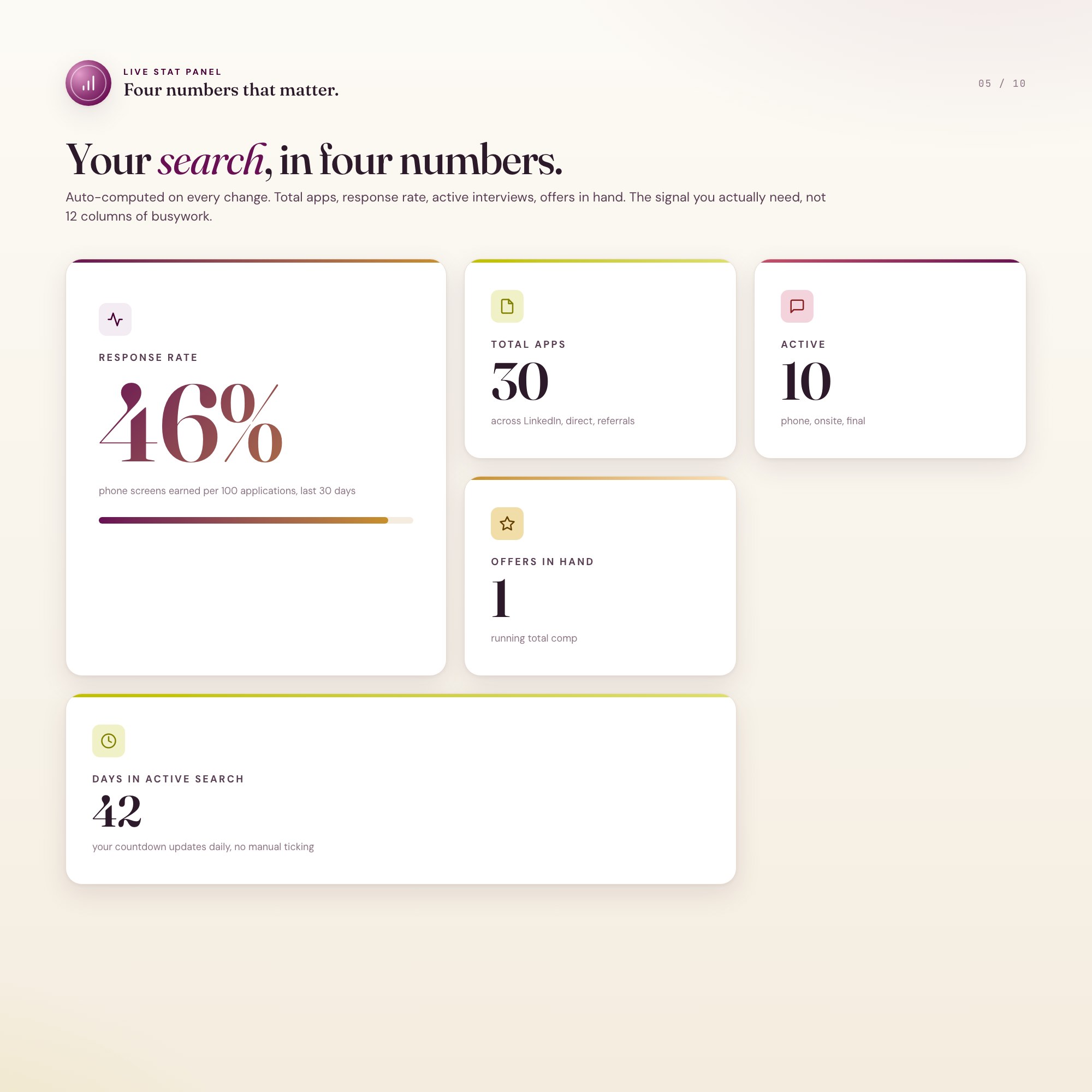
Overview, your weekly dashboard. Total applications, response rate, active interviews, offers in hand, and a pull-quote that reframes today’s effort.
-
Pipeline, the kanban board. Six columns (Researching, Applied, Phone Screen, Onsite, Offer, Closed) with click-to-edit cards for company, role, applied date, source, salary band, and notes.
-
Networking CRM, the contact tracker. Recruiters, referrers, hiring managers, and warm intros, with last-contact timestamps and follow-up reminders.
-
Interview Prep, the workspace. STAR story library, per-company research notes, salary research per company, and a question bank.
-
Offer Compare ★, the deal closer. Side-by-side total-comp calculator with auto-highlight on the winner.
This is for you if
-
You are running 30 or more active applications and the spreadsheet is collapsing.
-
You forgot to follow up with a recruiter and watched a role go cold.
-
You once accepted an offer that looked good on paper and underdelivered after vesting.
-
You are switching careers and need to track two parallel tracks of search at once.
-
You want a system that does not require another monthly Notion or app subscription.
Your data is safe
Everything runs locally in your browser. Nothing uploads. No login, no account, no email capture, no analytics. Export Backup downloads a JSON file you control. Load Backup restores it on any computer. Your search history is yours.
Files included
-
dashboard.html, the single-file interactive command center
-
HOW-TO-SAVE.txt, plain-English save, restore, and share guide
Works in Chrome, Edge, Safari, Firefox. macOS, Windows, iPad, Chromebook.
Get the next 90 days of your search organized in 90 seconds. Click Add to Cart, instant download, open the file, start typing.
Notion-version coming soon for buyers who want cloud sync across devices.
5 Tabs included
- ◈
Overview
Stat cards, search profile, weekly pull-quote, 90-day game plan, vision block.
- ≡
Pipeline
Kanban board with 6 columns, click-to-edit company cards, stage dropdown.
- ⊞
Networking CRM
Contact tracker for recruiters, referrers, hiring managers, warm intros.
- ◉
Interview Prep
STAR story library + per-company research + intelligent questions.
- ★
Offer Compare
Side-by-side total-comp engine, winner auto-highlighted (EXCLUSIVE ZONE).
Exclusive Feature
Built-in Offer Comparison Engine that calculates total comp across base, target bonus, equity vesting, sign-on, relocation, 401k match, and benefits side by side.
This is built into the fifth tab and is unavailable in any static template, spreadsheet, or Notion template on the market.
Gallery



Learn more
How to Organize a Job Search When You Have 100+ Applications
A system for a high-volume job search: pipeline kanban, networking CRM, STAR story prep, and an offer comparison that weighs true total compensation.
GuideJob Offer Comparison: How to Evaluate Total Compensation Correctly
How to compare job offers on true total compensation — base, bonus, equity vesting, 401k match, and benefits calculated side by side before you decide.
ComparisonJob Application Tracker: Spreadsheet vs. Notion vs. Offline Dashboard
Comparing job application tracking tools for active job seekers: Google Sheets, Teal HQ, Notion, and an offline dashboard with an Offer Comparison Engine.
List9 Job Search Tools Laid-Off Tech Workers Actually Use in 2026
9 job search tools laid-off tech workers rely on in 2026, from kanban pipeline trackers and networking CRMs to a real total-compensation offer comparison.
Before you buy
Frequently asked questions
- What is Job Search Command Center?
- Job Search Command Center is an interactive dashboard that opens in your web browser. It is one self-contained HTML file — download it once, double-click it, and it runs. No app, no account, no subscription.
- Does Job Search Command Center need Excel or Google Sheets?
- No. It is not a spreadsheet and does not open in one. It runs in Chrome, Safari, Edge or Firefox on macOS, Windows, iPad or Chromebook, and keeps working offline.
- What is included in Job Search Command Center?
- 5 sections in a single file: Overview, Pipeline, Networking CRM, Interview Prep, Offer Compare.
- Can I change the colours and text size in Job Search Command Center?
- Yes. Colour, background, typeface and text size are adjustable from inside the dashboard, and the setting is remembered.
- Does it work offline?
- Yes — completely. The dashboard is a single HTML file. Once downloaded, it runs entirely in your browser with no internet connection needed. All data autosaves to your browser's localStorage.
- Which devices and browsers are supported?
- Works in Chrome, Edge, Safari, and Firefox on macOS, Windows, iPad, and Chromebook. No app to install, no account to create. Just open the file.
- What is your refund policy?
- All sales are final. This is an instant download delivered in full at payment, so it cannot be returned. If a file will not open or a feature does not work as described, that is a defect and it gets fixed at no cost — email hello@listingresearchos.com and you will get a corrected file.
- How do I install it?
- There is nothing to install. After purchase, download the HTML file. Double-click to open in your browser. That's it. A HOW-TO-SAVE.txt is included explaining how to back up and restore your data.
- Is my data private?
- Completely. Everything runs locally — no login, no analytics, no data sent to any server. Your data is stored only in your browser's localStorage. You own it entirely.
You might also like
One-time purchase
Get it for $24.00
Instant download. Open in any browser. Yours forever.