
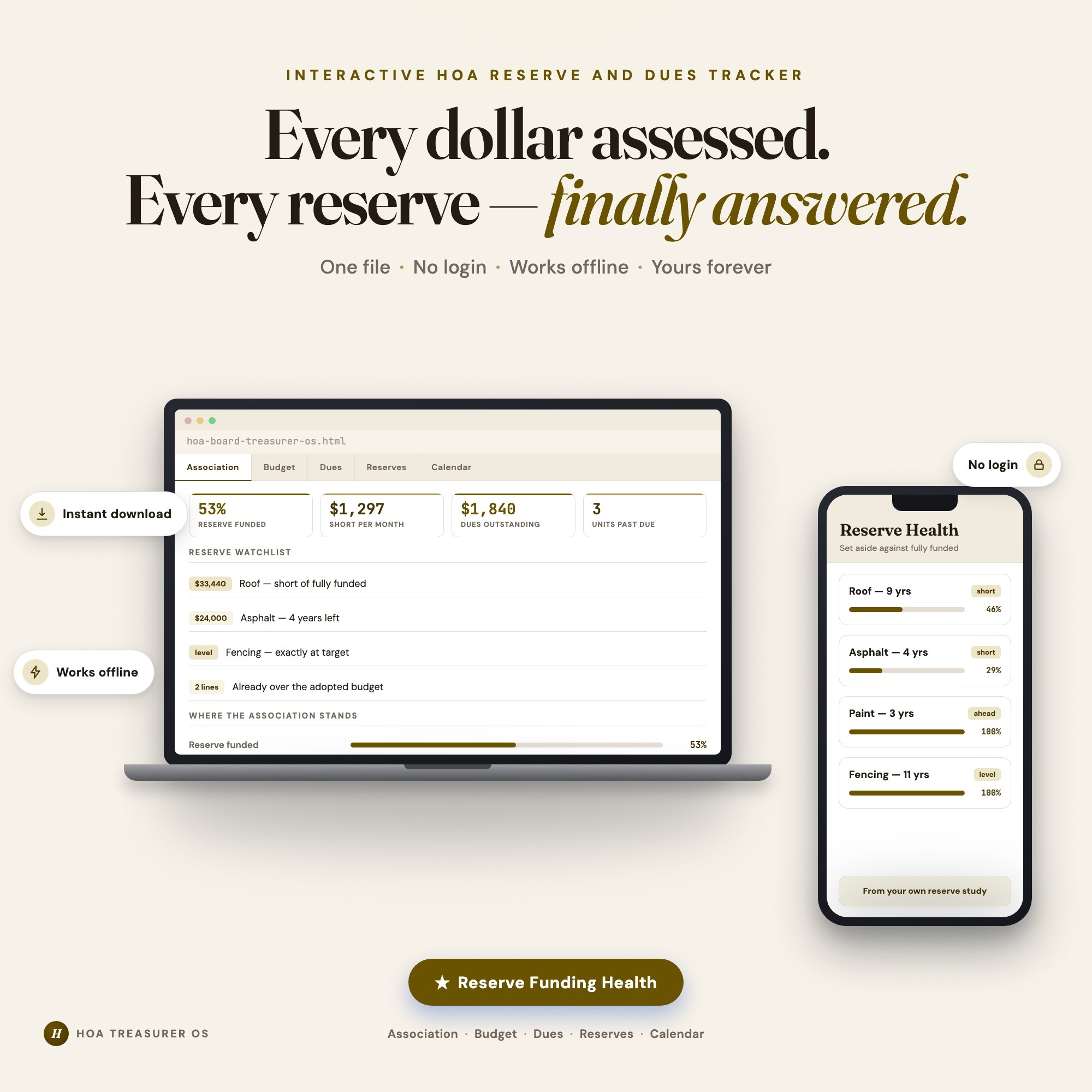
Interactive dashboard
HOA Board Treasurer OS
Built for Volunteer treasurers of small self-managed homeowners and condo associations — handed the books at an annual meeting, answerable to the board and the owners, and working from a reserve study, a budget and a dues roster in three different spreadsheets
Try it live
Click around the real dashboard
Interactive demo · a few tabs unlocked
See it in action
The dashboard
What it is
Built for volunteer treasurers of small self-managed homeowners and condo associations — handed the books at an annual meeting, answerable to the board and the owners, and working from a reserve study, a budget and a dues roster in three different spreadsheets. Every dollar assessed. Every reserve component — finally answered. It is a browser-native interactive dashboard that lives in a single HTML file, with nothing to install.
What is HOA Board Treasurer OS?
HOA Board Treasurer OS is an interactive dashboard that opens in your web browser. It is one self-contained HTML file — you download it once, double-click it, and it runs. It is built for volunteer treasurers of small self-managed homeowners and condo associations — handed the books at an annual meeting, answerable to the board and the owners, and working from a reserve study, a budget and a dues roster in three different spreadsheets.
What is included in HOA Board Treasurer OS?
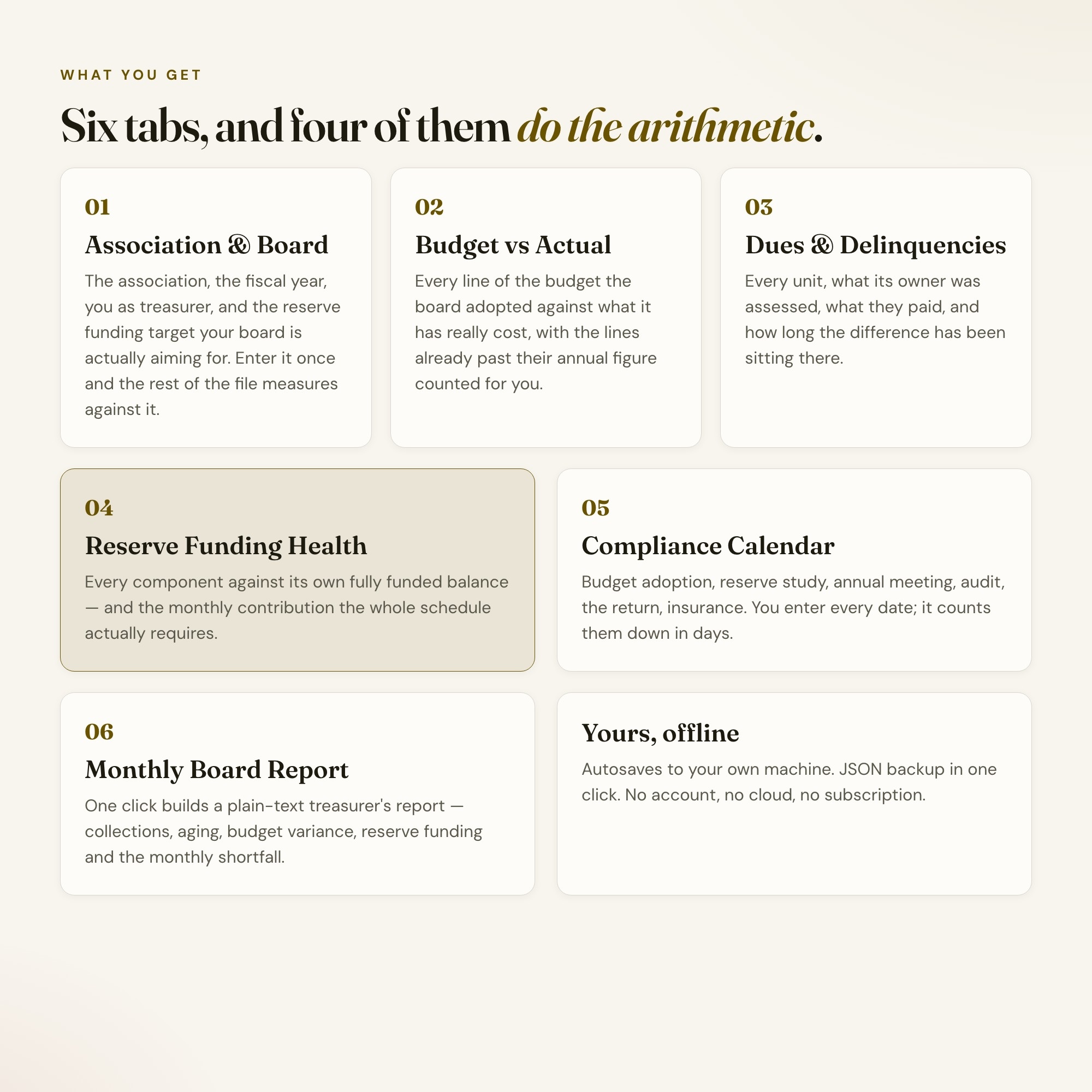
6 sections, all in the one file:
- Association & Board
- Budget vs Actual
- Dues & Delinquencies
- Reserve Funding Health
- Compliance Calendar
- Monthly Board Report
Does HOA Board Treasurer OS need Excel, Google Sheets or a subscription?
No. There is no app to install, no account to create, no login and no recurring fee. It opens in Chrome, Safari, Edge or Firefox on macOS, Windows, iPad or Chromebook, and it keeps working offline once the file is on your machine.
Where does HOA Board Treasurer OS store my data?
On your own device, in your own browser. Nothing is uploaded, no account is created and no analytics are collected. You can export a backup file at any time and load it on another computer.
Can I change how HOA Board Treasurer OS looks?
Yes — colour, background, typeface and text size are all adjustable from inside the dashboard, and your choice is remembered the next time you open it.
How much is HOA Board Treasurer OS and how is it delivered?
$28, delivered as an instant download the moment you pay. Because it is a digital file, all sales are final.
More about HOA Board Treasurer OS
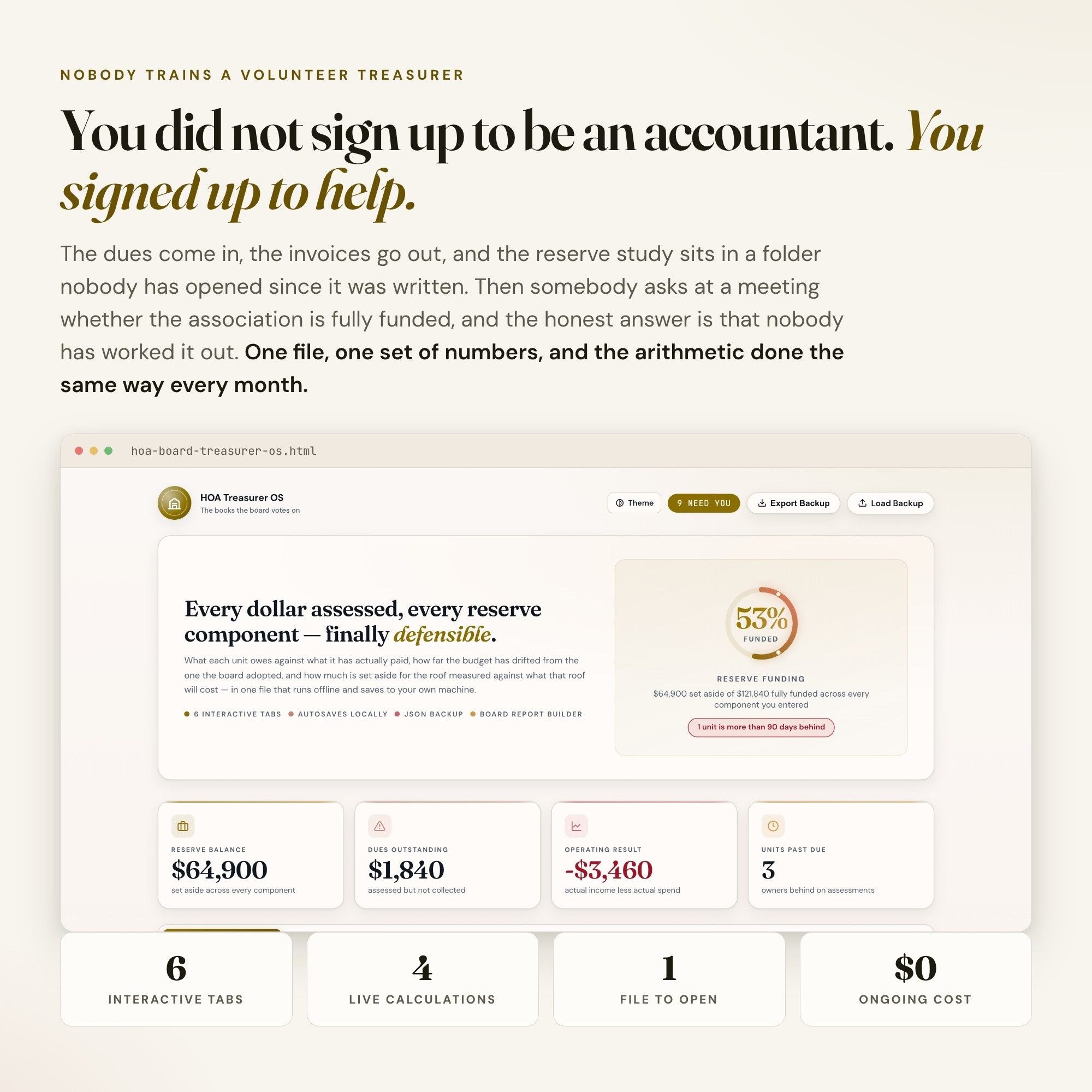
You volunteered for the board and ended up holding the money. Nobody handed you a system, and the reserve study is a PDF nobody has opened since it was written.
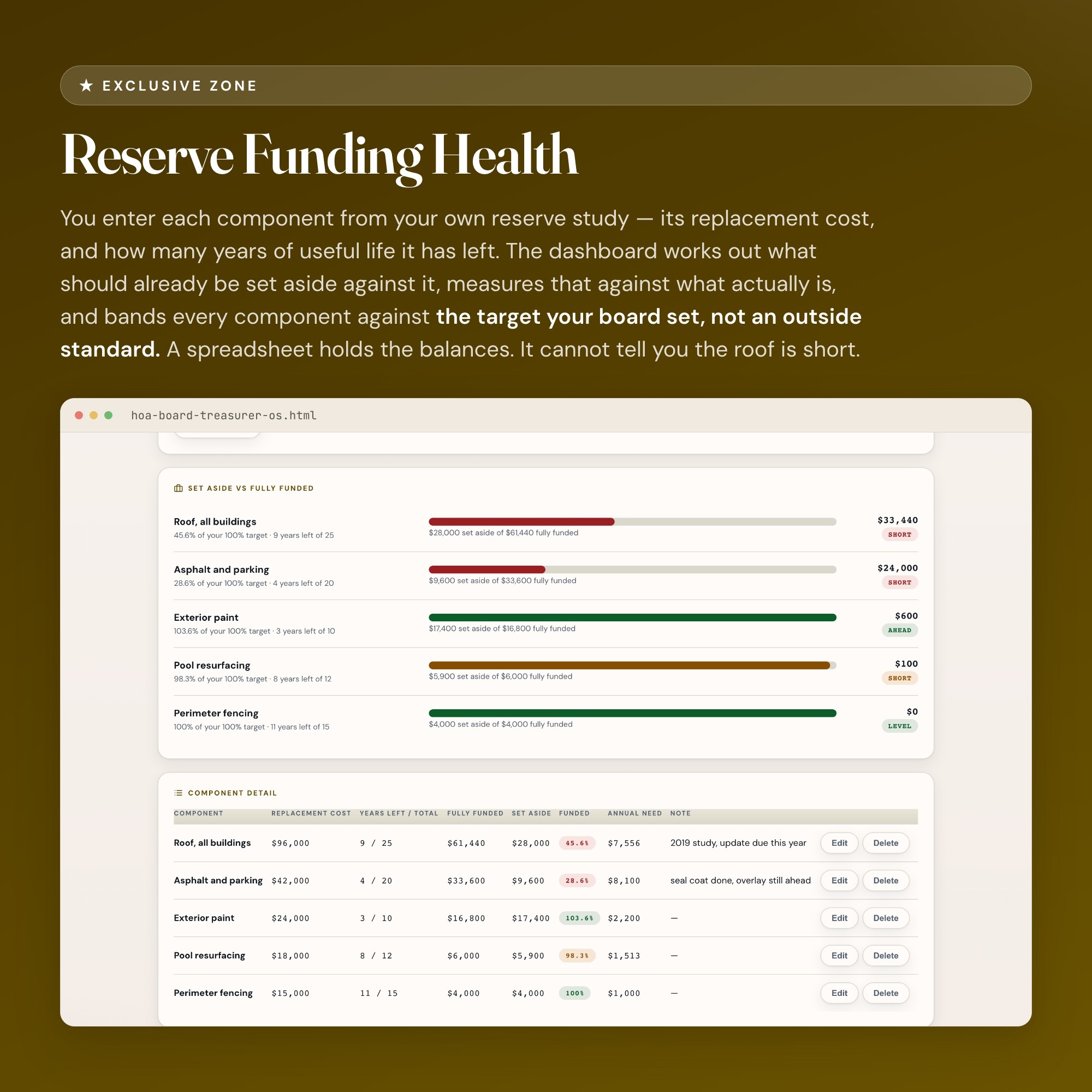
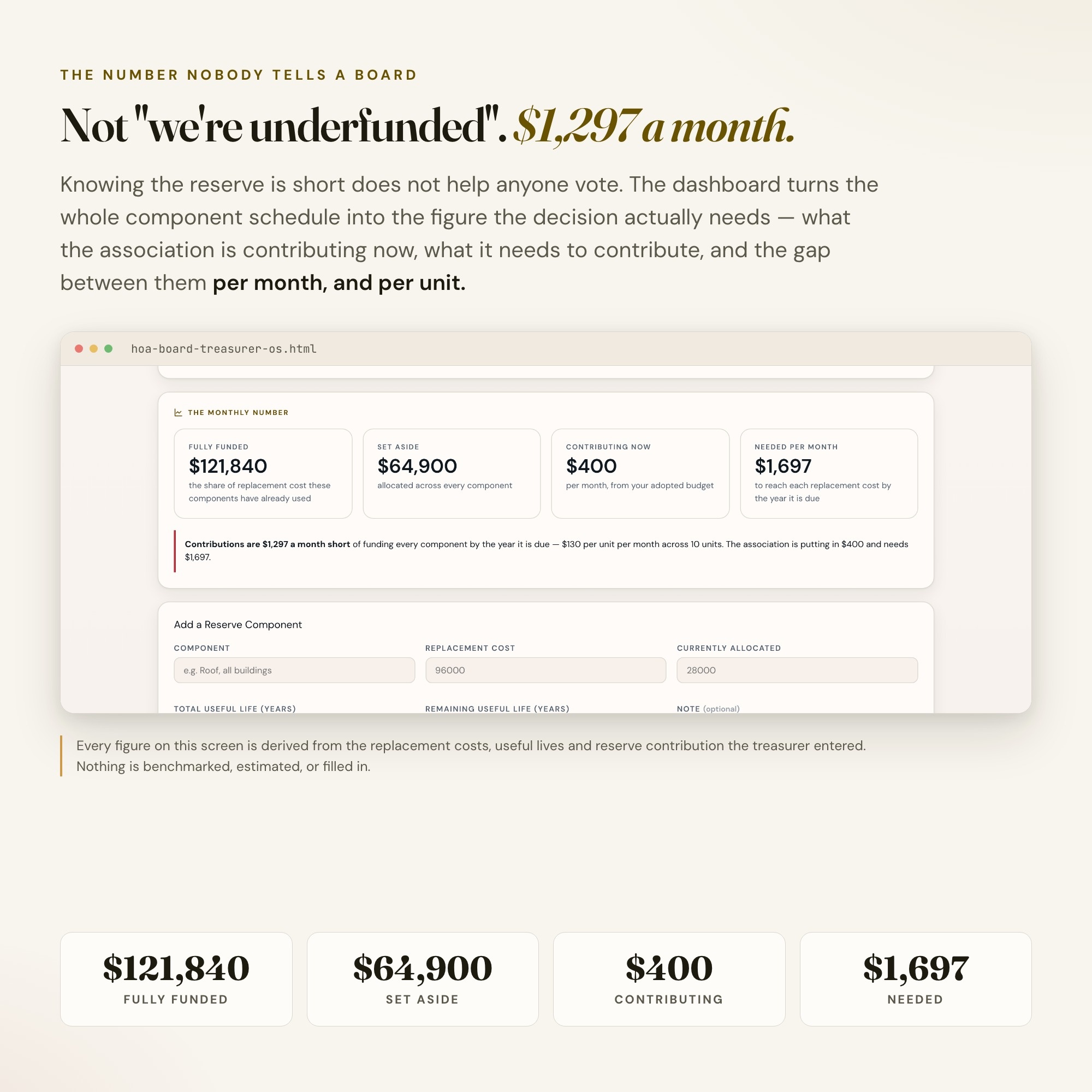
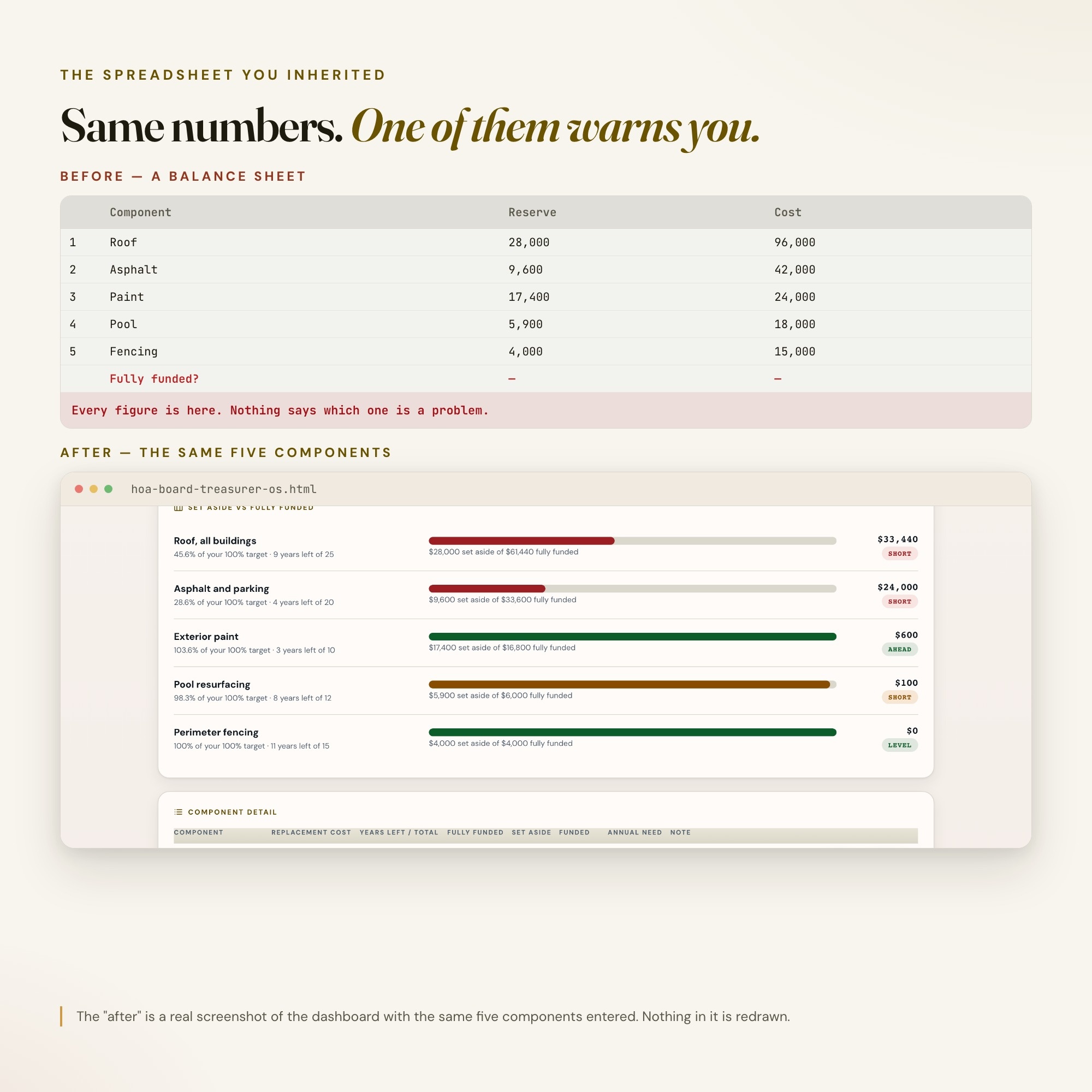
★ EXCLUSIVE ZONE: The only HOA treasurer dashboard on Etsy with Reserve Funding Health. You enter each component from your own reserve study — the roof, the asphalt, the paint — with its replacement cost and its remaining useful life. The dashboard works out what should already be set aside for each one, measures it against what actually is, and then tells you the number nobody ever tells a board: what the gap costs per month, and what that is per unit. Every other HOA treasurer tool in this niche is a Google Sheet, an Excel workbook, or a pack of Word templates. A spreadsheet holds the balances. It cannot tell you the roof is short, by how much, or what closing that gap costs before the vote.
WHAT’S INSIDE
This interactive HTML dashboard runs in any browser — double-click, start tracking:
Tab 1 — Association & Board: The association, your fiscal year, you as treasurer, the board president, and the reserve funding target your board is actually aiming for. Enter it once and every other tab measures against it.
Tab 2 — Budget vs Actual: Every line of the budget your board adopted, what it was budgeted at, and what it has actually cost. Lines already past their annual figure are counted and flagged, and the reserve contribution is carried as its own kind so the operating result never quietly pretends a transfer was free.
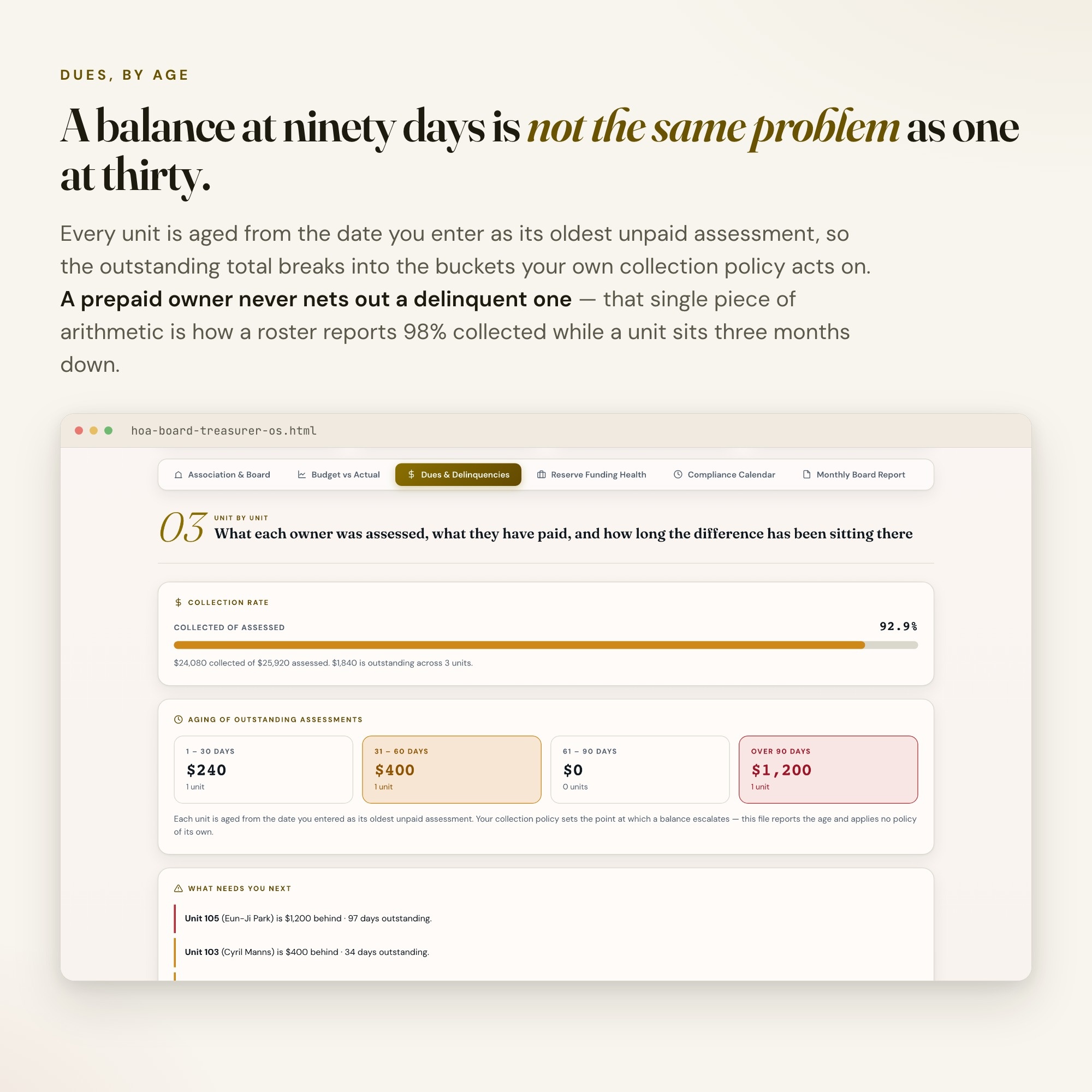
Tab 3 — Dues & Delinquencies: Every unit, what its owner was assessed, what they have paid, and how long the difference has been sitting there. Balances age into 30/60/90-day buckets from the date you enter, so you can see the bucket your own collection policy acts on. Prepaid owners never net out a delinquent one.
Tab 4 — ★ Reserve Funding Health: The exclusive zone. Every component measured against its own fully funded balance, banded against your target, with the monthly contribution the whole schedule actually requires — and the shortfall, in dollars, per month and per unit.
Tab 5 — Compliance Calendar: Budget adoption, reserve study update, annual meeting, audit or review, the association return, insurance renewal. Every item ships with no date, because those dates come from your governing documents and your state, not from a template. You supply them; the dashboard counts down.
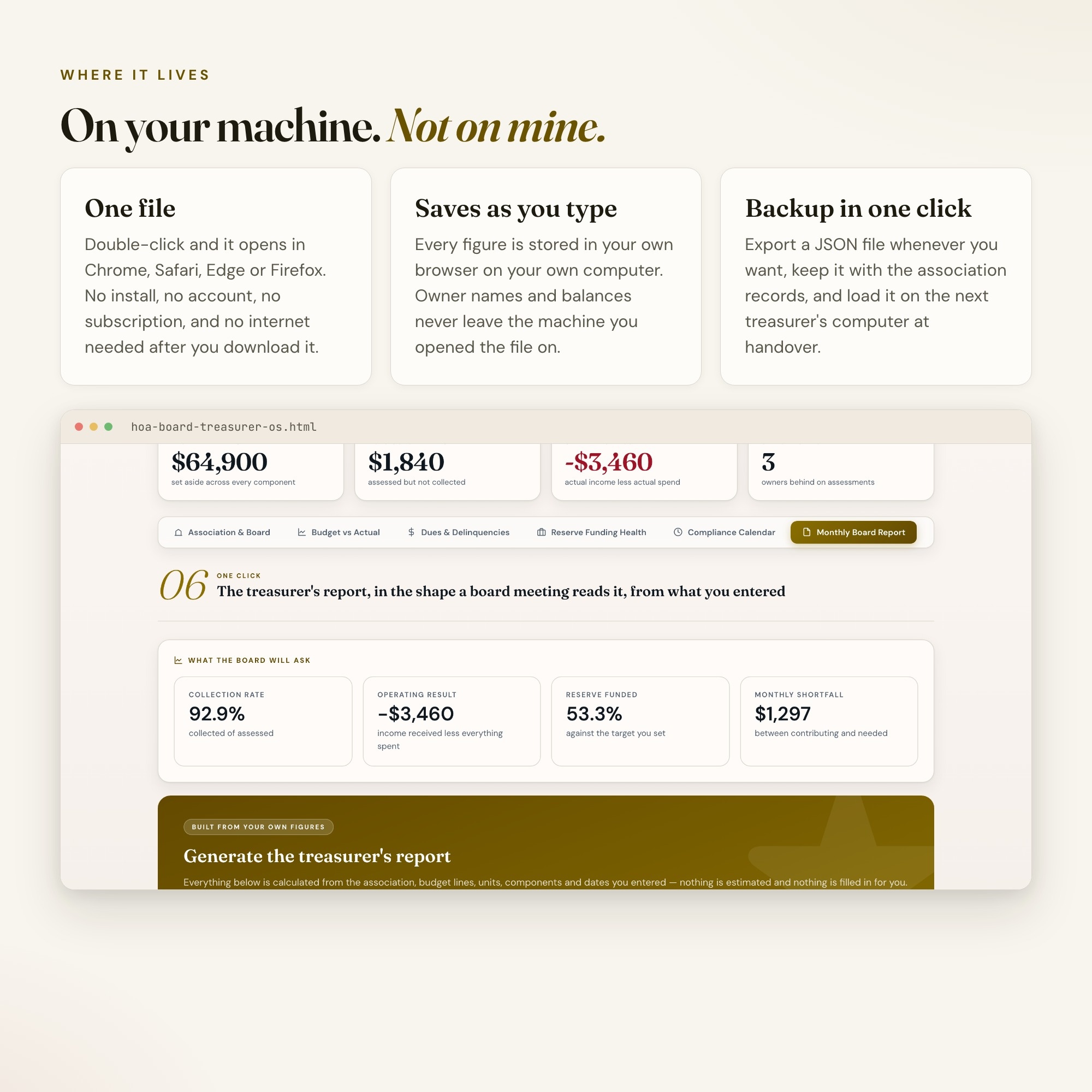
Tab 6 — Monthly Board Report: One button builds a plain-text treasurer’s report in the shape a meeting reads it — collections, aging, budget variance, reserve funding and the monthly shortfall. Copy it straight into the packet, the minutes, or an email to the board.
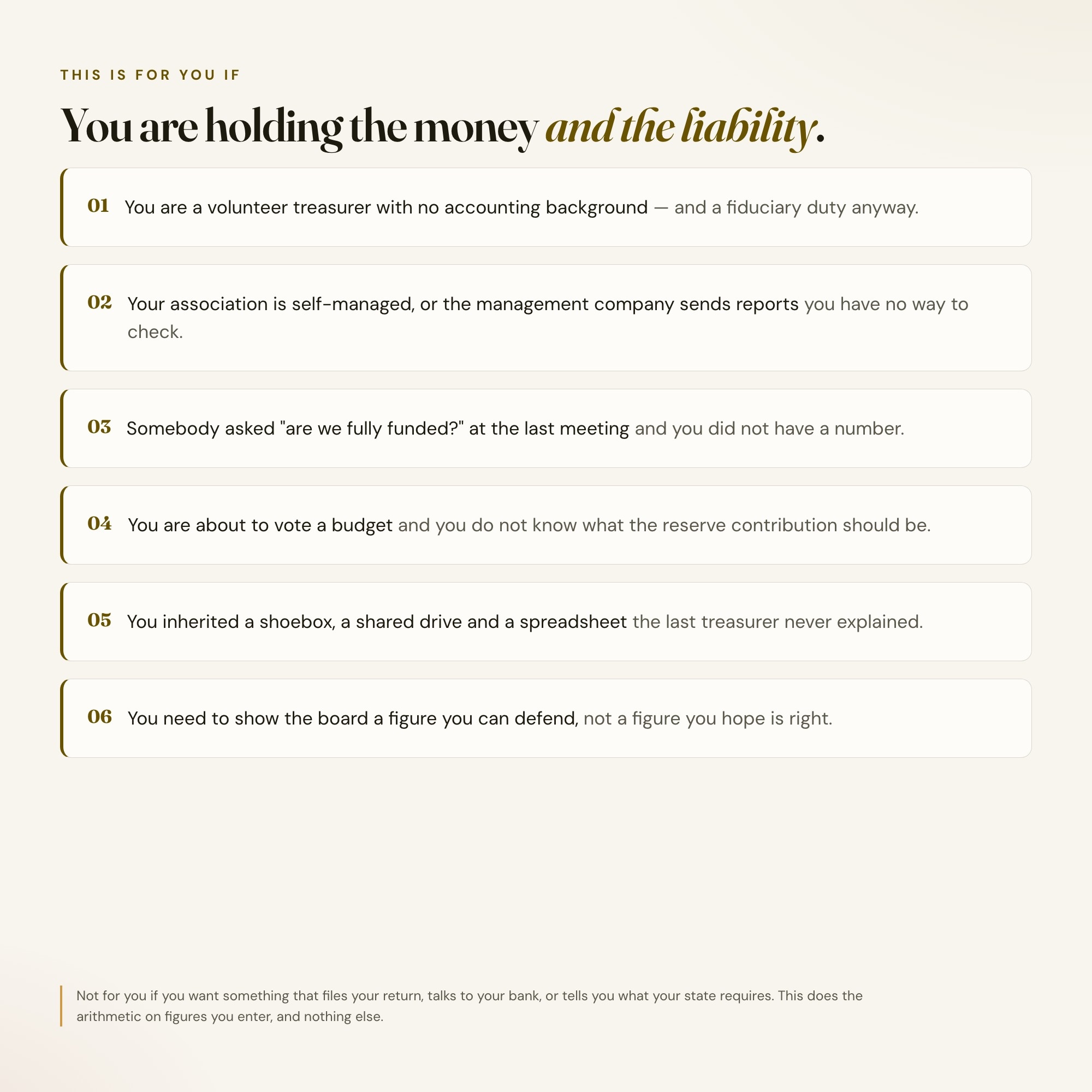
THIS IS FOR YOU IF
-
You are a volunteer treasurer with no accounting background and a fiduciary duty anyway
-
Your association is self-managed, or the management company sends reports you cannot check
-
Somebody asked “are we fully funded?” at the last meeting and you did not have a number
-
You are about to vote a budget and you do not know what the reserve contribution should be
-
You inherited a shoebox, a shared drive, and a spreadsheet the last treasurer built and never explained
-
You need to show the board a figure you can defend, not a figure you hope is right
HOW IT WORKS
One file. Double-click it and it opens in Chrome, Safari, Edge or Firefox. It saves to your own machine as you type — no login, no account, no subscription, no internet needed after download. Export a JSON backup whenever you want and load it on another computer. Four-way theme control: colour, background, typeface and text size, so it reads the way you want it to.
WHAT IT IS NOT
This is a treasurer’s working tracker. It is not an audit, not a reserve study, and not legal or accounting advice. It knows no state’s community association statute and no provision of your CC&Rs, and it sets no deadline of its own. Every dollar figure, every useful life, every target and every date is one you enter from your own governing documents, your own reserve study and your own CPA. It does the arithmetic on what you enter and supplies no rules. Have the CPA or attorney for your association review anything before it goes to the members.
FREE NOTION VERSION
Prefer to work in Notion? Message the shop after your purchase and I will send you a Notion version of this dashboard at no extra cost. This is my first Notion integration — if anything is off, reach out and I will fix it.
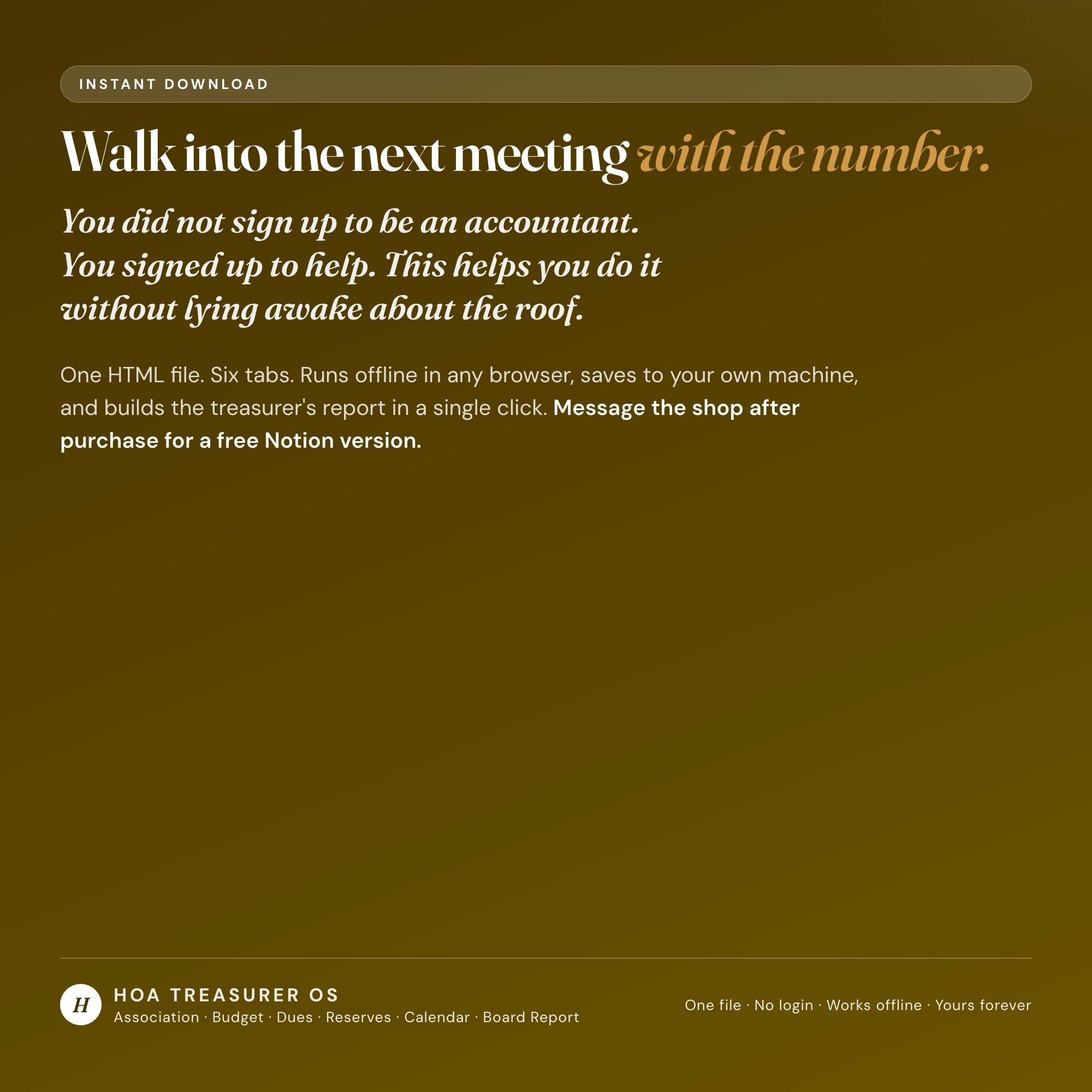
You did not sign up to be an accountant. You signed up to help. This helps you do it without lying awake about the roof.
INSTANT DOWNLOAD — all sales are final on digital items.
5 Tabs included
- ◈
Association & Board
Units, officers, the reserve target the board adopted, and the headline figures
- ≡
Budget vs Actual
Every income and expense line against the adopted budget, with the lines already over flagged
- ⊞
Dues & Delinquencies
Assessed, collected and outstanding by unit, aged into 30/60/90-day buckets
- ◉
Reserve Funding Health
EXCLUSIVE: percent funded per component against the board's own target, and the monthly contribution shortfall per unit
- ★
Compliance Calendar
Filing, insurance, audit and meeting dates the treasurer enters, counted in days
Exclusive Feature
Reserve Funding Health — each component's fully funded balance computed from the replacement cost and useful lives off your own reserve study, banded against the funding target your board adopted, and the whole schedule turned into one number: what the association contributes each month, what it needs to, and the gap per unit.
This is built into the fifth tab and is unavailable in any static template, spreadsheet, or Notion template on the market.
Gallery
Learn more
Before you buy
Frequently asked questions
- What is HOA Board Treasurer OS?
- HOA Board Treasurer OS is an interactive dashboard that opens in your web browser. It is one self-contained HTML file — download it once, double-click it, and it runs. No app, no account, no subscription.
- Does HOA Board Treasurer OS need Excel or Google Sheets?
- No. It is not a spreadsheet and does not open in one. It runs in Chrome, Safari, Edge or Firefox on macOS, Windows, iPad or Chromebook, and keeps working offline.
- What is included in HOA Board Treasurer OS?
- 6 sections in a single file: Association & Board, Budget vs Actual, Dues & Delinquencies, Reserve Funding Health, Compliance Calendar, Monthly Board Report.
- Can I change the colours and text size in HOA Board Treasurer OS?
- Yes. Colour, background, typeface and text size are adjustable from inside the dashboard, and the setting is remembered.
- Does it work offline?
- Yes — completely. The dashboard is a single HTML file. Once downloaded, it runs entirely in your browser with no internet connection needed. All data autosaves to your browser's localStorage.
- Which devices and browsers are supported?
- Works in Chrome, Edge, Safari, and Firefox on macOS, Windows, iPad, and Chromebook. No app to install, no account to create. Just open the file.
- What is your refund policy?
- All sales are final. This is an instant download delivered in full at payment, so it cannot be returned. If a file will not open or a feature does not work as described, that is a defect and it gets fixed at no cost — email hello@listingresearchos.com and you will get a corrected file.
- How do I install it?
- There is nothing to install. After purchase, download the HTML file. Double-click to open in your browser. That's it. A HOW-TO-SAVE.txt is included explaining how to back up and restore your data.
- Is my data private?
- Completely. Everything runs locally — no login, no analytics, no data sent to any server. Your data is stored only in your browser's localStorage. You own it entirely.
You might also like
One-time purchase
Get it for $28.00
Instant download. Open in any browser. Yours forever.