
Weekly Review Template and Checklist: The Fields and the Order
A weekly review template you can copy: the exact fields, the order to fill them in, and a 20-minute checklist that fits a normal work week.
Published October 9, 2026
Most weekly review advice explains why you should do one and then leaves you with a blank page. This guide does the opposite. It is the template itself: which fields to include, what order to fill them in, and a checklist you can run in about twenty minutes.
If you want the method behind it, our guide on the GTD-style weekly review covers the thinking. This one is the working document.
What a Weekly Review Template Needs to Do
A good template has three jobs, and they happen in a specific order.
First, it looks back. You cannot plan a sensible week from a vague memory of the last one. Memory is selective: the loud, recent events crowd out the quiet progress and the slow leaks.
Second, it finds the friction. Something slowed you down this week. If you do not write it down, you will meet it again next week and be surprised.
Third, it commits forward. The review is only useful if it ends with a decision about what matters most in the coming week, in a form you will see on Monday morning.
Everything else is optional. The most common reason people abandon a weekly review is a template with twenty fields. Each one is reasonable on its own, and together they turn a twenty-minute habit into an hour of homework. Start small. You can always add a field after a month; it is much harder to remove the guilt of an empty one.
The Fields, in Order
Here is the core template. Copy it into whatever you use.
1. Week of. A date, usually the Monday. It sounds trivial, but it is what lets you find a specific week later.
2. Biggest win. One sentence, and make it specific. “Good week” tells you nothing in March. “Sent the revised proposal after three rounds of edits” tells you something you can use in a performance conversation. If nothing felt like a win, write the smallest thing that moved forward. There is nearly always something.
3. Biggest blocker. What slowed you down, caused rework, or is still unresolved? Be concrete: a meeting that ate your focus block, a decision waiting on someone else, a task you kept moving to tomorrow. A blocker named once is an annoyance. The same blocker named for four weeks in a row is a pattern, and patterns are worth acting on.
4. Energy level. A quick rating, whatever scale you will actually use: one to five, or low, medium, high. This field feels soft, but it earns its place over time. When you look back across a quarter, you may notice that low-energy weeks cluster around certain kinds of work, travel, or deadlines. It is your own data, and it is hard to reconstruct from memory.
5. Goal check. Which of your current goals moved this week, and which did not? You do not need a long answer. Name the goal and mark it as on track, at risk, or off track. This is the field that connects the week to the quarter, and it is the one most often missing from simple templates.
6. Top priority for next week. One thing. If next week ended and only one outcome had moved, which would make it a good week? Writing one forces a trade-off. Writing five is a to-do list pretending to be a priority.
That is six fields. Most of them take under two minutes. If you want to add one more later, a good candidate is “What did I avoid?” because it surfaces the important-but-uncomfortable work that busy days push aside. But earn the right to add it by sticking with the first six.
The 20-Minute Weekly Review Checklist
The fields above are what you record. The checklist below is what you do, in order, to be able to fill them in honestly. Set a timer; the constraint helps.
Minutes 0 to 3: Clear the decks.
- Close open browser tabs and note anything worth keeping.
- Glance at your inbox and message threads for anything that is a real commitment. You are not clearing the inbox here, just checking for things that would otherwise be forgotten.
- Collect any scraps: sticky notes, voice memos, half-written lists. Put each one somewhere it will be seen, or delete it.
Minutes 3 to 8: Look back.
- Open your calendar for the week that just ended. Scan each day for what actually happened, not what you planned.
- Check your task list for what got done and what slid.
- Fill in the biggest win and the biggest blocker while the week is fresh.
Minutes 8 to 12: Check the bigger picture.
- Review your current goals or projects. For each, ask whether it moved.
- Mark anything at risk. If a goal has gone untouched for two weeks, either schedule time for it or decide honestly that it is no longer a priority.
- Rate your energy.
Minutes 12 to 18: Look ahead.
- Open next week’s calendar. Note deadlines, travel, and days that are already full.
- Decide where your most important work will go. If you cannot find a block for it, it will not happen, so protect the time now.
- Write the top priority.
Minutes 18 to 20: Close it.
- Save the review where you will find it.
- Put the top priority somewhere you will see it first thing on Monday.
If you only manage the middle two sections, you still did a useful review. Do not abandon the habit because one section got squeezed.
Where the Template Lives: Paper, PDF, Doc, or Dashboard
You searched for a template, so it is worth being honest about the trade-offs, because the format changes whether you stick with it.
Paper or a printable PDF. Low friction, no screen, and writing by hand tends to slow you down in a useful way. The weakness is looking back. After a few months you have a stack of pages, and answering “what did I actually get done this quarter?” means flipping through every one.
A note or document. Free, searchable, and easy to copy and paste. The weakness is structure. A blank document invites you to write whatever you feel like, which means the fields drift, and so does consistency.
A spreadsheet. Good for the numeric fields like an energy rating, and easy to filter. It is less pleasant for writing sentences, and you maintain the layout yourself.
A dedicated dashboard. The advantage is that the weekly check-in, your goals, and your wins sit in one place, so the quarter-end look back is a lookup instead of an archaeology project. The cost is that you are using someone else’s structure.
None of these is the right answer for everyone. The right one is the one you will open on the same day every week. If you have tried a PDF and it died in a drawer, that is useful information about what to try next.
Common Ways a Weekly Review Falls Apart
A few failure modes show up again and again.
It becomes inbox processing. If you spend the whole slot clearing email, you never reach the looking-back and looking-ahead parts. Handle the inbox daily, in its own short block, and let the review be about direction.
It is too long. Past about thirty minutes, most people start skipping weeks. A short review done weekly beats a thorough one done twice a year.
It has no output. If the review ends without a written priority for next week, it was reflection, not a review. Reflection is fine, but it does not change Monday.
You only record what went wrong. A review that is all blockers feels like a performance audit, and you will start avoiding it. The win field is there on purpose. It is also the raw material for any future conversation where you need to describe what you accomplished, whether that is a review at work, a promotion case, or a personal retrospective.
You never look back. Reviews pay off when you read several of them in a row. Once a quarter, read your last twelve or so entries. Recurring blockers and energy patterns tend to jump out. This is the step that turns a weekly habit into something you can learn from.
Putting It Together
If you want to start today, use the six fields above and the twenty-minute checklist, pick a recurring slot, and run it four times before you change anything. After a month, look at what you wrote and decide what to add or cut.
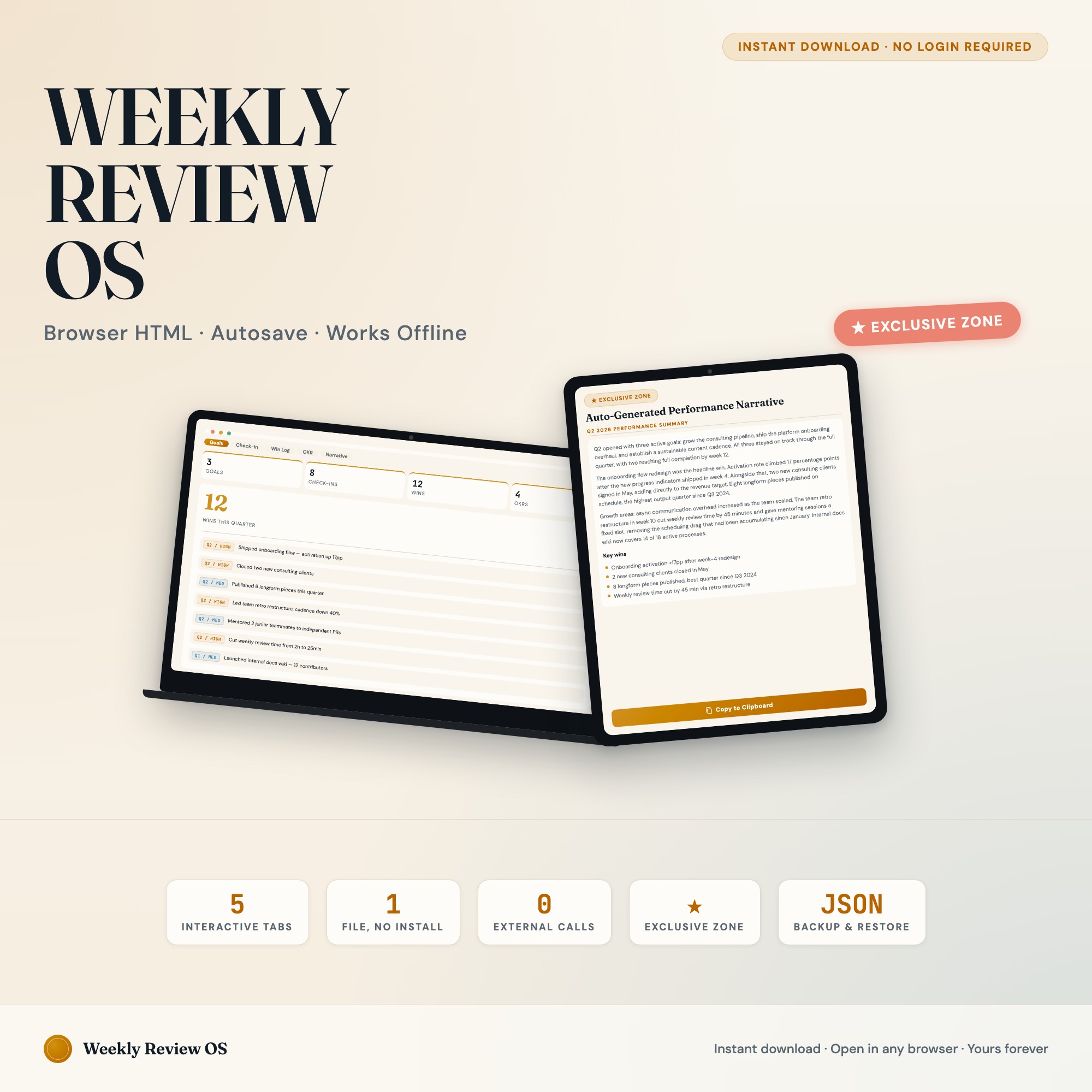
If you would rather not build the structure yourself, the Weekly Review Productivity Dashboard is one option. Its weekly check-in tab asks for the week, biggest win, biggest blocker, energy level, and top priority for next week. Separate tabs hold quarterly goals with an on track, at risk, or off track status, a win log with an optional link to a goal, and an OKR board. A narrative tab can assemble your logged wins and check-ins into a draft you can paste into a self-review. It runs in your browser, and there is a live demo you can try before buying. It is $22, one time, on Etsy.
Either way, the template is only a container. What matters is that on the same day each week, you sit down for twenty minutes, answer honestly, and write down one priority. Do that for a quarter and you will have a record that is more useful than any plan you made at the start of it.
Frequently asked questions
- How long should a weekly review take?
- Twenty minutes is a realistic target for most people, and fifteen is fine once the template is familiar. If your review regularly runs past forty-five minutes, it is usually because inbox processing is hiding inside it. Move that to its own daily habit and the review shrinks.
- What day and time is best for a weekly review?
- The best slot is the one you will repeat. Friday afternoon works for people who want to close the week before they leave. Sunday evening or Monday morning works for people who want to plan with a fresh head. Pick one, put it on the calendar as a recurring block, and keep it for a month before judging it.
- What is the difference between a weekly review template and a weekly planner?
- A planner looks forward and assigns tasks to days. A review template looks backward first, then forward: what happened, what got in the way, what matters next. You can use both, but the review is what keeps the plan honest.
- Is a weekly review template PDF good enough?
- A printable PDF works if you will print it, fill it in by hand, and keep the pages somewhere you can find them. It struggles when you want to look back across thirteen weeks, because you have to flip through paper. If you never look back, a PDF is fine. If you want the history to be useful, use something you can search or scan.
- What should I do if I skip a week?
- Skip it without ceremony and do the next one. Do not try to reconstruct the missed week in detail. Write one line about what happened, answer the forward-looking fields, and carry on. A review that punishes you for missing a week is one you will quit.
- How much does the Weekly Review Productivity Dashboard cost?
- It is a one-time purchase of $22 on Etsy. No subscription and no login. It is a single file that opens in your browser, and your entries stay on your own device.
Ready-made dashboards
Skip setup — grab an interactive dashboard built for this exact workflow.
ListingResearchOS Shop
All dashboards — one-time purchase, yours forever
Single HTML files. No subscriptions. No login. Works offline in any browser.
Browse all dashboards →