
How to Do a Weekly Review: The GTD System That Actually Sticks
A GTD-informed weekly review that connects daily habits to quarterly goals, plus a performance narrative generated from the wins you logged all quarter.
Published June 3, 2026
David Allen’s GTD framework is widely read and rarely fully implemented. The weekly review — the single most important habit in the system — is the part that people start, abandon, and restart more than any other. Not because the concept is unclear, but because the friction of running a useful review without the right infrastructure is too high.
This guide covers what a GTD-aligned weekly review actually needs to accomplish, the specific questions that make a review productive rather than vague, how to connect weekly reviews to quarterly OKRs, and how to make the whole thing generate useful output at the end of each quarter rather than just occupying 45 minutes on Sunday.
What a Weekly Review Is Actually For
A weekly review has three distinct jobs, and most people only do one of them well.
Job 1: Clear and process inboxes. This is the capture-and-process step GTD is famous for. Every email, physical inbox, voice memo, task app notification, and mental loose end gets reviewed. Is it actionable? If so, what’s the next action, and when? If not, does it need to be filed, incubated, or deleted? A review that skips this step leaves you starting the next week with unprocessed commitments.
Job 2: Review active projects and commitments. For each project you’re currently running, ask: is it moving? Is the next action clear? Has anything changed that affects the timeline or scope? This is the step where blocking issues get surfaced before they become crises.
Job 3: Look ahead and calibrate. What’s coming next week — deadlines, meetings, travel, decisions? What’s the single most important outcome for the week? Connecting this back to your quarterly goals is what makes a weekly review strategic rather than reactive.
Most people do a version of Job 1 and a partial Job 2, then wonder why their goals feel disconnected from their daily work.
The Four Review Questions That Actually Work
The best weekly reviews ask specific, low-friction questions rather than attempting a comprehensive life audit. Four questions that reliably produce useful answers:
-
What was my biggest win this week? One sentence. The goal is to name something specific — not “good week at work” but “finally shipped the Q2 proposal after three revision cycles.”
-
What was my biggest blocker? What slowed you down, caused rework, or is still unresolved? Naming blockers consistently over months surfaces patterns — recurring meetings that eat deep work time, particular relationships that drain energy, technical dependencies that keep delaying projects.
-
What did I avoid that I shouldn’t have? This is the question most reviews skip. Important work that creates discomfort gets displaced by busy work. Naming the avoidance explicitly is the first step to addressing it.
-
What is my single most important outcome for next week? One thing. If next week ended and only one deliverable had moved, what would make the week a success?
These four questions, answered honestly, take 10 minutes. They produce more signal than a 45-minute unstructured review.
Connecting Weekly Reviews to Quarterly OKRs
The weekly review is where execution meets strategy — but only if there’s a clear line between them. Without quarterly goals that the weekly review explicitly references, the review stays tactical and the quarter ends without meaningful progress on anything that matters.
The structure that works: set 3–6 quarterly goals with a clear target and a “why.” In the weekly check-in, one of the questions is: which of my quarterly goals did I move this week, and which am I at risk of missing?
When the Win Log entries are tagged to a goal, and the weekly check-ins track goal status over time, you have a complete picture at quarter’s end. Not just what you accomplished, but how it connects to what you set out to do.
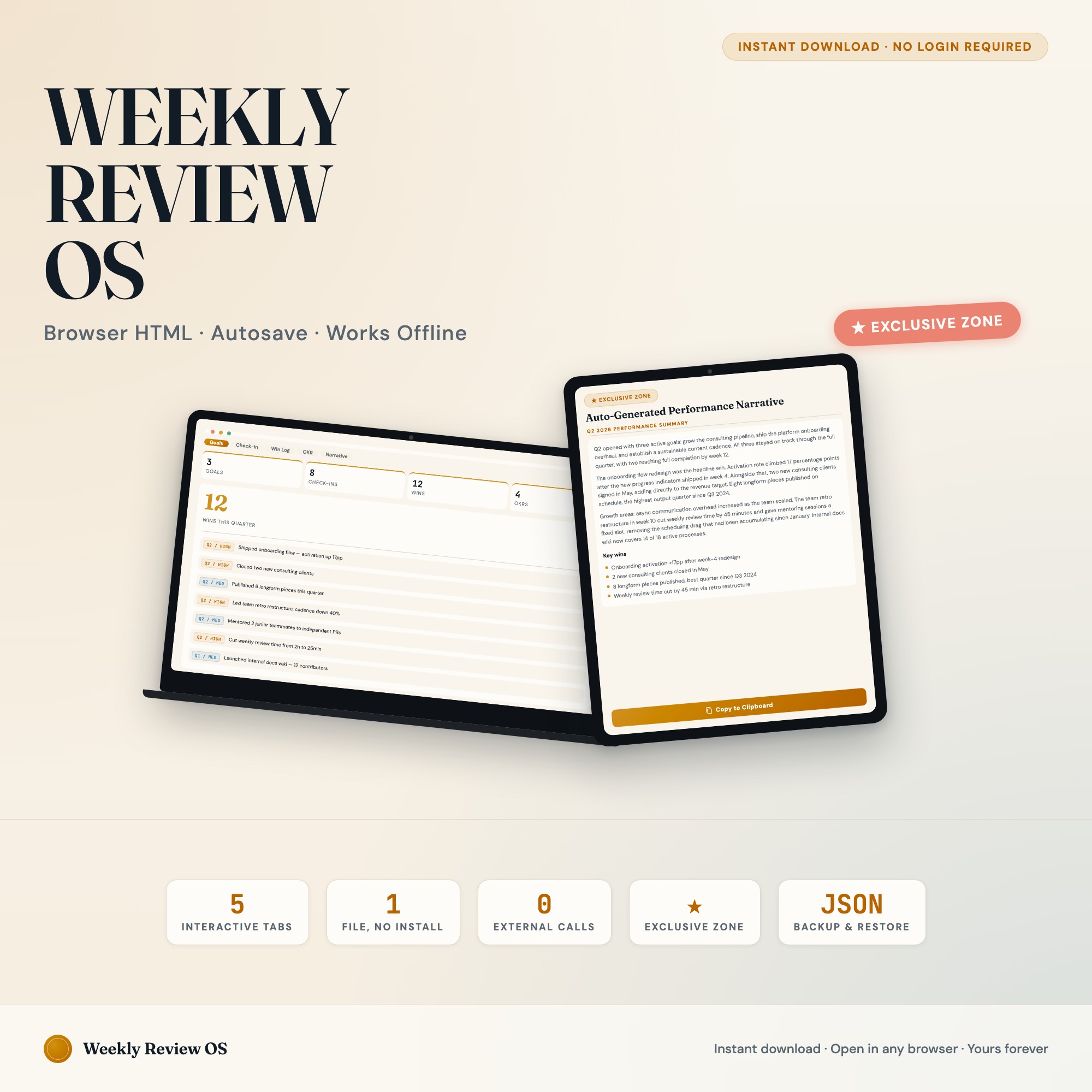
The Weekly Review Productivity Dashboard organizes this in five tabs: Goals (quarterly goal setup with target and status indicator), Weekly Check-In (the four questions above, timestamped and stacked), Win Log (individual wins tagged to goals and dates), OKR Board (kanban view of Objectives and Key Results), and Performance Narrative — the exclusive feature that reads your logged data and assembles a ready-to-paste quarterly self-review.
No other Etsy competitor ships the Performance Narrative as an interactive generator. The output feeds directly into self-reviews, promotion cases, or personal “what I shipped this quarter” records.
One-time purchase at $22. No subscription, no login, works offline in any browser.
Frequently asked questions
- Do I need special software to use an offline dashboard?
- No. An offline HTML dashboard like the Weekly Review Productivity Dashboard is a single file you open in any browser — Chrome, Edge, Safari, or Firefox. Nothing to install, no account to create.
- Is my data private if I use a browser-based dashboard?
- Yes, completely. Data stored in your browser's localStorage never leaves your device. There are no servers, no analytics, and no uploads of any kind.
- Can I back up my data?
- Yes. Every ListingResearchOS dashboard includes an Export Backup button that downloads a JSON file to your computer. Load Backup restores it on any device or browser.
- What makes an interactive HTML dashboard better than a spreadsheet?
- Spreadsheets require manual formula maintenance and lack purpose-built workflows. An interactive HTML dashboard has pre-built logic — like Auto-Generated Performance Narrative: reads logged wins, weekly check-ins, and OKR completions, assembles a ready-to-paste quarterly self-review — that a spreadsheet can't replicate without significant engineering work.
- How much does the Weekly Review Productivity Dashboard cost?
- It is a one-time purchase of $22 on Etsy. No monthly subscription. Once you buy it, it is yours forever.
Ready-made dashboards
Skip setup — grab an interactive dashboard built for this exact workflow.
ListingResearchOS Shop
All dashboards — one-time purchase, yours forever
Single HTML files. No subscriptions. No login. Works offline in any browser.
Browse all dashboards →