
Career Growth Tracker: What to Log Between Reviews (and What to Skip)
A career growth tracker only works if you log the right things. Here is what to record each week and quarter, and how growth differs from development.
Published October 9, 2026
Ask someone what they did at work in March and you will usually get a pause, then a guess. The work happened. The record did not. That is the problem a career growth tracker solves, and it is also why most trackers get abandoned: people either log nothing useful or log so much that the habit collapses in a month.
This guide is about the tracker itself. What goes in it, how often, what to leave out, and how it relates to the thing people often confuse it with, career development. If you want the promotion-specific playbook, there is a separate guide on building a promotion case over 12 months, and another on preparing for the annual review. This one sits underneath both.
Career growth vs career development
The two phrases get used as synonyms, but separating them makes a tracker much more useful.
Career development is the input. It is what you do on purpose to get better: learning a tool, taking on a project slightly beyond your level, asking for feedback, finding a mentor, writing a document you would not normally write.
Career growth is the output. It is what changes in your situation: more scope, a larger team or budget, a new title, a raise, an invitation into rooms you were not in before.
Why the distinction matters for tracking: development is mostly in your control, and growth is not. You can do all the right development and still see little growth because a role is not available, a manager is not paying attention, or the company is shrinking. If you only track growth, a flat year looks like failure. If you only track development, you can feel busy for years without noticing nothing is changing.
So a useful tracker holds both columns. Development entries tell you what you did. Growth entries tell you what moved. When the first column is full and the second is empty for a long stretch, that is information. It may mean the effort is aimed at the wrong skill, that your manager does not know about it, or that the place you are in has run out of room. You cannot see that pattern from memory.
What to log: the five things that matter
You do not need a rich system. You need five kinds of entry, each short.
1. Wins, with the evidence attached. A win is something that went better because you were there. Write what you did, what changed, and where the proof lives (a metric, a message, a document). “Shipped the onboarding rewrite” is a task. “Rewrote onboarding; new hires got productive faster, per their manager’s note in March” is a win. If you cannot say what changed, log it as a task and move on.
2. Skills, rated honestly. Pick a short list, perhaps five to eight skills that matter for the role you have or the one you want. Rate where you are and where you need to be. The gap between the two numbers is the useful part. Rating yourself a four out of five on everything tells you nothing, so give yourself permission to put down a two.
3. Feedback, in the words people used. After a 1:1, a code review, a client call, write down what someone said about your work, close to verbatim. Paraphrasing tends to smooth the edges and you lose the part that stung or surprised you. Note who said it and when.
4. Action items from your manager conversations. Meetings produce commitments on both sides: things you promised, things your manager promised. If those live in your head, they quietly expire. A short list of open items with a date keeps both sides honest, and it gives you a record when something was agreed and then forgotten.
5. A quarterly reflection. Three or four sentences. What was the main thing this quarter? What did I get better at? What am I avoiding? This is the entry that connects the others, and it is the one people skip. Do not skip it.
What to skip
Trackers die from over-collection, so be deliberate about leaving things out.
Skip daily task lists. Your project tool already has them, and a career tracker is not a to-do app. Skip hours worked, since effort is not the same as impact. Skip anything you would only log to look busy. And skip long narrative entries: if an entry takes more than three or four minutes, you will stop doing it by week six.
A good test is whether you could read the entry in a review conversation and it would help your case or your own thinking. If not, it does not belong.
A cadence that survives a bad month
Three tiers, sized so you can keep them up even when work is chaotic.
Weekly, about five minutes. Pick a fixed time, such as Friday afternoon. Add any wins from the week, any feedback you received, and any new action items. If nothing happened, write nothing. A skipped week is fine. A skipped quarter is the real risk.
Quarterly, about thirty minutes. Re-rate your skills, look at the quarter’s wins together, and write the reflection. This is also the moment to compare the two columns from earlier: did development turn into any growth, or is the effort not landing?
Annually, about an hour. Read the whole year. Pull out the three or four entries that best show your direction, and notice what you would want to do differently next year. If a review or a pay conversation is coming, most of the work is already done, because the material is sitting there.
Fixed times beat good intentions. If the weekly entry has no slot on your calendar, it will not happen. This is the same logic behind a regular weekly review: the habit works because it is small and scheduled, not because it is inspiring.
Common mistakes
Logging only at review time. This turns the tracker into the same memory exercise you were trying to avoid. The value is in capturing things while they are fresh.
Vague wins. “Helped the team with the launch” cannot be used by anyone. Add what you did and what came of it, even if the “what came of it” is modest.
Treating the tracker as a performance for your manager. It is for you first. If you only record what you would be comfortable showing, you lose the misses and the honest skill ratings, which are the most useful parts.
Confusing busy with growing. A packed development column feels productive. Check whether anything in the growth column has moved. If it has not, the answer is probably a conversation, not another course.
Building a system so elaborate you never use it. Five entry types, a few minutes a week. Resist the urge to add more until the basics have run for a full quarter.
Where to keep it
Anything you will open consistently works: a document, a spreadsheet, a notebook. The only real requirements are that it is private, that you can find it, and that your entries survive a job change, so avoid keeping it only inside a work account you may lose access to.
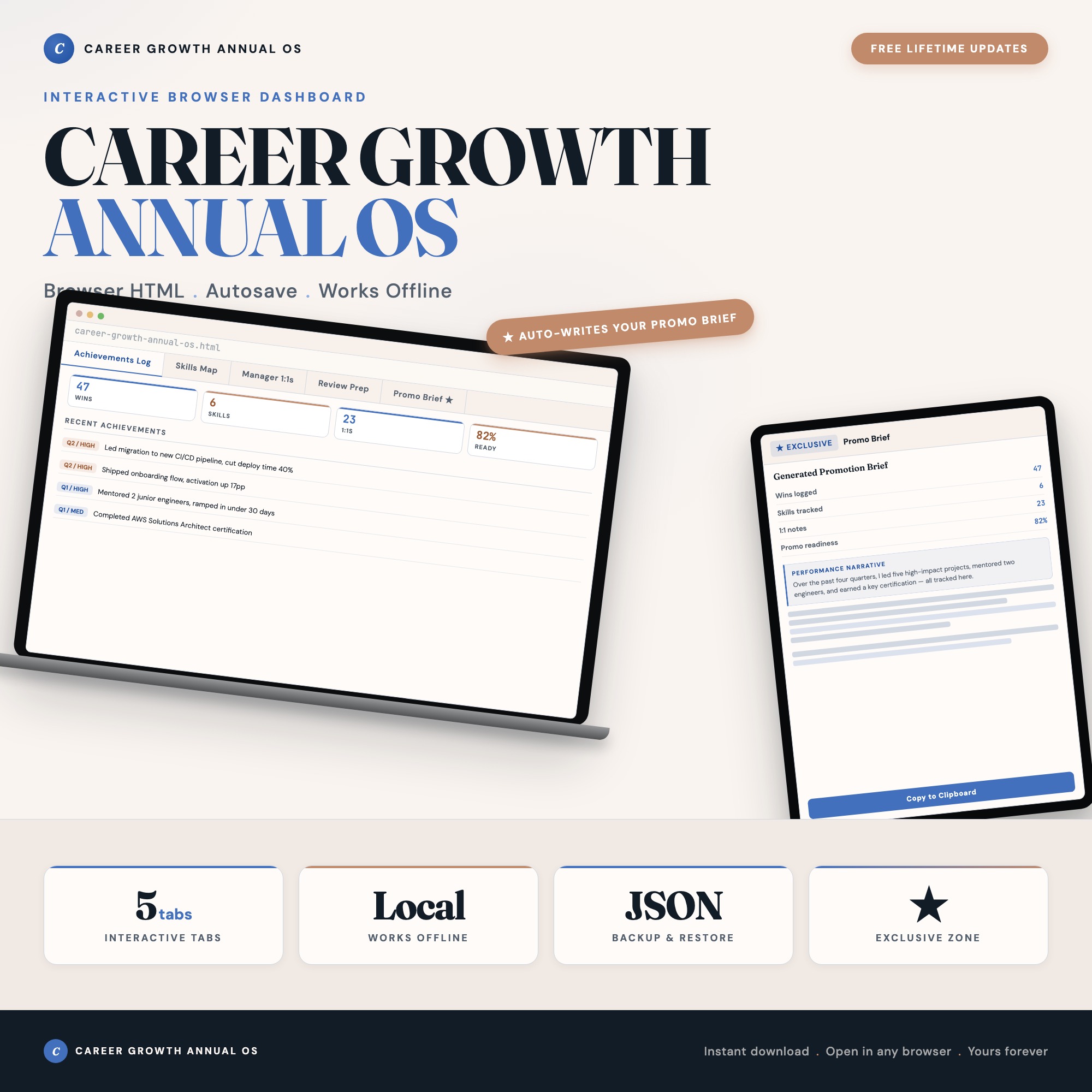
If you would rather have the structure ready-made, the Career Growth Dashboard is one option. It is a single HTML file that opens in your browser, with separate tabs for achievements, a skills map with current and target ratings, manager 1:1 notes, review prep with quarterly reflections, and a Promotion Brief generator that assembles your logged entries into a one-page summary. Data stays in your browser, and there is a backup export. It is built around the same five kinds of entry described above, so you can also copy that structure into whatever you already use.
Either way, the tracker is not the goal. The goal is that next March, when someone asks what you did, you have an answer that is specific, true, and already written down.
Frequently asked questions
- What is the difference between career growth and career development?
- Career development is the work you do: courses, stretch projects, mentoring, new skills. Career growth is the result: a bigger scope, a new title, higher pay, more trust. Development is mostly in your control. Growth depends on development plus other people noticing it and having a place to put you. A good tracker records both, so you can see whether effort is turning into outcomes.
- How often should I update a career growth tracker?
- Short entries as things happen, which for most people means a few minutes once a week. Then a slower pass once a quarter to rate skills and write a reflection. Annual updates alone fail for the same reason annual review prep fails: you are reconstructing the year from memory.
- What should I log if my work does not produce numbers?
- Log what changed because of you. A process that now takes fewer steps, a person who now handles something you used to handle, a decision that went your way because you brought evidence. A number is nice when it is honest, but a clear before and after in plain words is better than an invented metric.
- Should I track negative things like mistakes or feedback I disagreed with?
- Yes, briefly. A one-line note on a miss and what you changed afterward is useful at review time, and it keeps the tracker honest. You are the only reader, so there is no reason to log only the flattering entries.
- Do I need a tool, or is a notes file enough?
- A notes file is enough to start, and starting matters more than the tool. A structured tool helps once you want wins, skills, and meeting notes in separate places that you can look across. Pick whichever you will actually open in a week with no motivation.
- How much does the Career Growth Dashboard cost?
- It is a one-time purchase of $25 on Etsy. No subscription. It is a single file that opens in your browser.
Ready-made dashboards
Skip setup — grab an interactive dashboard built for this exact workflow.
ListingResearchOS Shop
All dashboards — one-time purchase, yours forever
Single HTML files. No subscriptions. No login. Works offline in any browser.
Browse all dashboards →