
How to Get Promoted in 12 Months: The Achievement Tracking Method
A method for building your promotion case over 12 months: log wins with metrics, track skill gaps, capture 1:1 feedback, and have the case ready early.
Published June 3, 2026
The common reason promotions don’t happen at the 12-month mark isn’t that the professional didn’t do good work. It’s that the decision-makers in the room don’t have the information needed to advocate for the case. They have a general sense that the person performs well. They don’t have the specific wins, quantified impact, and skill growth data that makes an undeniable argument.
The achievement tracking method is about solving that problem before review season — continuously, throughout the year, so that when the conversation happens, the case is already built.
Why Memory-Based Self-Reviews Fail
Most professionals prepare for their annual review in the week before it happens. They try to reconstruct the year from memory, scanning their calendar and sent emails for evidence of impact. They typically remember the last 3 months well, the preceding 3 months partially, and the first half of the year hardly at all.
The review they write is accordingly weighted toward recent work. A major project from Q1 that positioned the team for the year gets little airtime. A rough patch in Q2 that was actually a learning moment gets unduly stressed. The narrative is incomplete, and the case for promotion is weaker than the actual track record warrants.
The fix is logging wins as they happen, not reconstructing them in retrospect.
What to Track and How to Tag It
A useful achievement log captures three things per entry:
The win itself: What specifically happened? Be precise. “Led the migration project” is not a win. “Led the Q1 infrastructure migration with zero downtime, on a 6-week timeline that was originally estimated at 10 weeks” is.
The metric: Revenue, cost savings, time saved, user growth, risk reduction — promotion committees respond to numbers. When a metric isn’t available, describe the scope: team size, budget managed, stakeholder reach.
The quarter and skill area: Tagging wins by quarter lets you see whether your impact is consistent or front-loaded. Tagging by skill area lets you answer “where have I grown this year?” with evidence.
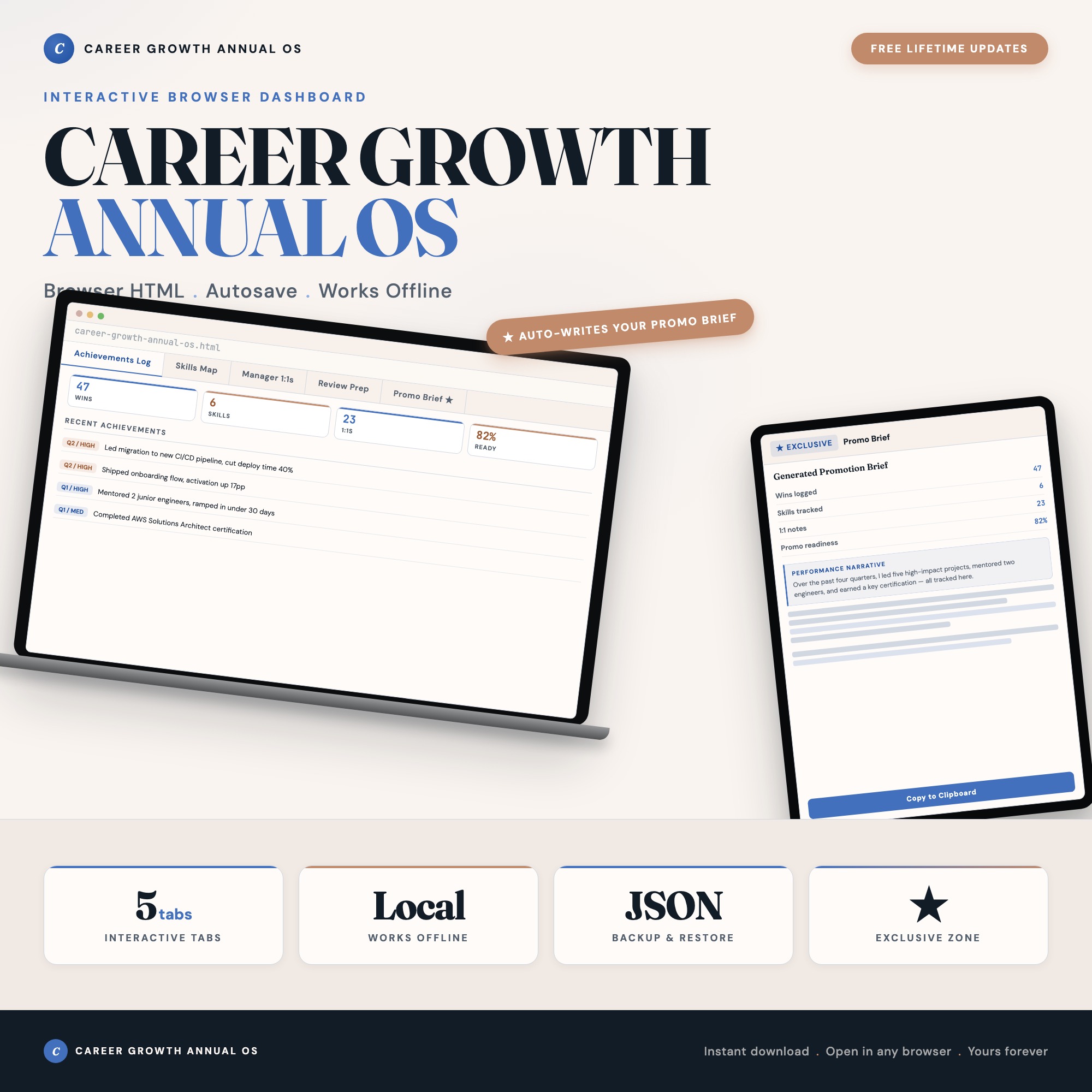
The Career Growth Dashboard has an Achievements Log tab pre-seeded with 40 example wins in the right format, so you can see immediately what good entries look like and adapt them to your context.
Turning Manager Feedback Into Evidence
One of the most underused sources of promotion evidence is the 1:1 meeting. When your manager gives feedback — positive or constructively critical — that feedback is data about how your work is perceived at the decision-making level. If it’s never recorded, it evaporates.
The Manager 1:1s tab in the Career Growth Dashboard logs every meeting: talking points, feedback notes, and open action items. Two things happen when you do this consistently. First, you never show up unprepared because open action items from the last meeting are visible. Second, over 12 months, the log reveals patterns in what your manager consistently praises — and those patterns are exactly what belongs in your promotion brief.
The Skills Gap Question
Promotions go to people who are already operating at the next level, not people who are clearly qualified for their current level. This means knowing what skills the target role requires and being able to show progress toward them.
The Skills Map tab lets you rate yourself 1–5 on current skills and indicate what level the target role demands. Update it quarterly. After two or three quarters, the visual delta shows that the gap is closing — and that data point belongs in the promotion brief.
Generating the Promotion Brief
The Promotion Brief tab is the payoff. When it’s time for your review, click “Generate.” The dashboard reads your Achievements Log, Skills Map ratings, and Manager 1:1 notes from across all tabs and assembles a formatted 1-page performance narrative.
The output is structured for self-review submission, a direct conversation with your manager, or the talking points your manager needs to advocate for you in committee. No Etsy competitor ships this as a generator that draws from your actual data.
The full system — Achievements Log, Skills Map, Manager 1:1s, Review Prep, and Promotion Brief — costs $25, one time. Works offline, no login required.
Frequently asked questions
- Do I need special software to use an offline dashboard?
- No. An offline HTML dashboard like the Career Growth Dashboard is a single file you open in any browser — Chrome, Edge, Safari, or Firefox. Nothing to install, no account to create.
- Is my data private if I use a browser-based dashboard?
- Yes, completely. Data stored in your browser's localStorage never leaves your device. There are no servers, no analytics, and no uploads of any kind.
- Can I back up my data?
- Yes. Every ListingResearchOS dashboard includes an Export Backup button that downloads a JSON file to your computer. Load Backup restores it on any device or browser.
- What makes an interactive HTML dashboard better than a spreadsheet?
- Spreadsheets require manual formula maintenance and lack purpose-built workflows. An interactive HTML dashboard has pre-built logic — like Promotion Brief Auto-Generator reads wins, skills, and 1:1 feedback from tabs 1-4 and assembles a formatted 1-page performance narrative on demand — that a spreadsheet can't replicate without significant engineering work.
- How much does the Career Growth Dashboard cost?
- It is a one-time purchase of $25 on Etsy. No monthly subscription. Once you buy it, it is yours forever.
Ready-made dashboards
Skip setup — grab an interactive dashboard built for this exact workflow.
ListingResearchOS Shop
All dashboards — one-time purchase, yours forever
Single HTML files. No subscriptions. No login. Works offline in any browser.
Browse all dashboards →