
How to Prepare for Your Annual Performance Review (With a System)
Stop reconstructing your year from memory. Build your performance review case as you go, with logged wins, skill gaps, and 1:1 notes captured all year.
Published June 3, 2026
Annual performance reviews are supposed to summarize 12 months of work, but most professionals spend fewer than 4 hours preparing for them — usually in the days immediately before the deadline. The result is a self-assessment that’s heavily weighted toward recent months, light on specific evidence, and unlikely to make the case for a rating above “meets expectations” without a manager who’s already advocating hard on their behalf.
The professionals who consistently get strong ratings and promotions aren’t necessarily doing better work. They’re doing a better job of making their work visible throughout the year, so the evidence is already organized when it matters.
The Three-Layer Performance Case
A compelling performance review self-assessment has three layers that reinforce each other:
Layer 1: Specific wins with metrics. The most common weakness in self-assessments is vagueness. “Contributed to the platform migration” says nothing. “Led the Q2 platform migration for 45,000 active users, completing 3 weeks ahead of the original timeline with zero rollback incidents” says everything. For every significant contribution, there’s a way to quantify it — user impact, cost saved, revenue influenced, time reduced, risk mitigated.
Layer 2: Skill growth and development. Most review cycles ask not just what you delivered but how you’ve grown. This is where a skill gap analysis becomes useful — knowing at the start of the year what the next-level role requires and tracking evidence of closing that gap gives you a development story, not just an output list.
Layer 3: Manager and peer feedback incorporated. Performance narratives that include specific feedback from managers and colleagues are more credible than purely self-authored accounts. “My manager noted in our October 1:1 that my stakeholder communication improved significantly over Q3” is more persuasive than “I improved my stakeholder communication.”
Building the Evidence Base Throughout the Year
The Career Growth Dashboard is organized specifically to build these three layers continuously:
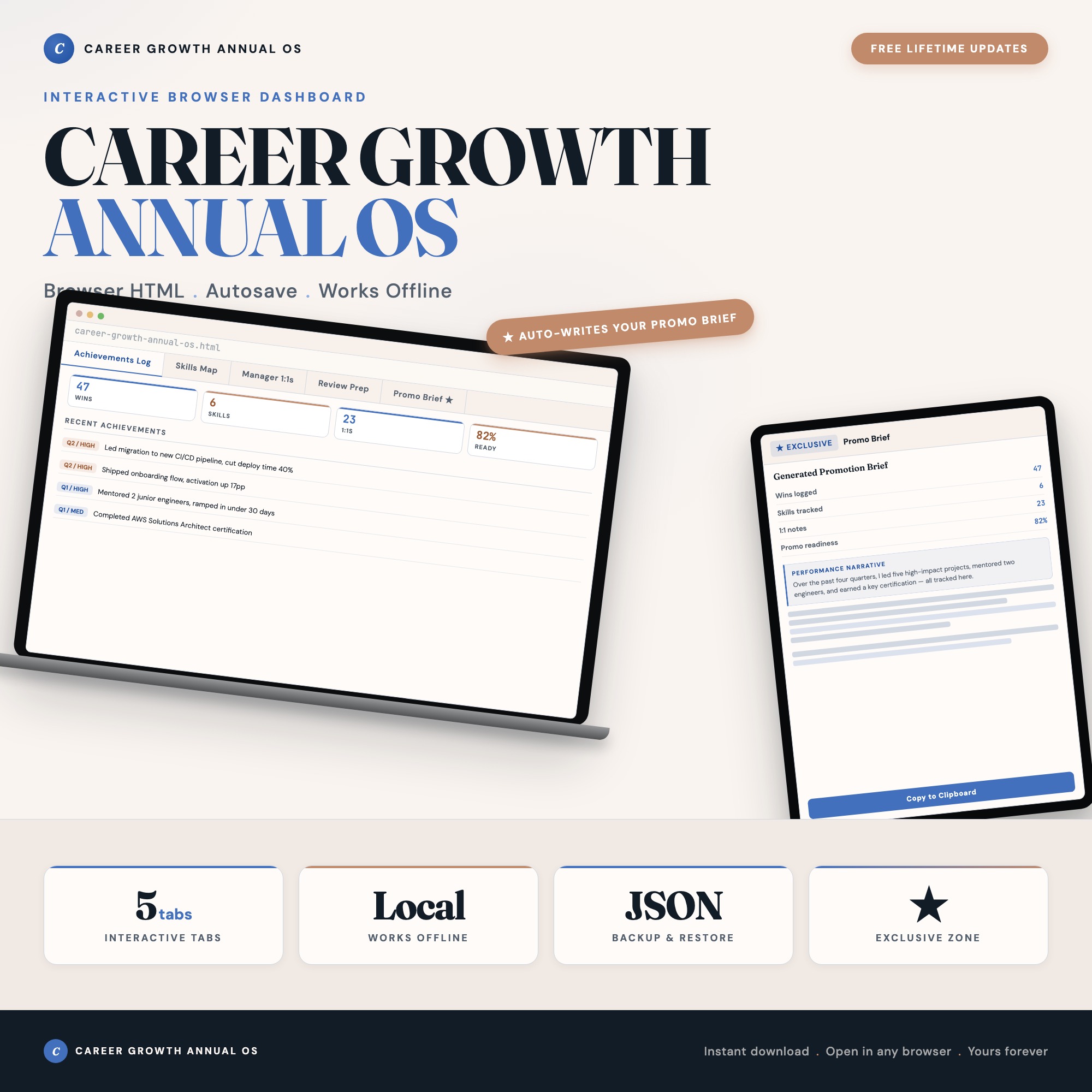
The Achievements Log is the win capture mechanism. Log each win as it happens, tagged to a quarter and a skill area. The dashboard comes pre-populated with 40 example entries showing the right level of specificity — they’re immediately adaptable to your actual work. The raw material that feeds every other tab starts here.
The Skills Map tracks your current skill levels (rated 1–5) against what the target role requires. Update it quarterly. The visual delta between where you are and where the target role demands shows not just where you’re growing, but that you have a systematic awareness of your development path — something managers value explicitly.
The Manager 1:1s tab is the feedback-capture mechanism. After each 1:1, log the key points: what your manager praised, what they flagged for improvement, what commitments were made. Over 12 months, this becomes a record of your professional development as viewed from the manager’s perspective — and it prevents the common mistake of showing up to consecutive 1:1s with unresolved action items.
The Review Prep tab aggregates quarterly reflection: your strongest quarters by output, the growth arc across the year, and the checklist of review materials to compile.
The Self-Assessment You Actually Submit
When review season arrives, the Promotion Brief tab generates a formatted performance narrative from your logged data across all four tabs. One click. The output is a structured brief you can paste directly into your company’s review system, use as talking points with your manager, or adapt into a promotion case document.
No competitor on Etsy generates this from your actual logged data. The difference between a template you fill in and a generator that reads your year of entries is the difference between starting from blank and starting from done.
$25, one-time purchase. Works offline, no login, no subscription.
Frequently asked questions
- Do I need special software to use an offline dashboard?
- No. An offline HTML dashboard like the Career Growth Dashboard is a single file you open in any browser — Chrome, Edge, Safari, or Firefox. Nothing to install, no account to create.
- Is my data private if I use a browser-based dashboard?
- Yes, completely. Data stored in your browser's localStorage never leaves your device. There are no servers, no analytics, and no uploads of any kind.
- Can I back up my data?
- Yes. Every ListingResearchOS dashboard includes an Export Backup button that downloads a JSON file to your computer. Load Backup restores it on any device or browser.
- What makes an interactive HTML dashboard better than a spreadsheet?
- Spreadsheets require manual formula maintenance and lack purpose-built workflows. An interactive HTML dashboard has pre-built logic — like Promotion Brief Auto-Generator reads wins, skills, and 1:1 feedback from tabs 1-4 and assembles a formatted 1-page performance narrative on demand — that a spreadsheet can't replicate without significant engineering work.
- How much does the Career Growth Dashboard cost?
- It is a one-time purchase of $25 on Etsy. No monthly subscription. Once you buy it, it is yours forever.
Ready-made dashboards
Skip setup — grab an interactive dashboard built for this exact workflow.
ListingResearchOS Shop
All dashboards — one-time purchase, yours forever
Single HTML files. No subscriptions. No login. Works offline in any browser.
Browse all dashboards →