
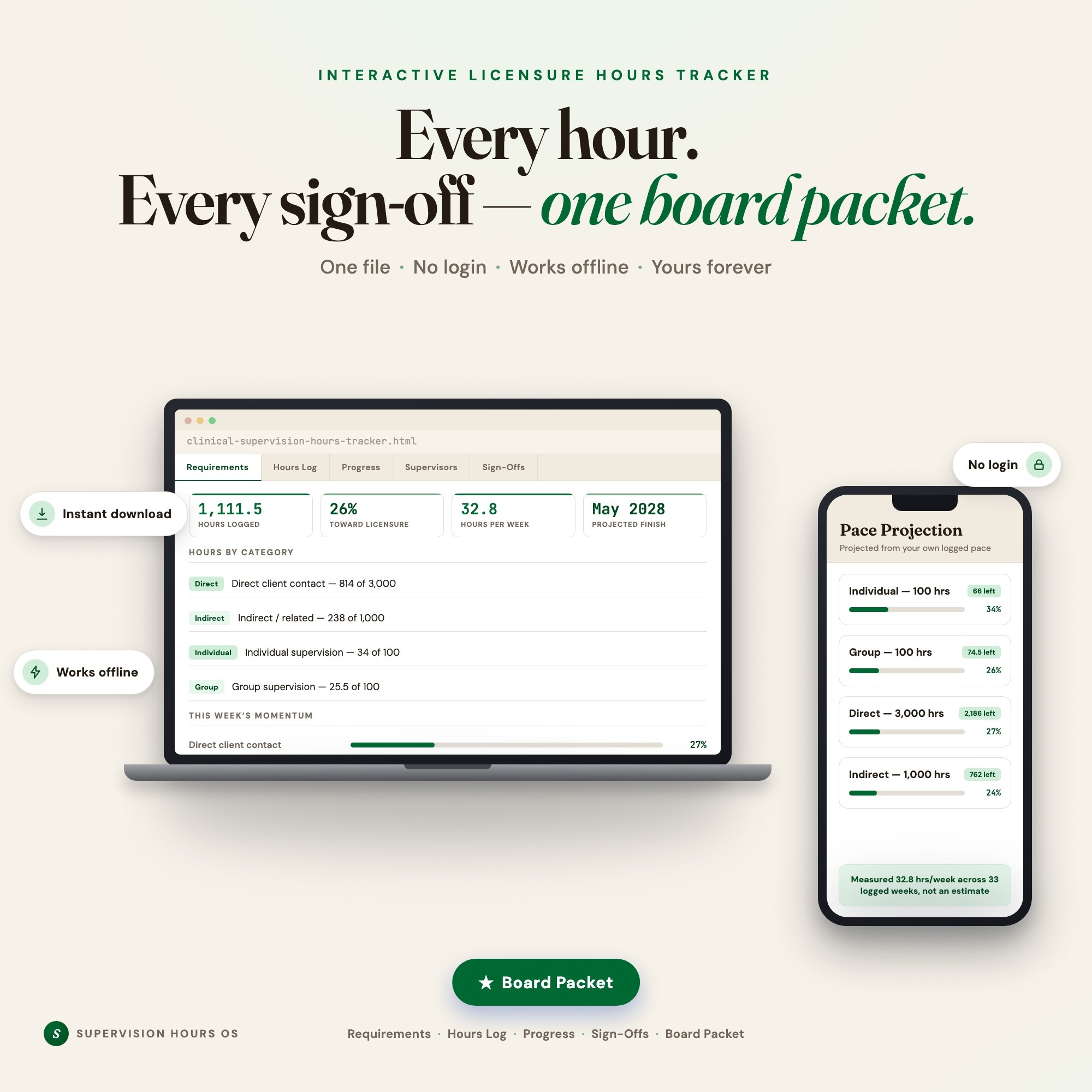
Interactive dashboard
Clinical Supervision Hours Tracker
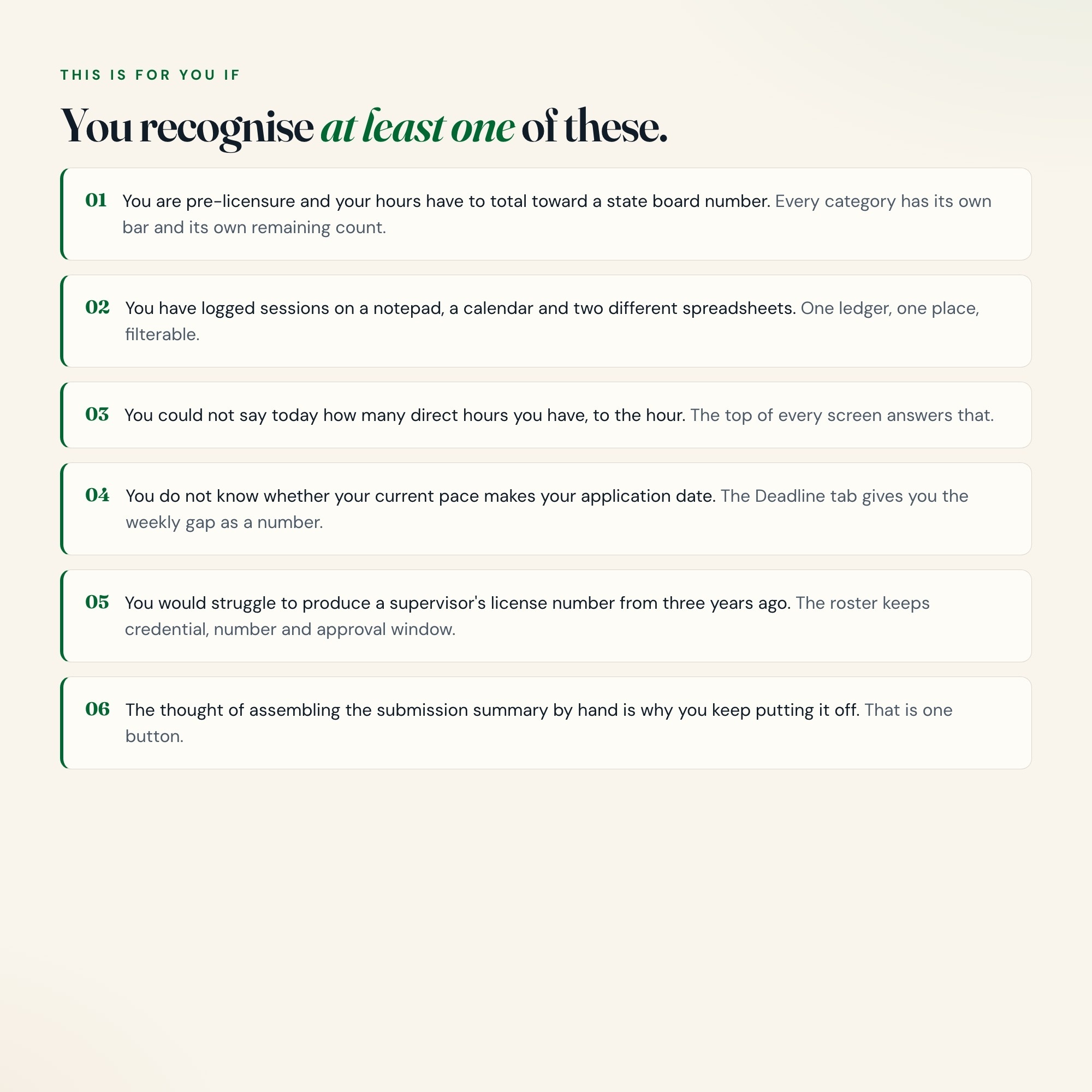
Built for Pre-licensure clinicians logging supervised hours toward a state board requirement - LMSW working toward LCSW, LPC-Associate toward LPC, AMFT toward LMFT, counseling and social work interns on practicum or residency hours, and nursing students tracking clinical hours
Try it live
Click around the real dashboard
Interactive demo · a few tabs unlocked
See it in action
The dashboard
What it is
Built for pre-licensure clinicians logging supervised hours toward a state board requirement - LMSW working toward LCSW, LPC-Associate toward LPC, AMFT toward LMFT, counseling and social work interns on practicum or residency hours, and nursing students tracking clinical hours. Every hour you log is one you never have to reconstruct It is a browser-native interactive dashboard that lives in a single HTML file, with nothing to install.
What is Clinical Supervision Hours Tracker?
Clinical Supervision Hours Tracker is an interactive dashboard that opens in your web browser. It is one self-contained HTML file — you download it once, double-click it, and it runs. It is built for pre-licensure clinicians logging supervised hours toward a state board requirement - LMSW working toward LCSW, LPC-Associate toward LPC, AMFT toward LMFT, counseling and social work interns on practicum or residency hours, and nursing students tracking clinical hours.
What is included in Clinical Supervision Hours Tracker?
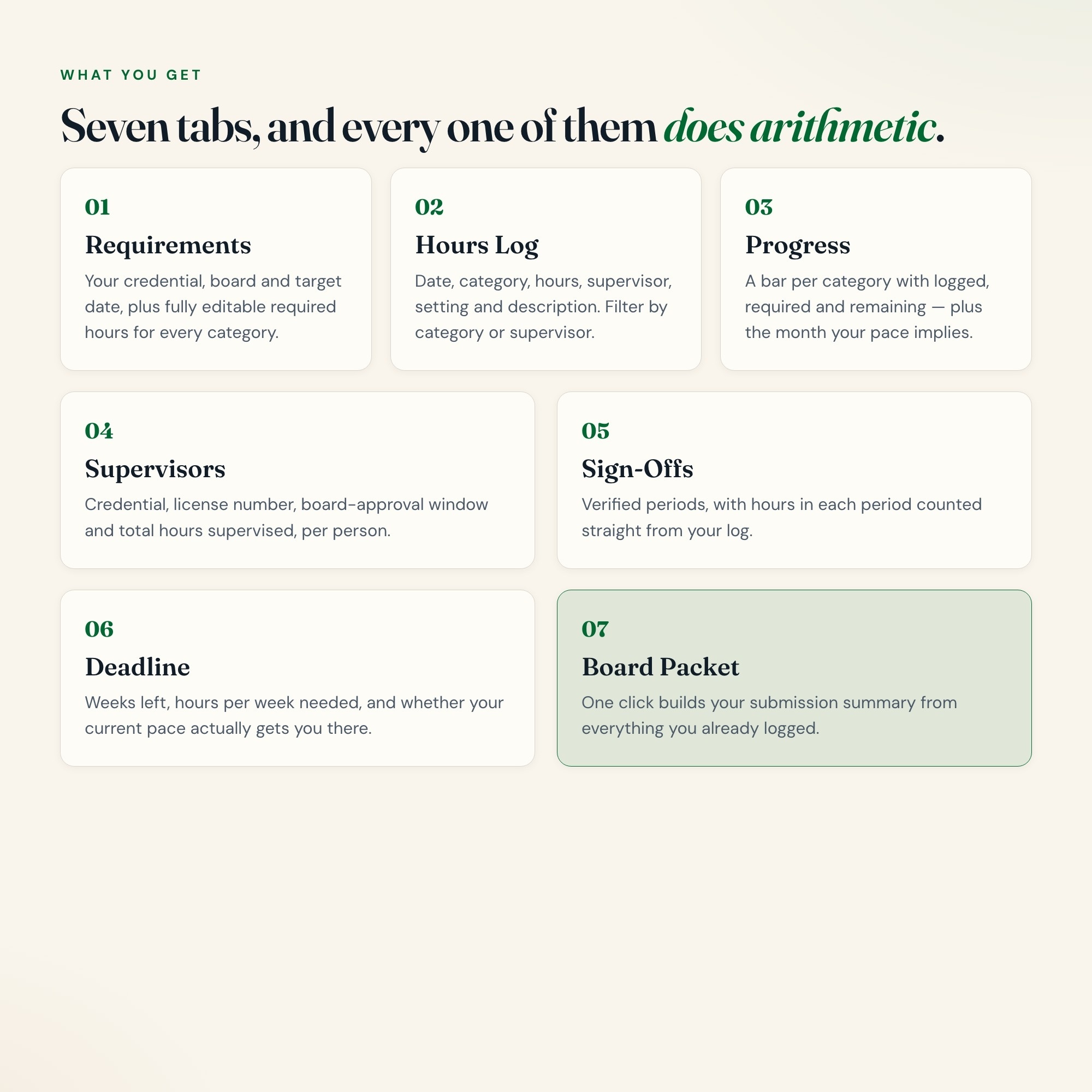
7 sections, all in the one file:
- Requirements
- Hours Log
- Progress
- Supervisors
- Sign-Offs
- Deadline
- Board Packet
Does Clinical Supervision Hours Tracker need Excel, Google Sheets or a subscription?
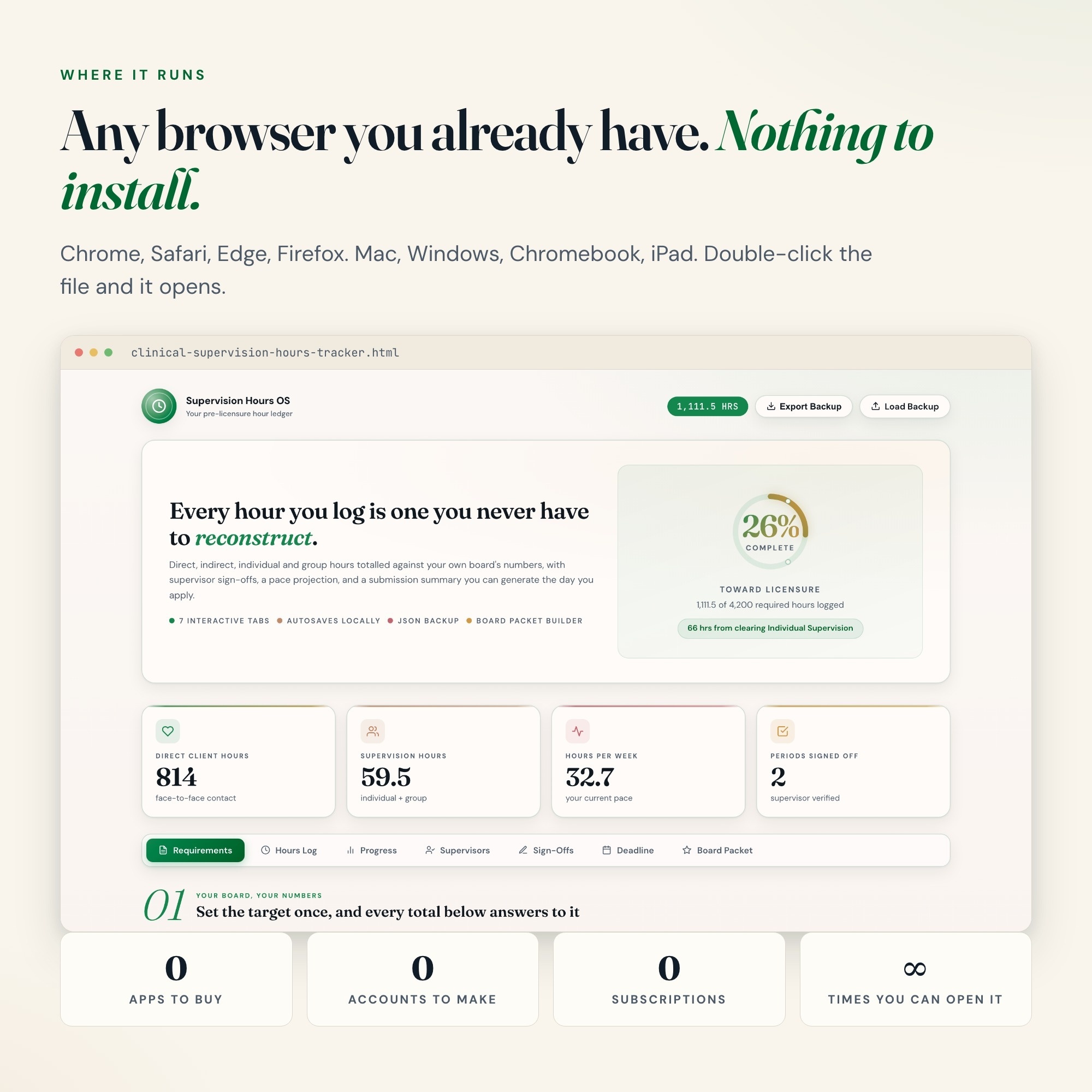
No. There is no app to install, no account to create, no login and no recurring fee. It opens in Chrome, Safari, Edge or Firefox on macOS, Windows, iPad or Chromebook, and it keeps working offline once the file is on your machine.
Where does Clinical Supervision Hours Tracker store my data?
On your own device, in your own browser. Nothing is uploaded, no account is created and no analytics are collected. You can export a backup file at any time and load it on another computer.
Can I change how Clinical Supervision Hours Tracker looks?
Yes — colour, background, typeface and text size are all adjustable from inside the dashboard, and your choice is remembered the next time you open it.
How much is Clinical Supervision Hours Tracker and how is it delivered?
$27, delivered as an instant download the moment you pay. Because it is a digital file, all sales are final.
More about Clinical Supervision Hours Tracker
This is an interactive hours tracker that opens in your browser. Log a session, and your direct, indirect, individual supervision and group supervision totals update against your own board’s requirements — with a running percentage, a projected finish date based on the pace you have actually kept, and a submission summary you can generate the day you apply.
Why this and not a spreadsheet
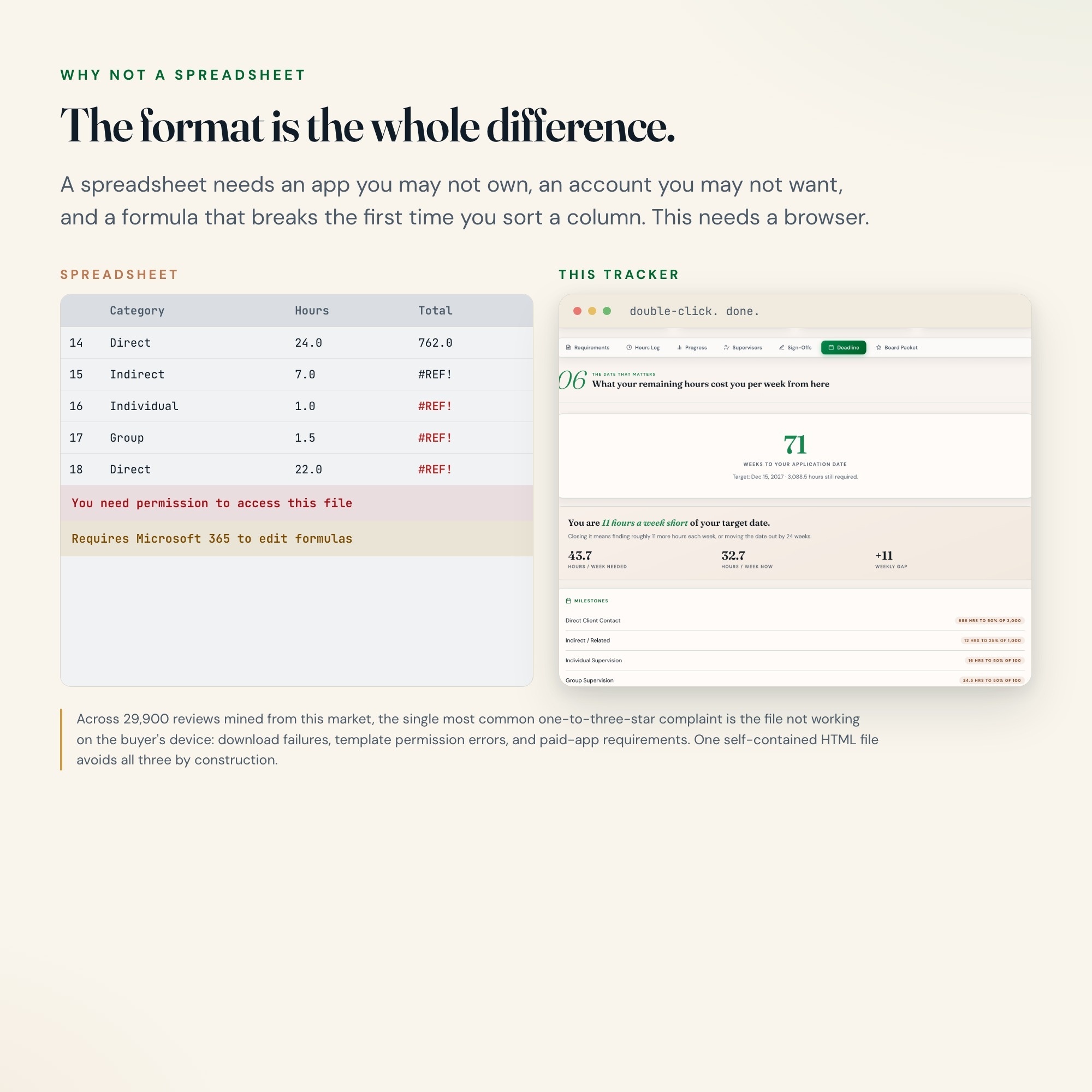
Most hours trackers are Excel or Google Sheets files. That means a paid app, a Google account, permission errors, or a template that breaks the first time you sort a column. This is one HTML file. You double-click it and it opens — Chrome, Safari, Edge, Firefox, Mac, Windows, iPad. No app, no account, no login, no subscription, and nothing to break.
WHAT IS INSIDE (7 interactive tabs)
-
REQUIREMENTS — your credential, target license, board, and start date, plus fully editable required-hour totals for every category. Your board’s numbers, not ours.
-
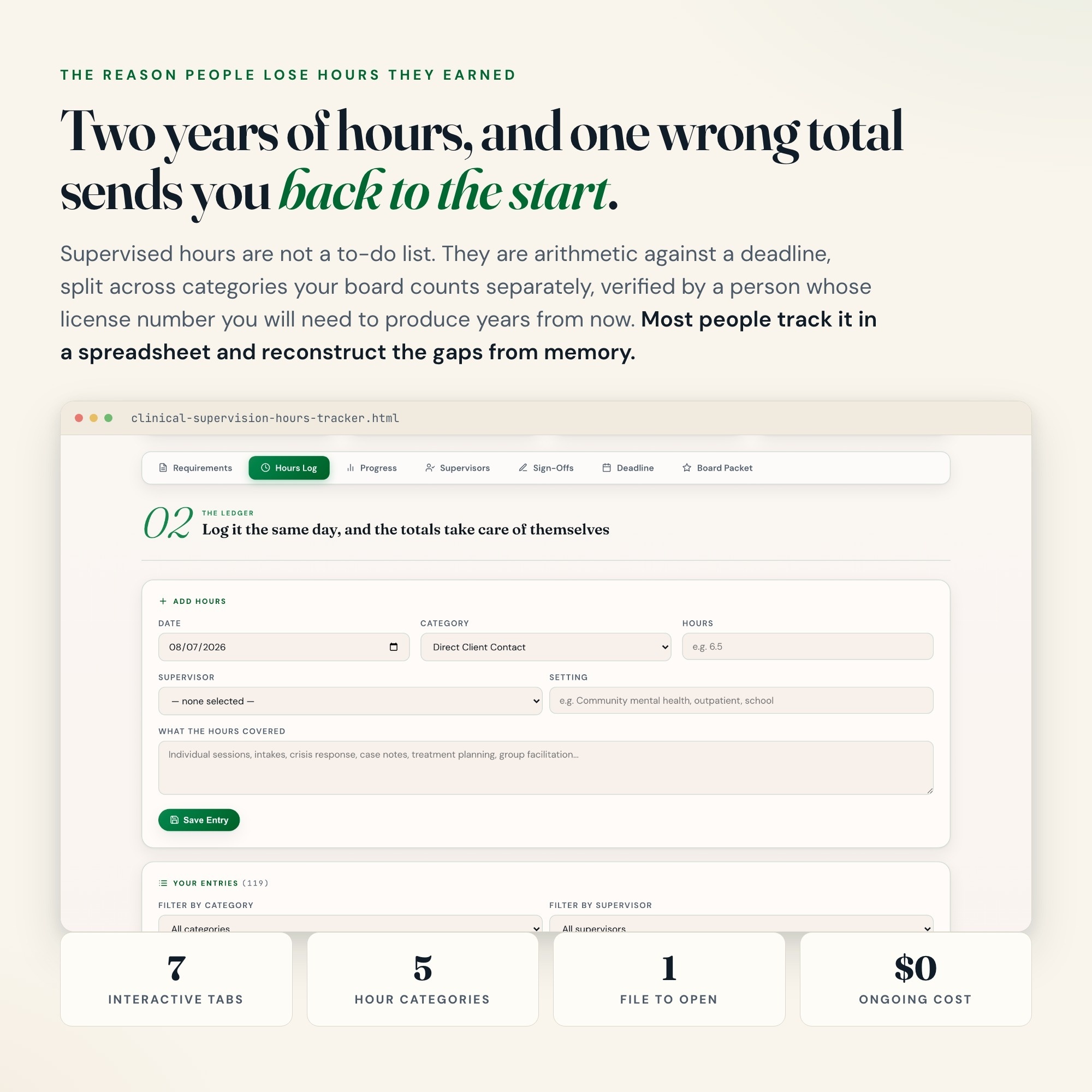
HOURS LOG — date, category, hours, supervisor, setting and description. Filter by category or supervisor when the log runs to hundreds of entries.
-
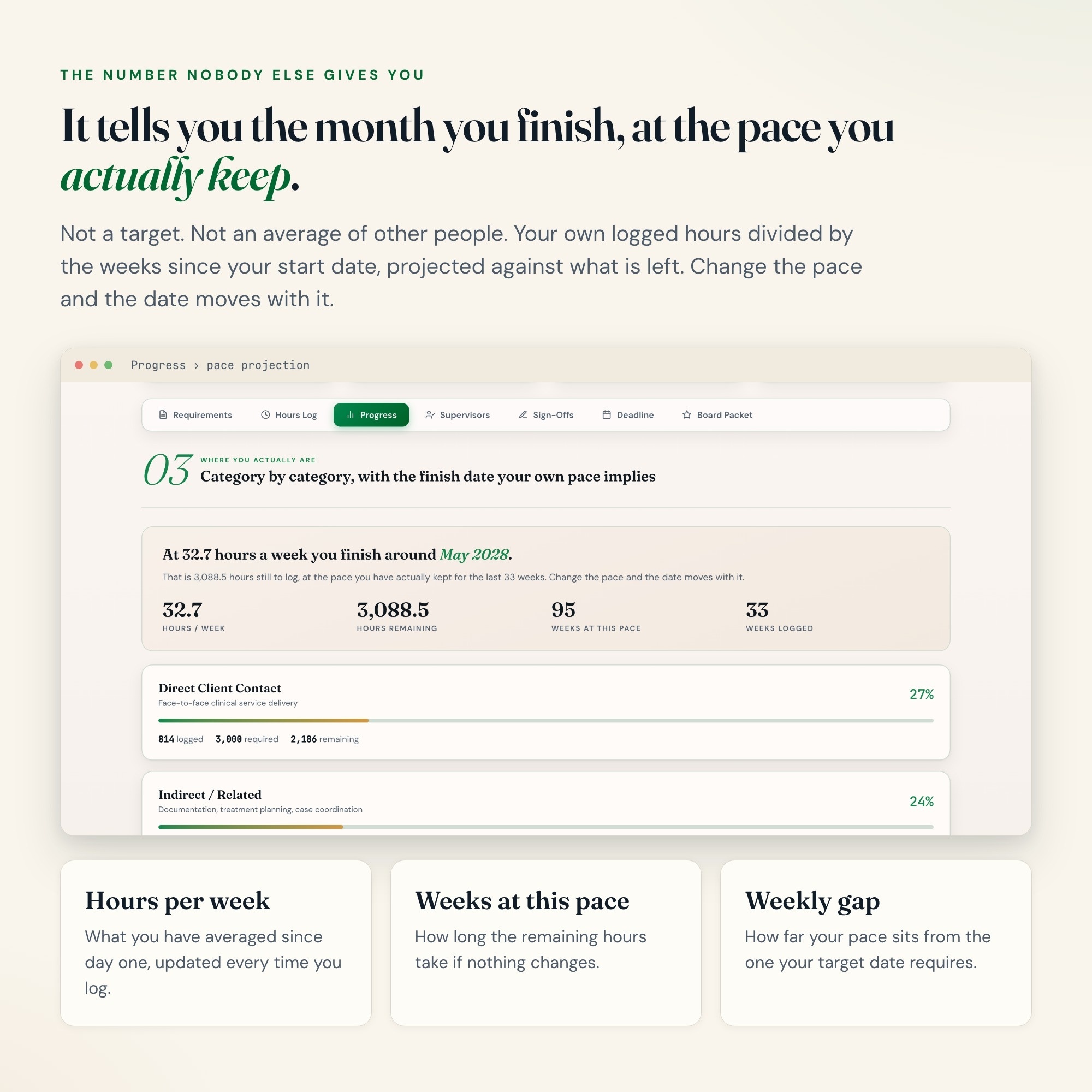
PROGRESS — a progress bar per category with logged, required and remaining, plus a pace projection that names the month you finish at your current rate.
-
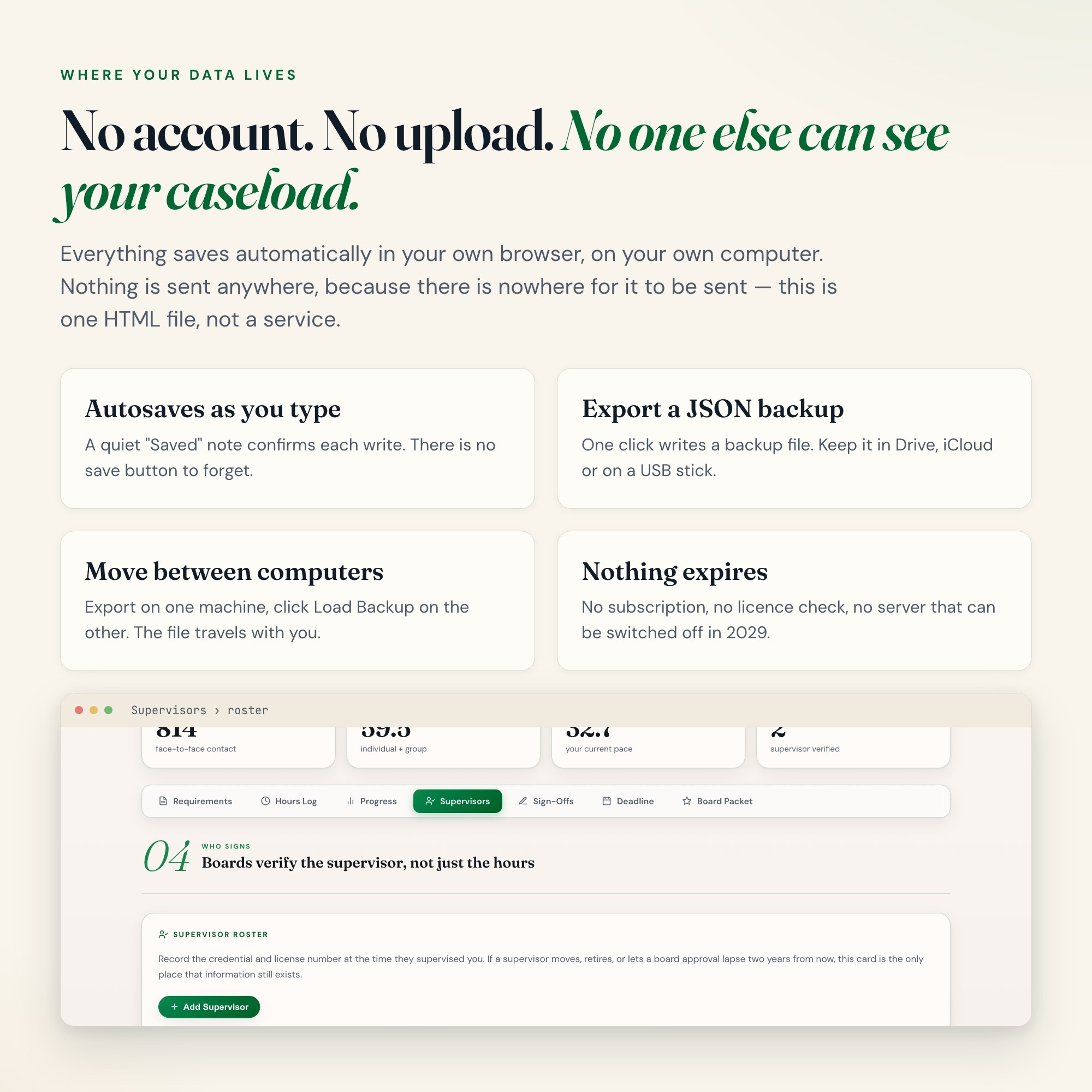
SUPERVISORS — credential, license number, board-approval window and contact for every supervisor, with their total supervised hours.
-
SIGN-OFFS — verified periods with the hours in each period counted straight from your log, so the record and the ledger cannot drift apart.
-
DEADLINE — weeks to your application date, the hours per week you need, and whether your current pace actually gets you there.
-
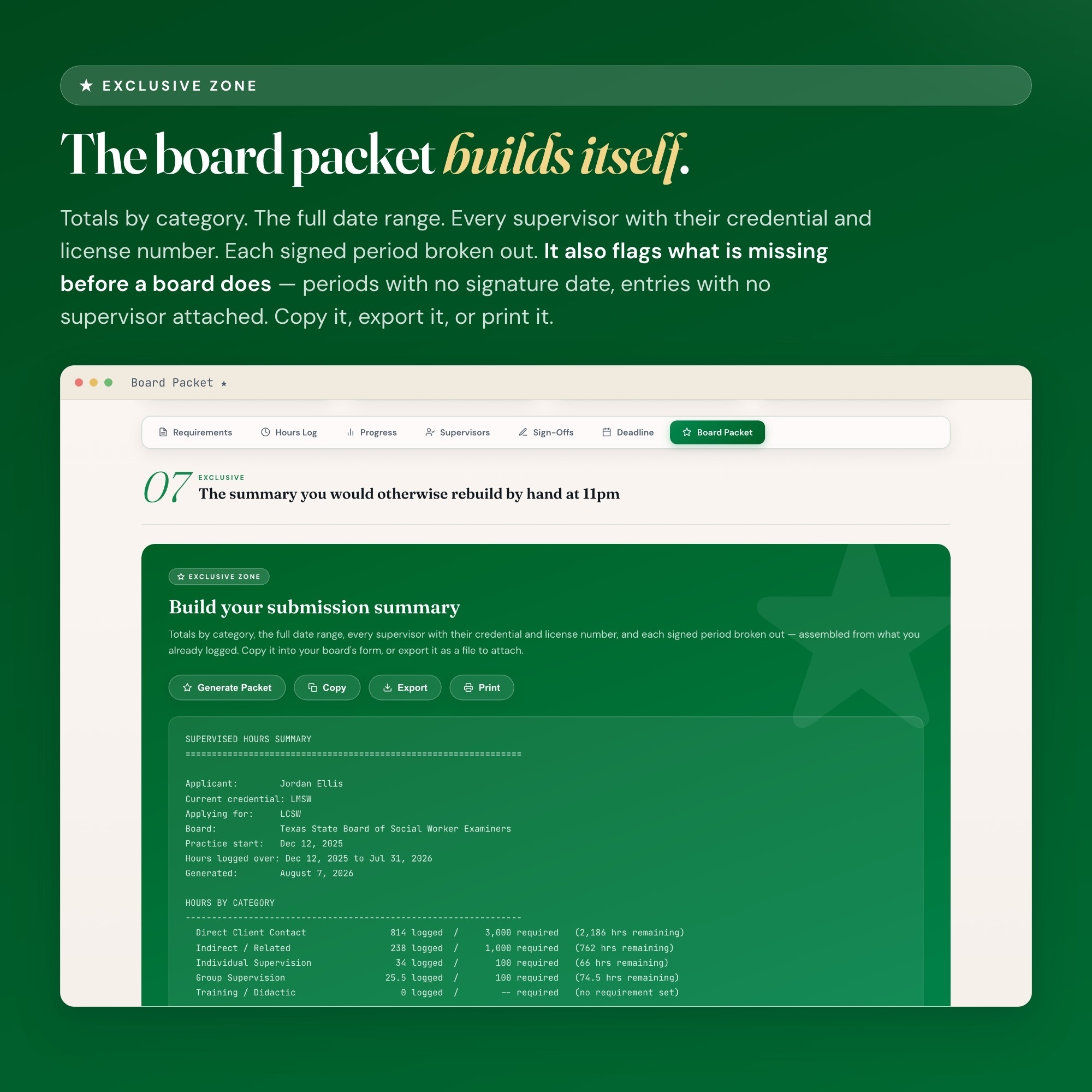
BOARD PACKET — one click builds a submission summary: totals by category, full date range, every supervisor with credential and license number, and each signed period broken out. Copy it, export it, or print it.
How your data works
Everything saves automatically in your own browser. Nothing is uploaded anywhere, no account is created, and no one else can see your caseload. Export a JSON backup any time and load it on another computer — the file travels with you.
Who this is for
Pre-licensure clinicians logging supervised hours: LMSW working toward LCSW, LPC-Associate toward LPC, AMFT toward LMFT, counseling and social work interns, practicum and residency hours, and nursing students tracking clinical hours.
Files included
-
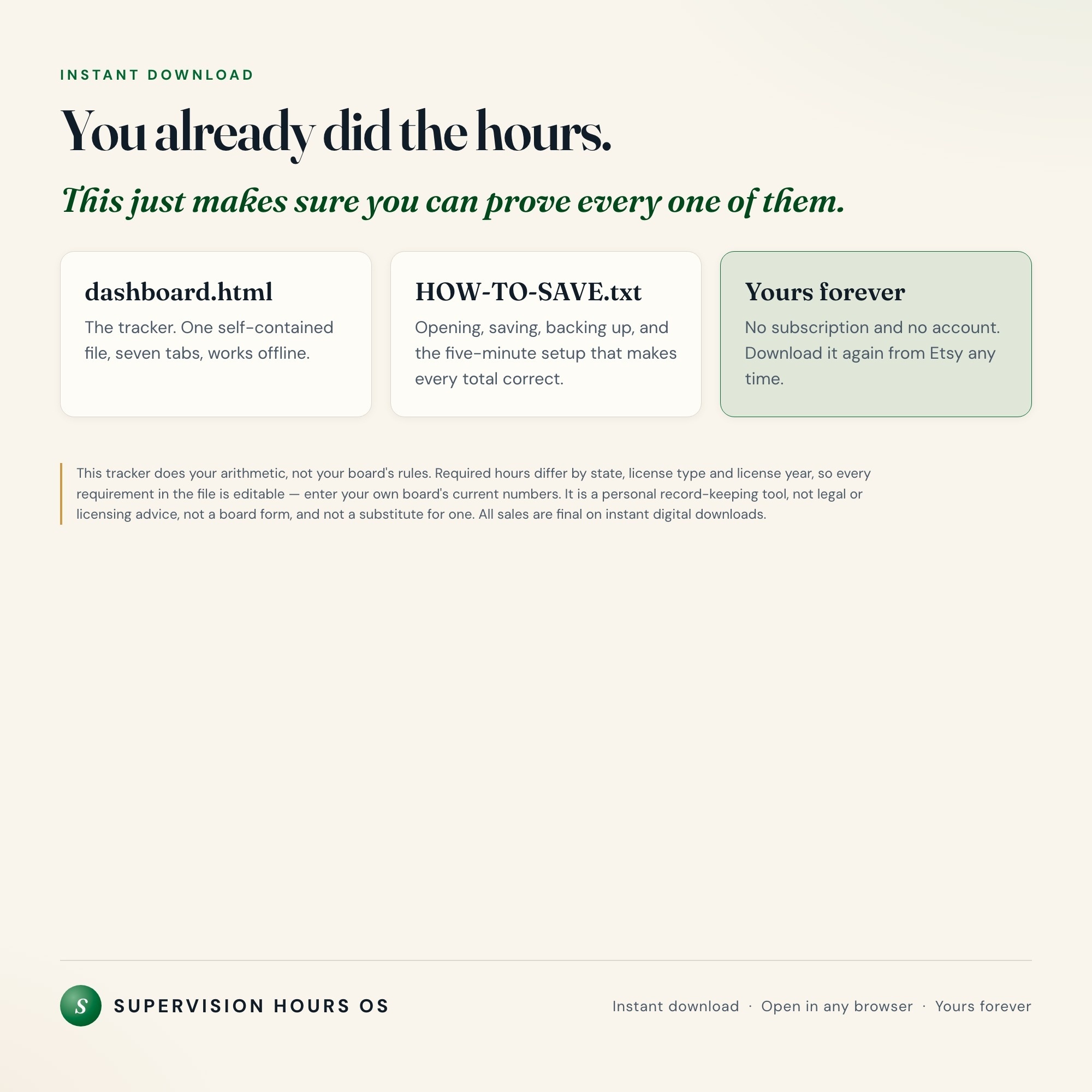
dashboard.html — the tracker, one self-contained file
-
HOW-TO-SAVE.txt — how to open it, save it, back it up and move it between computers
Important
This tracker does your arithmetic. It does not do your board’s rules. Required hours differ by state, license type and license year, and they change — every requirement in the file is editable so you can enter your own board’s current numbers. This is a personal record-keeping tool, not legal or licensing advice, not a board form, and not a substitute for one. Always confirm your totals against your board’s official requirements and keep your signed originals.
INSTANT DOWNLOAD — available immediately after purchase. Because this is a digital file, all sales are final and no refunds are offered.
Questions before you buy? Message the shop.
5 Tabs included
- ◈
Requirements
- ≡
Hours Log
- ⊞
Progress
- ◉
Supervisors
- ★
Sign-Offs
Exclusive Feature
Board Packet builder - one click assembles a submission summary from the ledger: totals by category, full date range, every supervisor with credential and license number, and each signed period broken out, plus flags for periods with no signature date and entries with no supervisor attached. Every competing product in this market is a spreadsheet that tallies hours; none of them assemble the submission document.
This is built into the fifth tab and is unavailable in any static template, spreadsheet, or Notion template on the market.
Gallery
Learn more
Before you buy
Frequently asked questions
- What is Clinical Supervision Hours Tracker?
- Clinical Supervision Hours Tracker is an interactive dashboard that opens in your web browser. It is one self-contained HTML file — download it once, double-click it, and it runs. No app, no account, no subscription.
- Does Clinical Supervision Hours Tracker need Excel or Google Sheets?
- No. It is not a spreadsheet and does not open in one. It runs in Chrome, Safari, Edge or Firefox on macOS, Windows, iPad or Chromebook, and keeps working offline.
- What is included in Clinical Supervision Hours Tracker?
- 7 sections in a single file: Requirements, Hours Log, Progress, Supervisors, Sign-Offs, Deadline, Board Packet.
- Can I change the colours and text size in Clinical Supervision Hours Tracker?
- Yes. Colour, background, typeface and text size are adjustable from inside the dashboard, and the setting is remembered.
- Does it work offline?
- Yes — completely. The dashboard is a single HTML file. Once downloaded, it runs entirely in your browser with no internet connection needed. All data autosaves to your browser's localStorage.
- Which devices and browsers are supported?
- Works in Chrome, Edge, Safari, and Firefox on macOS, Windows, iPad, and Chromebook. No app to install, no account to create. Just open the file.
- What is your refund policy?
- All sales are final. This is an instant download delivered in full at payment, so it cannot be returned. If a file will not open or a feature does not work as described, that is a defect and it gets fixed at no cost — email hello@listingresearchos.com and you will get a corrected file.
- How do I install it?
- There is nothing to install. After purchase, download the HTML file. Double-click to open in your browser. That's it. A HOW-TO-SAVE.txt is included explaining how to back up and restore your data.
- Is my data private?
- Completely. Everything runs locally — no login, no analytics, no data sent to any server. Your data is stored only in your browser's localStorage. You own it entirely.
You might also like
One-time purchase
Get it for $27.00
Instant download. Open in any browser. Yours forever.