
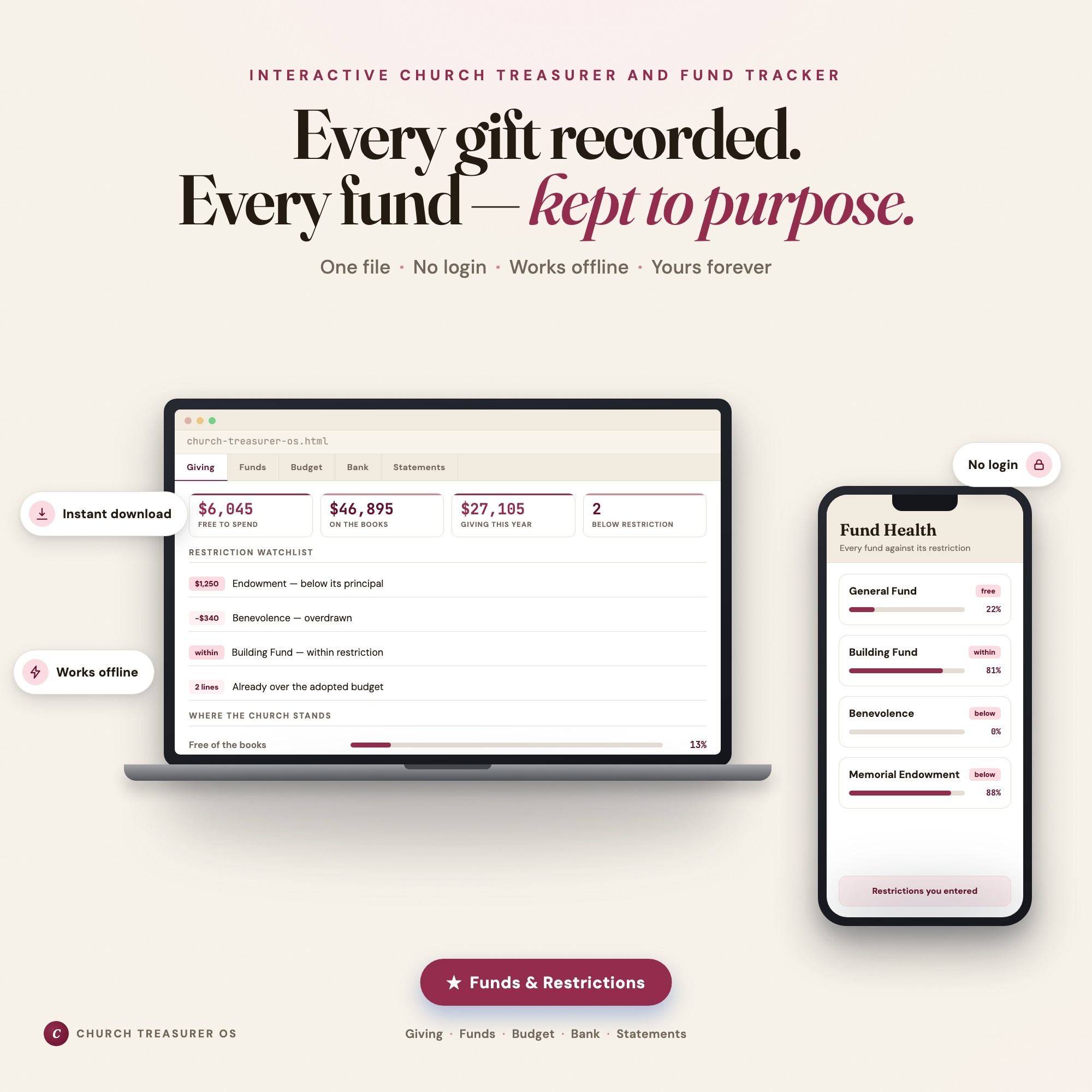
Interactive dashboard
Church Treasurer OS
Built for Volunteer treasurers of small churches and ministries — asked because they are good with money, not because they are accountants — keeping restricted, designated and general funds straight inside one bank account and owing every donor a year-end giving statement
Try it live
Click around the real dashboard
Interactive demo · a few tabs unlocked
See it in action
The dashboard
What it is
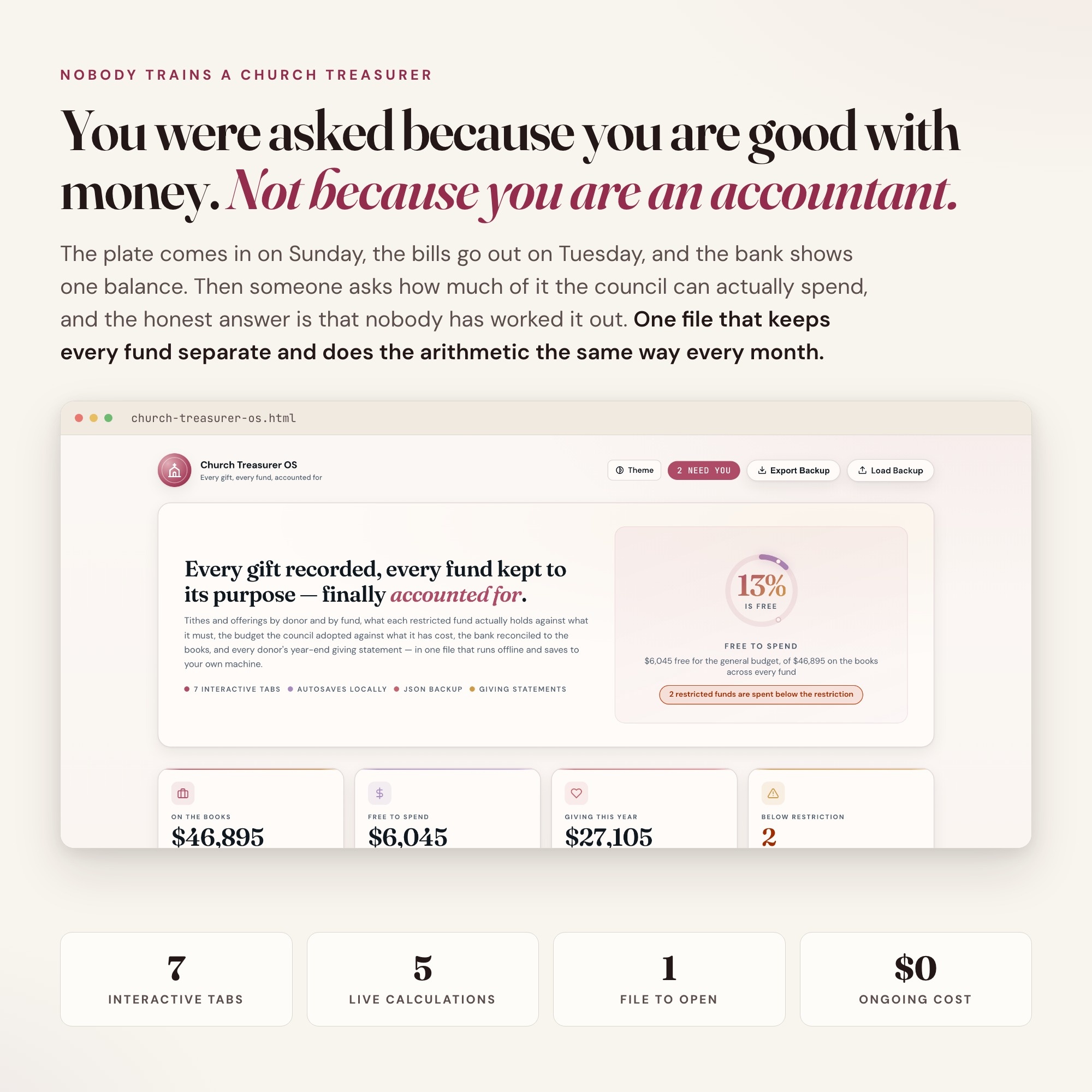
Built for volunteer treasurers of small churches and ministries — asked because they are good with money, not because they are accountants — keeping restricted, designated and general funds straight inside one bank account and owing every donor a year-end giving statement. Every gift recorded. Every fund — kept to purpose. It is a browser-native interactive dashboard that lives in a single HTML file, with nothing to install.
What is Church Treasurer OS?
Church Treasurer OS is an interactive dashboard that opens in your web browser. It is one self-contained HTML file — you download it once, double-click it, and it runs. It is built for volunteer treasurers of small churches and ministries — asked because they are good with money, not because they are accountants — keeping restricted, designated and general funds straight inside one bank account and owing every donor a year-end giving statement.
What is included in Church Treasurer OS?
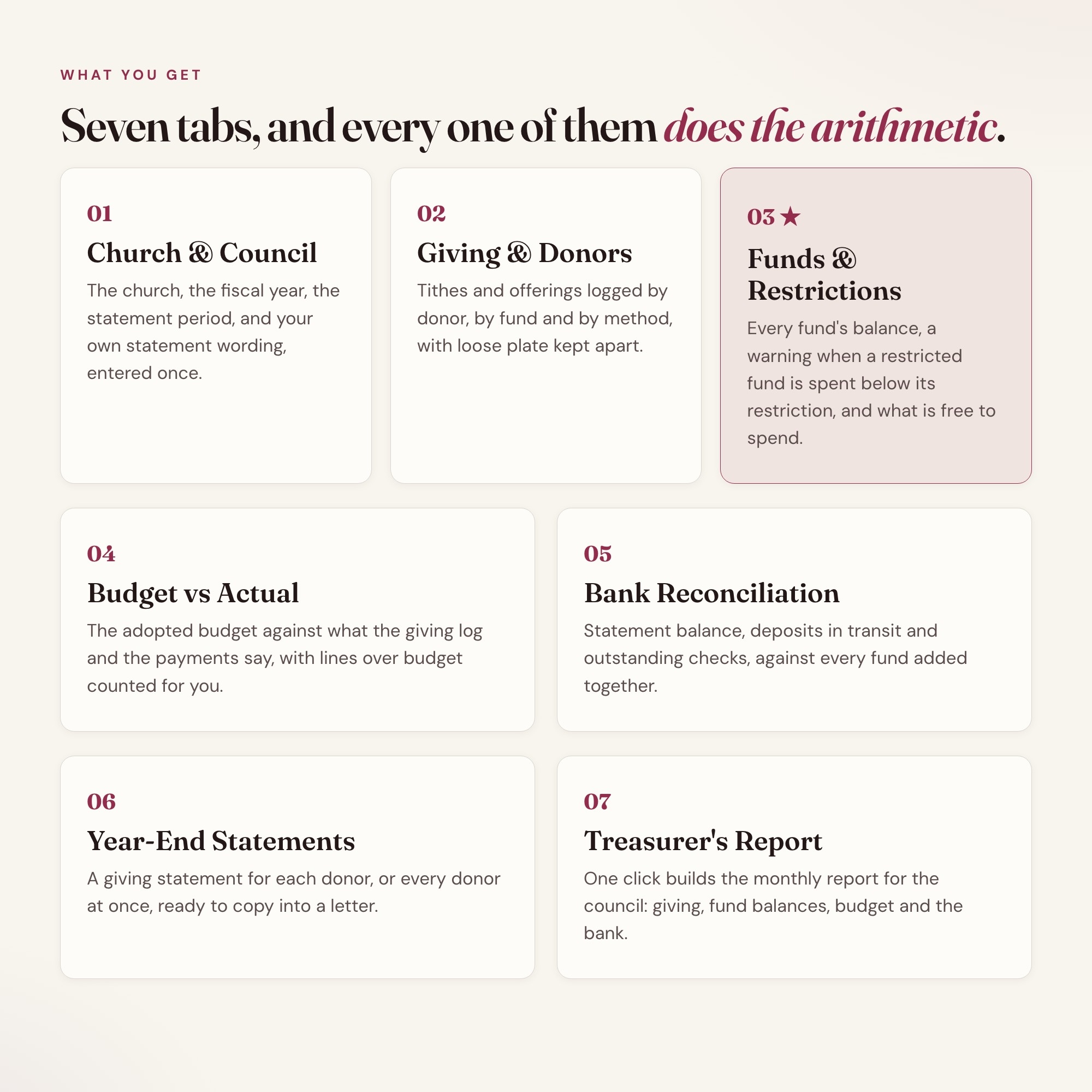
7 sections, all in the one file:
- Church & Council
- Giving & Donors
- Funds & Restrictions
- Budget vs Actual
- Bank Reconciliation
- Year-End Statements
- Treasurer’s Report
Does Church Treasurer OS need Excel, Google Sheets or a subscription?
No. There is no app to install, no account to create, no login and no recurring fee. It opens in Chrome, Safari, Edge or Firefox on macOS, Windows, iPad or Chromebook, and it keeps working offline once the file is on your machine.
Where does Church Treasurer OS store my data?
On your own device, in your own browser. Nothing is uploaded, no account is created and no analytics are collected. You can export a backup file at any time and load it on another computer.
Can I change how Church Treasurer OS looks?
Yes — colour, background, typeface and text size are all adjustable from inside the dashboard, and your choice is remembered the next time you open it.
How much is Church Treasurer OS and how is it delivered?
$28, delivered as an instant download the moment you pay. Because it is a digital file, all sales are final.
More about Church Treasurer OS
You were asked to be treasurer because you are good with money, not because you are an accountant. The bank shows one balance. Most of it is not the church’s to spend.
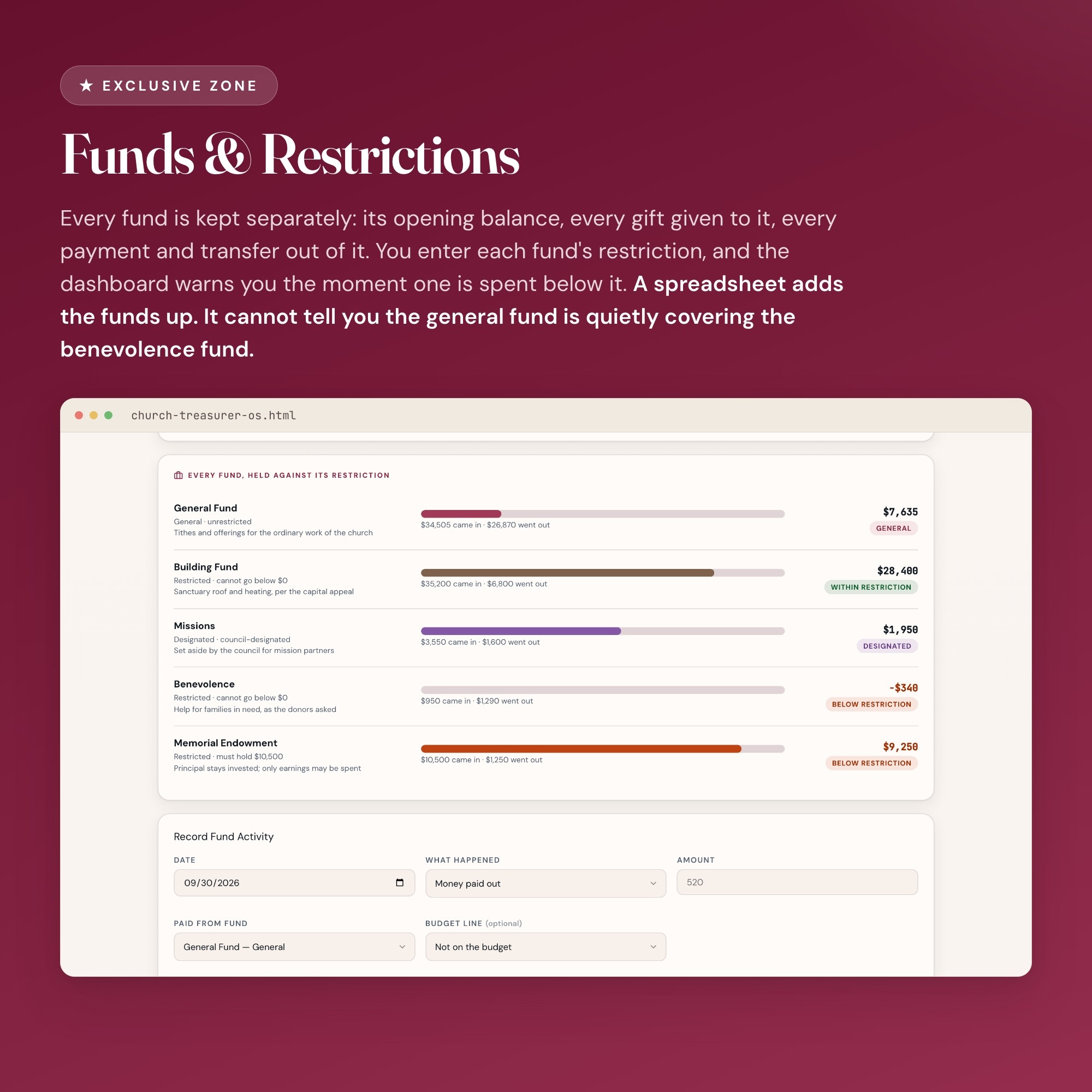
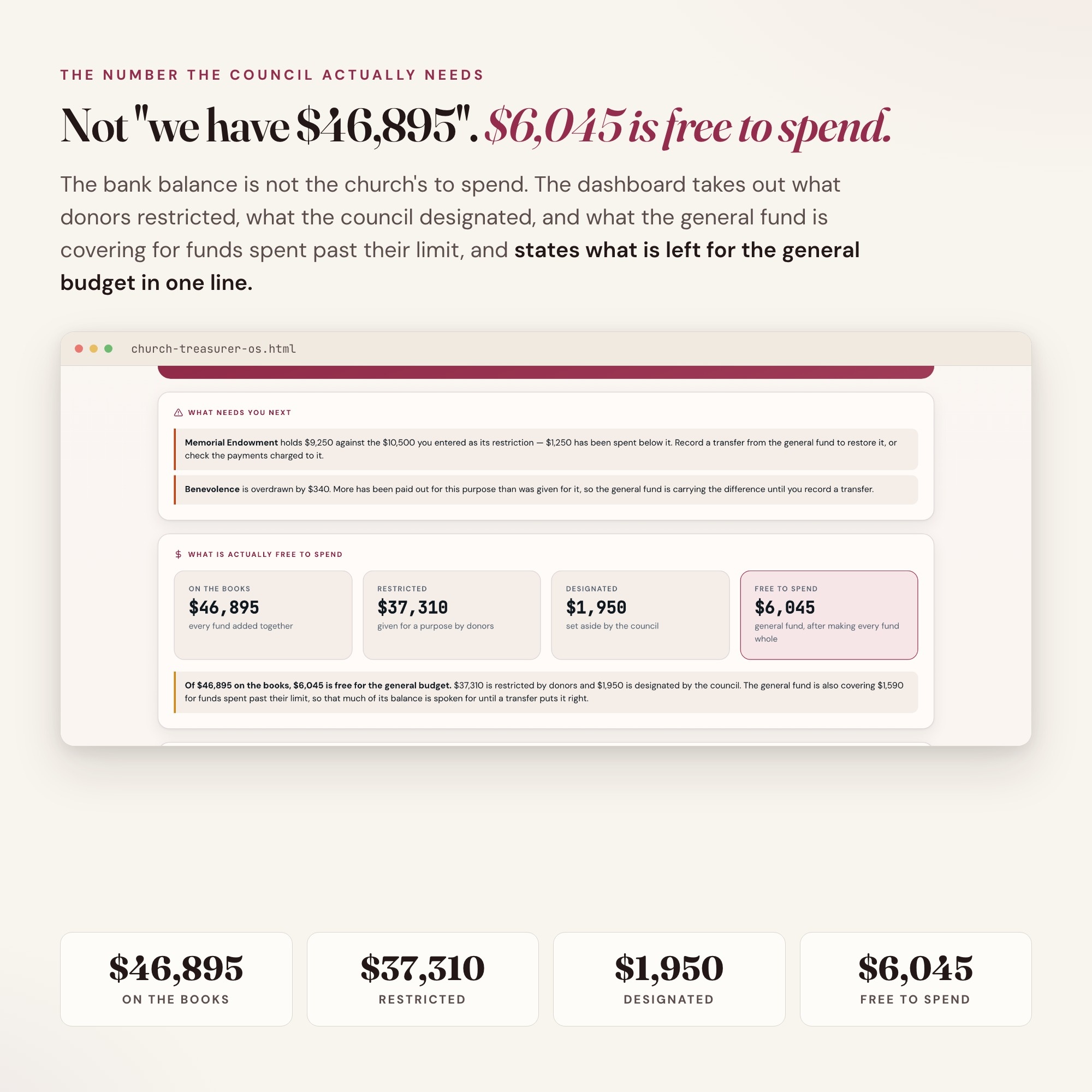
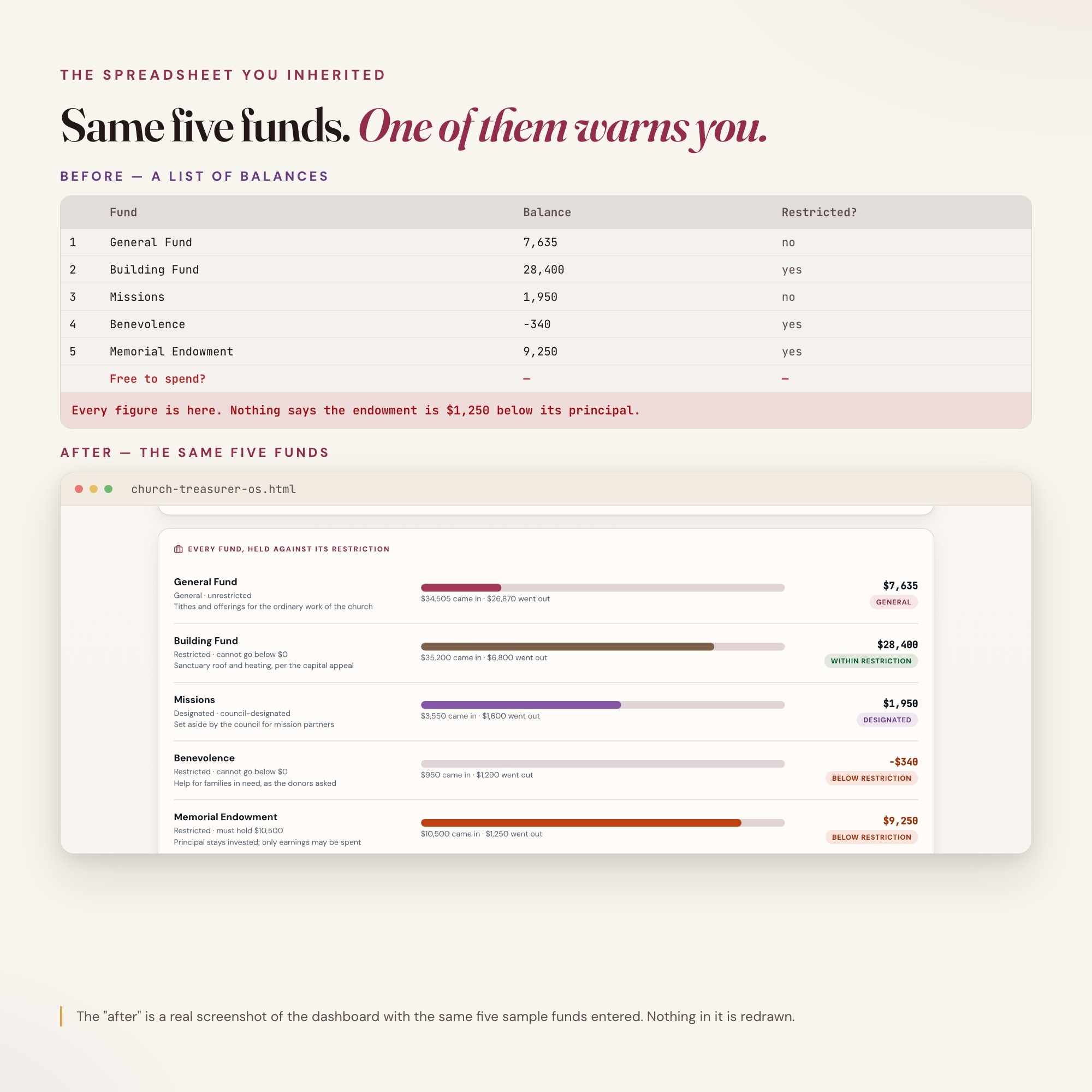
★ EXCLUSIVE ZONE: Funds & Restrictions. Every fund is kept separately: the building fund, benevolence, missions, a memorial gift, the general fund. You enter each fund’s opening balance and its restriction, every gift is recorded to the fund it was given to, and every payment and transfer comes out of the fund it was paid from. The dashboard warns you the moment a restricted fund is spent below the restriction you entered, and tells you the number the council actually needs: how much is free for the general budget once every restricted fund is made whole. Every church treasurer product on page one is an Excel or Google Sheets file. A spreadsheet adds the funds up. It cannot tell you the general fund has been quietly covering the benevolence fund.
WHAT’S INSIDE
This interactive HTML dashboard runs in any browser. Double-click it and start.
Tab 1 — Church & Council: The church, the fiscal year, you as treasurer, the pastor and the council chair, the statement period, and your own statement wording. Enter it once and every other tab works from it.
Tab 2 — Giving & Donors: Tithes and offerings logged by date, donor, fund and method. Loose plate and anonymous gifts are counted in the fund balances but never appear on a statement. Giving by fund is drawn for you.
Tab 3 — ★ Funds & Restrictions: The exclusive zone. Every fund’s balance, its restriction, and a warning when a restricted fund is spent below it. Restricted, designated and free-to-spend money stated separately, in dollars.
Tab 4 — Budget vs Actual: The budget your council adopted against what the giving log and the tagged payments say it has actually come to. Nothing is typed twice. Lines already past their annual figure are counted and flagged.
Tab 5 — Bank Reconciliation: Statement balance, deposits in transit and outstanding checks, against every fund added together. The difference to the cent, and where to look when it is not zero.
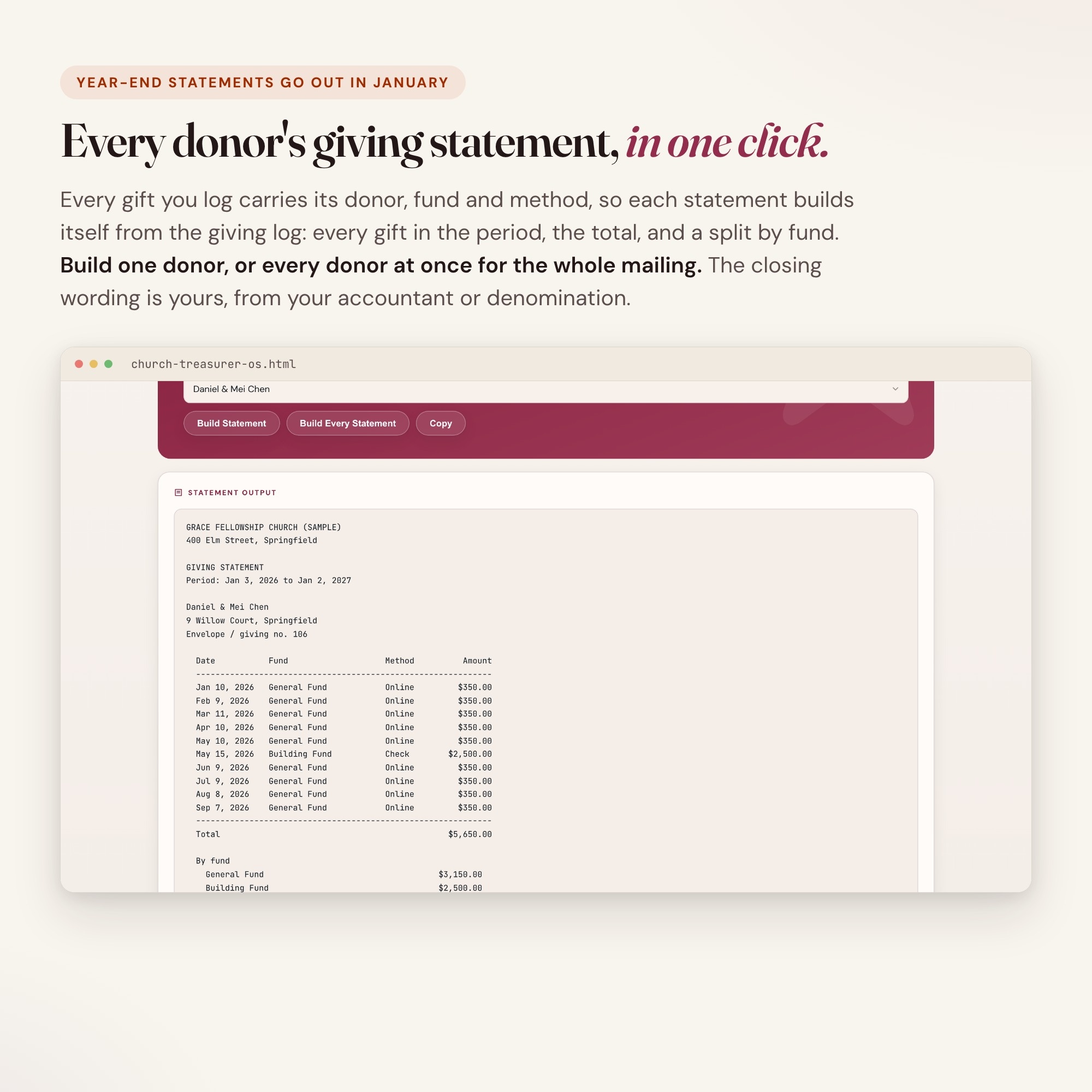
Tab 6 — Year-End Giving Statements: A giving statement for each donor, or for every donor at once, built from the giving log for the period you set: every gift by date, fund and method, the total, and a split by fund. Copy it straight into a letter. The closing wording is yours.
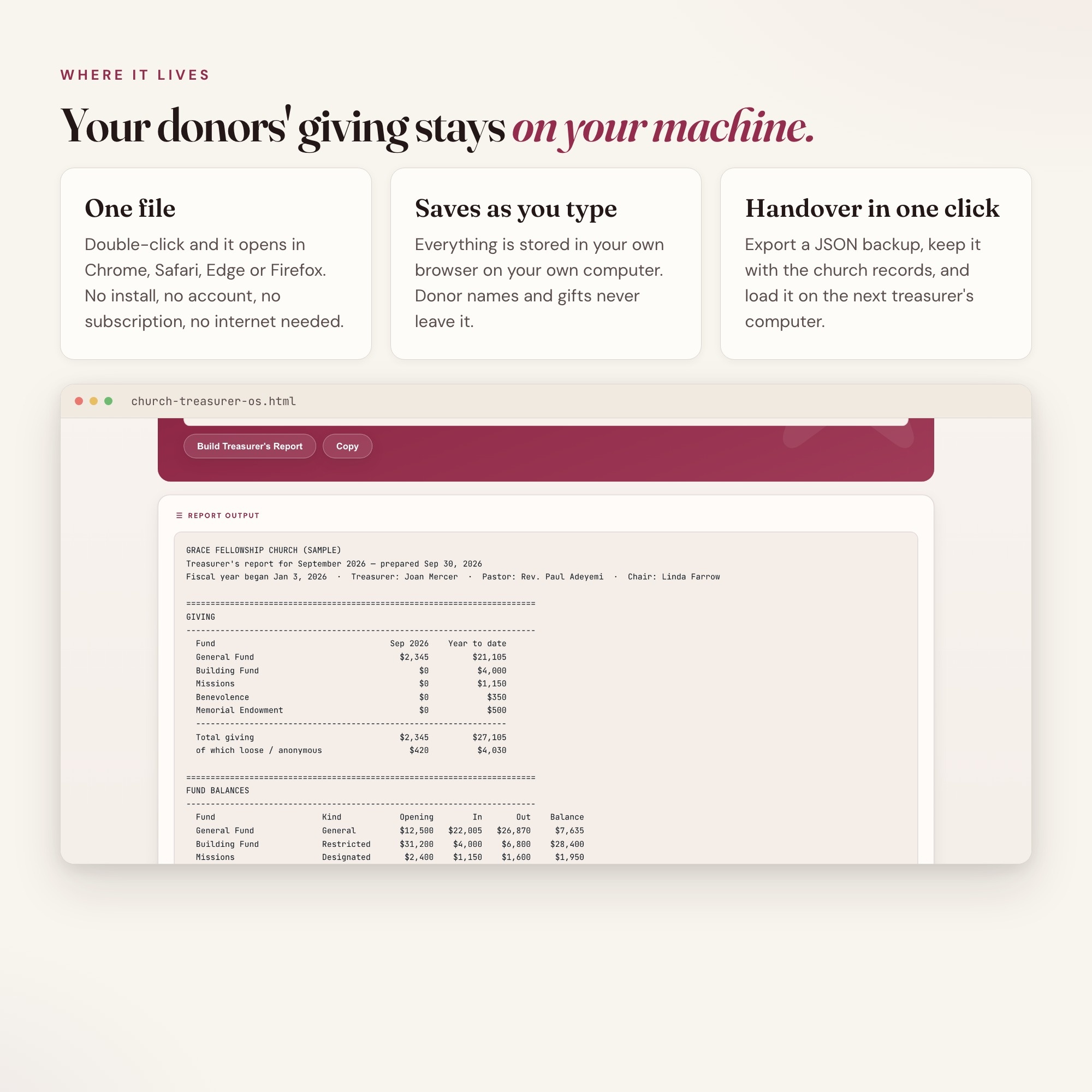
Tab 7 — Treasurer’s Report: One button builds the monthly report for the council: giving by fund for the month and the year, every fund balance, what is free to spend, budget against actual, and the bank reconciliation.
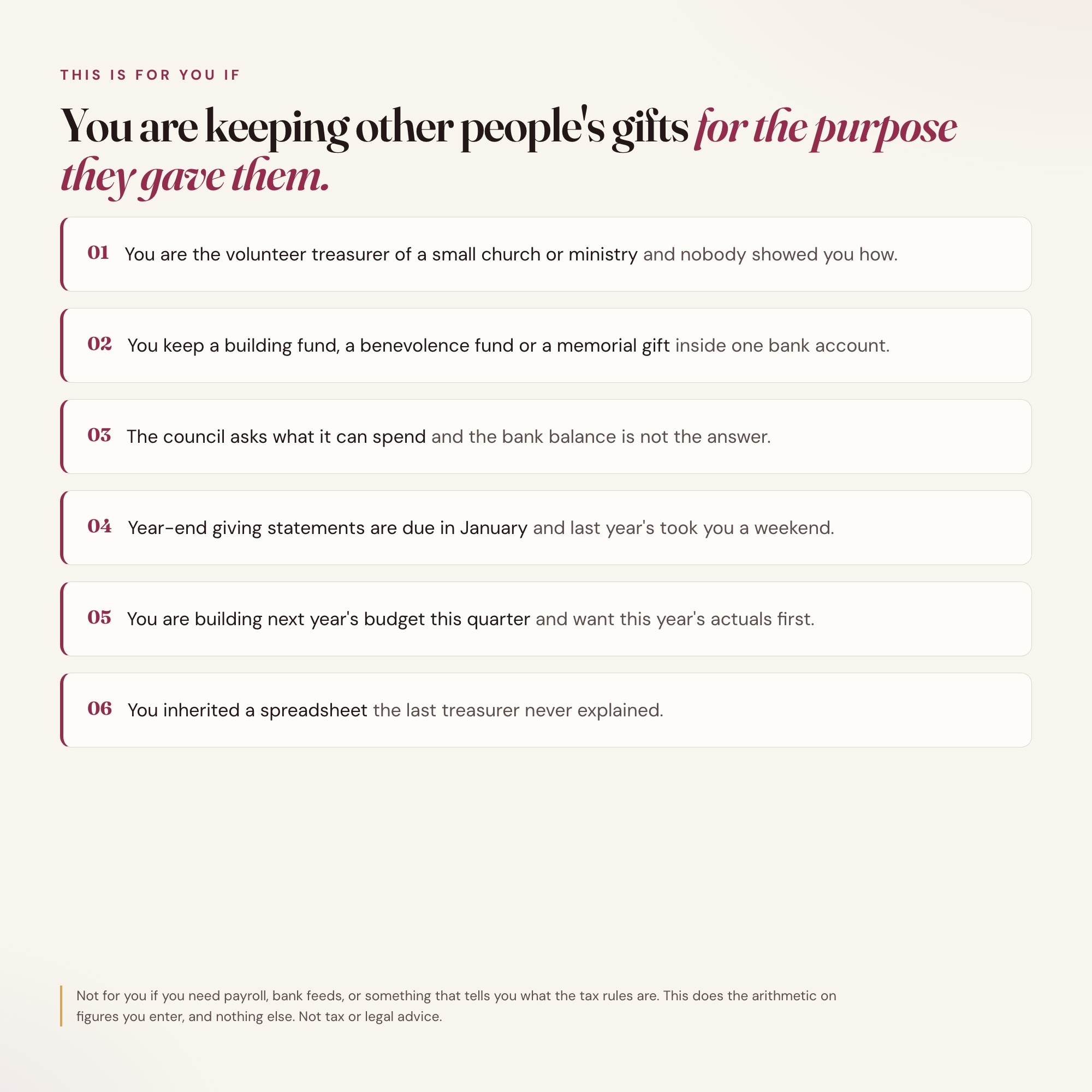
THIS IS FOR YOU IF
-
You are the volunteer treasurer of a small church or ministry and nobody showed you how
-
You keep a building fund, a benevolence fund or a memorial gift inside one bank account
-
The council asks what it can spend and the bank balance is not the answer
-
Year-end giving statements are due in January and last year’s took you a weekend
-
You are building next year’s budget this quarter and want this year’s actuals first
-
You inherited a spreadsheet the last treasurer never explained
HOW IT WORKS
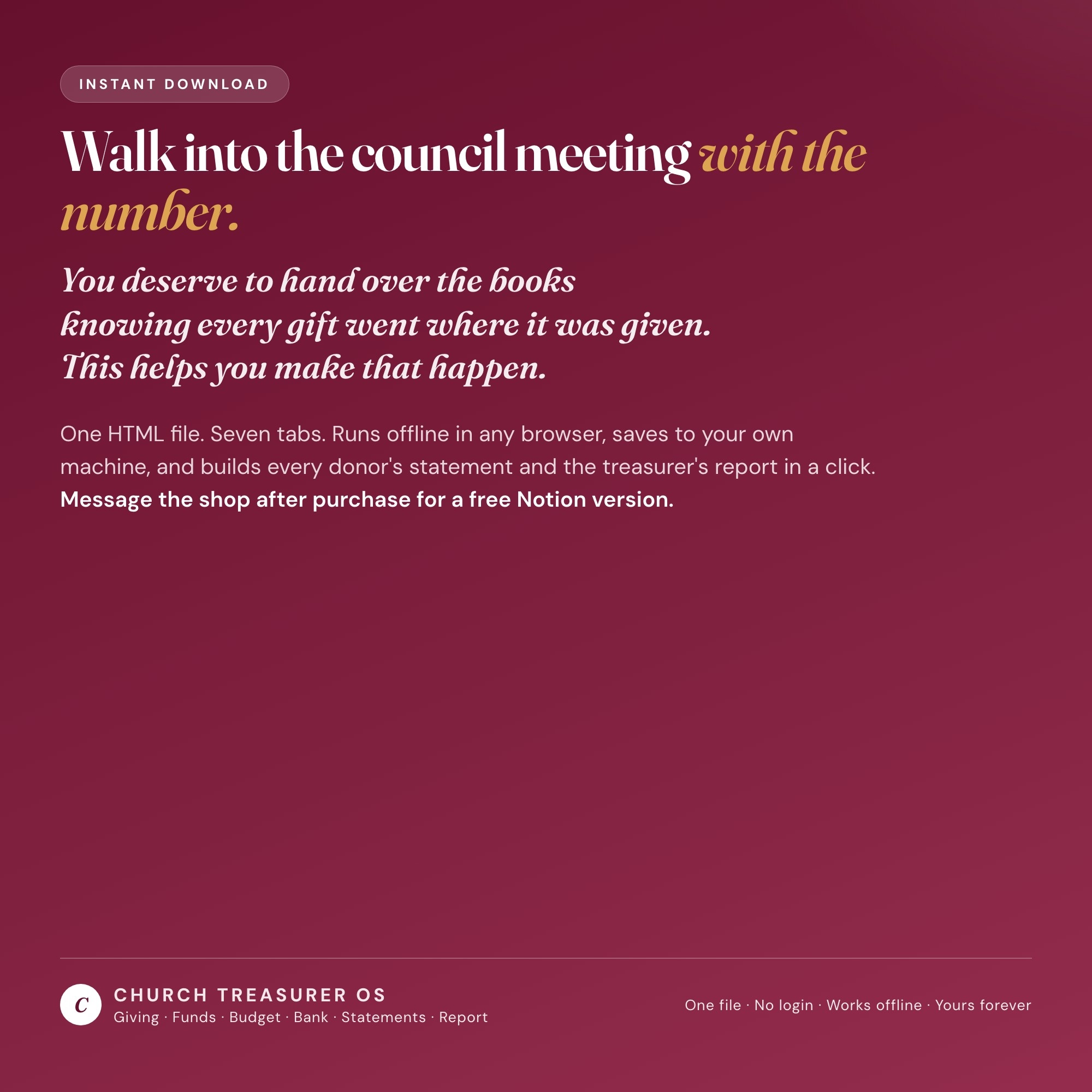
One file. Double-click it and it opens in Chrome, Safari, Edge or Firefox. It saves to your own machine as you type: no login, no account, no subscription, no internet needed after download. Donor names and gifts never leave your computer. Export a JSON backup whenever you want and load it on another computer at handover. Four-way theme control: colour, background, typeface and text size.
WHAT IT IS NOT
Not tax or legal advice. This is a treasurer’s working tracker, not an audit and not accounting software. It knows no tax law, no denomination’s rules and no requirement for what a giving statement must say, and it supplies none. Every amount, every fund restriction, every date and every word of your statement wording is one you enter from your own records, your council’s decisions, and your accountant or denomination. Have them confirm your statement wording before statements go out.
FREE NOTION VERSION
Prefer to work in Notion? Message the shop after your purchase and I will send you a Notion version of this dashboard at no extra cost. If anything is off, reach out and I will fix it.
You deserve to hand over the books knowing every gift went where it was given. This helps you make that happen.
INSTANT DOWNLOAD — all sales are final on digital items.
5 Tabs included
- ◈
Church & Council
The church, the fiscal year, the statement period and your own statement wording
- ≡
Giving & Donors
Tithes and offerings logged by donor, by fund and by method
- ⊞
Funds & Restrictions
EXCLUSIVE: every fund's balance, a warning when a restricted fund is spent below its restriction, and what is actually free to spend
- ◉
Budget vs Actual
The adopted budget against what the giving log and payments say, with lines over budget counted
- ★
Bank Reconciliation
Statement balance, deposits in transit and outstanding checks against every fund added together
Exclusive Feature
Funds & Restrictions — every fund kept separately, its opening balance, every gift given to it and every payment and transfer out of it; the dashboard warns the moment a restricted fund is spent below its restriction and shows what the general fund is quietly covering.
This is built into the fifth tab and is unavailable in any static template, spreadsheet, or Notion template on the market.
Gallery
Learn more
Before you buy
Frequently asked questions
- What is Church Treasurer OS?
- Church Treasurer OS is an interactive dashboard that opens in your web browser. It is one self-contained HTML file — download it once, double-click it, and it runs. No app, no account, no subscription.
- Does Church Treasurer OS need Excel or Google Sheets?
- No. It is not a spreadsheet and does not open in one. It runs in Chrome, Safari, Edge or Firefox on macOS, Windows, iPad or Chromebook, and keeps working offline.
- What is included in Church Treasurer OS?
- 7 sections in a single file: Church & Council, Giving & Donors, Funds & Restrictions, Budget vs Actual, Bank Reconciliation, Year-End Statements, Treasurer's Report.
- Can I change the colours and text size in Church Treasurer OS?
- Yes. Colour, background, typeface and text size are adjustable from inside the dashboard, and the setting is remembered.
- Does it work offline?
- Yes — completely. The dashboard is a single HTML file. Once downloaded, it runs entirely in your browser with no internet connection needed. All data autosaves to your browser's localStorage.
- Which devices and browsers are supported?
- Works in Chrome, Edge, Safari, and Firefox on macOS, Windows, iPad, and Chromebook. No app to install, no account to create. Just open the file.
- What is your refund policy?
- All sales are final. This is an instant download delivered in full at payment, so it cannot be returned. If a file will not open or a feature does not work as described, that is a defect and it gets fixed at no cost — email hello@listingresearchos.com and you will get a corrected file.
- How do I install it?
- There is nothing to install. After purchase, download the HTML file. Double-click to open in your browser. That's it. A HOW-TO-SAVE.txt is included explaining how to back up and restore your data.
- Is my data private?
- Completely. Everything runs locally — no login, no analytics, no data sent to any server. Your data is stored only in your browser's localStorage. You own it entirely.
You might also like
One-time purchase
Get it for $28.00
Instant download. Open in any browser. Yours forever.