
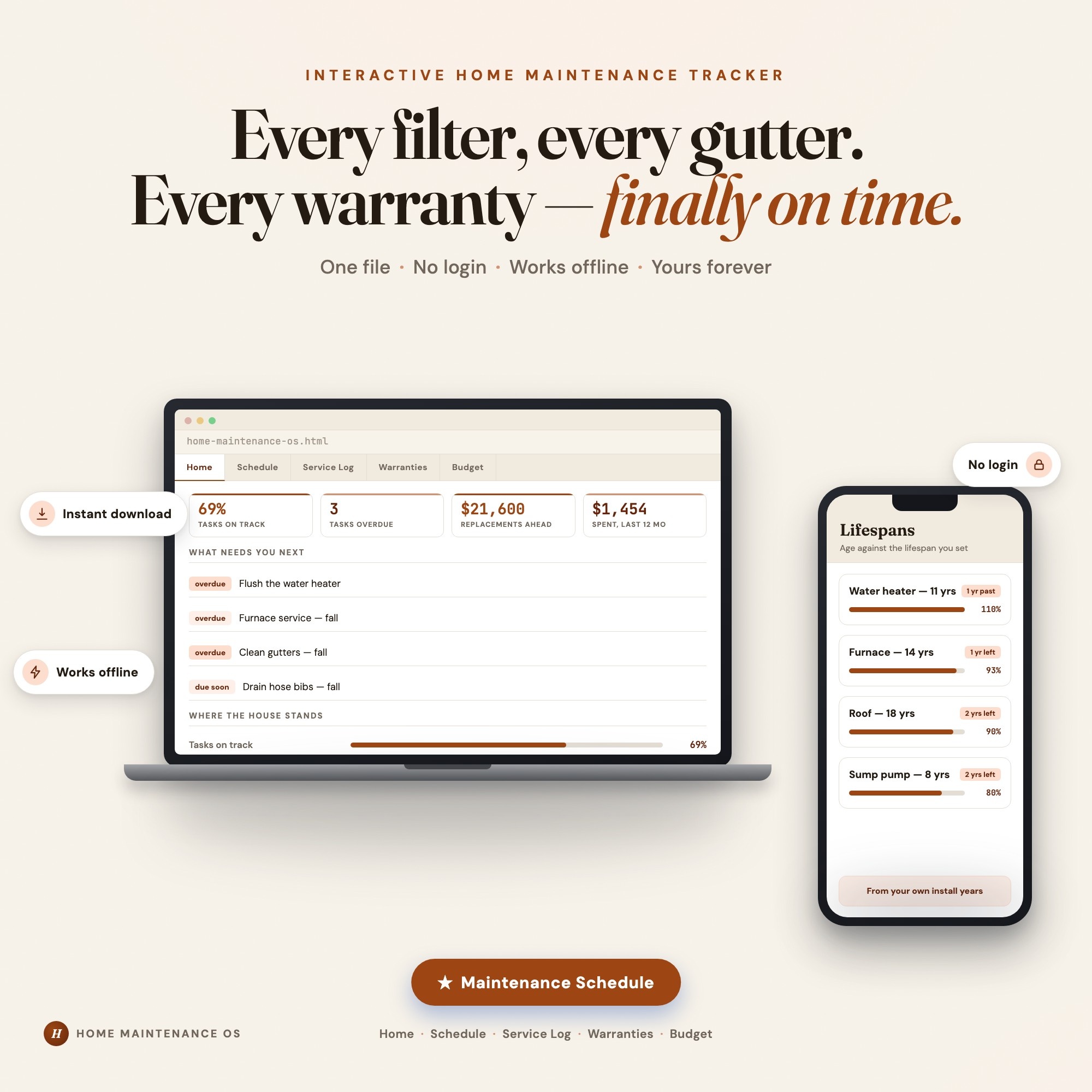
Interactive dashboard
Home Maintenance OS
Built for Homeowners keeping a house running — the furnace filter, the gutters, the water heater nobody flushed — with records split across email, a drawer and a phone
Try it live
Click around the real dashboard
Interactive demo · a few tabs unlocked
See it in action
The dashboard
What it is
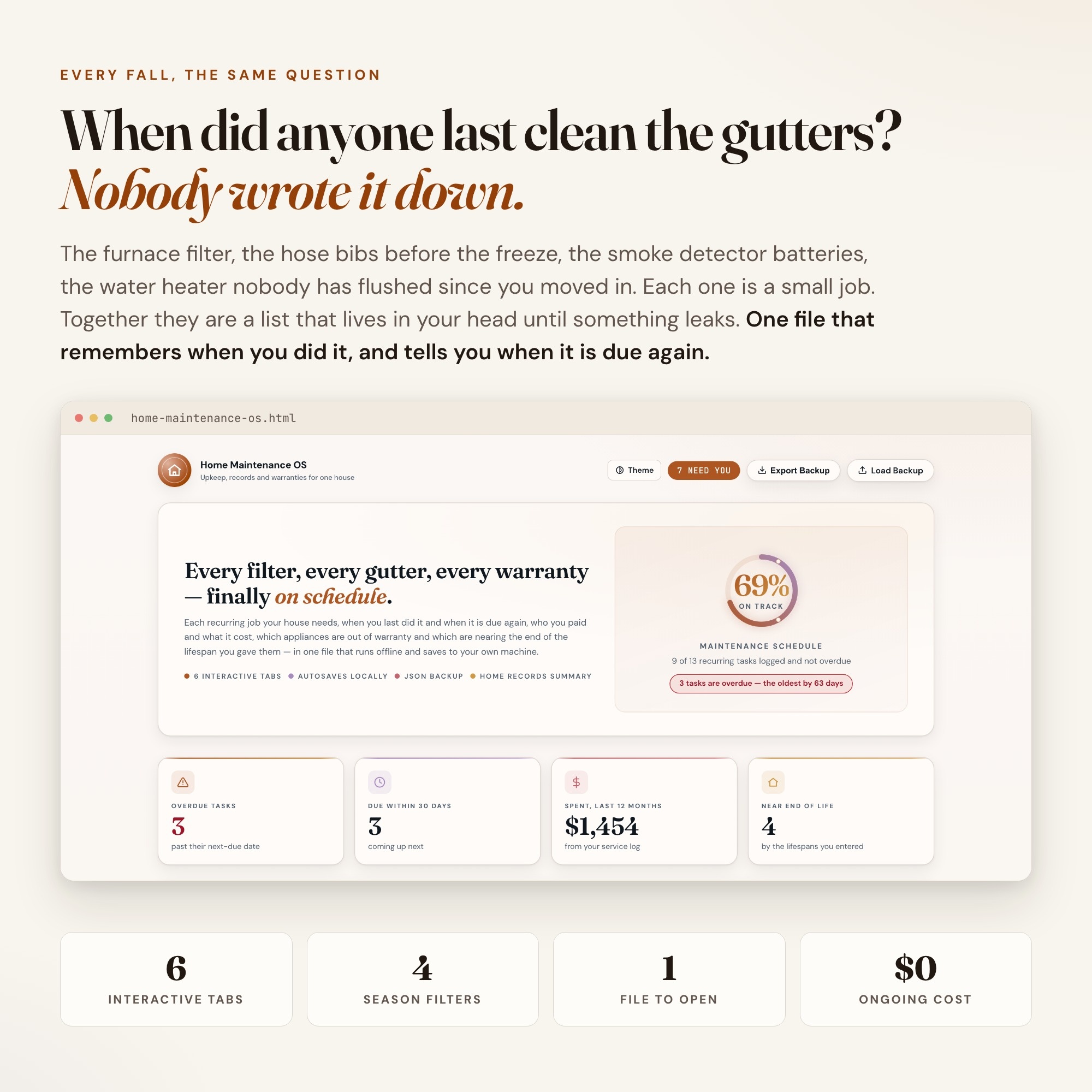
Built for homeowners keeping a house running — the furnace filter, the gutters, the water heater nobody flushed — with records split across email, a drawer and a phone. Every filter, every gutter, every warranty — finally on time. It is a browser-native interactive dashboard that lives in a single HTML file, with nothing to install.
What is Home Maintenance OS?
Home Maintenance OS is an interactive dashboard that opens in your web browser. It is one self-contained HTML file — you download it once, double-click it, and it runs. It is built for homeowners keeping a house running — the furnace filter, the gutters, the water heater nobody flushed — with records split across email, a drawer and a phone.
What is included in Home Maintenance OS?
6 sections, all in the one file:
- Home Profile
- Maintenance Schedule
- Service Log & Vendors
- Warranties & Lifespans
- Upkeep Budget
- Home Records Summary
Does Home Maintenance OS need Excel, Google Sheets or a subscription?
No. There is no app to install, no account to create, no login and no recurring fee. It opens in Chrome, Safari, Edge or Firefox on macOS, Windows, iPad or Chromebook, and it keeps working offline once the file is on your machine.
Where does Home Maintenance OS store my data?
On your own device, in your own browser. Nothing is uploaded, no account is created and no analytics are collected. You can export a backup file at any time and load it on another computer.
Can I change how Home Maintenance OS looks?
Yes — colour, background, typeface and text size are all adjustable from inside the dashboard, and your choice is remembered the next time you open it.
How much is Home Maintenance OS and how is it delivered?
$26, delivered as an instant download the moment you pay. Because it is a digital file, all sales are final.
More about Home Maintenance OS
When did anyone last clean the gutters, service the furnace, or flush the water heater? If the honest answer is “I think last fall”, this keeps the list for you — and tells you what is due before it turns into a repair.
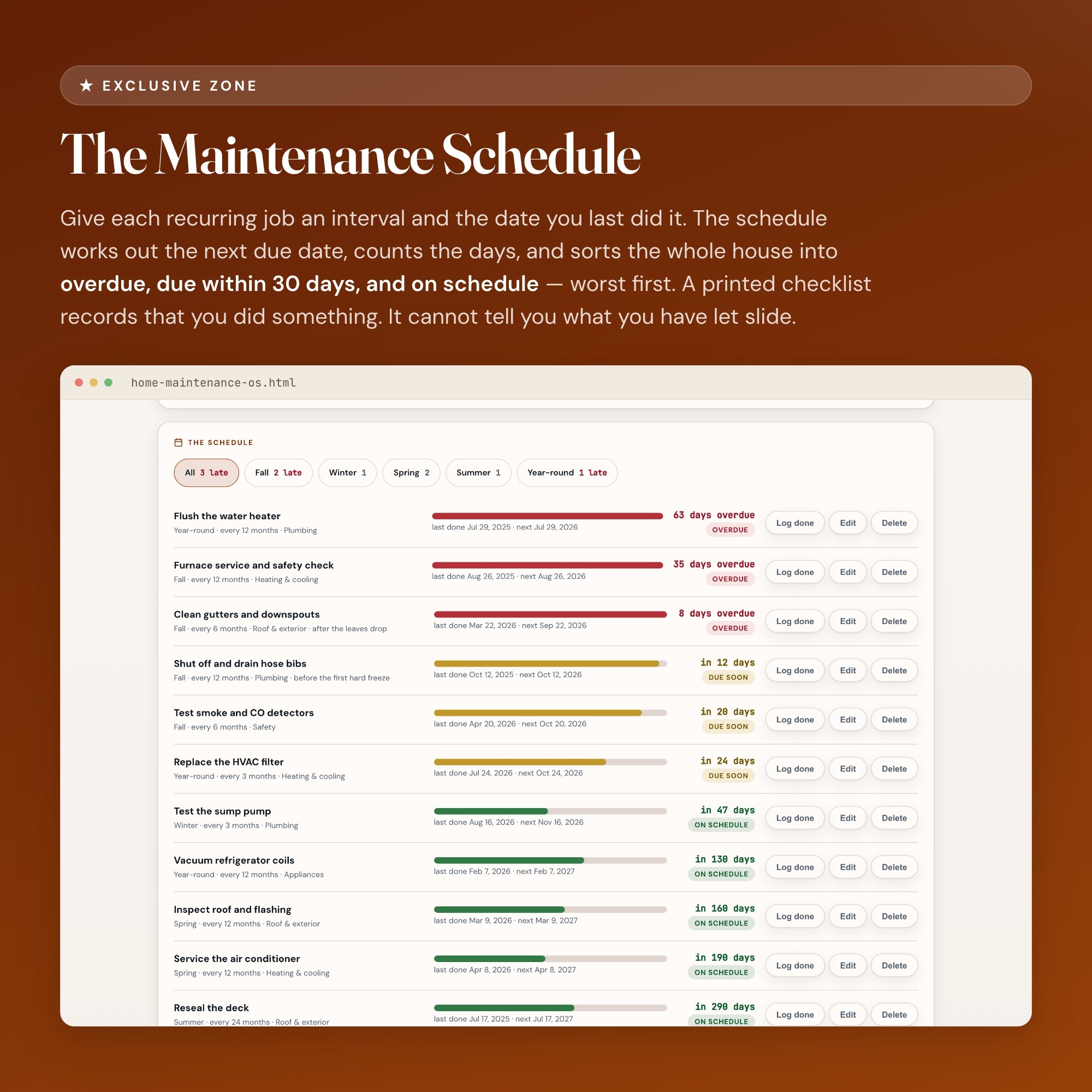
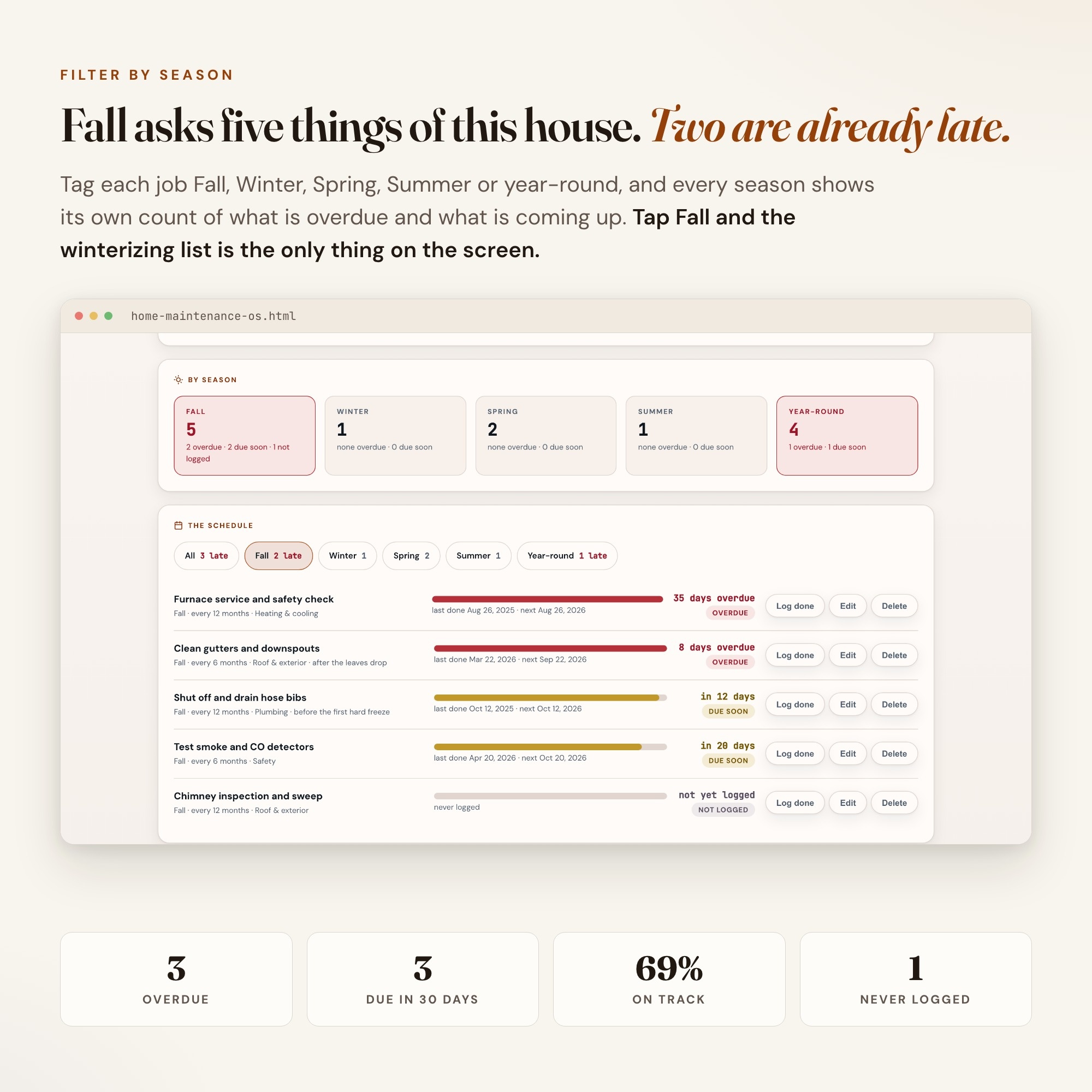
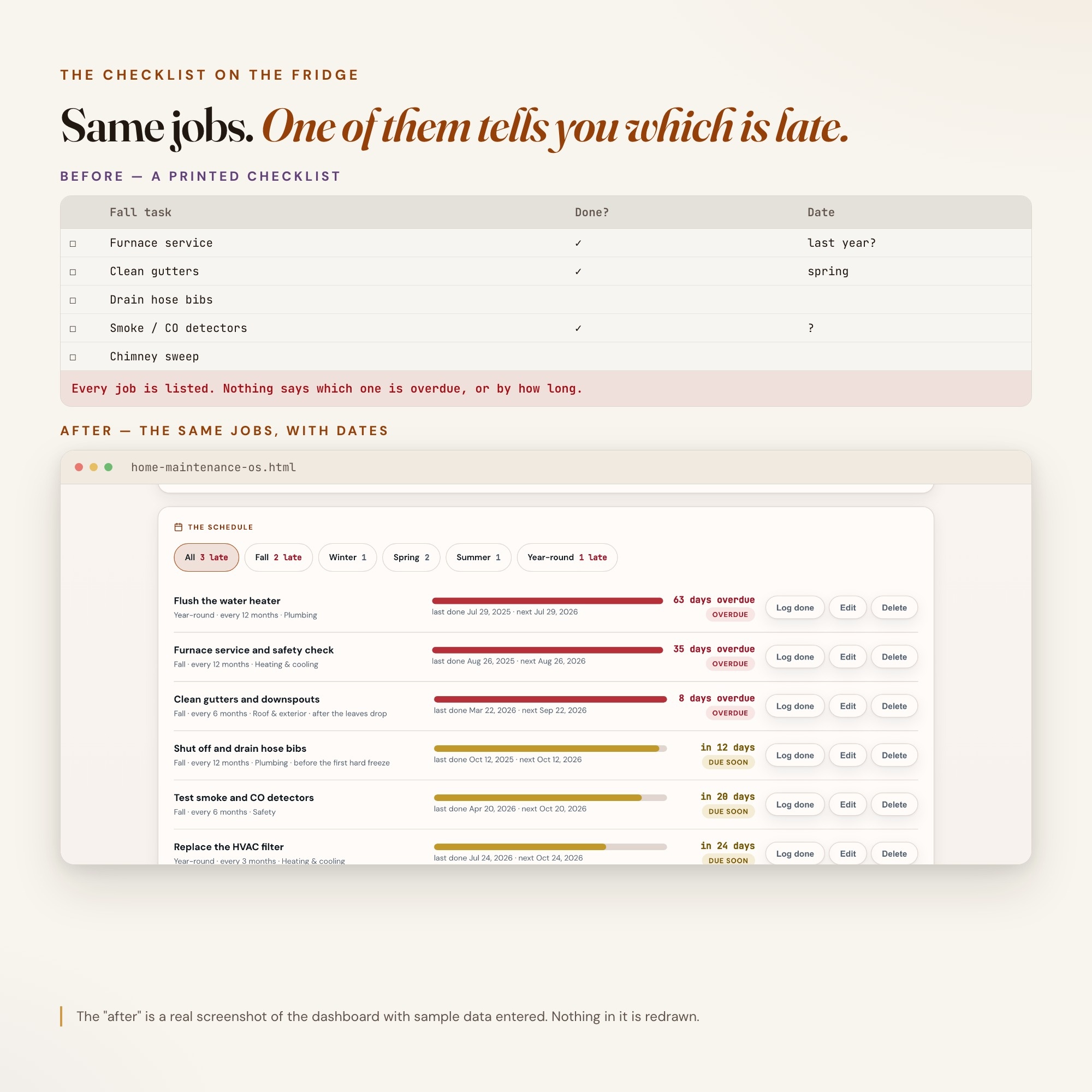
★ EXCLUSIVE ZONE: The Maintenance Schedule. Give each recurring job an interval and the date you last did it, and the dashboard works out the next due date, counts the days, and sorts the whole house into overdue, due within 30 days, and on schedule — worst first. Log a job as done and its next due date resets on the spot, and the job lands on your service log with what it cost and who did it. Filter by season to see exactly what fall, winter, spring or summer asks of your house. Every other home maintenance product in this niche is a printable logbook, a binder, or a spreadsheet. A printed checklist records that you did something. It cannot tell you, today, what you have let slide.
WHAT’S INSIDE
This interactive HTML dashboard runs in any browser — double-click, start tracking:
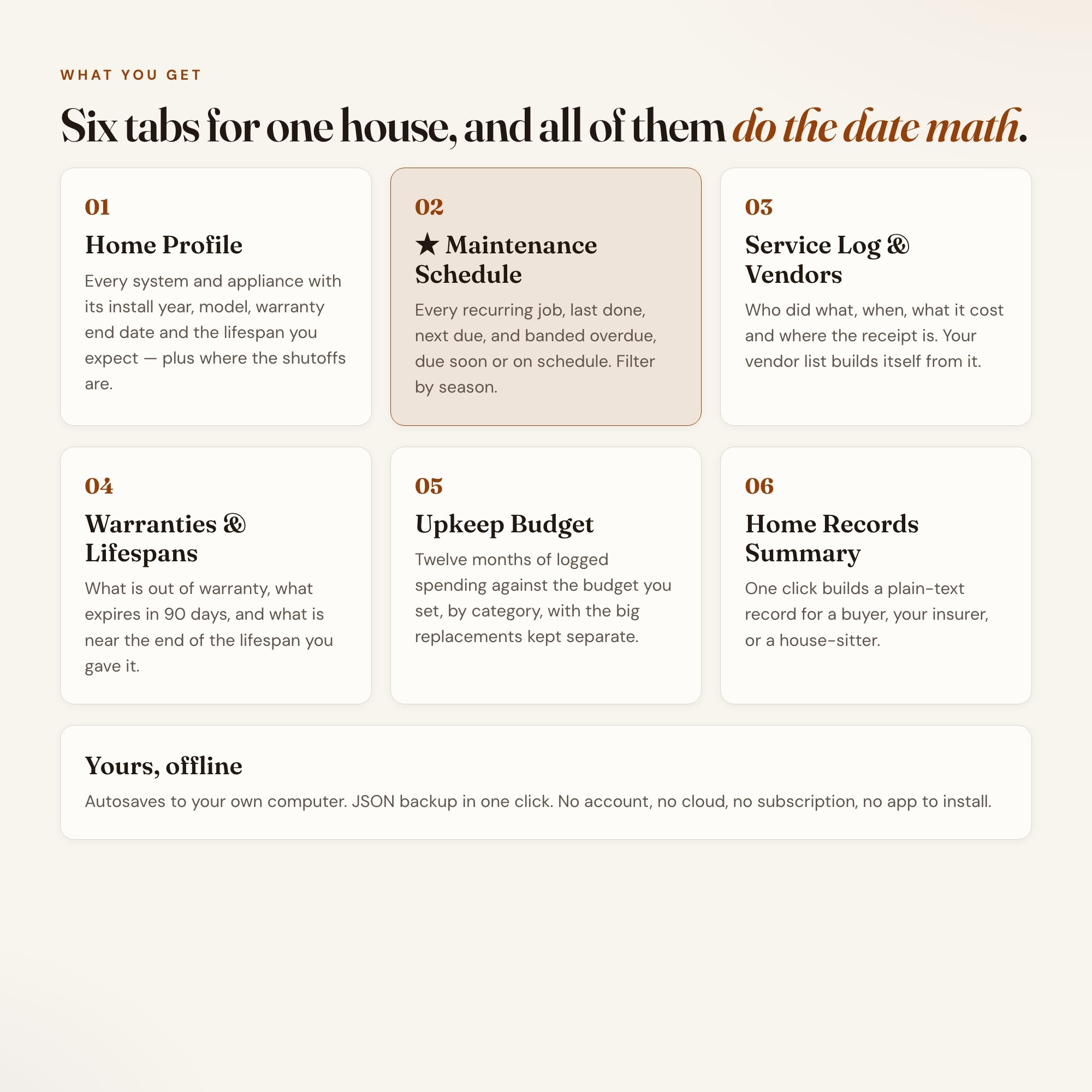
Tab 1 — Home Profile: The house, where the water shutoff, gas shutoff and electrical panel are, and every system and appliance worth a record: install year, brand and model, warranty end date, the lifespan you expect, and what you think it would cost to replace.
Tab 2 — ★ Maintenance Schedule: The exclusive zone. Every recurring task with its interval, last done date and next due date, banded overdue / due soon / on schedule, with a season filter and a per-season count of what is late. One button logs a job as done.
Tab 3 — Service Log & Vendors: Who did what, when, what it cost and where the receipt is kept. Your vendor list builds itself from the log — jobs, total paid, last used, and their contact.
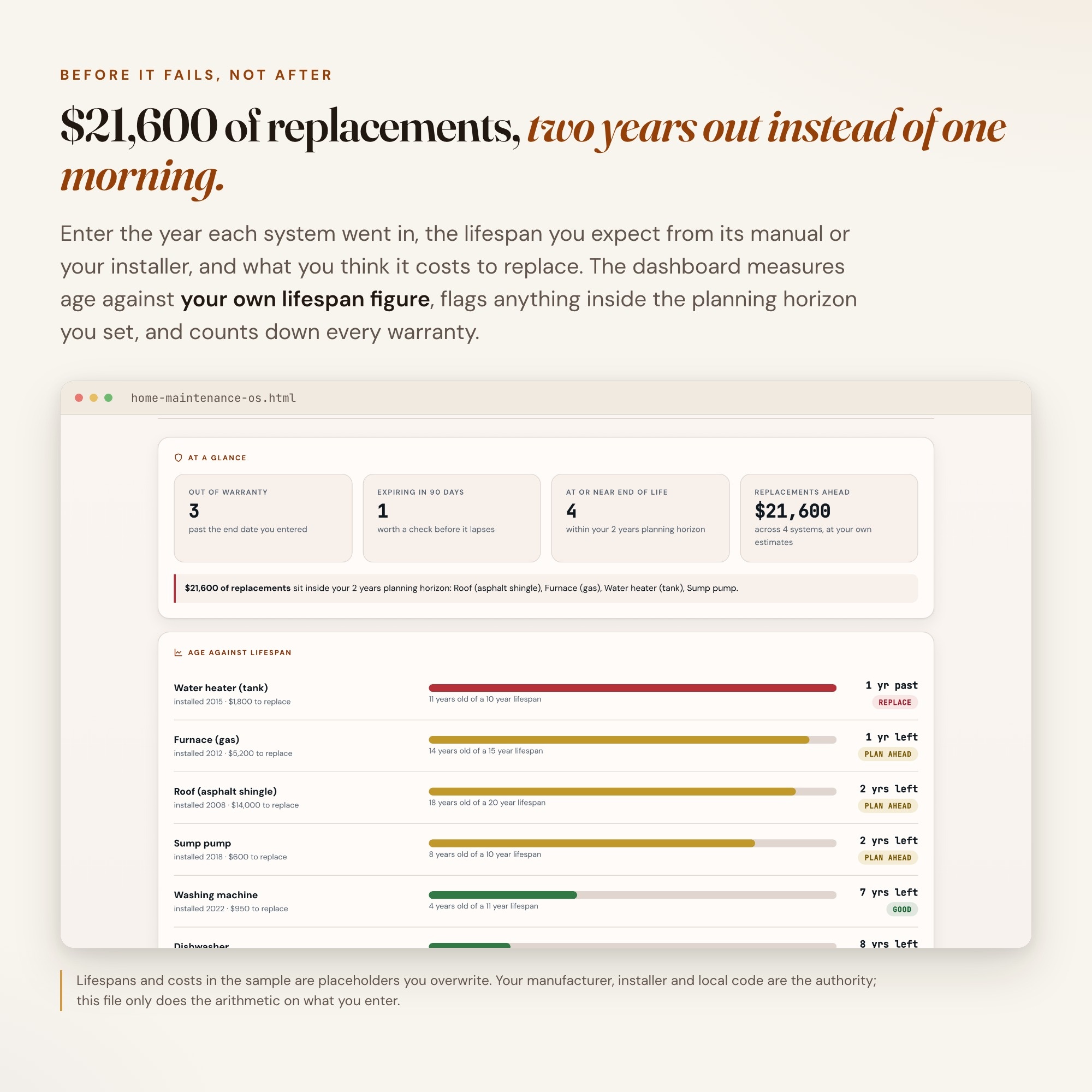
Tab 4 — Warranties & Lifespans: What is out of warranty, what expires in the next 90 days, and which systems are at or near the end of the lifespan you entered — with the total replacement cost coming up inside the planning horizon you choose.
Tab 5 — Upkeep Budget: Your last twelve months of logged spending against the annual upkeep budget you set, broken down by category, with the big replacements kept separate so they never hide inside routine upkeep.
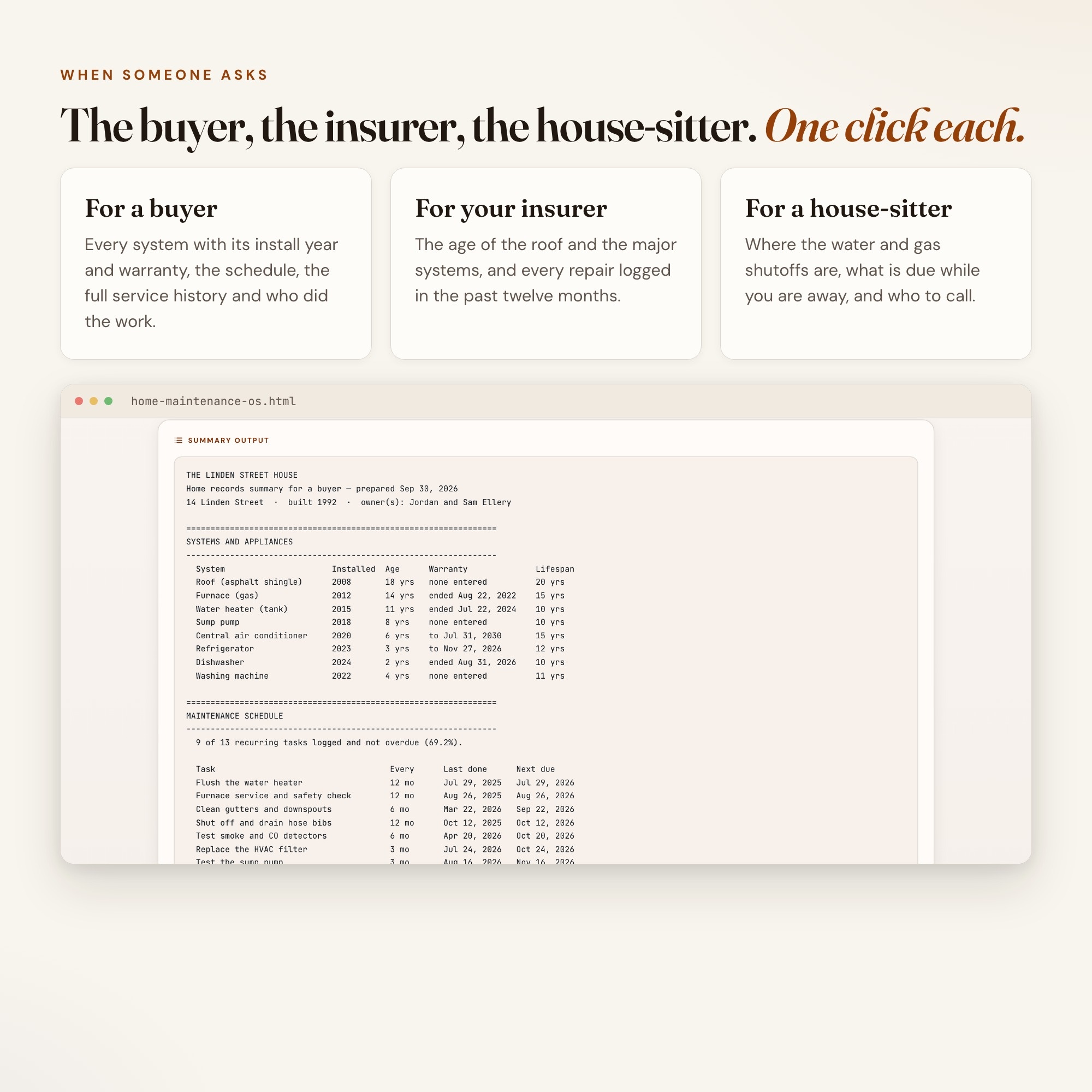
Tab 6 — Home Records Summary: One click builds a plain-text record shaped for whoever is asking — a buyer when you sell, your insurer, or a house-sitter (shutoffs, what is due while you are away, who to call). Copy it straight into an email.
THIS IS FOR YOU IF
-
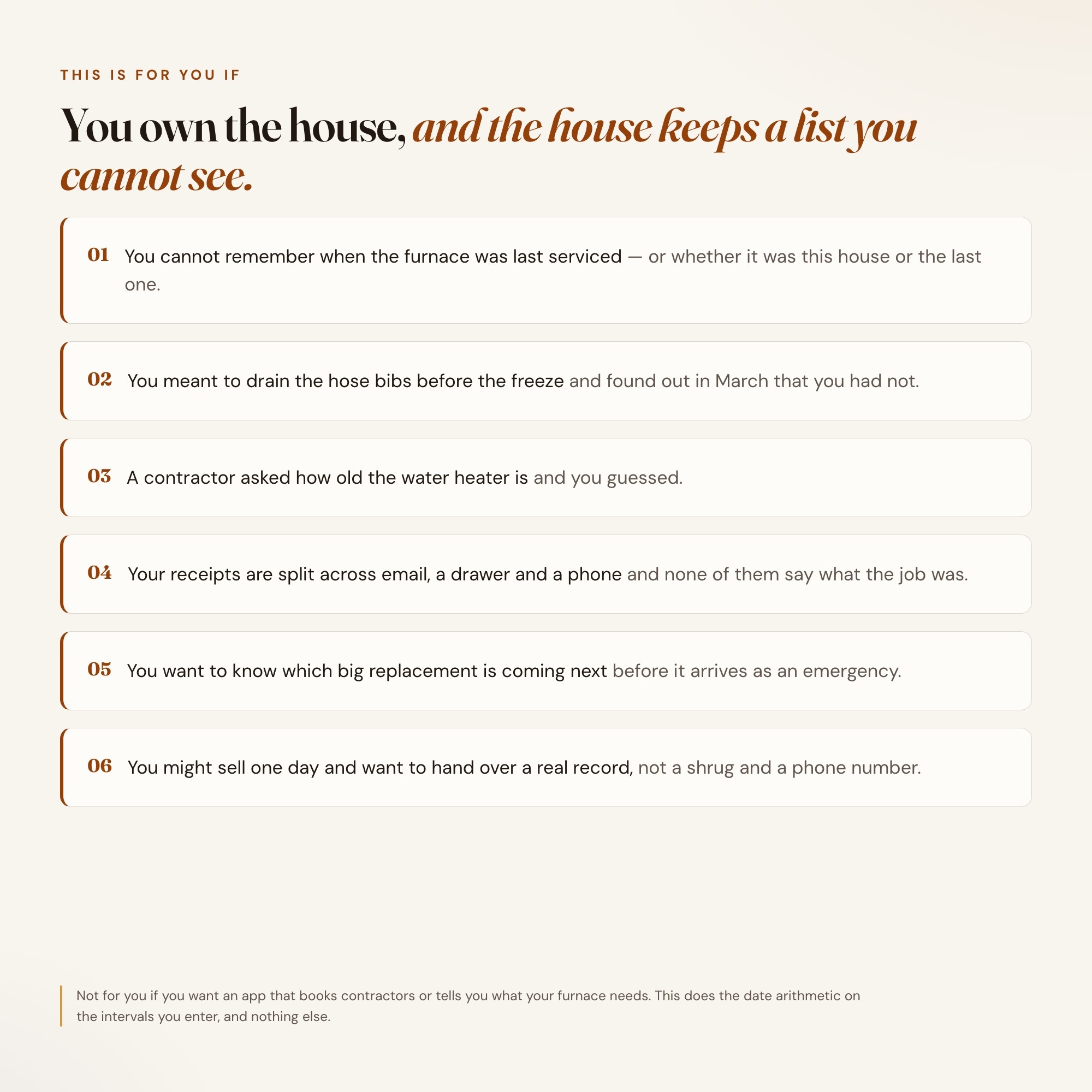
You cannot remember when the furnace was last serviced
-
You meant to drain the hose bibs before the freeze and found out in March that you had not
-
A contractor asked how old the water heater is and you guessed
-
Your receipts are split across email, a drawer and your phone
-
You want to see the next big replacement coming before it arrives as an emergency
-
You might sell one day and want to hand the next owner a real record
HOW IT WORKS
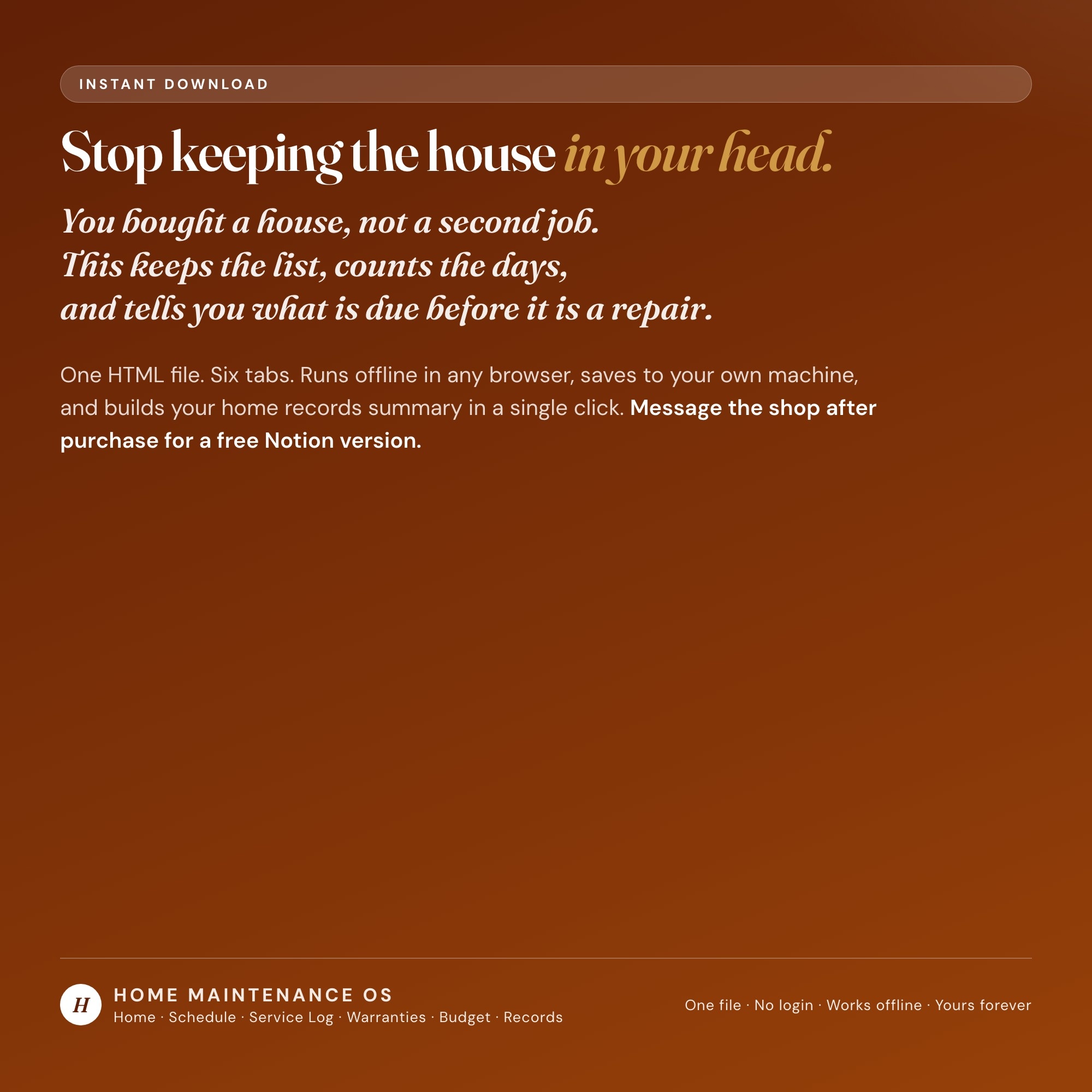
One file. Double-click it and it opens in Chrome, Safari, Edge or Firefox. It saves to your own machine as you type — no login, no account, no subscription, no internet needed after download. Export a JSON backup whenever you want and load it on another computer. Four-way theme control: colour, background (including a dark Midnight mode), typeface and text size.
WHAT IT IS NOT
This is a homeowner’s tracker. It is not a home inspection, not professional advice, and not a substitute for your manufacturer’s manual or your local building code. The dashboard opens empty: you enter your own tasks, intervals and lifespans. The ones in the listing photos are sample data showing how it works — they are not rules. Your manufacturer, installer, home inspector and local code know your house; where they say something different, they win. The dashboard does the date arithmetic on what you enter and supplies no guidance of its own.
FREE NOTION VERSION
Prefer to work in Notion? Message the shop after your purchase and I will send you a Notion version of this dashboard at no extra cost. This is my first Notion integration — if anything is off, reach out and I will fix it.
You bought a house, not a second job. This keeps the list, counts the days, and tells you what is due before it is a repair.
INSTANT DOWNLOAD — all sales are final on digital items.
5 Tabs included
- ◈
Home Profile
Every system and appliance with its install year, model, warranty and expected lifespan
- ≡
Maintenance Schedule
EXCLUSIVE: every recurring task with its interval, last done date and next due, banded overdue / due soon / on schedule, filtered by season
- ⊞
Service Log & Vendors
Who did what, when, what it cost and where the receipt is
- ◉
Warranties & Lifespans
What is out of warranty and which replacements land inside your planning horizon
- ★
Upkeep Budget
Twelve months of logged spending against the budget you set
Exclusive Feature
The Maintenance Schedule — give each recurring job an interval and the date you last did it; the schedule works out the next due date, counts the days and sorts the whole house into overdue, due within 30 days and on schedule, with a season filter for the fall winterization list.
This is built into the fifth tab and is unavailable in any static template, spreadsheet, or Notion template on the market.
Gallery
Learn more
Before you buy
Frequently asked questions
- What is Home Maintenance OS?
- Home Maintenance OS is an interactive dashboard that opens in your web browser. It is one self-contained HTML file — download it once, double-click it, and it runs. No app, no account, no subscription.
- Does Home Maintenance OS need Excel or Google Sheets?
- No. It is not a spreadsheet and does not open in one. It runs in Chrome, Safari, Edge or Firefox on macOS, Windows, iPad or Chromebook, and keeps working offline.
- What is included in Home Maintenance OS?
- 6 sections in a single file: Home Profile, Maintenance Schedule, Service Log & Vendors, Warranties & Lifespans, Upkeep Budget, Home Records Summary.
- Can I change the colours and text size in Home Maintenance OS?
- Yes. Colour, background, typeface and text size are adjustable from inside the dashboard, and the setting is remembered.
- Does it work offline?
- Yes — completely. The dashboard is a single HTML file. Once downloaded, it runs entirely in your browser with no internet connection needed. All data autosaves to your browser's localStorage.
- Which devices and browsers are supported?
- Works in Chrome, Edge, Safari, and Firefox on macOS, Windows, iPad, and Chromebook. No app to install, no account to create. Just open the file.
- What is your refund policy?
- All sales are final. This is an instant download delivered in full at payment, so it cannot be returned. If a file will not open or a feature does not work as described, that is a defect and it gets fixed at no cost — email hello@listingresearchos.com and you will get a corrected file.
- How do I install it?
- There is nothing to install. After purchase, download the HTML file. Double-click to open in your browser. That's it. A HOW-TO-SAVE.txt is included explaining how to back up and restore your data.
- Is my data private?
- Completely. Everything runs locally — no login, no analytics, no data sent to any server. Your data is stored only in your browser's localStorage. You own it entirely.
You might also like
One-time purchase
Get it for $26.00
Instant download. Open in any browser. Yours forever.