
Creator Media Kit Template: What Brands Actually Read (and What They Skip)
A creator media kit template only works if the numbers in it are real and current. Here is what to include, what to cut, and how to keep it up to date.
Published October 9, 2026
Search for a creator media kit template and you will find plenty of pretty ones. Canva layouts, slide decks, one-page PDFs with a circular headshot and a pastel colour block. They are fine. The layout is rarely what decides whether a brand replies.
What decides it is whether the page answers a few plain questions quickly, and whether the numbers on it are ones you can stand behind. This guide covers what belongs in a media kit, what to leave out, and the unglamorous part nobody puts in the template: keeping the figures current.
What a Brand Is Actually Doing With Your Kit
Picture the person on the other end. They are working through a list of potential partners, probably in a spreadsheet, with a small budget and a contact at their company who wants to know why this creator was picked. Your kit is not a portfolio to be admired. It is a form they are trying to fill in.
They want to know:
- Who watches, listens, or reads, and why would that group care about this product?
- How many of them are there, and how does that number hold up week to week?
- What exactly can they buy, and how do they get in touch?
If your kit answers those three things on the first page, it has done its job. Everything else is decoration, and decoration costs the reader time.
The Sections Worth Including
A workable template has five parts. You can fit them on one page or spill onto a second.
1. A two-sentence description of the show or channel. What it is, who it is for. Write it the way you would explain it to a stranger at a party, not the way you would write a mission statement. “A weekly interview podcast about running a small bakery” tells a brand more than “inspiring conversations about entrepreneurship.”
2. Audience. Who they are, in terms a buyer can use: rough age range, location, what they do, what they are into. Use the breakdowns your platforms actually give you, such as podcast host analytics, your newsletter provider’s reports, and the native social dashboards. If you have a reader survey, one line from it beats a paragraph of assumptions.
3. Numbers. This is the section brands read hardest, so it gets its own heading below.
4. What you offer. The formats you will actually do: a mid-roll read, a sponsored issue, a dedicated post, a series of mentions. One line each. Be specific about what is included, such as a script review, a link, and a reporting follow-up, because vague packages lead to vague emails.
5. Contact and next step. A name, an email address you check, and one sentence on how quickly you reply. Hiding this at the bottom in small grey type is a common mistake.
Optional extras, if you have them: two or three past partners you are allowed to name, and a short quote from one of them with their permission. Never invent either. A thin kit with true statements beats a full one with a made-up logo wall.
The Numbers Section, Done Honestly
This is where most kits go wrong, in one of two ways. Either the numbers are inflated, or they are stale.
Inflation is a bad bet. A brand that buys on a figure you stretched will compare it against their own results a few weeks later, and the conversation that follows is not one you want. Say what you measure and over what period. “Average downloads per episode over the last 90 days” is a sentence a brand can verify. “Thousands of listeners” is not.
A sensible set of numbers, depending on your format:
- Podcast: downloads per episode (state your window), number of episodes published, release cadence.
- Newsletter: subscriber count and average open rate, noting that open rates are noisy because of mail privacy features, so click rate is worth including if you track it.
- Social: followers per platform, plus the platform’s own audience location and age breakdown.
- Trend: whether the number is growing, flat, or shrinking. A flat number that is steady and engaged is perfectly sellable, and a growth line you can show is better than an adjective.
Whatever you list, keep a plain record of where it came from. If a brand asks for a screenshot, you should be able to produce one in a couple of minutes.
What to Cut
Kits get padded because the template has empty boxes and it feels wrong to leave them blank. Leave them blank, or delete the box.
- Your life story. Two sentences of background is plenty. The brand is buying an audience, not a biography.
- Every platform you have an account on. If an account has 140 followers and no activity, listing it signals a lack of focus. Show the channels that matter.
- Vanity totals. Lifetime downloads and cumulative impressions are big numbers that tell a buyer little. Per-episode and per-issue figures are what they can compare.
- Adjectives in place of data. “Highly engaged” means nothing without a number next to it.
- A rate card you will not honour. If you publish prices, be ready to stick to them.
Keeping It Current Is the Real Work
The template takes an afternoon. The upkeep is what separates a kit that closes deals from one that sits in a folder.
Brands do not ask for your kit on your schedule. A message arrives on a Tuesday and the reply you send that day has to carry numbers that are true that day. If you have to go hunting through four dashboards, copying figures into a doc, the kit goes out late or goes out wrong.
The fix is dull but works: log your numbers weekly in one place, in the same fields every time. Podcast downloads, new newsletter subscribers, open rate, social follows gained, unsubscribes. Five minutes on a fixed day. After a month you have a trend. After a quarter you have a media kit that practically writes itself, because the numbers are already sitting there with dates attached.
A few habits that make this stick:
- Pick one day a week and attach it to something you already do, like publish day.
- Track the sponsor conversations too: who you pitched, what stage it is at, what you offered, and the deadline. Otherwise a warm lead goes cold because you forgot to follow up.
- Write down what you actually delivered for each sponsor, since the next brand will ask what the last one got.
Where a Tracker Fits In
A media kit is a snapshot. The records behind it are the part you maintain. If you currently run all of this from scattered docs and a spreadsheet, a single tracker can take the friction out of it.
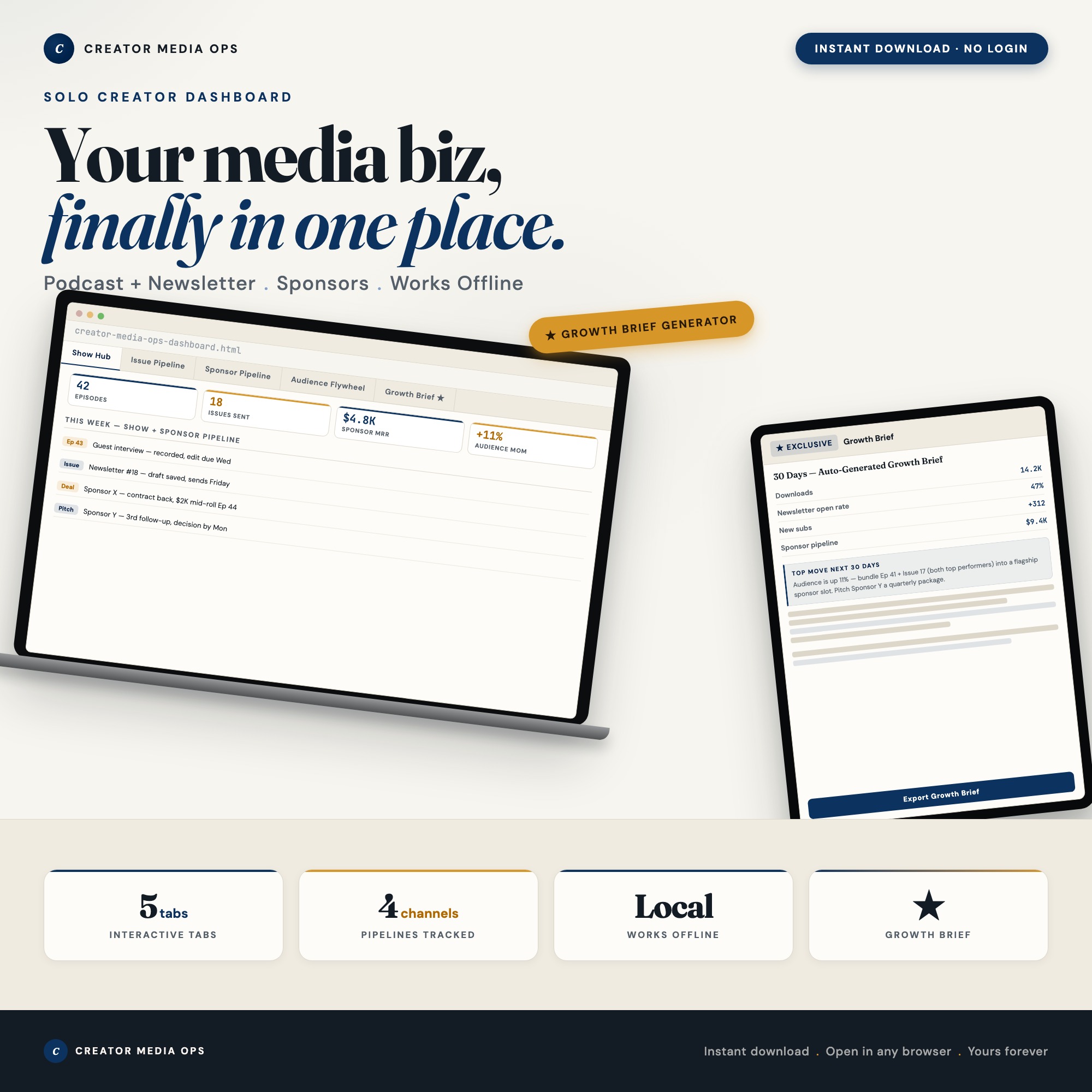
The Creator Media Ops Dashboard is built for this kind of one-person media operation. It has tabs for your episode pipeline, newsletter issues with open rates, a sponsor pipeline with status and offer amounts, and a weekly growth log for downloads, subscribers, and social follows. A final tab assembles a 30-day brief from whatever you have logged. To be clear, it is not a media kit designer. It will not lay out a PDF for you. What it does is keep the underlying figures in one place, so that when a brand asks, you are copying real numbers rather than reconstructing them.
It runs in your browser from a single file and saves to your own computer, which also means it works without an internet connection. You can try the live demo before deciding whether it suits how you work.
A Simple Way to Start This Week
If you have no kit at all, do this in order:
- Write your two-sentence description.
- Pull your current numbers from your own dashboards and note the date next to each.
- List the two or three sponsorship formats you would genuinely do.
- Add your email and a reply time.
- Save it as a one-page PDF and put the date in the file name.
That is a complete first version. Then start the weekly log, so the second version takes ten minutes instead of an evening.
Frequently asked questions
- How long should a creator media kit be?
- One to two pages. The person reading it is usually sorting through several creators at once and wants to answer three questions fast: who is your audience, how big is it, and what can I buy. If the kit needs a table of contents, it is too long. Put the extra detail in a follow-up email for the brands that reply.
- What numbers should I put in a media kit?
- Only numbers you can show on a screenshot if asked. For a podcast that usually means downloads per episode and total episodes. For a newsletter, subscriber count and open rate. For social, followers and the platform's own audience breakdown. Round honestly, state the time window, and leave out anything you cannot back up.
- Do I need a media kit if I have no sponsors yet?
- Yes, a small one. A short kit makes it easier to pitch and shows a brand you treat this as a business. It does not need to be designed. A clean one-pager with your audience, your numbers, and your contact details is enough to start.
- Should I put my rates in the media kit?
- It is a judgment call. Some creators list starting prices so that brands with no budget filter themselves out. Others keep rates off the page and quote per request, since the right price depends on the deliverable. If you are unsure, list the formats you offer and send pricing in your reply.
- How often should I update my media kit?
- Whenever the numbers move meaningfully, and at minimum once a quarter. A kit with a follower count from a year ago is worse than no kit, because it makes the brand wonder what else is stale. Keeping a running log of your weekly numbers makes the update a copy-and-paste job.
- What does the Creator Media Ops Dashboard cost?
- One-time purchase of $25 on Etsy. No subscription and no login. It runs as a single file in your browser, and your data stays on your computer.
Ready-made dashboards
Skip setup — grab an interactive dashboard built for this exact workflow.
ListingResearchOS Shop
All dashboards — one-time purchase, yours forever
Single HTML files. No subscriptions. No login. Works offline in any browser.
Browse all dashboards →