
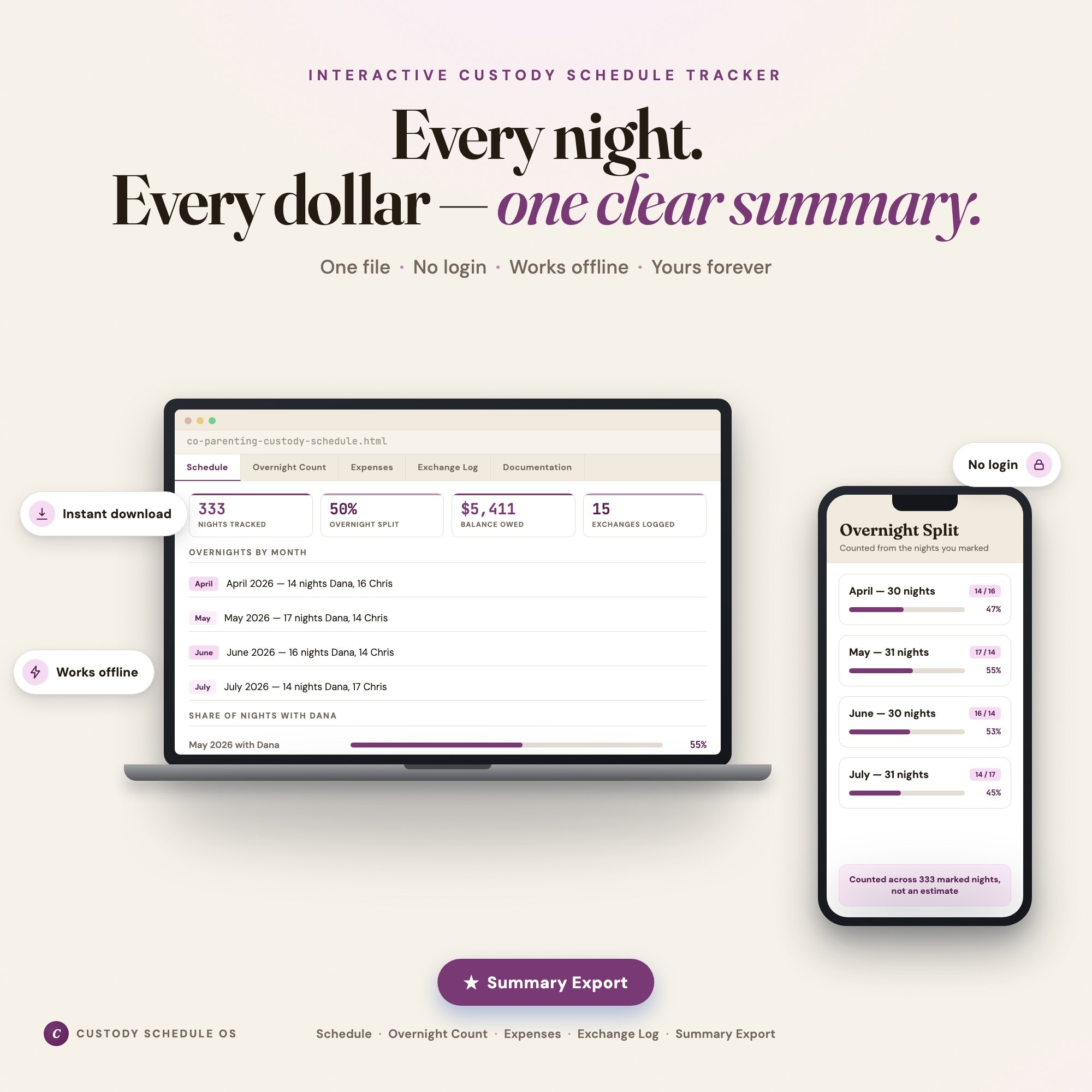
Interactive dashboard
Custody Schedule Tracker
Built for Separated and divorced parents sharing custody who need one agreed count of overnights, costs and exchanges
Try it live
Click around the real dashboard
Interactive demo · a few tabs unlocked
See it in action
The dashboard
What it is
Built for separated and divorced parents sharing custody who need one agreed count of overnights, costs and exchanges. Nobody has to remember it. It is written down. It is a browser-native interactive dashboard that lives in a single HTML file, with nothing to install.
What is Custody Schedule Tracker?
Custody Schedule Tracker is an interactive dashboard that opens in your web browser. It is one self-contained HTML file — you download it once, double-click it, and it runs. It is built for separated and divorced parents sharing custody who need one agreed count of overnights, costs and exchanges.
What is included in Custody Schedule Tracker?
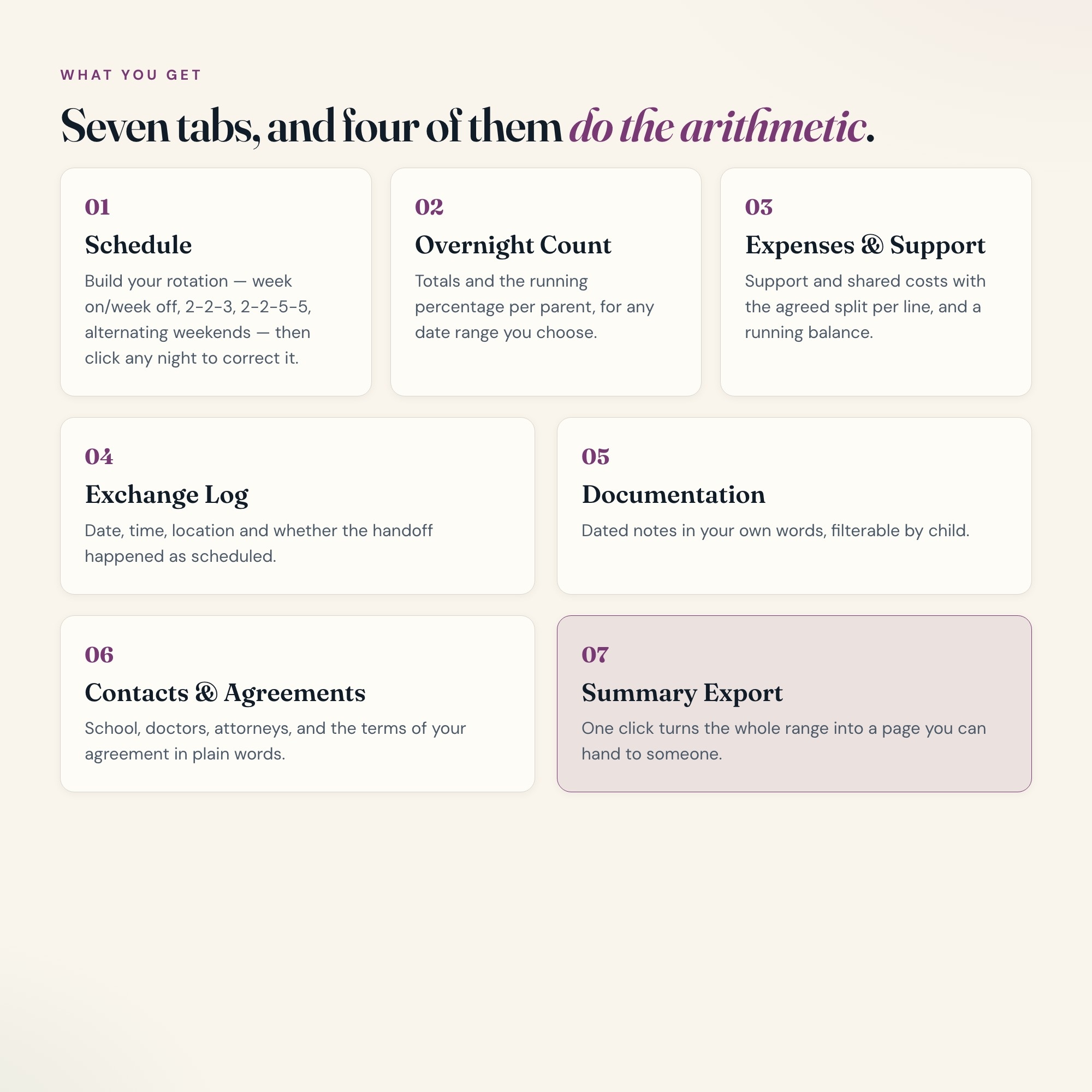
7 sections, all in the one file:
- Schedule
- Overnight Count
- Expenses & Support
- Exchange Log
- Documentation
- Contacts & Agreements
- Summary Export
Does Custody Schedule Tracker need Excel, Google Sheets or a subscription?
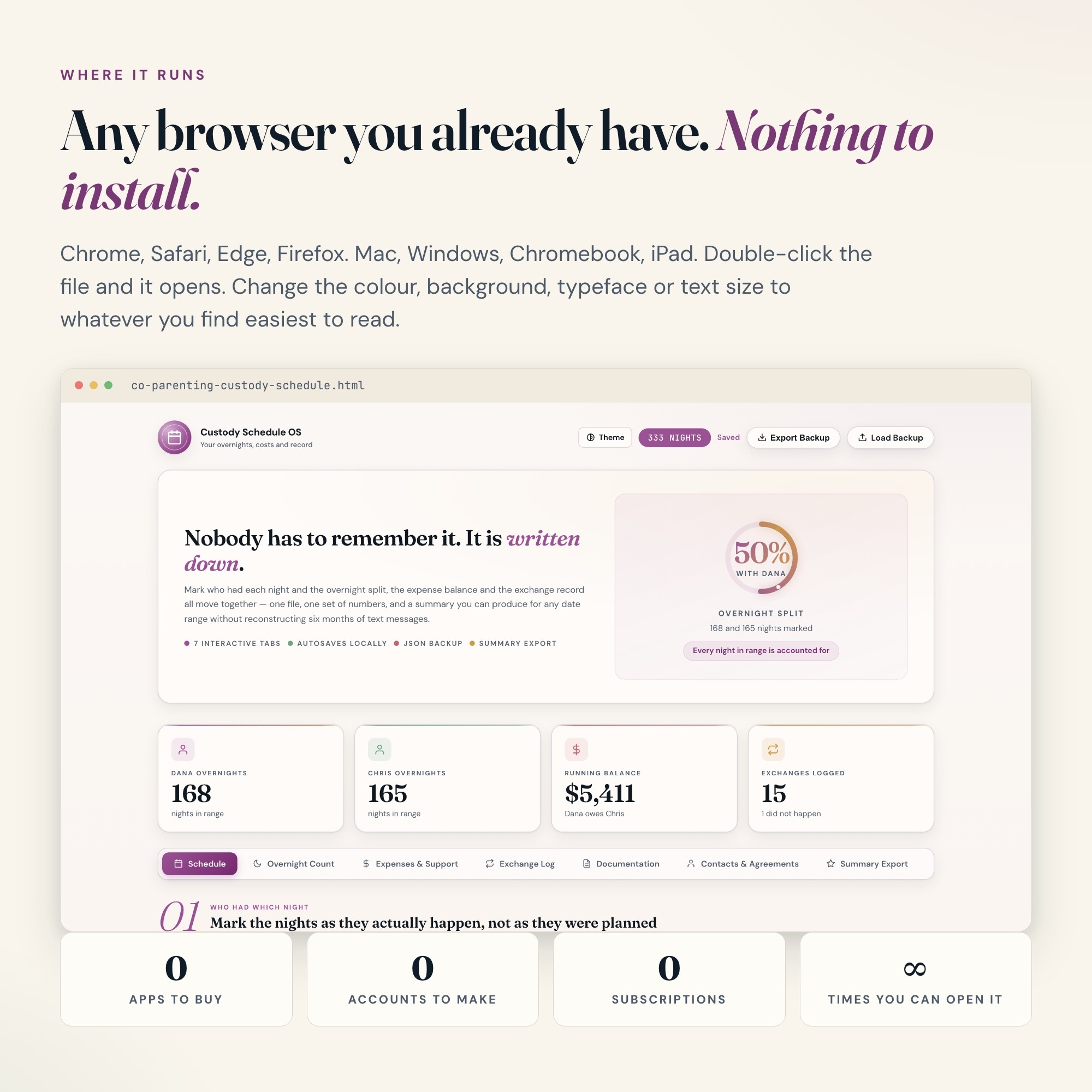
No. There is no app to install, no account to create, no login and no recurring fee. It opens in Chrome, Safari, Edge or Firefox on macOS, Windows, iPad or Chromebook, and it keeps working offline once the file is on your machine.
Where does Custody Schedule Tracker store my data?
On your own device, in your own browser. Nothing is uploaded, no account is created and no analytics are collected. You can export a backup file at any time and load it on another computer.
Can I change how Custody Schedule Tracker looks?
Yes — colour, background, typeface and text size are all adjustable from inside the dashboard, and your choice is remembered the next time you open it.
How much is Custody Schedule Tracker and how is it delivered?
$27, delivered as an instant download the moment you pay. Because it is a digital file, all sales are final.
More about Custody Schedule Tracker
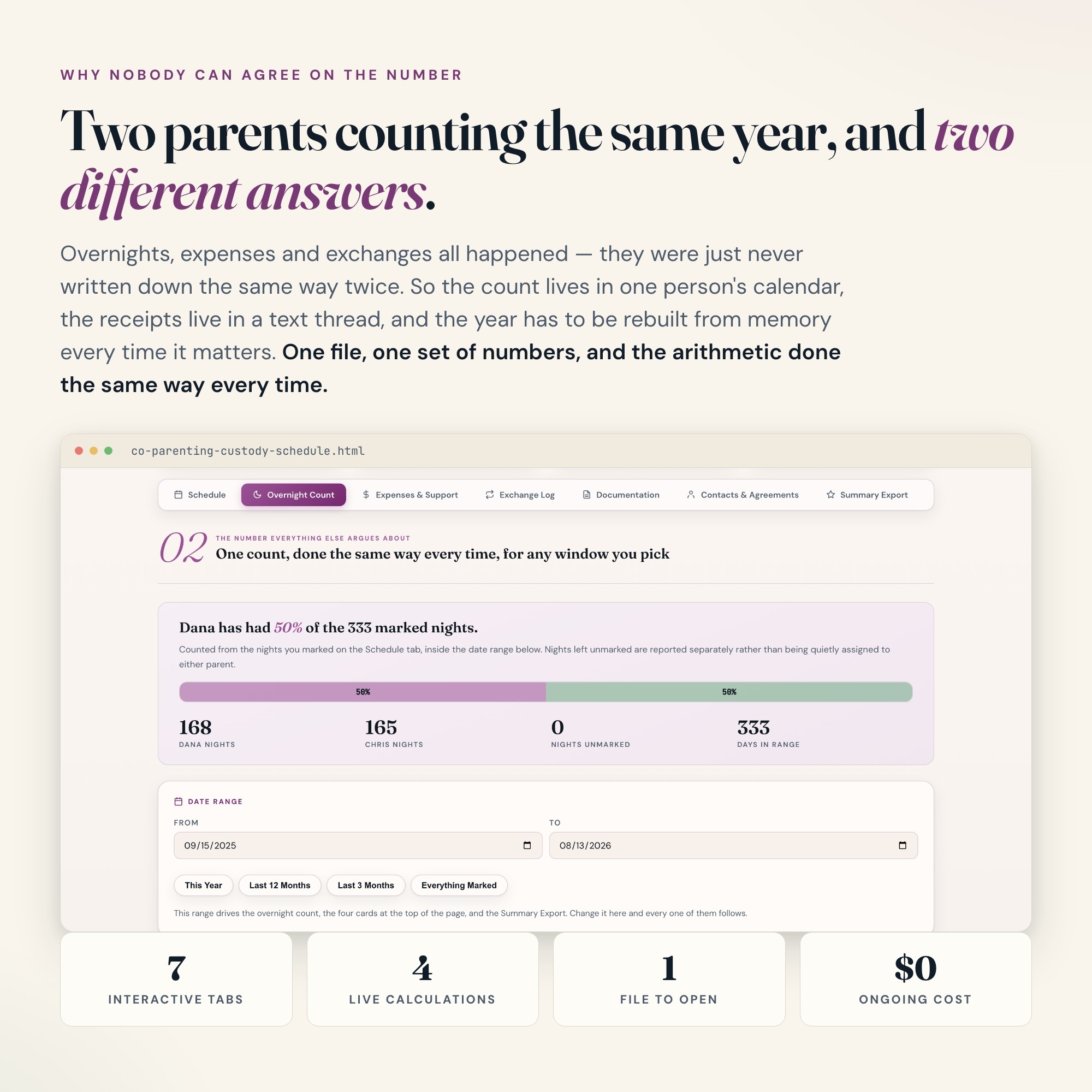
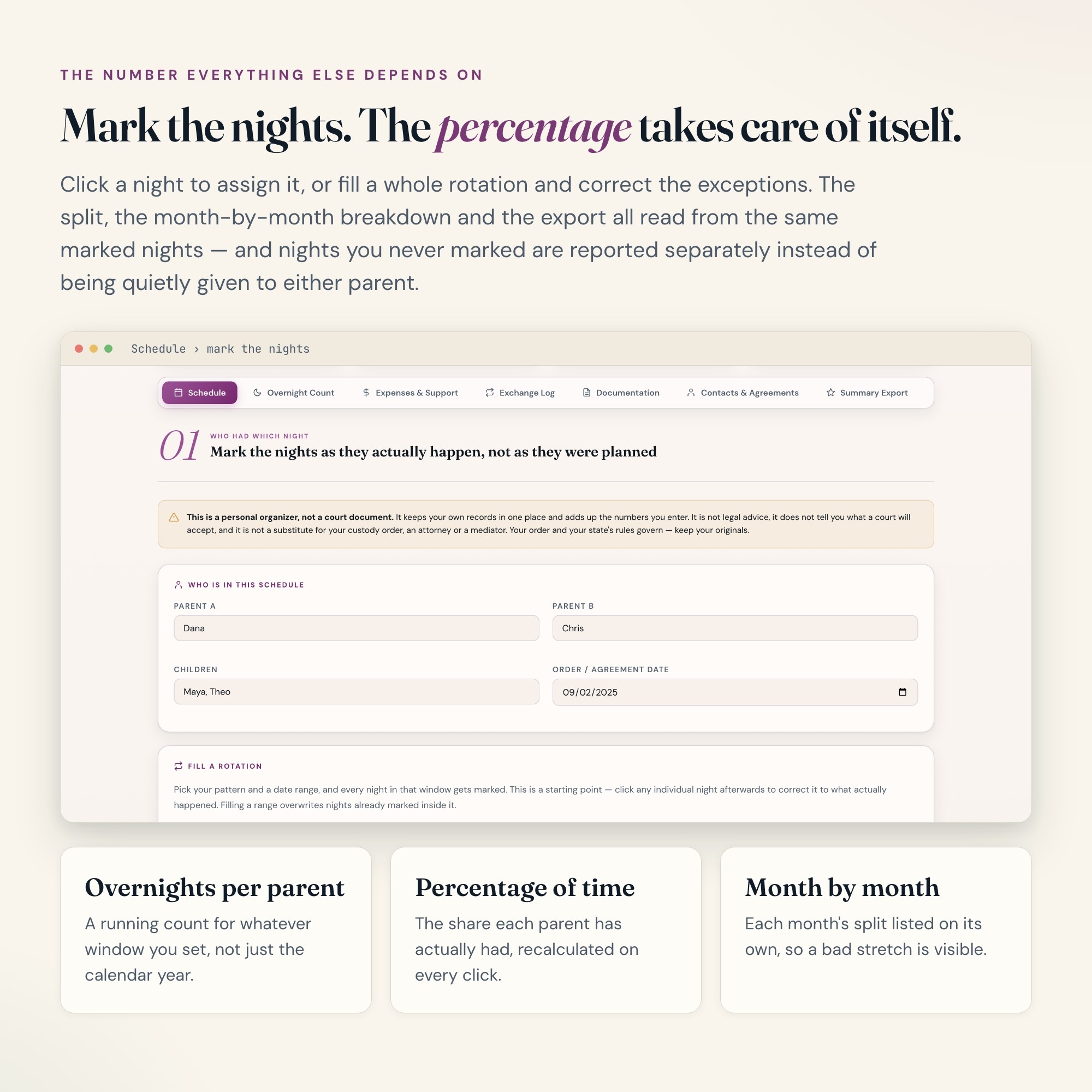
This is an interactive custody organizer that opens in your browser. Mark who has the children on which nights, and the overnight totals, the running percentage of time with each parent, the shared-expense balance and the exchange record all update in the same file. One place, one set of numbers, both parents looking at the same arithmetic.
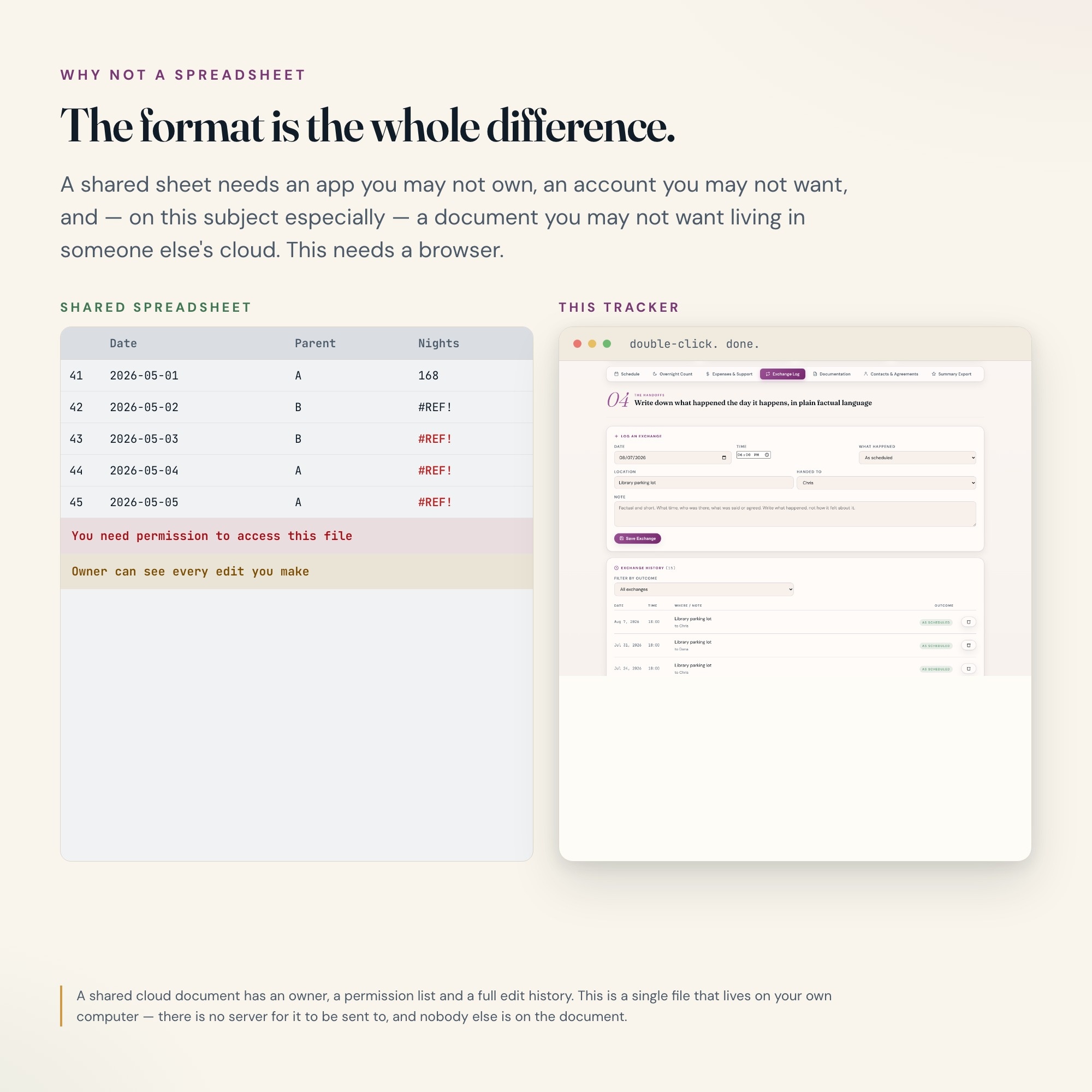
Why this and not a spreadsheet
Nearly every co-parenting tracker on the market is a Google Sheets or Excel file. That means a paid app, a Google account, sharing permissions you may not want to hand out, or a template that breaks the first time someone sorts a column. This is one HTML file. Double-click it and it opens — Chrome, Safari, Edge, Firefox, Mac, Windows, iPad. No app, no account, no login, no subscription, and nobody else on the document.
WHAT IS INSIDE (7 interactive tabs)
-
SCHEDULE — build your rotation (week on/week off, 2-2-3, 2-2-5-5, alternating weekends, or fully custom), then mark each night to the parent who actually had it. Holidays and school breaks get their own overrides.
-
OVERNIGHT COUNT — running overnight totals per parent and the percentage of time each of you has had, for any date range you choose. The number that every other conversation depends on, calculated the same way every time.
-
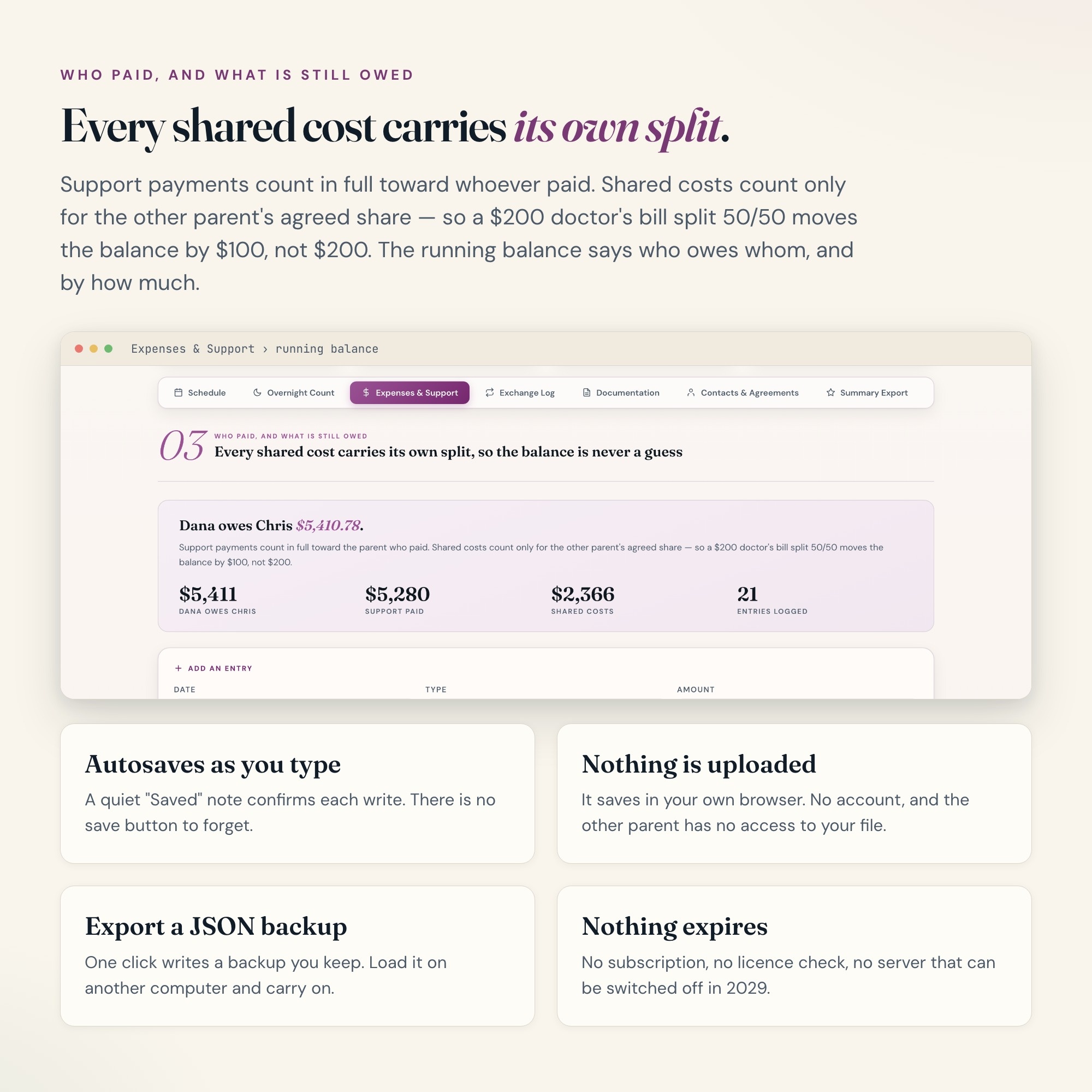
EXPENSES & SUPPORT — log child support payments and shared costs (medical, childcare, school, activities) with the agreed split per line. Running balance shows who currently owes whom, and how much.
-
EXCHANGE LOG — date, time, location, and whether the handoff happened as scheduled. Late, missed and swapped exchanges are recorded as what they were, with room for a short factual note.
-
DOCUMENTATION — a dated, plain-language record of what happened, kept in your own words. Filter by date range or child.
-
CONTACTS & AGREEMENTS — the other parent, attorneys, mediator, doctors, schools, emergency contacts, and the plain terms of your current agreement written where you can actually find them.
-
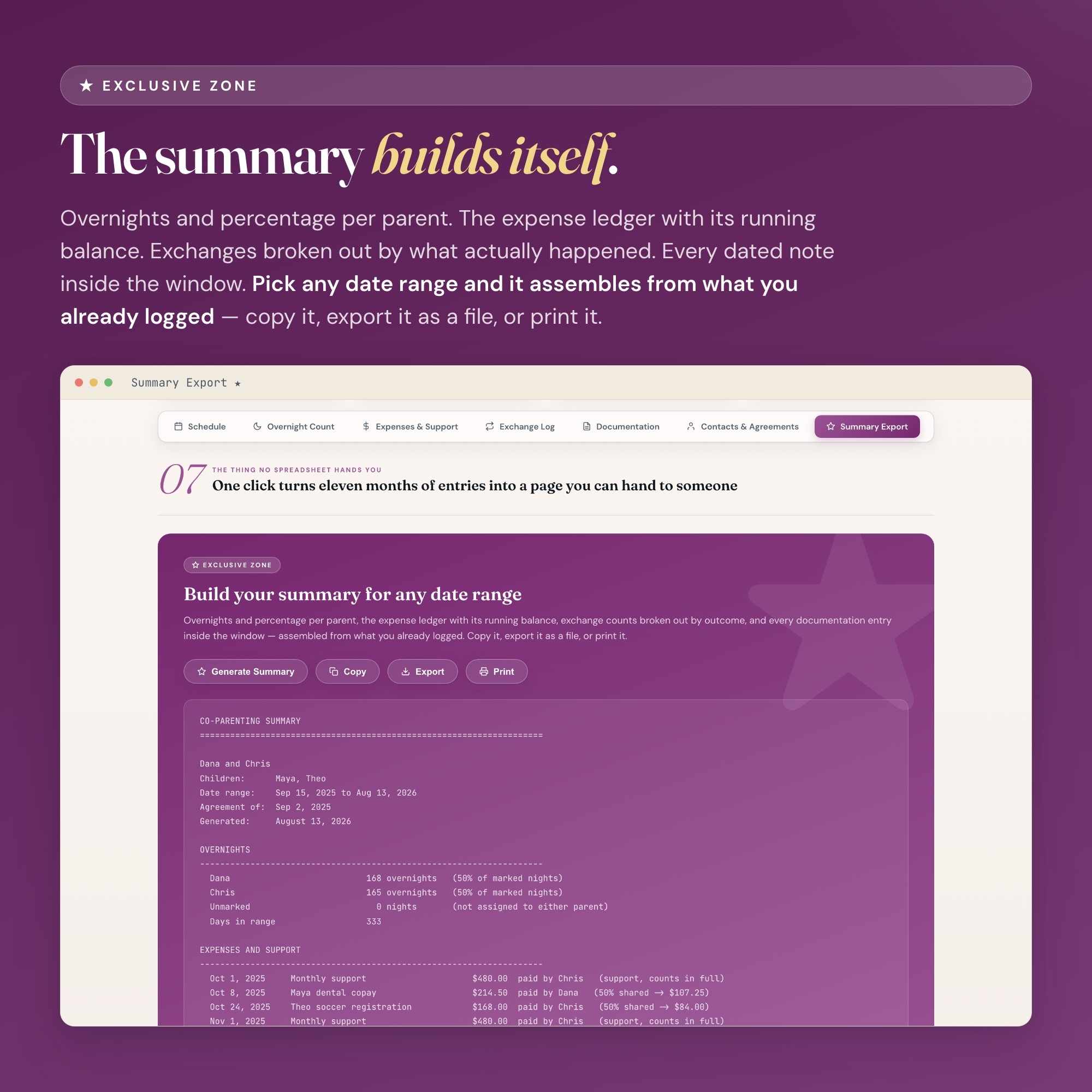
SUMMARY EXPORT — one click builds a clean summary for any date range: overnights and percentage per parent, the expense ledger with its balance, exchange counts, and the documentation entries in that window. Copy it, export it, or print it.
How your data works
Everything saves automatically in your own browser, on your own machine. Nothing is uploaded anywhere, no account is created, and the other parent does not have access to your file. Export a JSON backup any time and load it on another computer — the file travels with you.
Who this is for
Separated and divorced parents sharing custody, parents working out a new parenting schedule, single parents tracking overnights and shared costs, and anyone who is tired of reconstructing six months of exchanges from text messages.
Files included
-
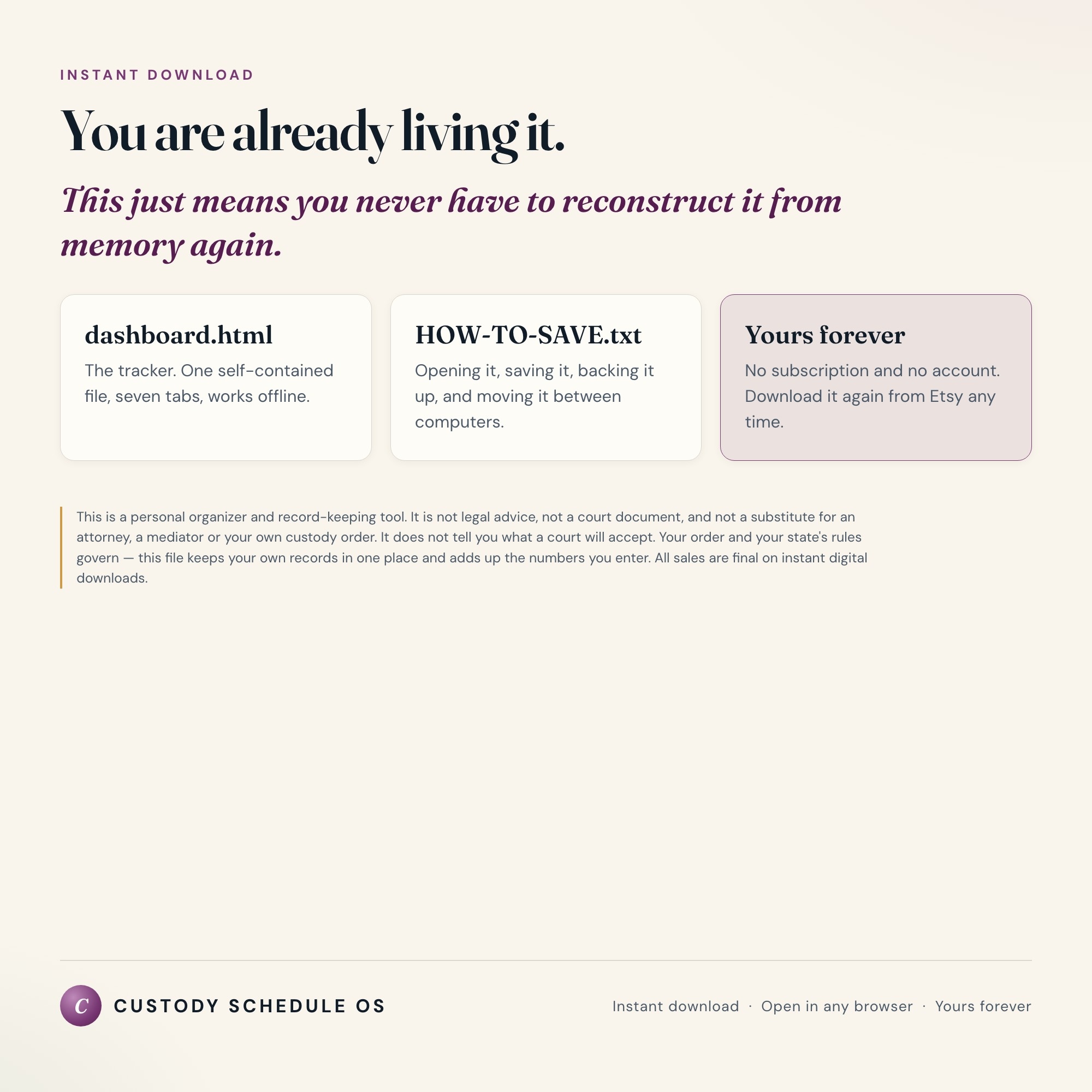
dashboard.html — the tracker, one self-contained file
-
HOW-TO-SAVE.txt — how to open it, save it, back it up and move it between computers
Important
This is a personal organizer and record-keeping tool. It is not legal advice, it is not a court document, and it is not a substitute for an attorney, a mediator, or your own custody order. It does not tell you what a court will accept or how anything in it will be treated. Your custody order and your state’s rules govern — this file only keeps your own records in one place and adds up the numbers you enter. Keep your original agreements and court paperwork.
INSTANT DOWNLOAD — available immediately after purchase. Because this is a digital file, all sales are final and no refunds are offered.
Questions before you buy? Message the shop.
5 Tabs included
- ◈
Schedule
- ≡
Overnight Count
- ⊞
Expenses & Support
- ◉
Exchange Log
- ★
Documentation
Exclusive Feature
Summary Export - one click assembles overnights and percentage per parent, the expense ledger with its running balance, exchange counts by outcome, and every dated note, for any date range you pick
This is built into the fifth tab and is unavailable in any static template, spreadsheet, or Notion template on the market.
Gallery

Learn more
Before you buy
Frequently asked questions
- What is Custody Schedule Tracker?
- Custody Schedule Tracker is an interactive dashboard that opens in your web browser. It is one self-contained HTML file — download it once, double-click it, and it runs. No app, no account, no subscription.
- Does Custody Schedule Tracker need Excel or Google Sheets?
- No. It is not a spreadsheet and does not open in one. It runs in Chrome, Safari, Edge or Firefox on macOS, Windows, iPad or Chromebook, and keeps working offline.
- What is included in Custody Schedule Tracker?
- 7 sections in a single file: Schedule, Overnight Count, Expenses & Support, Exchange Log, Documentation, Contacts & Agreements, Summary Export.
- Can I change the colours and text size in Custody Schedule Tracker?
- Yes. Colour, background, typeface and text size are adjustable from inside the dashboard, and the setting is remembered.
- Does it work offline?
- Yes — completely. The dashboard is a single HTML file. Once downloaded, it runs entirely in your browser with no internet connection needed. All data autosaves to your browser's localStorage.
- Which devices and browsers are supported?
- Works in Chrome, Edge, Safari, and Firefox on macOS, Windows, iPad, and Chromebook. No app to install, no account to create. Just open the file.
- What is your refund policy?
- All sales are final. This is an instant download delivered in full at payment, so it cannot be returned. If a file will not open or a feature does not work as described, that is a defect and it gets fixed at no cost — email hello@listingresearchos.com and you will get a corrected file.
- How do I install it?
- There is nothing to install. After purchase, download the HTML file. Double-click to open in your browser. That's it. A HOW-TO-SAVE.txt is included explaining how to back up and restore your data.
- Is my data private?
- Completely. Everything runs locally — no login, no analytics, no data sent to any server. Your data is stored only in your browser's localStorage. You own it entirely.
You might also like
One-time purchase
Get it for $27.00
Instant download. Open in any browser. Yours forever.