
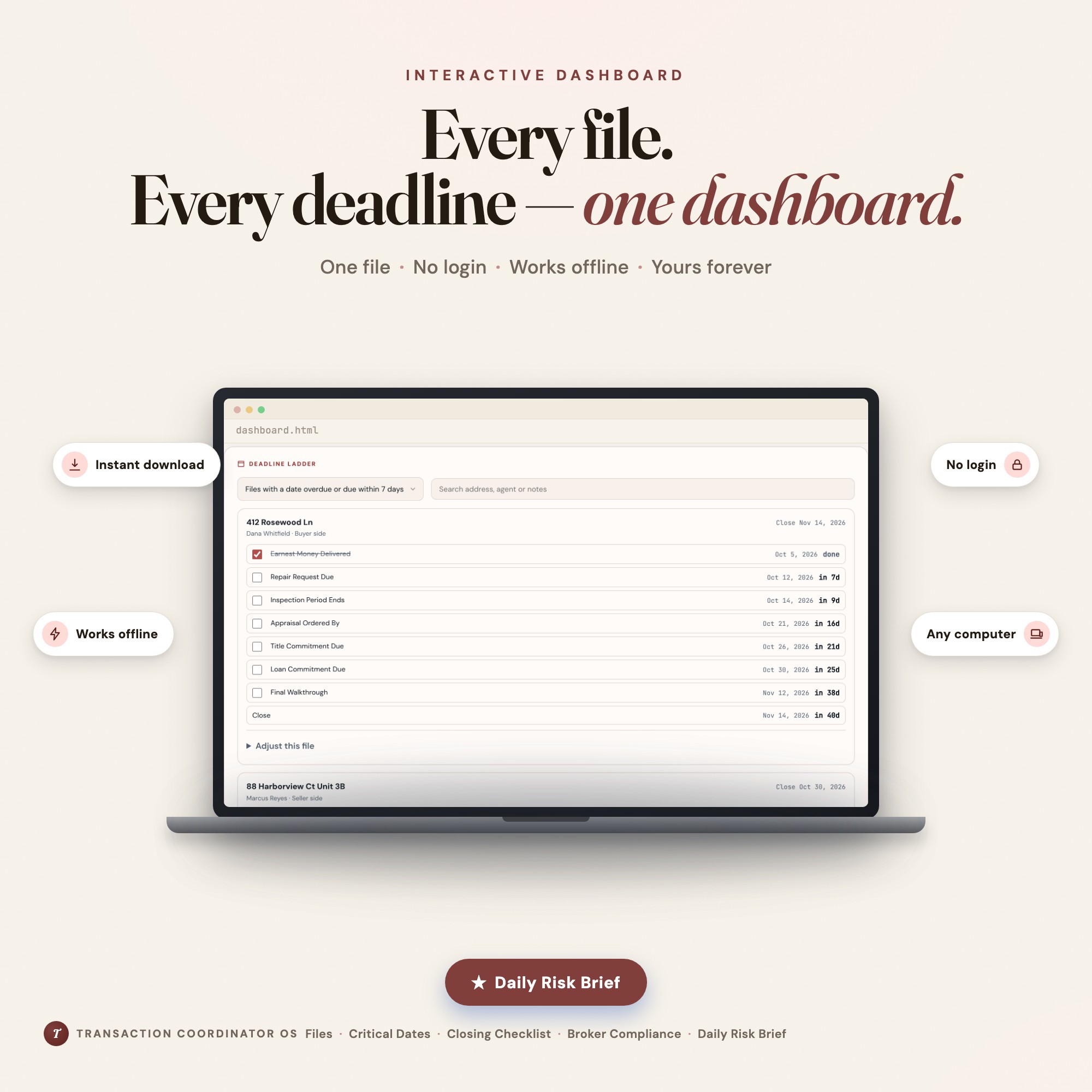
Interactive dashboard
Transaction Coordinator OS
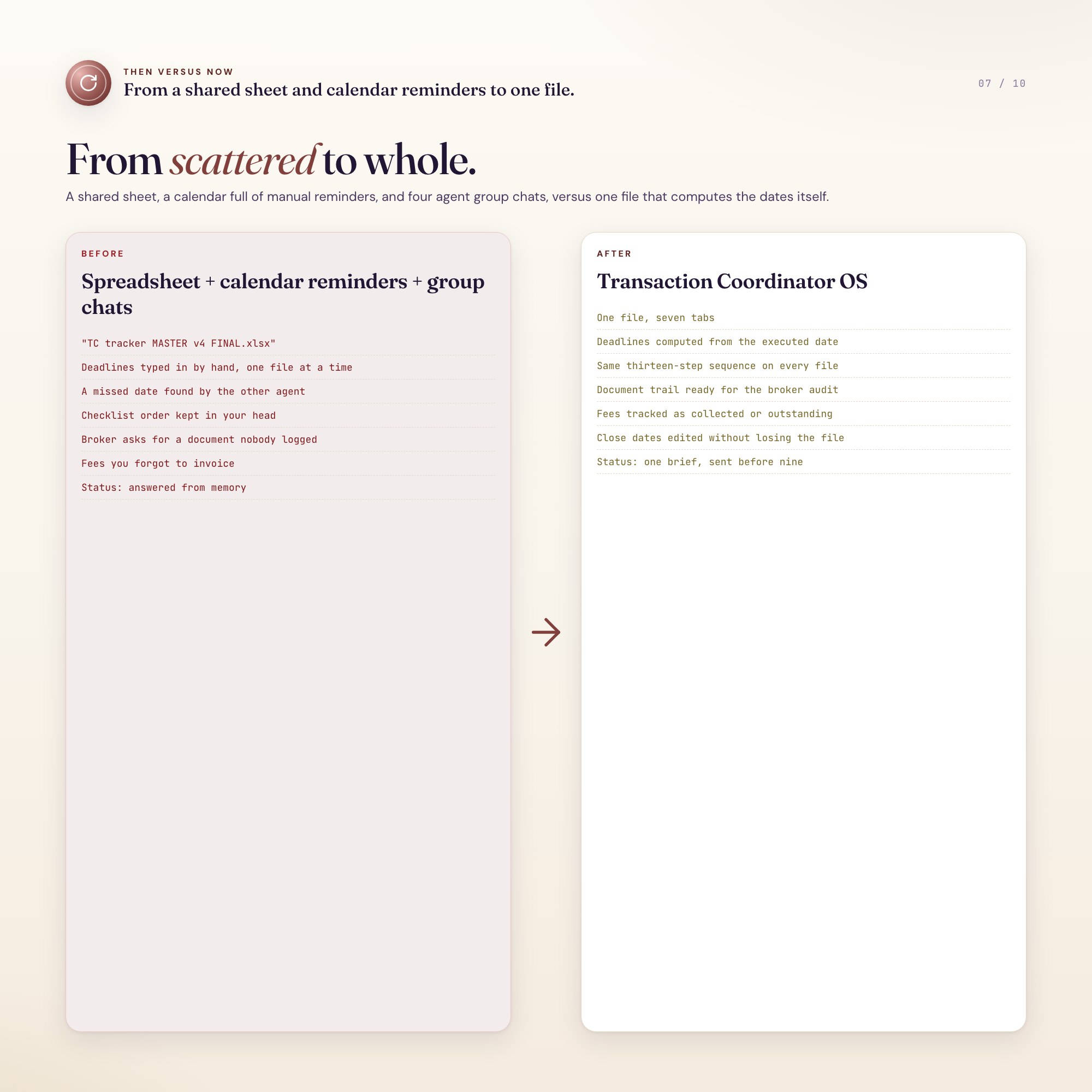
Built for Solo real-estate transaction coordinators — usually independent contractors running 15 to 40 concurrent files for three to ten agents — who track every contract deadline, closing checklist, broker-compliance document and unpaid coordination fee across a spreadsheet, a shared calendar and their own memory
Try it live
Click around the real dashboard
Interactive demo · a few tabs unlocked
See it in action
The dashboard
What it is
5 Tabs included
- ◈
Files
Every transaction under contract with agent, side, contract price, executed date, scheduled close and stage
- ≡
Critical Dates
Set your own day counts once; every file computes its full deadline ladder from its executed date, with the walkthrough counted backward from close
- ⊞
Closing Checklist
The same thirteen-step sequence per file, from executed contract through archived closing package, so the order never has to be held in your head
- ◉
Agents
Open file load per agent, closed count and fees collected, so you can see who you are actually carrying
- ★
Fees
Coordination fee per file with paid status, collected versus outstanding totals
Exclusive Feature
Daily Risk Brief — reads every open file, computes which deadlines are blown, due today or inside three days, and groups them under the agent who has to act, as a plain-text morning email; competing trackers show a grid you have to read and interpret yourself, never a message you can send
This is built into the fifth tab and is unavailable in any static template, spreadsheet, or Notion template on the market.
Gallery






Learn more
Before you buy
Frequently asked questions
- What is Transaction Coordinator OS?
- Transaction Coordinator OS is an interactive dashboard that opens in your web browser. It is one self-contained HTML file — download it once, double-click it, and it runs. No app, no account, no subscription.
- Does Transaction Coordinator OS need Excel or Google Sheets?
- No. It is not a spreadsheet and does not open in one. It runs in Chrome, Safari, Edge or Firefox on macOS, Windows, iPad or Chromebook, and keeps working offline.
- What is included in Transaction Coordinator OS?
- 7 sections in a single file: Files, Critical Dates, Closing Checklist, Agents, Fees, Broker Compliance, Daily Risk Brief.
- Can I change the colours and text size in Transaction Coordinator OS?
- Yes. Colour, background, typeface and text size are adjustable from inside the dashboard, and the setting is remembered.
- Does it work offline?
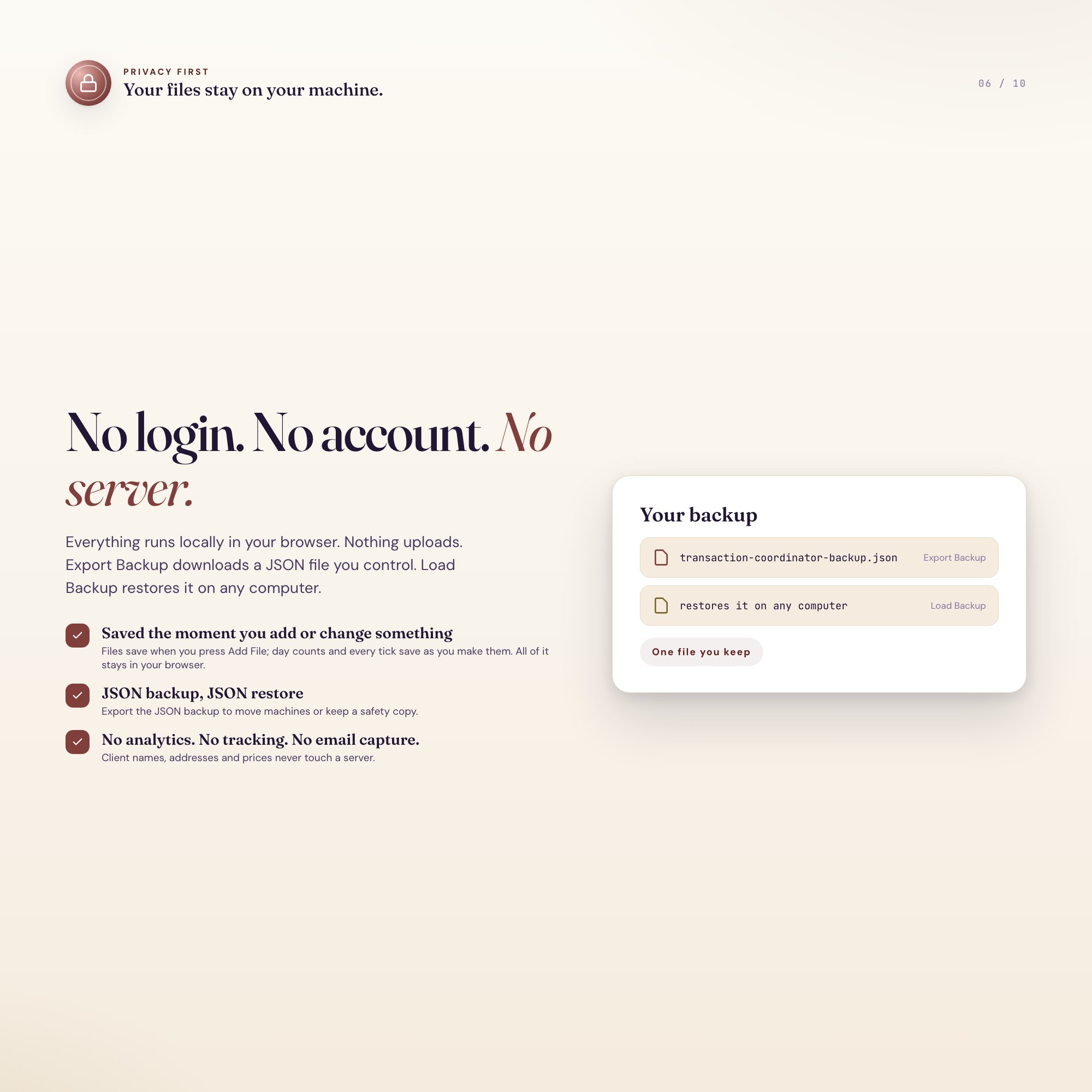
- Yes — completely. The dashboard is a single HTML file. Once downloaded, it runs entirely in your browser with no internet connection needed. All data autosaves to your browser's localStorage.
- Which devices and browsers are supported?
- Works in Chrome, Edge, Safari, and Firefox on macOS, Windows, iPad, and Chromebook. No app to install, no account to create. Just open the file.
- What is your refund policy?
- All sales are final. This is an instant download delivered in full at payment, so it cannot be returned. If a file will not open or a feature does not work as described, that is a defect and it gets fixed at no cost — email hello@listingresearchos.com and you will get a corrected file.
- How do I install it?
- There is nothing to install. After purchase, download the HTML file. Double-click to open in your browser. That's it. A HOW-TO-SAVE.txt is included explaining how to back up and restore your data.
- Is my data private?
- Completely. Everything runs locally — no login, no analytics, no data sent to any server. Your data is stored only in your browser's localStorage. You own it entirely.
You might also like
One-time purchase
Get it for $34.00
Instant download. Open in any browser. Yours forever.