
8 Things First-Time Course Creators Must Track Before Launch Day
8 things to track before launching your first online course, from module status and pre-launch milestones to cohort revenue math and your email sequence.
Published June 3, 2026
Most first course launches do not fail because the course content was bad. They fail because the creator was building the product, running the pre-launch, managing the tech stack, and trying to write their email sequence all at the same time — with no system to tell them which of those things needed to happen this week, not next month.
Eight tracking functions address the specific points where first launches stall.
Module and lesson completion status
Before you open the cart, every module needs to exist in a state you can describe: draft, recording, edited, or shipped. A sortable module list with status tracking, runtime estimates, and per-module lesson outlines tells you two things: how complete your course is right now, and how much production work remains between today and launch day.
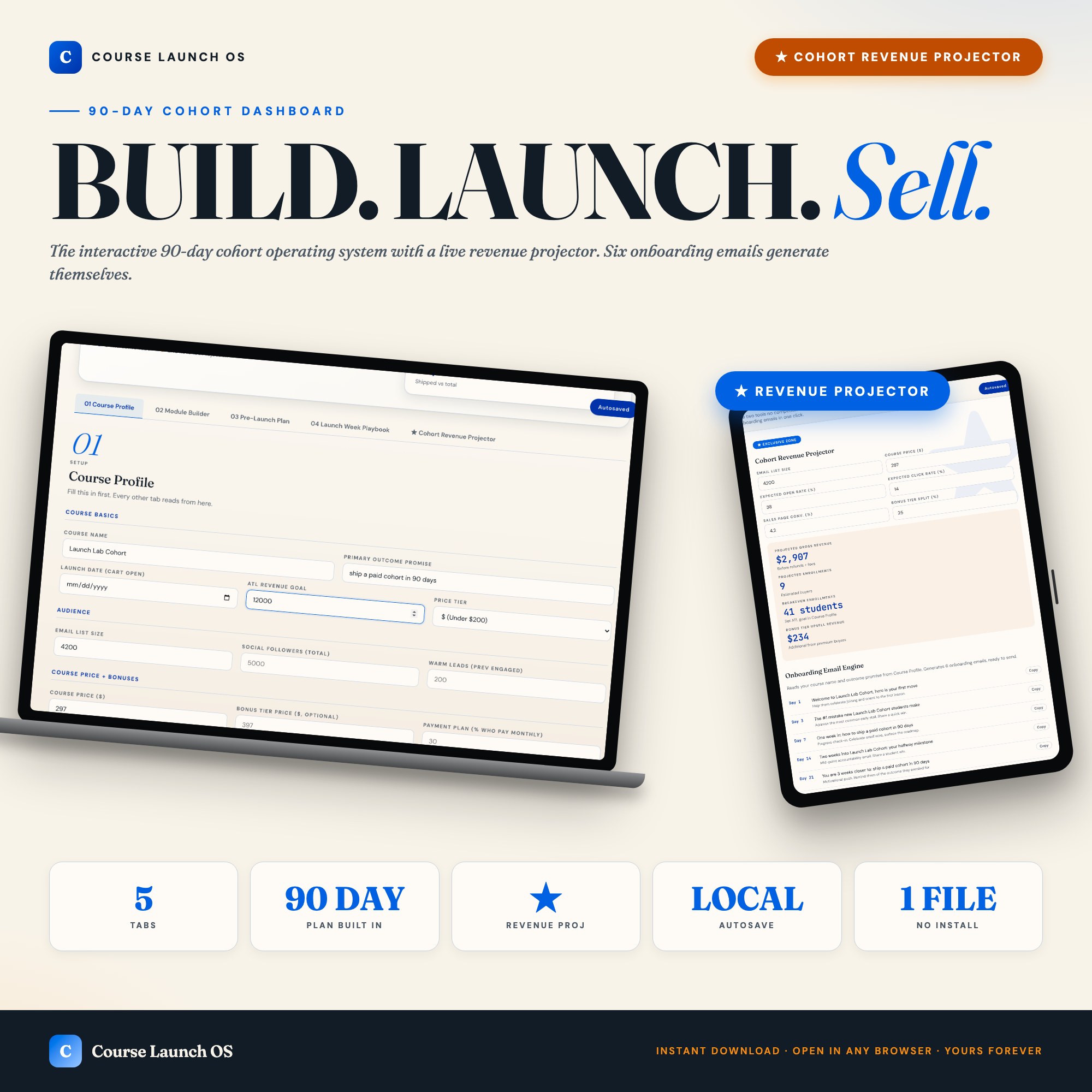
The Course Launch OS Dashboard Module Builder tab covers this with pre-seeded example entries so the interface looks useful from day one.
Pre-launch phase tracking against the launch date
The 12-week pre-launch is divided into phases: audience research, sales page and email drafting, beta testing and payment setup, launch announcement, and launch day. Each phase has specific deliverables. Without a grid that shows which week you are in and what this week’s deliverables are, most creators hit week 8 with the sales page still unwritten and the tech stack still unintegrated.
The Course Launch OS Pre-Launch Plan tab is a 12-week editable grid where the current week auto-highlights based on your launch date.
Cohort revenue projection based on real audience size
“If I get 30 students at $297, that’s almost $9,000” is not a revenue projection. A real projection takes your actual email list size, your email open rate, your click-through rate, and your sales page conversion percentage, then computes the most likely enrollment count and gross revenue. If that number is below your goal, you have 12 weeks to change it — not the morning after cart close.
The exclusive feature in the Course Launch OS Dashboard is the live Cohort Revenue Projector in Tab 5: change any input and the projection updates immediately. It also calculates your breakeven enrollment count and bonus-tier upsell math so you know the exact number of students you need before the launch is a success.
Onboarding email sequence with day-specific subjects
The first week after a student enrolls determines whether they complete the course or refund. Most first-time creators write a welcome email and then go silent until the student emails asking why they are not receiving anything. An onboarding sequence — day 1, day 3, day 7, day 14, day 21, day 30 — keeps new students engaged through the early momentum period.
The Onboarding Engine in Tab 5 of the Course Launch OS generates six ready-to-send email subjects and one-line bodies personalized to your course name and primary outcome promise, the moment your Course Profile is filled. Six emails, ready to customize, before you close the tab.
Launch week daily playbook
Launch week without a playbook is chaos: email send times get missed, social posts go up at random, and the urgency that drives last-day sales never builds because nobody coordinated the communication. A day-by-day plan for launch week — what email goes out when, what social post runs on which platform, what DMs to send — makes the difference between a coordinated launch and one that feels improvised to everyone watching.
Student and cohort count tracking in real time
Cart open is not the time to be manually updating a spreadsheet with enrollment counts. A live dashboard that shows enrolled students, revenue-to-date, and remaining seats against your cohort cap lets you make real-time decisions — whether to extend the cart, run a flash bonus, or close early.
Feedback and testimonial collection
First-cohort testimonials are the most valuable asset you will own for launch two. Building in a systematic way to collect them — survey sent on day 30, screen-recording request sent at the midpoint, email follow-up at completion — turns one cohort into the social proof that sells the next one.
Tech stack and payment verification checklist
The worst possible moment to discover that your checkout page has a broken payment link is during launch week. A pre-launch tech verification checklist — sales page live, payment processor connected, confirmation email firing, course platform access working — is the 30-minute investment that prevents a 3-day crisis.
One Dashboard From Idea to Cart Open
The Course Launch OS Dashboard covers Course Profile, Module Builder, Pre-Launch Plan, Launch Week Playbook, and Cohort Revenue Projector in one HTML file for $26. One-time purchase, works offline in any browser.
Frequently asked questions
- What is the biggest mistake first-time course creators make before launch?
- Launching without knowing their breakeven enrollment number. If you need 50 students to cover your launch costs and your email list will realistically convert 2%, you need 2,500 subscribers before you open the cart. Most creators find this out after launch.
- How far in advance should I start the pre-launch plan?
- Twelve weeks before cart open is the standard framework. That gives you time for audience research, sales page drafts, beta testing, and launch sequence prep. The Course Launch OS has a 12-week pre-launch grid with phase labels built in.
- Do I need to spend a lot of money on tools?
- No. The Course Launch OS Dashboard costs $26 as a one-time purchase — purpose-built for first-time creators going from idea to first-cohort revenue in 90 days.
- How quickly can I get started with the Course Launch OS Dashboard?
- Under 5 minutes. Download the file, open it in any browser, and start using it immediately. Everything autosaves automatically.
Featured dashboards from this list
Interactive HTML dashboards — one-time purchase, works offline, no subscription.
ListingResearchOS Shop
All dashboards — single file, yours forever
Interactive HTML. No subscription. Works offline in any browser.
Browse all dashboards →