
How to Prepare for an IEP Annual Review Meeting
A parent's guide to IEP annual review prep: tracking goals year-round, logging provider contacts, writing your questions, and bringing your own data.
Published June 3, 2026
The annual IEP review is the meeting where the next year of your child’s educational support gets determined. Goals are set, services are allocated, and accommodations are written into a legal document. What you bring to that meeting — and how well-prepared you are — directly affects the outcome.
Most parents go into the annual review dependent entirely on the school’s records and the providers’ observations. That’s not wrong, but it’s incomplete. Your observations as the parent who sees the child every day, and the progress notes you’ve accumulated from therapy sessions and school meetings, are data that belongs in the room. The question is whether you’ve organized it in a form that’s useful.
What Parents Actually Need to Track Year-Round
An IEP typically covers 8–12 goals across multiple domains: academic achievement, speech-language, occupational therapy, social-emotional skills, behavior, and others depending on the child’s needs. Each goal is assigned to a service provider. Each provider sends progress reports at intervals — sometimes quarterly, sometimes twice a year.
The organizational challenge is that goal progress is scattered across these reports, supplemented by your own observations at home, and filtered through different professional frameworks that may use different rating scales or terminology. By the time the annual review arrives, reconstructing a coherent picture of the year requires sifting through everything at once.
Four things need to be tracked consistently:
Goal progress: For each IEP goal, what was the baseline, what’s the current status, what does progress look like across the year? Not just the last progress report, but a longitudinal view.
Provider contacts and communication: When did you last speak with each provider? What was discussed? What was the takeaway? Missing an OT check-in for three months is easy to lose track of when you’re coordinating across four different providers.
Observations from home: You see things the providers don’t. Sleep changes, social withdrawal, new anxieties, breakthrough moments. Logging these with dates gives you a parallel data stream that often explains what the providers are seeing.
Meeting prep questions: Every IEP meeting generates questions that you meant to ask and forgot. Building a running list between meetings ensures the annual review isn’t the first time those questions get raised.
What to Bring to the Annual Review
The most prepared parents bring a document — not a folder of unorganized reports, but an organized summary that presents goal progress in a clear format the team can reference during the meeting.
The information to include:
- Each current IEP goal with a brief description and current status as you observe it
- Provider communication log (who you’ve spoken to, when, about what)
- Home observation notes that are relevant to goal areas
- Questions and concerns for the new IEP year
- Any external evaluations or new diagnoses received during the year
This document serves two purposes: it demonstrates that you’ve been actively monitoring your child’s progress, and it adds your data to the room alongside the school’s data. When there are discrepancies between what the provider observes and what you observe at home, having documentation turns “I have a different impression” into a productive conversation rather than a disagreement.
The Annual Review Brief Generator
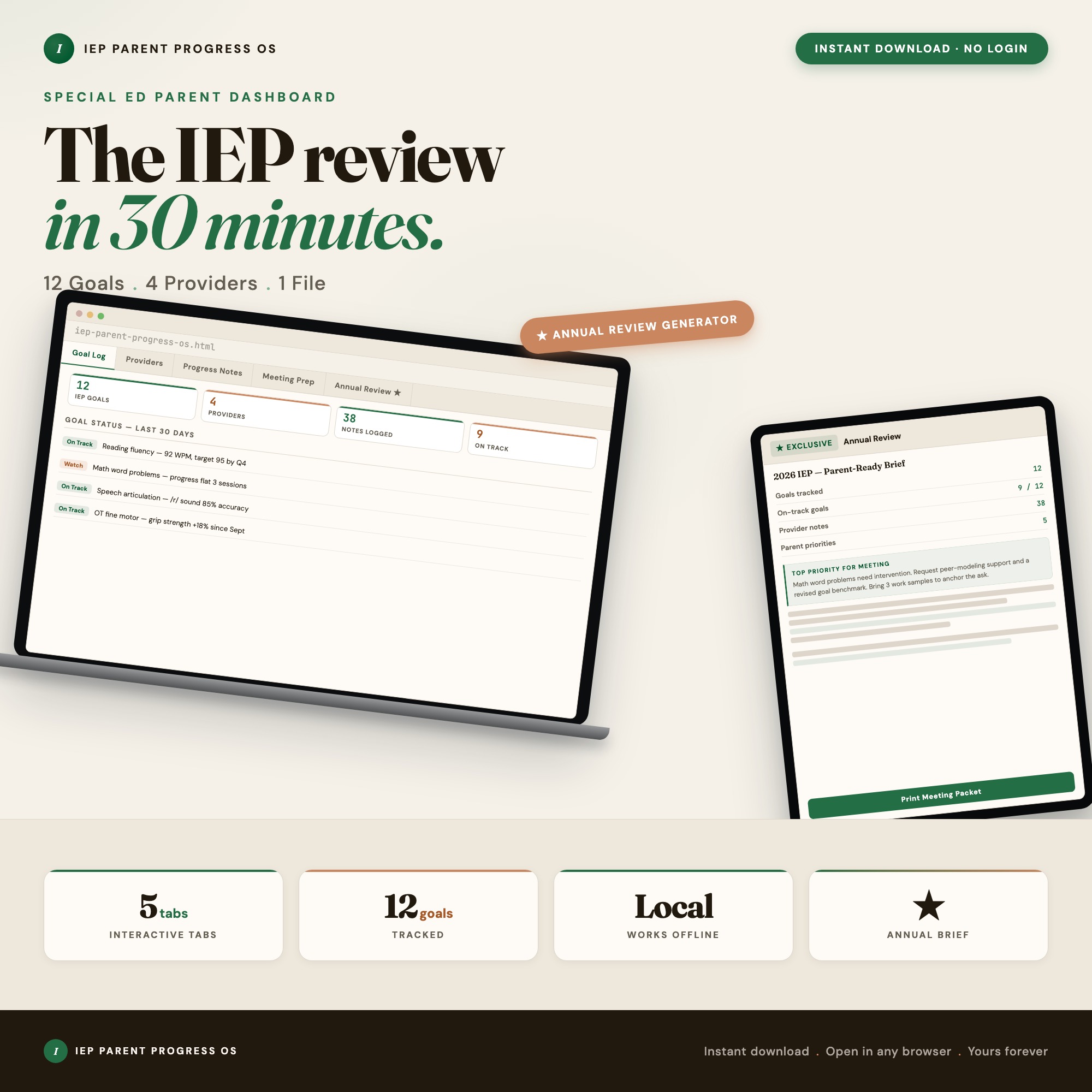
Tab 5 of the IEP Parent Progress Dashboard is the Annual Review Brief generator. It reads your goal-progress data, provider contacts, progress notes, and meeting prep from Tabs 1–4, and exports a printable IEP-meeting handout you can bring to the annual review.
This is the only interactive offline IEP dashboard on Etsy that generates this document from your logged data. The alternatives — PDF binders, printable checklists, blank templates — require you to fill in everything by hand each time. The generator produces a ready-to-use handout from the year of data you’ve already entered.
The full dashboard covers: Goal Log (each IEP goal with progress tracking), Provider Contacts (communication log with dates and notes), Progress Notes (observation journal with timestamps), Meeting Prep (running question list), and Annual Review Brief (the generator). $22, one-time purchase.
Frequently asked questions
- Do I need special software to use an offline dashboard?
- No. An offline HTML dashboard like the IEP Parent Progress Dashboard is a single file you open in any browser — Chrome, Edge, Safari, or Firefox. Nothing to install, no account to create.
- Is my data private if I use a browser-based dashboard?
- Yes, completely. Data stored in your browser's localStorage never leaves your device. There are no servers, no analytics, and no uploads of any kind.
- Can I back up my data?
- Yes. Every ListingResearchOS dashboard includes an Export Backup button that downloads a JSON file to your computer. Load Backup restores it on any device or browser.
- What makes an interactive HTML dashboard better than a spreadsheet?
- Spreadsheets require manual formula maintenance and lack purpose-built workflows. An interactive HTML dashboard has pre-built logic — like the Annual Review Brief generator that reads all goal-progress data from Tabs 1-4 and exports a printable IEP-meeting handout — that a spreadsheet can't replicate without significant engineering work.
- How much does the IEP Parent Progress Dashboard cost?
- It is a one-time purchase of $22 on Etsy. No monthly subscription. Once you buy it, it is yours forever.
Ready-made dashboards
Skip setup — grab an interactive dashboard built for this exact workflow.
ListingResearchOS Shop
All dashboards — one-time purchase, yours forever
Single HTML files. No subscriptions. No login. Works offline in any browser.
Browse all dashboards →