
How to Organize Grad School Deadlines Without Burning Out
A grad school deadline system for master's and PhD students juggling coursework, research hours, TA duties, and advisor meetings across one shared view.
Published June 3, 2026
Graduate school burnout rarely arrives all at once. It accumulates. A fellowship deadline gets missed because it was in an email thread from three months ago. An advisor meeting gets cancelled and never rescheduled. Research hours fall behind because TA grading expanded to fill the available time. Each individual slip is manageable — the pattern is what’s exhausting.
The organizing problem in grad school is distinct from corporate or undergraduate demands because it’s multi-track. You’re not managing one role. You’re simultaneously managing coursework (which has fixed deadlines), research (which has self-directed timelines), TA duties (which have contractual hour caps), and advisor relationships (which require proactive scheduling).
No single paper planner handles four concurrent tracks. This guide covers how to build a system that does.
Understanding Why Generic Productivity Tools Fail
Most productivity apps — Notion, Todoist, even a well-designed paper planner — are organized around tasks and projects. Graduate school demands something different: a unified view of commitments that operates on different timescales simultaneously.
A course exam is a fixed deadline on Tuesday. Your research hours target is a weekly budget. Your TA contract specifies a semester-level hour cap. Your advisor meeting schedule operates on a rolling 2–4 week cadence. These four types of commitments don’t fit into the same template, which is why students end up managing them in four separate places — and losing track of what’s overdue when they switch tabs.
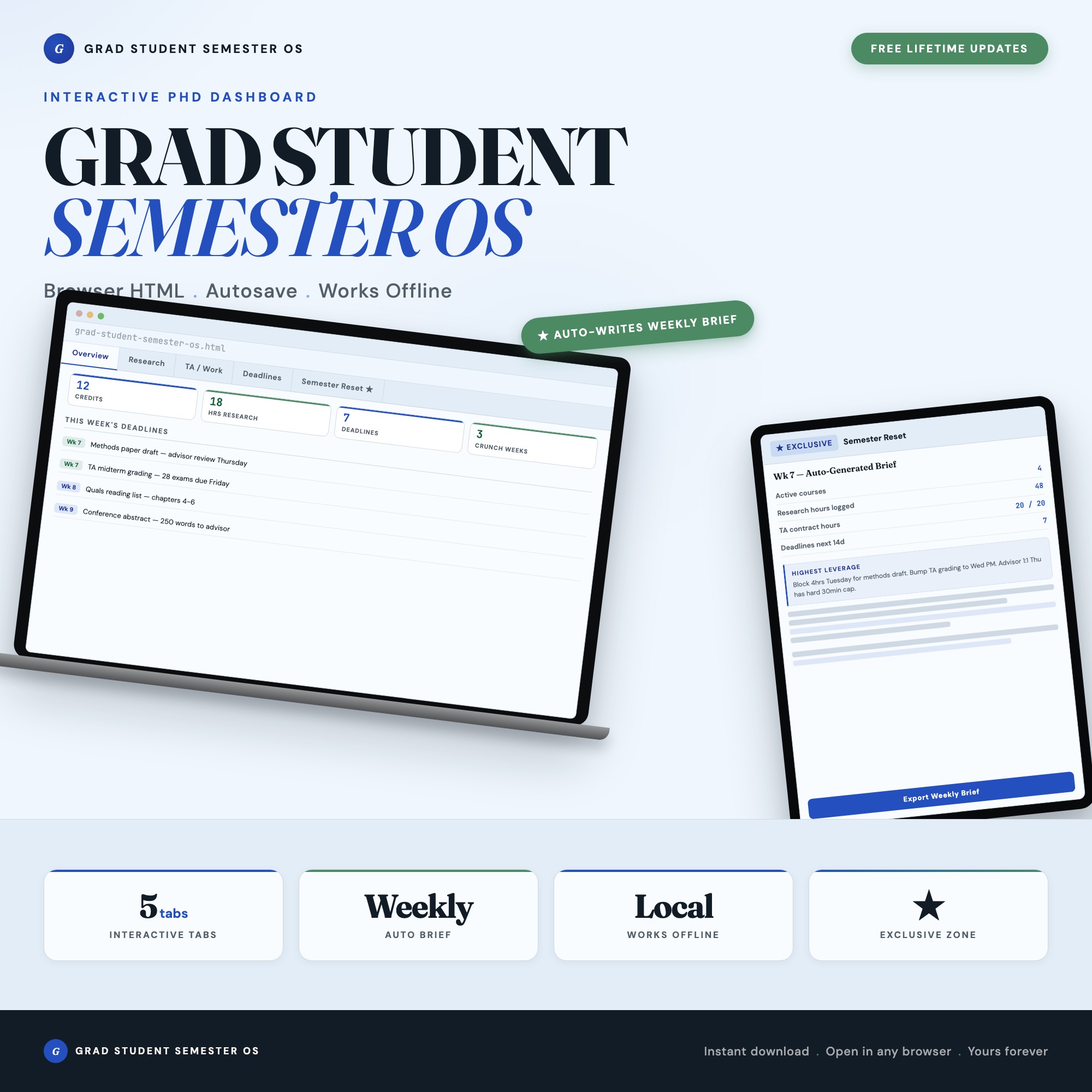
The Grad Student Semester OS organizes the four tracks in dedicated tabs rather than forcing them into a uniform format:
Courses tab: Instructor, credits, grade weight, and office hours. The dashboard calculates total credit load and color-codes schedule density by week, so you can see which weeks are already overloaded before you say yes to anything else.
Research tab: Active projects, weekly hour targets, cumulative hours logged, paper submissions, IRB status, and advisor meeting notes. Your thesis timeline is always visible without hunting through email.
TA/Work tab: Teaching assistant duties, grading deadlines, office hours, and section prep logged against your TA contract hour cap. This prevents the common mistake of accidentally going over contract hours.
Deadlines tab: A unified live view of every due date across all four tracks — conferences, fellowship submissions, committee meetings, exams, paper drafts — color-coded by urgency.
The Advisor Meeting Problem
Overdue advisor meetings are one of the most common — and most avoidable — grad school failure modes. Students who fall behind on research progress often avoid scheduling meetings because they feel they don’t have enough to show. The avoidance compounds the problem.
A tracking system that flags overdue advisor touch-points explicitly changes this dynamic. When you can see “last advisor meeting: 6 weeks ago, scheduled next: not yet” in a dashboard, the gap is harder to rationalize than when it lives only in the back of your mind.
The Semester Reset Generator
Tab 5 in the Grad Student Semester OS is the Semester Reset Generator — the exclusive feature that no competitor ships on Etsy. Click one button and the dashboard reads all your logged data across courses, research, TA duties, and deadlines to produce a personalized weekly brief.
The output identifies your three crunch weeks for the rest of the semester (weeks where your scheduled commitments exceed your available time), your overdue advisor touch-points, and your single highest-leverage task for the next 7 days. Export as a Markdown file to paste into your notes or share with your advisor.
No spreadsheet can generate this output because it requires your actual logged data to produce a real result — not a template you fill in, but a system that reads what you’ve entered and synthesizes it.
Getting Through the Semester Without the Collapse
The students who avoid burnout aren’t necessarily working fewer hours. They’re working with better information about where their time is going and what the highest-leverage use of the next 4 hours is.
The Grad Student Semester OS is $22, one time. No subscription, no login, works offline in Chrome, Edge, Safari, or Firefox on any device. Export a JSON backup at any time to preserve your data across browser resets.
Frequently asked questions
- Do I need special software to use an offline dashboard?
- No. An offline HTML dashboard like the Grad Student Semester OS is a single file you open in any browser — Chrome, Edge, Safari, or Firefox. Nothing to install, no account to create.
- Is my data private if I use a browser-based dashboard?
- Yes, completely. Data stored in your browser's localStorage never leaves your device. There are no servers, no analytics, and no uploads of any kind.
- Can I back up my data?
- Yes. Every ListingResearchOS dashboard includes an Export Backup button that downloads a JSON file to your computer. Load Backup restores it on any device or browser.
- What makes an interactive HTML dashboard better than a spreadsheet?
- Spreadsheets require manual formula maintenance and lack purpose-built workflows. An interactive HTML dashboard has pre-built logic — like Semester Reset Generator — reads all 4 tabs and assembles personalized weekly brief: crunch weeks, overdue advisor meetings, highest-leverage task — that a spreadsheet can't replicate without significant engineering work.
- How much does the Grad Student Semester OS cost?
- It is a one-time purchase of $22 on Etsy. No monthly subscription. Once you buy it, it is yours forever.
Ready-made dashboards
Skip setup — grab an interactive dashboard built for this exact workflow.
ListingResearchOS Shop
All dashboards — one-time purchase, yours forever
Single HTML files. No subscriptions. No login. Works offline in any browser.
Browse all dashboards →