
How to Launch Your First Online Course in 90 Days
A 90-day course launch roadmap from audience validation to cart-open: revenue projections, module building, pre-launch sequencing, and onboarding emails.
Published June 3, 2026
Most first online courses fail to reach their revenue goal not because the content is bad, but because the launch was underplanned. Ninety days sounds like a long runway, but the time disappears fast when you’re simultaneously building curriculum, growing an audience, setting up payment infrastructure, writing sales copy, and trying to figure out what “a launch” actually means operationally.
This guide covers what a 90-day course launch actually requires week by week, how to calculate a realistic revenue projection before you open the cart, and how to set up the onboarding sequence that turns buyers into successful students.
The 12-Week Pre-Launch Framework
A 90-day course launch has four distinct phases. Conflating them is the most common source of chaotic launches.
Weeks 1–4: Validation and Audience Research. Before you record a single lesson, confirm that your specific transformation promise has a paying audience. This means conversations with potential students, not just keyword research. The goal is 10–15 direct conversations with people who fit your target student profile. The questions: What are you currently doing to solve this problem? What have you already tried? What would you pay for a complete solution?
The answers determine your price point, your primary objection to address on the sales page, and which modules belong in the core curriculum vs. bonus material. Skipping this phase is the number-one cause of launching to crickets.
Weeks 5–8: Build Phase. Record and edit modules, write the sales page, set up the payment system (Stripe connected to your course platform), and draft your email sequence. The module build often takes twice as long as expected — account for that.
Weeks 9–11: Pre-Launch Sequence. Email your list with content that builds anticipation and addresses objections. Three emails minimum: a “here’s what I’m building” announcement, a case-study or proof email, and a “cart opens [date]” preview. If you have social media presence, a pre-launch campaign parallel to the email sequence compounds the reach.
Week 12: Launch Week. Cart opens Monday. Email sequence runs Monday through Friday with a close deadline. The classic structure: open cart (Monday), case study (Tuesday), FAQ objection handling (Wednesday), last chance reminder (Thursday), close cart (Friday midnight).
How to Calculate Your Revenue Before Cart Opens
Most first-time course creators either ignore revenue projections entirely or assume a number that makes them feel good. Neither is useful.
The honest projection requires four inputs:
- Email list size (or social following you can realistically convert to list)
- Expected open rate (industry average for engaged creator lists: 30–45%)
- Sales page conversion rate (realistic range for a first launch: 0.5–2.5%)
- Price point
Multiply through: 2,000 subscribers x 35% open rate x 1.5% conversion x $497 price = 10.5 students x $497 = approximately $5,200 gross revenue.
That math humbles most people relative to their $10K goal — and that’s valuable. It tells you whether you need to grow your list before launching, raise your price, or structure the offer to increase perceived value (a bonus tier, a small-group coaching add-on, a payment plan).
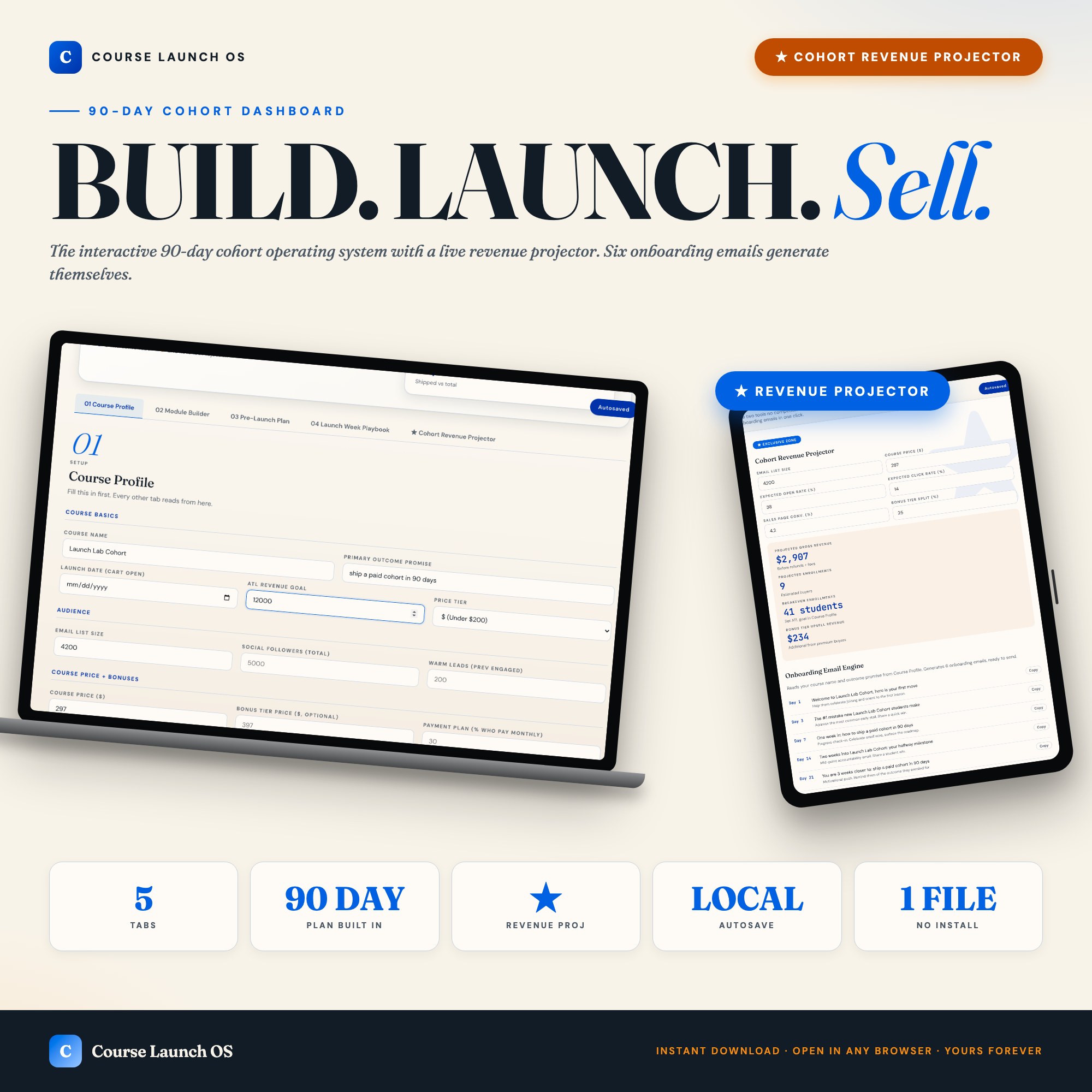
The Course Launch OS Dashboard runs this projection interactively in its Cohort Revenue Projector tab. Enter your audience size, open rate, conversion percentage, and price tier — the dashboard returns projected gross revenue, breakeven enrollment count, and bonus-tier upsell math in real time. Change any input and it recalculates immediately. This is the only course launch tool on Etsy that ships this calculation interactively.
The Onboarding Email Engine
The six emails you send after a student enrolls determine whether they complete the course or abandon it in week two. High completion rates generate testimonials. Testimonials make the next cohort easier to sell.
The standard onboarding sequence: Day 1 (welcome + access instructions), Day 3 (start here: the most common first-week mistake), Day 7 (check-in + community invite), Day 14 (mid-course momentum nudge), Day 21 (case study from a similar student), Day 30 (feedback request + bonus content unlock).
The Cohort Revenue Projector in the Course Launch OS Dashboard includes an Onboarding Engine as part of the same tab. Once you fill in your Course Profile (course name, primary outcome promise, target student), it generates day-subject lines and one-line bodies for all six emails. Each row has a Copy to Clipboard button. The sequence is ready before you close the tab.
The five tabs cover: Course Profile (central setup), Module Builder (curriculum tracker with status per lesson), Pre-Launch Plan (12-week grid with launch date auto-highlight), Launch Week Playbook (day-by-day plan with email and social copy), and Cohort Revenue Projector plus Onboarding Engine.
$26, one-time purchase, works offline in any browser.
Frequently asked questions
- Do I need special software to use an offline dashboard?
- No. An offline HTML dashboard like the Course Launch OS Dashboard is a single file you open in any browser — Chrome, Edge, Safari, or Firefox. Nothing to install, no account to create.
- Is my data private if I use a browser-based dashboard?
- Yes, completely. Data stored in your browser's localStorage never leaves your device. There are no servers, no analytics, and no uploads of any kind.
- Can I back up my data?
- Yes. Every ListingResearchOS dashboard includes an Export Backup button that downloads a JSON file to your computer. Load Backup restores it on any device or browser.
- What makes an interactive HTML dashboard better than a spreadsheet?
- Spreadsheets require manual formula maintenance and lack purpose-built workflows. An interactive HTML dashboard has pre-built logic — like Live cohort revenue projector + auto-generated onboarding email engine — that a spreadsheet can't replicate without significant engineering work.
- How much does the Course Launch OS Dashboard cost?
- It is a one-time purchase of $26 on Etsy. No monthly subscription. Once you buy it, it is yours forever.
Ready-made dashboards
Skip setup — grab an interactive dashboard built for this exact workflow.
ListingResearchOS Shop
All dashboards — one-time purchase, yours forever
Single HTML files. No subscriptions. No login. Works offline in any browser.
Browse all dashboards →