
How to Coordinate Aging Parent Care Across Siblings Without Fighting
A care coordination system for adult siblings: medication tracking, legal documents, decline logs, and a task board where every job has a named owner.
Published June 3, 2026
The arguments between adult siblings over aging parent care rarely start as arguments. They start as assumptions. One sibling assumes someone else called the pharmacy. Another sibling assumes the power of attorney document is filed somewhere obvious. A third assumes they’ll be told if something changes. When those assumptions turn out to be wrong — and something slips — the frustration doesn’t land on the process. It lands on each other.
The fix is not a family meeting or a shared Google Doc. It’s a system where every responsibility has an owner, every change has a timestamp, and every sibling can see the full picture without asking.
The Five Domains of Parent Care Coordination
Aging parent care splits into five distinct information categories. Each needs its own space because confusing them creates gaps.
Medications and Appointments: A 7-day medication schedule with dose times and refill tracking isn’t just convenience — it’s safety. When a parent’s refill count gets logged with a reorder flag, the refill happens before the bottle runs out, not after an emergency call. Appointment history matters too: what was discussed at the last cardiology visit, what follow-up was scheduled.
Financial and Legal Documents: The power of attorney, will, advance directive, bank accounts, insurance policies, and property deeds all need to be located, scanned, and shared with the right family members. A tri-state tracker — located / scanned / shared — on each document makes it clear at a glance what the family actually has access to versus what’s still in a filing cabinet no one can find.
Decline Observations: Watching a parent’s condition change gradually over months is hard to describe at a doctor’s appointment if you haven’t been recording it. A monthly trend grid across memory, mobility, mood, appetite, and sleep — tracked with a simple improving/stable/declining toggle — creates the pattern journal that makes doctor conversations productive instead of vague.
Emergency Information: This is the data that needs to be instantly accessible when things go wrong: current medications, allergies, insurance ID, primary doctor, pharmacy, and emergency contacts. Formatted in a wallet-card layout that can be screenshotted or printed on demand.
Sibling Coordination: This is the category most systems ignore entirely. And it’s the one that determines whether the other four categories actually stay current.
Why Sibling Coordination Is the Hard Problem
Shared documents and family group chats don’t solve coordination — they provide a venue for coordination to happen imperfectly. The problem is attribution and recency. When your sibling checks the shared document at 11pm, they see a list. They don’t know what’s been done, what’s been changed, or who did what. So they either ask, which creates more friction, or they assume, which creates more gaps.
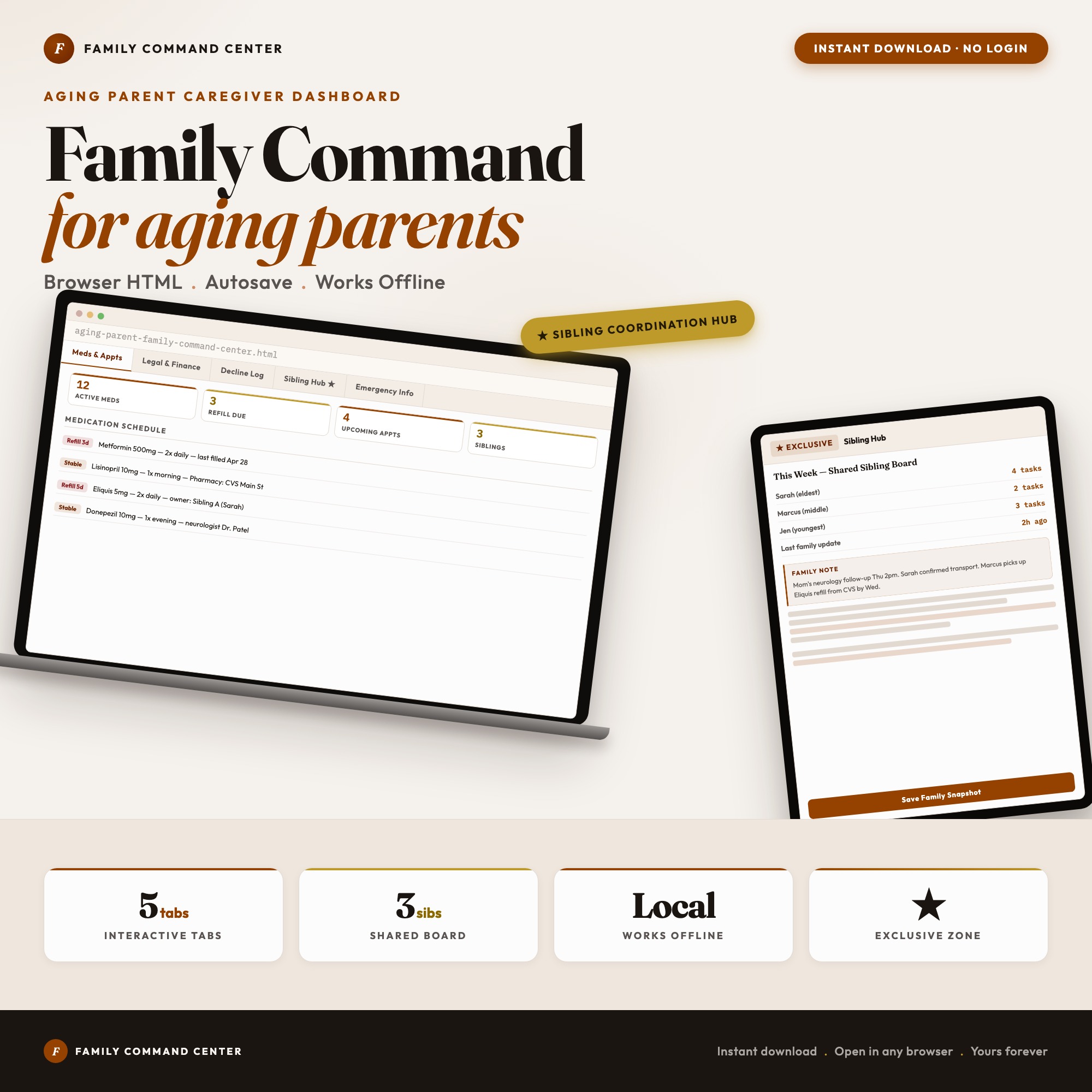
The Sibling Coordination Hub in the Aging Parent Family Command Center is the feature that addresses this directly. Each sibling gets a color-coded avatar and their own column of active responsibilities. Every panel carries a “Last updated by [name] at [time]” stamp. There’s a shared family notes section for decisions that need to be visible to everyone.
When you open the dashboard after your sibling’s care shift, you can see exactly what changed, who changed it, and when — without a single phone call or text thread. No SaaS subscription. No cloud upload. The file lives on your device.
How to Set It Up Without a Technical Background
The Aging Parent Family Command Center is a single HTML file. Open it in Chrome, double-click, start entering information. Everything autosaves to your browser’s local storage. No account creation, no login, no server.
To share with a sibling: use the Export Backup button to download a JSON file, share it via email or iMessage, and your sibling clicks Load Backup to restore the full dashboard in their browser. From that point forward, you’re each working from identical data sets and manually syncing when something changes.
For families where one sibling acts as the primary coordinator, this workflow means they can share a complete snapshot of the care situation at any time — rather than trying to summarize it verbally.
The five tabs cover: Medications and Appointments, Financial and Legal Documents, Decline Observations, Sibling Coordination Hub, and Emergency Information. One-time purchase at $22.
Frequently asked questions
- Do I need special software to use an offline dashboard?
- No. An offline HTML dashboard like the Aging Parent Family Command Center is a single file you open in any browser — Chrome, Edge, Safari, or Firefox. Nothing to install, no account to create.
- Is my data private if I use a browser-based dashboard?
- Yes, completely. Data stored in your browser's localStorage never leaves your device. There are no servers, no analytics, and no uploads of any kind.
- Can I back up my data?
- Yes. Every ListingResearchOS dashboard includes an Export Backup button that downloads a JSON file to your computer. Load Backup restores it on any device or browser.
- What makes an interactive HTML dashboard better than a spreadsheet?
- Spreadsheets require manual formula maintenance and lack purpose-built workflows. An interactive HTML dashboard has pre-built logic — like Sibling Coordination Hub — the only interactive offline dashboard combining sibling task board with last-updated stamps, colored avatars, and shared family notes — that a spreadsheet can't replicate without significant engineering work.
- How much does the Aging Parent Family Command Center cost?
- It is a one-time purchase of $22 on Etsy. No monthly subscription. Once you buy it, it is yours forever.
Ready-made dashboards
Skip setup — grab an interactive dashboard built for this exact workflow.
ListingResearchOS Shop
All dashboards — one-time purchase, yours forever
Single HTML files. No subscriptions. No login. Works offline in any browser.
Browse all dashboards →