
Homeschool Planner for Multiple Kids: What Actually Needs Tracking
Planning for three kids is not three copies of a one-child planner. Here is what has to be per-child, what stays shared, and what your state requires.
Published August 2, 2026
The first year homeschooling one child, a paper planner works fine. Attendance in the margin, a curriculum list on the inside cover, grades wherever you write them down.
Add a second child at a different grade level, and a third, and the system does not scale — it multiplies. Three planners, three attendance counts, three curriculum lists, and a shared calendar living in a fourth place. Nothing totals, and the questions you most need answered are the ones that require opening everything at once.
The three questions separate planners can’t answer
“Where are we as a family on attendance?” Each child has a count. The number that matters for planning the rest of the year is the position across all of them, and it exists in no single place.
“What has this year actually cost, per child?” Curriculum spending is overwhelmingly tracked as one lump — a household expense. So the honest answer to “was the expensive math program worth it for the middle kid” is unavailable, because the spending was never attributed to a child in the first place.
“Which child is behind, and in what?” Requires comparing progress across three separate records with different subjects and different scales. In practice this gets answered by feel, which means it gets answered late.
What should be per-child, and what shouldn’t
Per-child, always:
- Attendance. Days, not hours, in most states. Logged daily, because reconstructing a year of attendance from memory is miserable and inaccurate.
- Subjects and curriculum. What they’re using, weekly hours, where they are in it.
- Grades or progress evidence. Whatever form your state accepts — scores, letter grades, portfolio samples.
- Curriculum spend. The one almost nobody separates, and the one that makes every future buying decision better.
Shared, deliberately:
- The calendar skeleton. Term dates, breaks, co-op days, field trips. One calendar, applied to everyone.
- Genuinely combined subjects. A read-aloud, a shared science unit, a family history block. Track it once, credit it to each child’s subject list.
The reason to be explicit about the split is that most families default to either extreme — three fully separate systems, or one merged system where nothing is attributable — and both lose information the year is supposed to produce.
On state requirements
Requirements vary substantially by state and they change. Check your own state’s current rules rather than any blog, this one included.
What’s broadly true: attendance days, subjects covered, and some evidence of progress are the commonly requested items, and every one of them is far easier to keep continuously than to reconstruct under a deadline. A parent logging attendance daily spends seconds. A parent rebuilding it in April from a calendar and memory spends a weekend and produces something less defensible.
What a working setup looks like
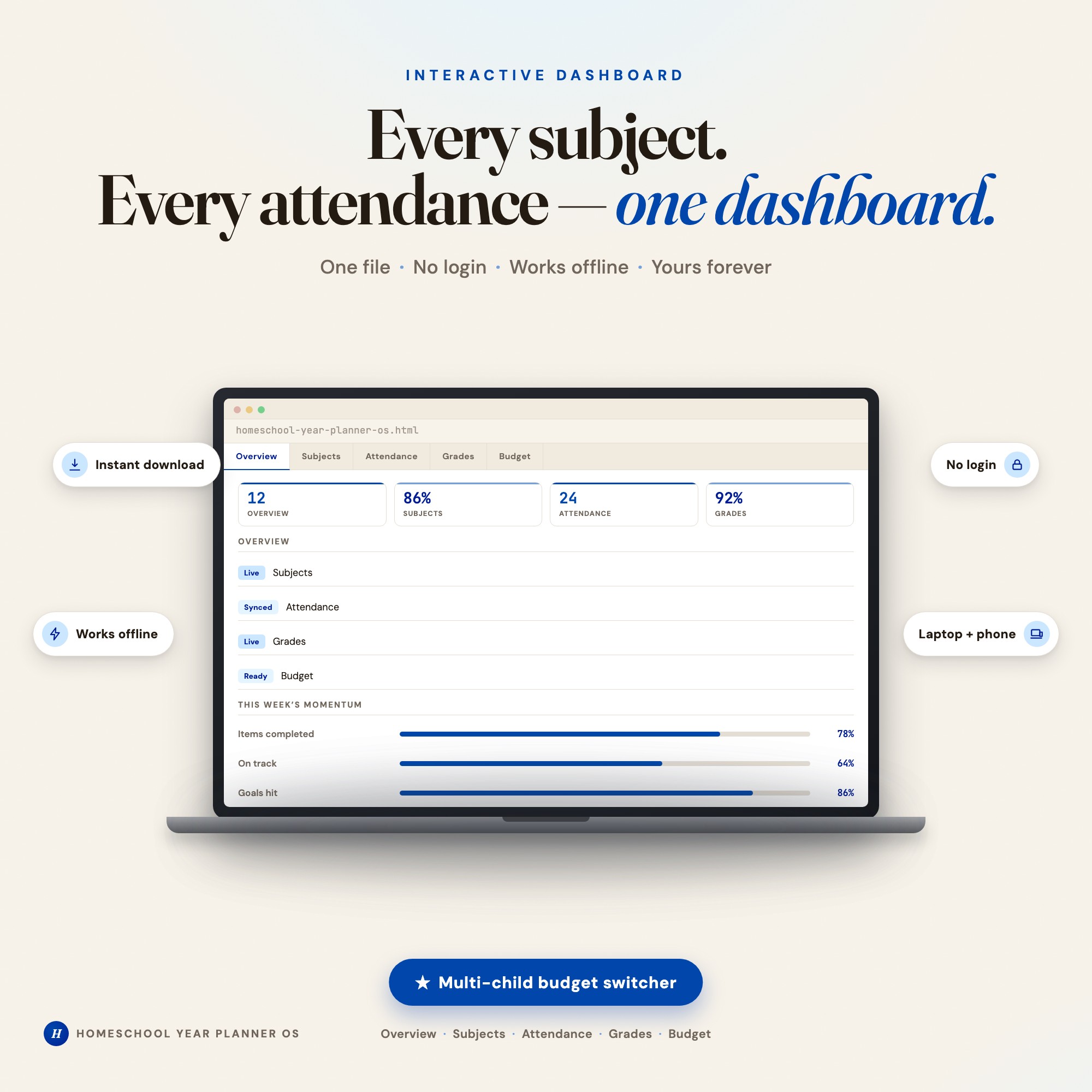
One file, five views, with per-child attribution where it matters:
- An overview that totals attendance, subjects, grade averages, and budget across the family — the view that separate planners structurally cannot produce
- Subjects per child, with curriculum and weekly hours
- Attendance logged on a calendar per child, with a year summary
- Grades with automatic letter grade and GPA calculation, so scores become evidence without extra work
- Budget with curriculum spend tagged per child and category
That’s the structure of the Homeschool Year Planner. Its multi-child budget switcher is the piece worth calling out — curriculum spend attributed per child by category, which is the thing no other homeschool dashboard does in a single file. It runs in any browser with no login and no subscription, and since it holds attendance and grade records for your children, it’s worth noting nothing is uploaded anywhere: it saves in your own browser, on your own device.
Start with attendance
If you adopt one habit this year, log attendance daily per child. It takes seconds, it’s the record most commonly asked for, and it’s the one that is genuinely painful to reconstruct.
Everything else can be improved mid-year. Attendance can’t.
Frequently asked questions
- What has to be tracked separately for each homeschooled child?
- Attendance, subjects and curriculum, and grades — these are per-child by definition and are what a portfolio review or state filing asks for. Curriculum spending should also be per-child, though almost nobody splits it, which is why families cannot answer what any one child's year actually cost.
- What can be shared across children?
- The calendar skeleton — term dates, breaks, co-op days, field trips — and any subject you genuinely teach together, like a read-aloud or a combined science unit. Sharing the calendar while keeping attendance per child is the split that works.
- Why is one planner per child a problem?
- Because nothing totals. You cannot see the family's attendance position, the year's real curriculum spend, or which child is behind, without opening three files and doing arithmetic by hand. The comparison you need most is the one separate planners make hardest.
- What records do homeschool families actually need to keep?
- Requirements vary by state and change, so check your own state's current rules rather than trusting a blog. The commonly requested items are attendance days, subjects covered, and some evidence of progress such as grades or a work portfolio. Keeping those three continuously is far easier than reconstructing them in April.
- How do I track curriculum spending per child?
- Tag every purchase to a child and a category at the time you buy it. Shared materials can be split evenly or assigned to the child who primarily uses them — the method matters less than being consistent, because the value is in comparing years and children, not in accounting precision.
Ready-made dashboards
Skip setup — grab an interactive dashboard built for this exact workflow.
ListingResearchOS Shop
All dashboards — one-time purchase, yours forever
Single HTML files. No subscriptions. No login. Works offline in any browser.
Browse all dashboards →