
Dietitian Private Practice Business Plan: What to Include Before You See Your First Client
The sections a dietitian private practice business plan needs: caseload mix, billing model, credentialing timeline, and the admin system behind it.
Published September 30, 2026
A business plan for a dietitian’s private practice needs to answer a narrower set of questions than a generic small-business template covers. You’re not planning inventory or a storefront lease — you’re planning how you’ll fill a caseload, get paid for each session, keep your credentials current, and do all of it without a billing department behind you. Here’s what actually belongs in the plan.
1. Your Caseload Mix: Insurance, Private-Pay, and Packages
Before you can project revenue, decide how your caseload will be split. Most solo RDs and RDNs run some combination of:
- Insurance-covered clients — you verify a benefit (a number of covered units per plan year) and bill against it
- Private-pay clients — a flat session rate, no insurance involved
- Prepaid packages — a client buys a block of sessions upfront, at a discount to per-session pricing
Each of these behaves differently on the page. An insurance client’s covered units run out and billing past that point is a denied claim — unpaid work you already delivered. A prepaid package that goes unredeemed is a liability sitting on your books that nobody notices until the client disappears. Your plan should state, even roughly, what percentage of your caseload you expect in each category, because it changes your billing workflow more than almost anything else.
2. Billing Workflow: Superbills, Claims, or Flat Invoices
If you’re not credentialed with insurance panels, your insurance-covered clients will likely pay you directly and submit a superbill to their own insurer for reimbursement. That means you need:
- A superbill template with your NPI, diagnosis codes, and CPT codes for each session type
- A record of which sessions still need a superbill issued
- A running total by payer type so you can see private-pay revenue separately from insurance-reimbursed revenue
Private-pay and package clients are simpler — a flat fee per session or per package — but you still need to know how many sessions in a package have been delivered versus paid for.
3. Documentation: ADIME Notes on a Deadline
Every billable nutrition session should produce an ADIME note (Assessment, Diagnosis, Intervention, Monitoring/Evaluation). Your plan should include your own internal deadline for writing these — same day, within 48 hours, whatever you commit to — because notes that pile up unwritten become notes you can’t accurately write from memory two weeks later. Track note status per session: complete, pending, or overdue, so nothing sits indefinitely.
4. Credentialing and Licensure Timeline
Your plan should list every recurring requirement with its own clock:
- CDR recertification cycle (five years, with a Continuing Professional Education unit requirement inside it)
- State licensure renewal, where your state requires one
- Liability insurance renewal
- Any state-specific registration renewal
Miss one of these and you’re not billable — or not legal — until it’s resolved. A single list with days-remaining counters for each one removes the risk of discovering a lapse mid-cycle.
5. A Simple Monthly Practice Review
You don’t need elaborate financial modeling for a solo practice, but you do need to see, monthly: active caseload count, revenue by payer type, your note-compliance rate, and any unredeemed package liability. These four numbers tell you whether the practice is actually healthy or whether you’re busy but not getting paid for it.
How the Dashboard Fits Into This Plan
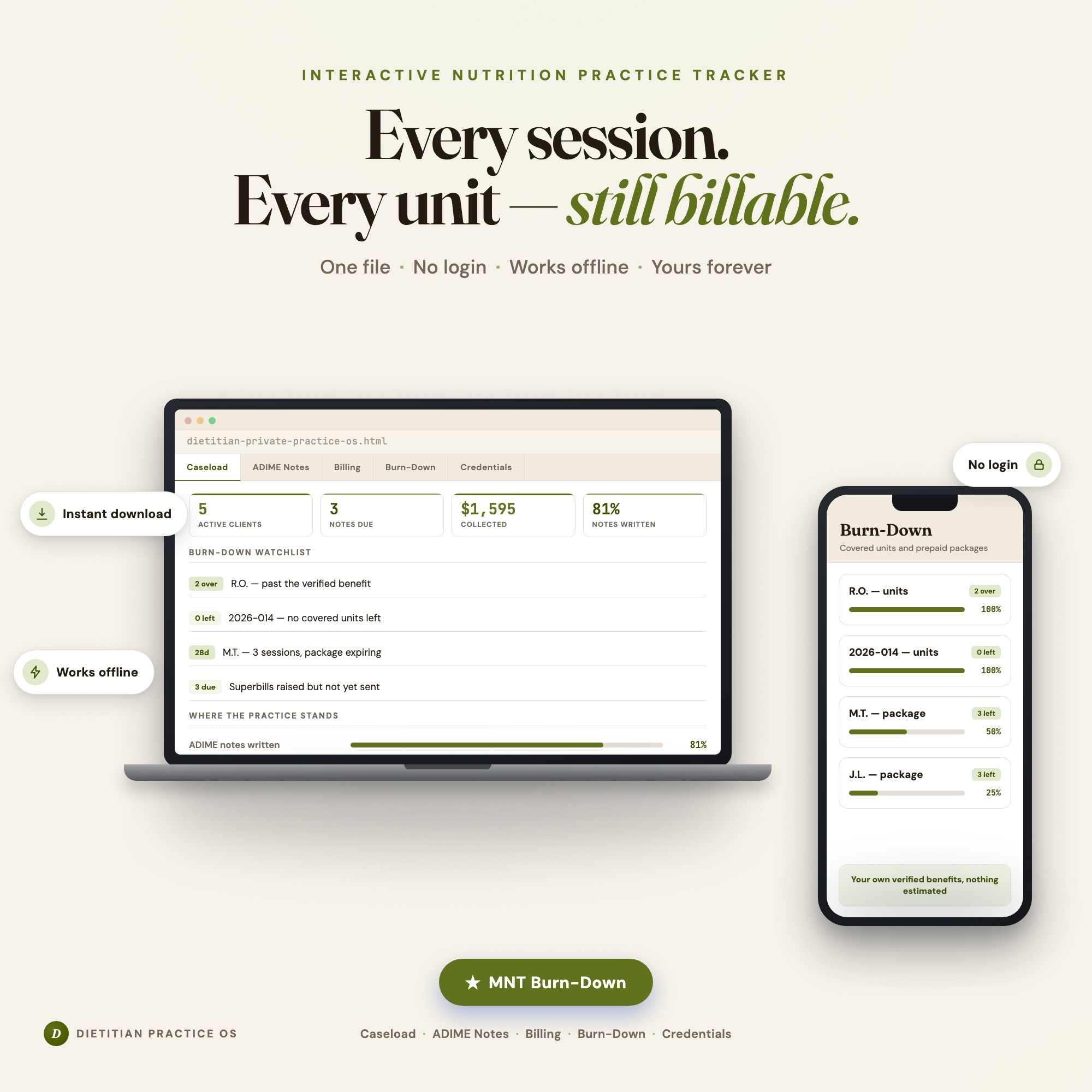
Once the plan is written, the day-to-day tracking behind it is where most solo practices lose time — a spreadsheet for caseload, a separate note in a notes app for CPEU hours, a mental tally of packages sold. The Dietitian & Nutritionist Private Practice OS puts all six pieces of this plan into one offline dashboard: client roster, ADIME note log, billing and superbills, the covered-unit and package burn-down, credentialing countdowns, and a one-click practice review. You enter your own benefit numbers and package terms — the dashboard does the arithmetic and flags what’s about to run out, so a covered benefit or an expiring package doesn’t quietly become lost revenue.
It runs as a single HTML file in any browser, with everything saved locally on your own device — no client data uploaded anywhere, no account, no monthly fee.
Get the Dietitian & Nutritionist Private Practice OS on Etsy →
Frequently asked questions
- What should a dietitian private practice business plan include?
- At minimum: your caseload mix (insurance vs. private-pay vs. packages), your billing workflow including superbills, your credentialing and licensure timeline, your session-note process, and a simple monthly revenue projection. Most templates written for general small businesses skip the parts unique to nutrition practice — covered benefits, ADIME documentation, and CPEU cycles.
- Should a new dietitian take insurance or go private-pay only?
- There's no universal answer. Insurance brings volume but adds benefit verification, superbill or claims work, and units you have to track per client. Private-pay and packages are simpler to bill but require more marketing to fill a caseload. Many solo practices run a mix and track each payer type separately so neither one hides losses in the other.
- How do I track covered benefits and prepaid packages without billing software?
- You need a system that counts down units as you log sessions and flags a client the moment they pass a verified benefit or a package nears its last paid session. A spreadsheet can hold the numbers, but it won't flag anything on its own — you have to remember to check. The Burn-Down tab in the Dietitian & Nutritionist Private Practice OS does this automatically as you log each session.
- What's the biggest planning mistake new dietitian practice owners make?
- Underestimating the admin load. Every billable session needs an ADIME note, every insurance client needs a superbill, and every package sold needs to be tracked to redemption. Practices that plan only for client-facing time end up doing this admin work unpaid, late at night, months behind.
- How much does the Dietitian & Nutritionist Private Practice OS cost?
- One-time purchase of $28 on Etsy. No subscription, no login required.
Ready-made dashboards
Skip setup — grab an interactive dashboard built for this exact workflow.
ListingResearchOS Shop
All dashboards — one-time purchase, yours forever
Single HTML files. No subscriptions. No login. Works offline in any browser.
Browse all dashboards →