
The Debt Payoff Spreadsheet Problem: Why Yours Stops Working in Month Three
Most debt spreadsheets track balances but not the payoff date. Here is what to actually track, and the snowball-vs-avalanche math behind it.
Published August 2, 2026
You built the spreadsheet in a good week. Columns for each card, the balance, the APR, the minimum. Maybe a conditional-format rule that turns a cell green when a balance drops. For a few weeks you updated it every payday and it felt like control.
Then you missed an update. Then two. Now the balances in it are two months stale, and opening it makes you feel worse rather than better — so you don’t.
This is not a discipline problem. It’s a design problem, and it’s the same one in almost every debt payoff spreadsheet: the sheet records your debt but never answers the only question you actually care about.
The question a spreadsheet has to answer
Not “what do I owe.” You know roughly what you owe. The question is: when am I done, and what did that last decision do to the date?
That’s the number with power in it. It’s the one that makes a $60 extra payment feel like something instead of nothing, because you can see it pull the finish line closer. It’s also the number almost no hand-built spreadsheet produces, because producing it requires an amortization loop — month by month, apply payments, accrue interest, roll freed-up minimums into the next target — and that is genuinely tedious to build in a grid.
So most sheets skip it. They show balances. Balances only ever go down slowly, which is exactly the feedback loop most likely to make someone quit.
What to track instead
Five things, and only five:
1. Every debt with its real APR. Not the promotional rate, the rate you’re paying now. Pull it off the statement rather than from memory — this is the single most common data error, and it’s the input the entire projection hangs on.
2. The minimum payment per debt. These change as balances fall on revolving accounts, which is one more reason the manual sheet drifts out of date.
3. Your extra payment — one number, not per-debt. The whole method is that there is one extra amount each month, and it goes entirely to one target debt. Splitting it across all of them is the mistake that makes payoff feel endless.
4. Which target strategy you’re using. Snowball attacks the smallest balance first. Avalanche attacks the highest APR first. This choice, not the extra amount, usually determines your total interest paid.
5. The projected debt-free date. Recalculated on every change. This is the output. Everything above is input.
The snowball-versus-avalanche question, answered honestly
Take a realistic three-debt situation:
| Debt | Balance | APR | Minimum |
|---|---|---|---|
| Store card | $900 | 12.99% | $25 |
| Main credit card | $5,400 | 26.99% | $135 |
| Car loan | $3,200 | 8.49% | $150 |
Snowball says kill the $900 store card first — it’s the smallest, and closing it gives you a real win in a couple of months. Avalanche says ignore the store card and throw everything at the $5,400 card, because at 26.99% it is generating far more interest per month than the other two combined.
Avalanche will always cost less in total interest. That’s arithmetic, not opinion — you’re always retiring the most expensive dollar first. But it can mean eighteen months before any account closes, and some people need a closed account to believe the plan works.
The useful move is not picking a side. It’s calculating both on your own numbers and looking at the gap. Sometimes avalanche saves hundreds and is obviously right. Sometimes the debts are close enough in rate that the two strategies finish within a month of each other, and you should just take the one you’ll actually stick to. You cannot know which case you’re in without running the projection — which is precisely the calculation the spreadsheet doesn’t do.
Why the maintenance problem is the real problem
Every system you abandon was abandoned for the same reason: updating it cost something and returned nothing.
A debt tracker that recalculates the payoff date on every entry inverts that. You log a payment, and the date moves. You add $40 to the extra payment, and you watch the projection shift and the total interest drop. Now the update is the reward, and you keep doing it — which matters more than any strategy choice, because the plan you maintain beats the optimal plan you don’t.
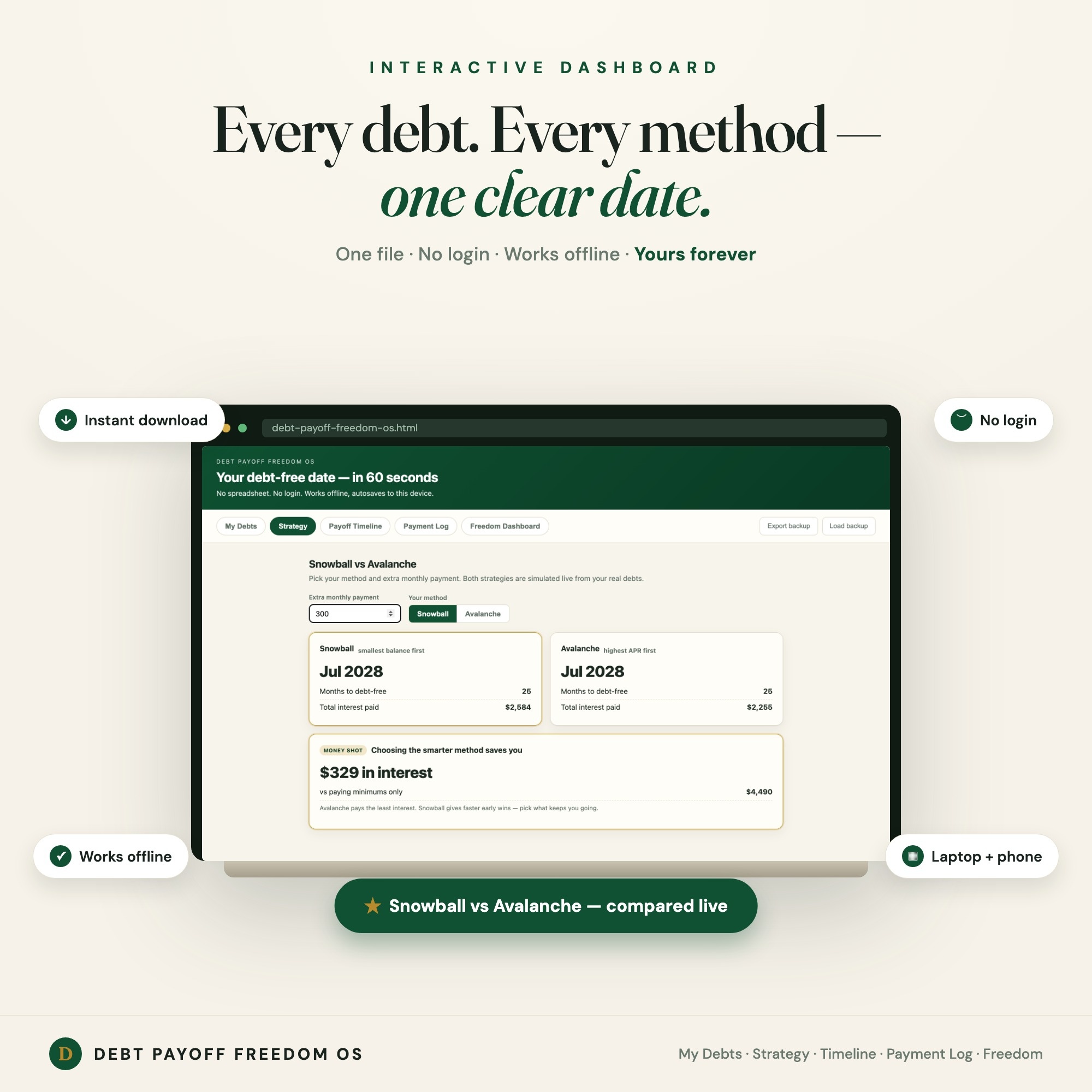
That inversion is the entire design goal of the Debt Payoff Freedom OS. It runs a live snowball-versus-avalanche simulation across five tabs — My Debts, Strategy, Payoff Timeline, Payment Log, and a Freedom Dashboard — and every change you make updates the projected debt-free date and the total interest figure immediately. It’s one HTML file that opens in any browser, with no login and no cloud account, so your balances and rates never leave your own device.
If you’d rather keep the spreadsheet
Reasonable. Then add one thing to it: a column that projects the payoff month under your current extra payment, and recompute it whenever you update. Even a rough version changes how the sheet feels, because it converts a list of things you owe into a countdown.
The tool matters far less than the feedback loop. What kills debt payoff plans is not choosing snowball over avalanche. It’s building something that asks for maintenance and gives nothing back, and then quietly resenting it until you stop opening the file.
Frequently asked questions
- What should a debt payoff spreadsheet actually calculate?
- One number: the date you are debt-free. Balances tell you where you are, but the payoff date is the only figure that changes when you make a decision. A spreadsheet that lists balances without projecting a date is a record, not a plan.
- Is the snowball or the avalanche method better?
- Avalanche pays less interest — always, by definition, because it attacks the highest rate first. Snowball closes an account sooner, which some people need to stay with it. The honest answer is to calculate both on your actual debts and see how far apart they land. If the gap is small, take the one you will finish.
- Why do debt spreadsheets stop getting updated?
- Because updating one means re-entering every balance by hand, and nothing in the sheet changes as a result except the numbers you just typed. When maintenance costs effort and returns no new insight, it stops. A payoff tracker has to give something back on each update — a moved date, a shrinking interest total.
- Do I need to include my mortgage or car loan?
- Include anything you are actively trying to eliminate. Most people exclude the mortgage because the horizon is decades and the rate is usually lowest, but include car loans and student loans, since they compete for the same extra payment your cards do.
- How much extra per month actually matters?
- More than people expect at high APRs. Interest accrues on the balance each month at roughly the APR divided by twelve, so every dollar of extra payment on a 27 percent card stops about 2.25 cents of monthly interest permanently, and compounds from there. Small consistent extra payments beat occasional large ones.
Ready-made dashboards
Skip setup — grab an interactive dashboard built for this exact workflow.
ListingResearchOS Shop
All dashboards — one-time purchase, yours forever
Single HTML files. No subscriptions. No login. Works offline in any browser.
Browse all dashboards →