
Loan Signing Agent Checklist: What to Track for Every Signing
A loan signing agent checklist covering documents, fee tracking, mileage, and the real profit math most notaries never calculate per signing.
Published September 30, 2026
Most loan signing agent checklists online cover the appointment itself — verify ID, don’t notarize blank documents, confirm the borrower understands what they’re signing. Those matter, but they’re not where signing agents actually lose money. The checklist below covers what to track on the business side, per signing, so you know what you’re actually making.
1. Log the Signing Details the Moment It’s Booked
For every signing, record:
- Date and signing type — refinance, purchase, seller-side, loan modification (each has different document sets and typical time)
- Title company or signing service that booked it
- Agreed fee
- Paid or unpaid status
This is your tax-ready record book. Keep it current as signings happen, not reconstructed at the end of the month — it’s much easier to recall a fee dispute or a no-show when you log it the same day.
2. Track Mileage Contemporaneously, Not From Memory
The IRS mileage deduction only holds up with a contemporaneous log — date, purpose, and round-trip miles recorded close to when the trip happened. Signing agents who try to reconstruct a year of mileage from memory or bank statements at tax time either lose the deduction or guess low, which costs money either way. Log round-trip miles for every signing as part of the same entry as the fee.
3. Calculate Net Profit Per Signing, Not Just the Fee
This is the step almost every signing agent skips, and it’s the one that actually tells you whether a signing was worth taking. Take the fee, subtract the IRS standard mileage rate times your round-trip miles, subtract your printing cost for that signing, and you have net profit. Divide net profit by total time (drive plus appointment) for effective hourly rate.
Run this once across a few signings and a pattern usually shows up fast: a longer drive for a modest fee can pay less per hour than a nearby signing for less money. Without the calculation, every signing looks the same on paper — a fee collected — even though they’re not remotely equal once mileage and time are factored in.
4. Set Aside Taxes as You Go
As a 1099 business, nothing is withheld from a signing fee. A rough tax-set-aside percentage, applied to each signing as it’s paid, means quarterly taxes stop being a scramble through a shoebox of receipts. Pair this with a running monthly income goal so you can see pace against target, not just a lump total at month end.
5. Track Title Companies Like Clients, Because They Are
Keep a simple record per title company or signing service: standard fee they typically pay, payment terms (net-30 is common in this business), and your own reliability rating based on how they’ve actually paid historically. This is how you learn to prioritize the companies that pay on time over the ones that require three follow-up emails per invoice.
6. Watch Accounts Receivable, Not Just Total Fees Billed
Total signing fees for the month tells you activity. Paid versus outstanding tells you cash flow. A signing agent chasing unpaid invoices through old email threads is losing time that could go toward the next signing — track what’s outstanding in one place, not scattered across a paper book and the Notes app.
How the Dashboard Handles This
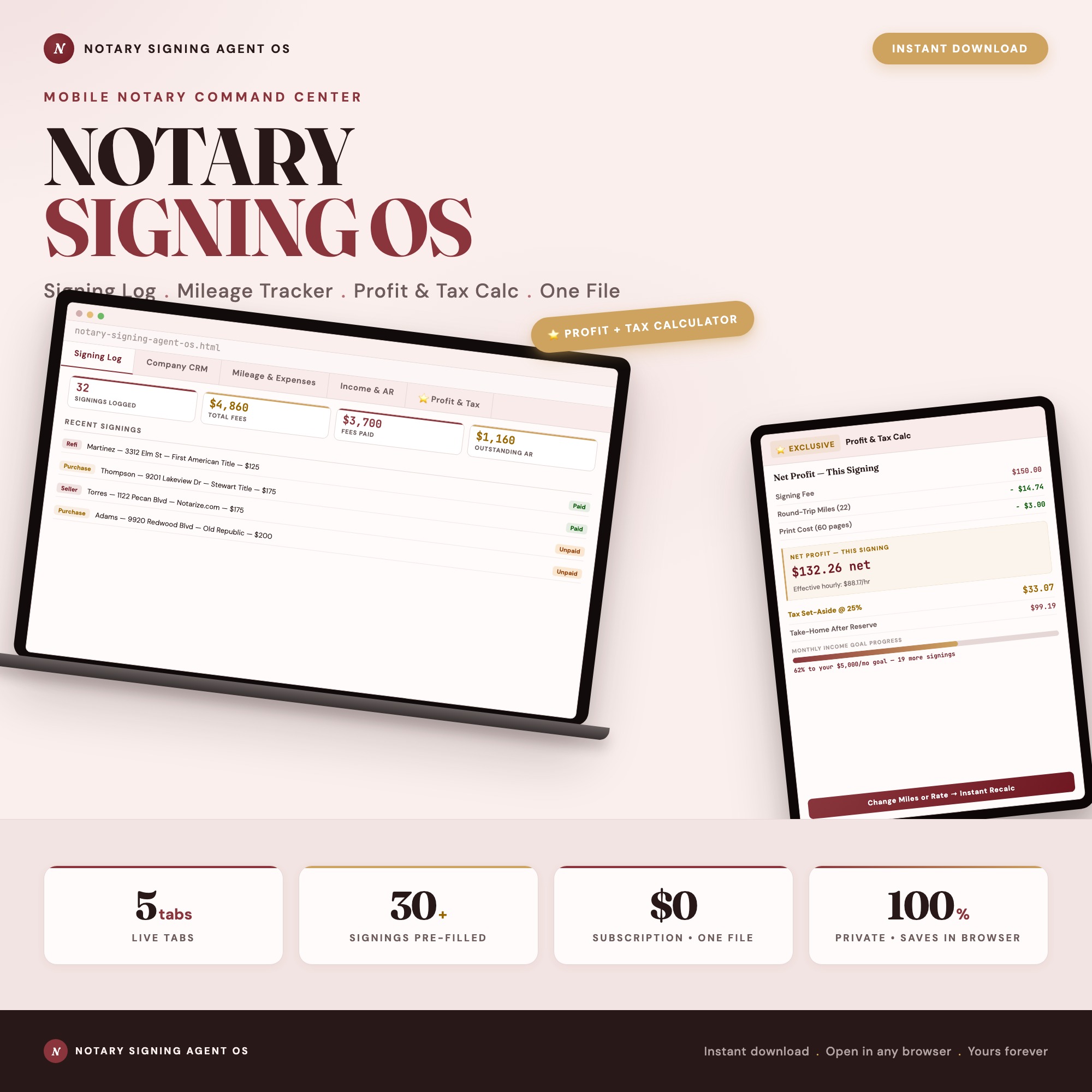
The Notary Signing Agent OS builds this exact checklist into one dashboard: a signing log with type, fee, and paid status; a mileage and expense tracker with the IRS rate auto-applied; a title company CRM with reliability ratings; income and accounts-receivable tracking; and a Profit & Tax tab where you enter the fee, round-trip miles, and print count for a single signing and get back net profit, effective hourly rate, and a recommended tax set-aside — plus a live monthly income-goal bar.
It runs as one offline file in any browser, ships with signings pre-filled so it works from day one, and keeps your business data on your own device with no subscription.
Frequently asked questions
- What should a loan signing agent checklist include for each signing?
- Date, signing type (refi, purchase, seller, loan modification), title company or signing service, fee, print count, round-trip mileage, and paid/unpaid status. Most checklists stop at the document list for the appointment itself — they skip the business-side tracking that determines whether the signing was actually worth taking.
- How do loan signing agents calculate their real profit per signing?
- Take the signing fee, subtract the IRS standard mileage deduction for the round trip and the cost of printing, and what's left is net profit. Divide that by time spent (drive plus appointment) for an effective hourly rate. Most agents never run this calculation and don't realize a $75 signing 40 miles away can pay less per hour than a $50 signing 5 minutes from home.
- Do I need to track mileage separately from my signing log?
- You need both, but they serve different purposes. The signing log is your record of what happened and what you're owed. The mileage log is your IRS deduction record — keep it contemporaneously with date, purpose, and round-trip miles for every signing, since reconstructing months of mileage at tax time from memory rarely holds up.
- How should a mobile notary track which title companies pay reliably?
- Keep a simple company record with standard fee, payment terms (net-30 is common), and your own reliability rating based on how the company has actually paid you. Agents who skip this end up chasing the same slow payers repeatedly instead of prioritizing work from companies that pay on time.
- How much does the Notary Signing Agent OS cost?
- One-time purchase of $32 on Etsy. No subscription, no login required.
Ready-made dashboards
Skip setup — grab an interactive dashboard built for this exact workflow.
ListingResearchOS Shop
All dashboards — one-time purchase, yours forever
Single HTML files. No subscriptions. No login. Works offline in any browser.
Browse all dashboards →