
How to Track Multiple Pets' Vet Records and Medications in One Place
Vet records, medications, and petsitter handoffs for 3+ pets across multiple species — how to organize everything without four different apps.
Published June 3, 2026
With one pet, care records are manageable. You remember the rabies shot was in October, the heartworm prescription is on the counter, and the vet’s number is in your phone.
With three or more pets — especially across different species with different vaccine schedules, dietary needs, and medication regimens — the mental model breaks down. You show up at the vet and realize you’re not sure when Mango the rabbit last had a wellness check. The petsitter texts you eleven questions from the airport. You give your dog the wrong dose because you’re looking at the cat’s prescription.
This guide covers how to build a reliable tracking system for multi-pet households, with the specificity each animal actually requires.
Why Species Differences Matter for Record-Keeping
A generic pet tracker treats all animals the same. But a dog on monthly Simparica Trio has a completely different medication calendar than a cat on a 14-day antibiotic course or a rabbit on gut-motility medication administered twice daily with food.
Species differences affect:
- Vaccine schedules — dogs require DHPP, rabies, Bordetella; cats need FVRCP and rabies on different cycles; rabbits need RHDV2 depending on your region; birds may need Polyomavirus vaccines; reptiles typically don’t receive vaccines but need parasitology checks
- Forbidden foods — grapes are a canine emergency; onions are toxic to both cats and dogs; avocado, apple seeds, rhubarb leaves, and chocolate apply differently across species
- Medication timing — cats are notoriously difficult to pill and often require compounded medications; dogs can often take tablet or chewable forms; small mammals have precise weight-based dosing that changes as they grow
When you have a dog, a cat, and a rabbit under one roof, no single-species app handles all three correctly. You end up with three different apps or none at all.
Build a Per-Pet Profile for Each Animal
The foundation of a multi-pet tracking system is an individual profile per animal. Each profile should include:
- Name, species, breed, date of birth, weight (updated at each vet visit)
- Microchip number — essential for identification in an emergency
- Primary vet and emergency vet with phone numbers
- Pet insurance provider and policy number
- Known allergies and medical history — diagnoses, surgeries, chronic conditions
- Current medications — name, dose, frequency, start date, and refill date
With this information centralized, you can answer any question from a vet, a boarding facility, or an emergency clinic in under two minutes.
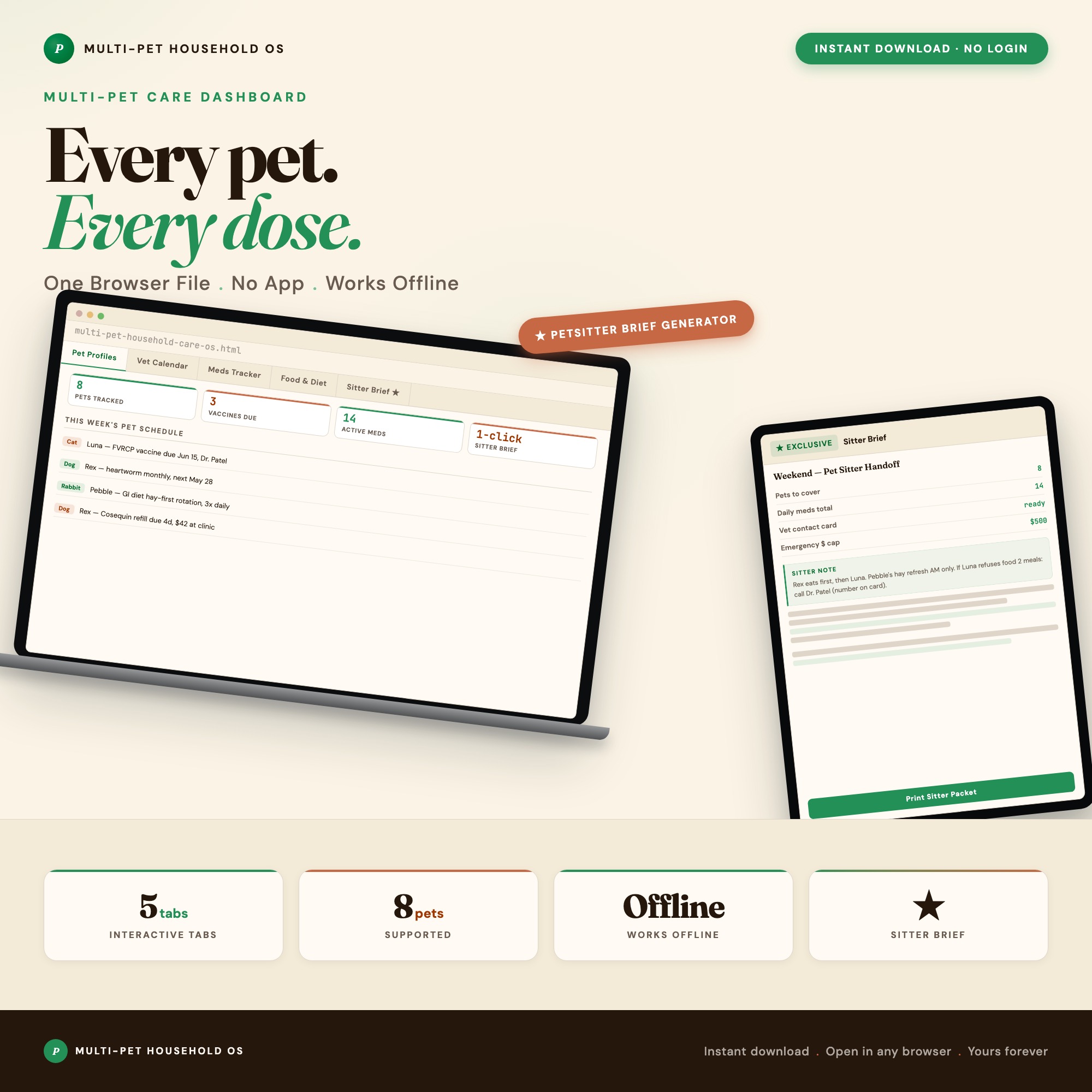
The Multi-Pet Household Care OS gives each pet their own dedicated profile card with species-specific fields, and supports up to 8 pets across cats, dogs, rabbits, birds, and reptiles — all in a single browser file.
Track Vaccinations with Expiry Alerts
Vaccination schedules are the most time-sensitive part of pet care records. Missing a rabies booster by a few months can create complications if your pet bites someone or needs boarding. Most clinics require current vaccination records before any procedure.
For each pet, record every vaccine with:
- Vaccine name
- Date administered
- Expiry date (1-year vs 3-year rabies, for example)
- Next due date
- Clinic and administering vet
When vaccines for multiple pets are tracked in one calendar view, you can plan ahead. Three pets due for annual exams within 60 days of each other is a very different scheduling situation than finding out they’re all due next week.
Build a Medication Dosing Log
For any pet on a regular medication, a dosing log prevents missed doses and double-dosing. The log should track:
- Medication name and strength
- Dose (mg or mL, specific to this pet’s weight)
- Frequency — every 8 hours, once daily with food, etc.
- Start date and end date (or “ongoing” for chronic medications)
- Refill date — when you need to call the pharmacy
- Daily checkbox — a simple yes/no for each day so you can confirm whether the morning dose happened
For households with multiple pets on different medications, the risk of confusion is real. A daily dose log makes the question “did I give Miso her thyroid medication?” answerable without relying on memory.
Prepare a Petsitter Handoff Document in Advance
Every trip you take requires communicating pet care details to a sitter or boarding facility. If you’re scrambling to compile that information the night before you fly, you’re going to forget something.
An effective petsitter handoff document for each pet covers:
- Feeding schedule, food type, portions
- Current medications with dose and timing
- Behavioral notes — is this pet shy with strangers, leash-reactive, prone to hiding?
- Emergency contacts: vet, emergency vet, neighbor who has a key
- Signs to watch for that require a vet call
The Multi-Pet Household Care OS generates a pre-filled petsitter brief per pet from the data already in your profile. One click per animal gives you a ready-to-print document for your sitter. That handoff lives in the same file as all your other pet records — no re-entering the same information across multiple tools.
A Monthly Pet Care Check-In
Once a month, spend ten minutes reviewing three items:
- Upcoming vaccine expirations — anything expiring in the next 60 days needs an appointment scheduled now
- Medication refill dates — anything running out in the next two weeks needs a pharmacy call
- Weight updates — particularly important for pets on weight-based medications
This habit keeps you ahead of pet care needs rather than responding to them in an emergency.
The Multi-Pet Household Care OS is $24 one-time — no subscriptions, works entirely offline in any browser. Browse the full collection at ListingResearchOS on Etsy.
Frequently asked questions
- Do I need special software to use an offline dashboard?
- No. An offline HTML dashboard like the Multi-Pet Household Care OS is a single file you open in any browser — Chrome, Edge, Safari, or Firefox. Nothing to install, no account to create.
- Is my data private if I use a browser-based dashboard?
- Yes, completely. Data stored in your browser's localStorage never leaves your device. There are no servers, no analytics, and no uploads of any kind.
- Can I back up my data?
- Yes. Every ListingResearchOS dashboard includes an Export Backup button that downloads a JSON file to your computer. Load Backup restores it on any device or browser.
- What makes an interactive HTML dashboard better than a spreadsheet?
- Spreadsheets require manual formula maintenance and lack purpose-built workflows. An interactive HTML dashboard has pre-built logic — like Per-Pet Profile System with Species Intelligence — multi-species support (cats, dogs, rabbits, birds, reptiles), pre-filled petsitter handoff briefs, and vaccine expiry alerts per individual pet — that a spreadsheet can't replicate without significant engineering work.
- How much does the Multi-Pet Household Care OS cost?
- It is a one-time purchase of $24 on Etsy. No monthly subscription. Once you buy it, it is yours forever.
Ready-made dashboards
Skip setup — grab an interactive dashboard built for this exact workflow.
ListingResearchOS Shop
All dashboards — one-time purchase, yours forever
Single HTML files. No subscriptions. No login. Works offline in any browser.
Browse all dashboards →