
Home Renovation Tracker: Spreadsheet vs. App vs. Offline Dashboard
Comparing renovation tracking options: Google Sheets, Houzz, BuilderTrend, and an offline dashboard with a change order ledger and live budget variance.
Published June 3, 2026
Our verdict
For homeowners mid-renovation on a $30K-$250K project, the Home Renovation Command Center at $26 one-time provides line-by-line budget tracking, a vendor CRM, a decision log, and the only interactive Change Order Ledger on the market — a contract paper trail that rolls every scope change into a live budget-variance percentage.
A renovation over $30K involves enough decisions, vendors, and scope changes that your tracking system eventually becomes part of the project itself. Here is an honest look at what each option actually provides for homeowners.
The Spreadsheet Reality Mid-Renovation
Most homeowners start with a spreadsheet. It is free, it works for the first few weeks, and it is customizable to whatever you think you need.
The structural problem: a renovation involves at least four distinct data types that a single spreadsheet handles poorly. Budget tracking requires a line-by-line structure with bid vs. actual per category. Vendor management needs contact info, COI status, and payment dates. Finish decisions need a locked vs. open state with vendor source. Change orders need a paper trail that connects each scope change to the cumulative budget impact.
Most people end up with five separate tabs, inconsistent naming, and no way to know their total budget variance without recalculating manually every time a new change order comes in.
Houzz: Great for Design Inspiration, Not Operational Tracking
Houzz is a home design and contractor discovery platform. The ideabooks are genuinely useful for collecting finish inspiration before the renovation starts. You can also find contractors, read reviews, and request quotes.
Houzz Pro (for contractors) has project management features, but these are designed for contractors to manage their client relationships — not for homeowners to manage the project from their side. For the operational tracking homeowners need, Houzz is not the right tool.
BuilderTrend: Contractor-Grade Software at Contractor Prices
BuilderTrend is a construction project management platform. It handles scheduling, document management, financial tracking, and client communication at a sophisticated level. It starts at $499/month, designed for construction businesses with multiple active projects and staff.
For an individual homeowner managing a single renovation, BuilderTrend is meaningfully overbuilt and priced for a different customer entirely.
The Home Renovation Command Center
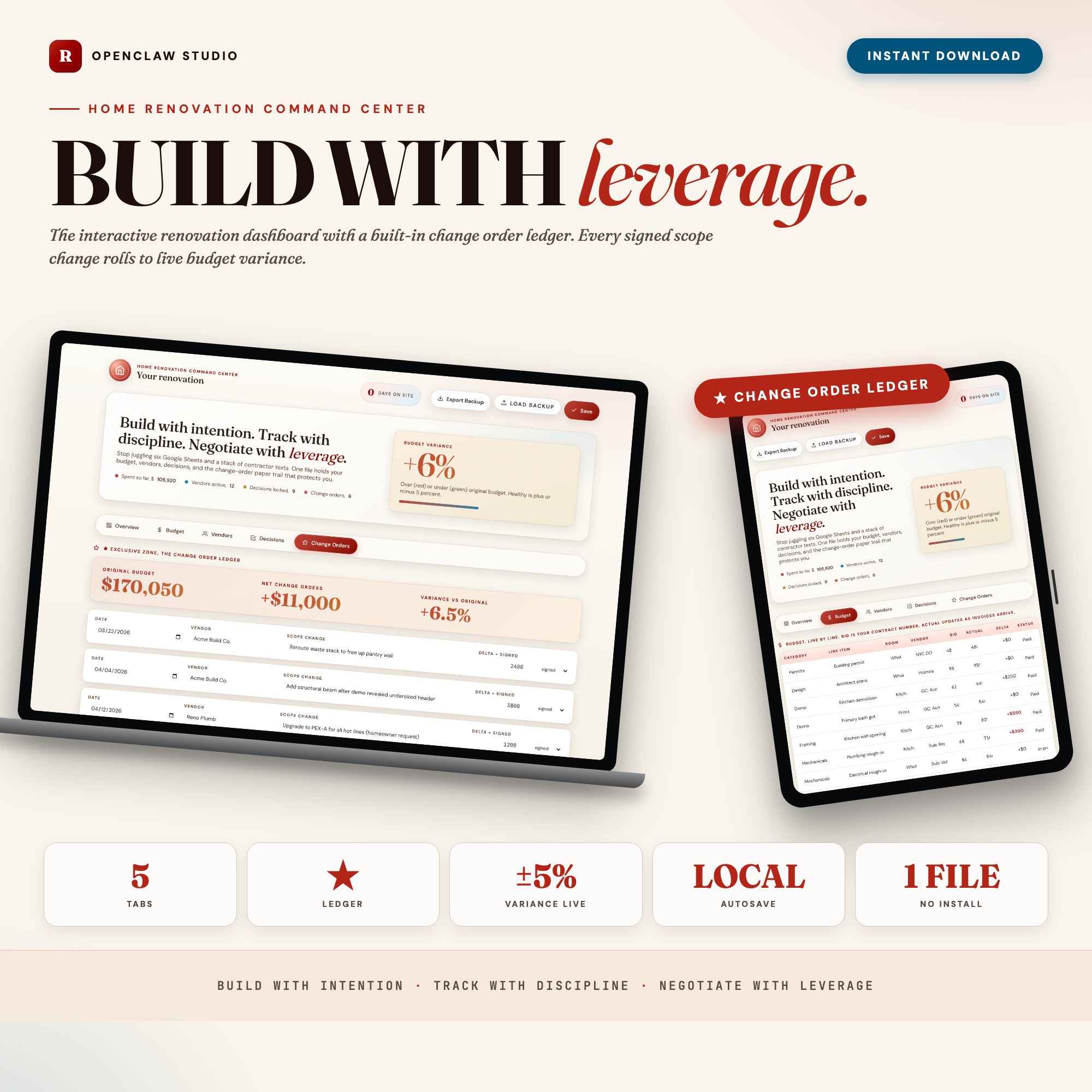
The Home Renovation Command Center is a browser-native dashboard built for homeowners 4-16 weeks into a $30K-$250K renovation, in a single HTML file at $26 one-time.
Overview: Total spent, budget remaining, vendors active, days on site. A 90-day renovation game plan with your key phases mapped.
Budget: Line-by-line cost tracker by category — Demo, Framing, Mechanicals, Finishes, Fixtures, Permits, Soft Costs. Bid vs. actual per line. Room-by-room rollup. Delta highlights show exactly where overruns are building.
Vendor CRM: GCs, subcontractors, designers, suppliers — all in one place. COI status, next-payment date, and one-line notes per contact. No more losing a plumber’s number in an email chain.
Decision Log: Every finish decision captured with status (locked vs. open), vendor source, and photo notes field. The tile, paint, hardware, lighting, appliances — all recorded so nothing gets re-decided at the wrong moment.
Change Order Ledger (exclusive): Every scope change with contractor name, cost delta, approved date, and scope description. The ledger rolls all changes into a live budget-variance percentage. When the final invoice is 30% over the original contract, you can show exactly which scope changes account for each percentage point. No spreadsheet and no homeowner app on the market ships this interactive, paper-trail ledger.
The Decision Log: Why Finish Choices Need a Lock
A renovation without a decision log produces the same conversation repeatedly: “Did we decide on the white or the ivory grout?” “Which hardware finish did we order for the kitchen?” “Is the tile we picked discontinued?” Every contractor who calls you for a final answer on a finish decision is billing time while you search your email for the tile vendor’s phone number.
The Decision Log tab captures every finish choice — tile, paint color, hardware, light fixtures, appliances — with a locked vs. open status and vendor source. Once a decision is locked, it is locked. No re-opening. The status is visible at a glance so any contractor, designer, or supplier can get an immediate answer. For couples renovating together, it also eliminates the “I thought we decided blue” argument, because the log has the date of the decision and both partners’ notes.
What Each Tool Handles
| Google Sheets | Houzz | BuilderTrend | Home Renovation Command Center | |
|---|---|---|---|---|
| Line-by-line budget (bid vs actual) | Manual | No | Yes | Yes |
| Vendor CRM with COI tracking | Manual | Partial | Yes | Yes |
| Finish decision log | Manual | Partial (ideabooks) | No | Yes |
| Change order paper trail | Manual | No | Yes | Yes (live variance %) |
| Homeowner-appropriate cost | Free | Free | $499/mo | $26 one-time |
| Works offline | Partial (Google) | No | No | Yes |
For the homeowner who has heard “that’s going to be extra” three times this week and wants a record, the Home Renovation Command Center provides the operational layer that makes a contractor dispute winnable. Available at ListingResearchOS on Etsy.
Frequently asked questions
- What does BuilderTrend cost for homeowners?
- BuilderTrend is designed for contractors and construction companies, not homeowners. Pricing starts at $499/month for the Essentials plan. It is not a realistic option for an individual homeowner managing their own renovation.
- What is a change order and why does it matter?
- A change order is any modification to the original scope of work after a contract is signed. Each change typically adds cost. Without a logged record, homeowners often cannot reconstruct how their $120K kitchen remodel became $155K by the final invoice.
- Can a spreadsheet track renovation change orders effectively?
- A spreadsheet can log change orders if you maintain it diligently. It cannot roll those changes into a live budget-variance percentage automatically, flag when variance exceeds a threshold, or produce a clean paper trail for a contractor dispute.
- What is the Change Order Ledger?
- Tab 5 of the Home Renovation Command Center captures each scope change with contractor name, cost delta, date approved, and scope note. The ledger rolls every change into a live budget-variance percentage. When the final invoice arrives, you have the receipts.
- Does the dashboard handle multiple contractors?
- Yes. The Vendor CRM tab manages GCs, subcontractors, designers, and suppliers, each with COI status, next-payment date, and notes. You can track multiple active trades simultaneously.
The winner: interactive dashboards
No spreadsheet. No subscription. One HTML file that runs offline in your browser.
ListingResearchOS Shop
Stop comparing — start using
Interactive dashboards. One-time purchase. No subscriptions. Works offline.
Browse all dashboards →