
8 Things to Track When Caring for an Aging Parent
8 things adult children must track when coordinating care for an aging parent, from medication schedules and legal document status to decline observations.
Published June 3, 2026
The moment you become the primary point of contact for an aging parent’s care, you take on a second job with no job description. Medication schedules, doctor appointments, legal documents, financial accounts, care logistics, and the ongoing project of keeping your siblings informed and involved — all of it lands somewhere between chaotic and unmanageable if it is not organized.
The eight things below are the ones that matter most, and the ones that most family caregivers discover they needed to track only after something goes wrong.
Medication schedule with refill tracking
A parent on six or more medications has a schedule that shifts: doses change, new medications are added, some are discontinued. A 7-day medication grid with dose times, supply counts, and refill-alert calculations prevents the scenario where you arrive at a doctor’s appointment and realize you cannot name what your parent is taking at what doses.
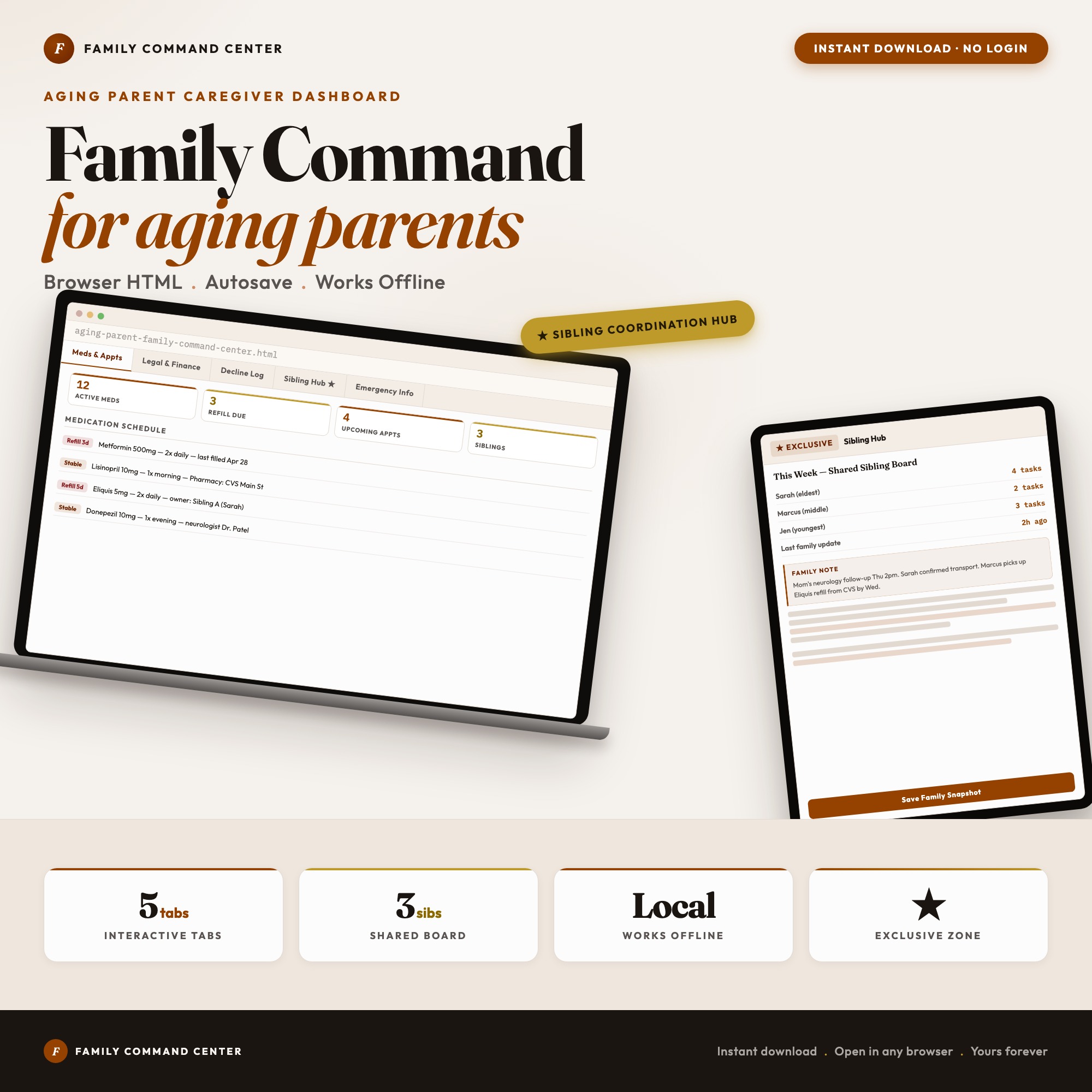
The Aging Parent Family Command Center Tab 1 includes a medication schedule with refill alerts calculated automatically from the supply count.
Legal document status across the family
Power of Attorney, will, advance directive, and healthcare proxy are the documents that determine what happens when a health crisis arrives. The question is not just whether they exist — it is whether they are signed, scanned, and accessible to the family members who need them. A document log with a tri-state status (located / scanned / shared with siblings) gives the whole family a clear view of what is in place versus what is still open.
Medical appointment log with outcome notes
Appointments generate decisions, referrals, medication changes, and follow-up tasks. None of those are useful if they live only in your memory and a paper summary at the bottom of a bag. An appointment log with date, provider, what was discussed, what was decided, and what the next step is creates a continuous medical narrative you can bring to the next specialist or ER visit.
A monthly decline observation journal
The changes in a parent’s cognition, mobility, mood, appetite, and sleep happen slowly enough that no single day seems alarming. But the pattern across six months often tells a clear story. A monthly grid tracking five dimensions — memory, mobility, mood, appetite, sleep — across 12 months gives you the trend data to show a doctor, or to support a care plan change, or to have a difficult family conversation with evidence.
The Aging Parent Family Command Center Tab 3 is a toggle-based decline observation grid across those five dimensions with a full 12-month view.
Sibling task assignment with accountability timestamps
The family caregiver coordination problem is almost never about intent — it is about visibility. When sibling 1 thinks sibling 2 called the pharmacy, and sibling 2 thought sibling 1 was handling it, the pharmacy does not get called. The exclusive feature in the Aging Parent Family Command Center is the Sibling Coordination Hub: each sibling gets a color-coded avatar and their own column of active responsibilities, with a “last updated by [name] at [time]” stamp on every panel. The sibling chaos-stopper, offline, yours forever.
Financial and insurance information in one accessible place
When a care decision requires knowing which insurance plan covers inpatient rehab, or whether a parent has a long-term care policy, and that information is split across three folders and two email chains, decisions get delayed. A structured financial and legal section with bank accounts, insurance policies, and property records — with clear access status — prevents those delays.
Emergency information in a printable format
At 2 AM in an emergency room, someone needs to be able to answer: current medications with doses, known allergies, insurance ID, primary physician, and next-of-kin contacts. An emergency information view formatted as a wallet card — screenshot or printable — is not a feature most caregivers think to prepare until they have been without it in a crisis.
The Aging Parent Family Command Center Tab 5 is an Emergency Information panel formatted for exactly this use.
Running communication log with all providers
Home health aides, geriatric care managers, specialists, pharmacy staff — a parent receiving comprehensive care has many touch points. Logging every significant conversation with the date, the provider, and what was said or decided creates the continuity that makes care coordination possible, especially when a new provider enters the picture and needs a history.
One Dashboard for the Whole Care Operation
The Aging Parent Family Command Center covers five tabs — Medications and Appointments, Financial and Legal Documents, Decline Observations, Sibling Coordination Hub, and Emergency Information — in a single HTML file for $22. Data stays on your device.
Frequently asked questions
- What are the most important legal documents to have in place for an aging parent?
- Power of Attorney, healthcare proxy or medical power of attorney, advance directive or living will, and a will. The Aging Parent Family Command Center tracks the status of each document — whether it has been signed, scanned, and shared with siblings — so the whole family knows what is in place.
- How do I coordinate care responsibilities with siblings without constant conflict?
- Assign responsibilities in writing with a clear owner for each task and a 'last updated' timestamp. When everyone can see who did what and when, the coordination arguments disappear. The Sibling Coordination Hub in the Aging Parent Family Command Center does exactly this.
- Do I need to spend a lot of money on tools?
- No. The Aging Parent Family Command Center costs $22 as a one-time purchase — purpose-built for adult children coordinating care across siblings, with no monthly subscription.
- How quickly can I get started with the Aging Parent Family Command Center?
- Under 5 minutes. Download the file, open it in any browser, and start using it immediately. Everything autosaves automatically.
Featured dashboards from this list
Interactive HTML dashboards — one-time purchase, works offline, no subscription.
ListingResearchOS Shop
All dashboards — single file, yours forever
Interactive HTML. No subscription. Works offline in any browser.
Browse all dashboards →