
8 Things Every Airbnb Host Should Track Every Month
8 monthly metrics Airbnb and VRBO hosts need to track — from occupancy rate and RevPAR to turnover status and IRS Schedule E expense grouping.
Published June 3, 2026
A short-term rental business that runs on vibes and a shared Google Sheet does fine at one property. By properties two and three, the gaps become expensive: a supply order missed because nobody tracked par levels, a cleaner who didn’t know the checkout was moved, a Schedule E that required three hours of sorting because income and expenses were in different places.
Eight tracking categories address the specific failure modes that most hosts encounter by month four.
Booking calendar with check-in/out dates and per-property payout tracking
The foundation is knowing what is booked, when, at what rate, and what you actually received. Airbnb’s dashboard shows this — but only for one property at a time, and it does not aggregate across your portfolio. A booking log that covers all your properties with check-in/out dates, nights booked, nightly rate, and payout auto-summed gives you the full picture in one view.
Occupancy rate and RevPAR per property
These are the two metrics that determine whether your pricing strategy is working. Occupancy rate tells you how many of your available nights you are selling. RevPAR tells you how much revenue each available night is generating, accounting for nights you sat empty. A property with 80% occupancy at $120/night is performing better than 60% occupancy at $160/night by RevPAR.
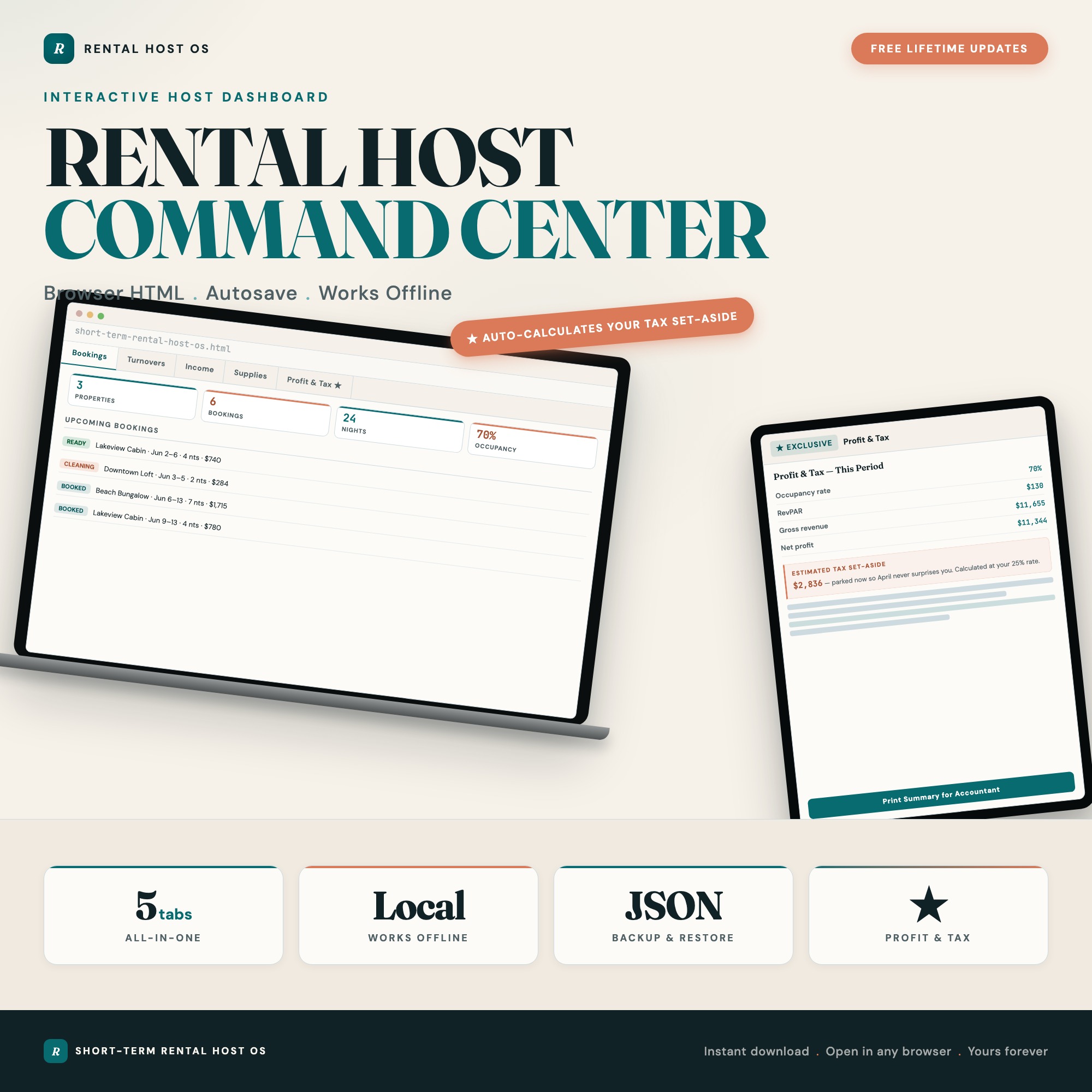
The exclusive feature in the Short-Term Rental Host Command Center is the Profit and Tax Calculator in Tab 5: enter nights available, nights booked, and nightly rate per property and it instantly returns occupancy rate, RevPAR, gross revenue, and net profit per property. No static spreadsheet template ships this interactive.
Turnover and cleaning status pipeline
The window between checkout and next check-in is where most hosting problems happen. A cleaning status pipeline — Booked, Checked Out, Cleaning In Progress, Ready — tells you at a glance which properties are guest-ready and which are waiting on the cleaner. Add cleaner assignment per turnover and the coordination loop closes.
Income and expenses grouped by property
Mixed-together bookkeeping is the thing that turns tax season into a two-weekend project. Logging income and expenses separately per property — with auto-category totals and monthly net — means your accountant gets clean data rather than a shoebox.
Schedule E expense grouping for tax prep
IRS Schedule E requires expenses to be reported in specific categories: management fees, advertising, cleaning and maintenance, repairs, supplies, insurance, mortgage interest, taxes, and depreciation. If you are not grouping your expenses this way throughout the year, you are doing the work twice at tax time. The Income and Expenses tab in the Short-Term Rental Host Command Center groups deductible expenses for Schedule E automatically.
Estimated quarterly tax set-aside
Short-term rental income is typically self-employment income with quarterly estimated taxes due. Most first-time hosts discover this in April of their second year. Calculating your tax set-aside as a percentage of net profit each month — and seeing the running total — prevents the cash flow surprise.
Supply and inventory par levels with restock flags
Running out of toilet paper during a guest’s stay is the kind of problem that generates a 3-star review. A supply tracker with par-level targets per item and automatic low-stock flags tells you what to order before it becomes an emergency. The Supplies and Inventory tab in the Short-Term Rental Host Command Center flags items that have dropped below par so you can restock proactively.
Year-over-year performance comparison
Month-to-month occupancy data only tells part of the story. The question that matters for pricing and investment decisions is whether April this year outperformed April last year, and by how much. A running annual log that builds month over month gives you the comparison point that informs rate adjustments before the next high season, not after it.
One Dashboard for All Eight
The Short-Term Rental Host Command Center is $27 one-time. Five tabs: Properties and Bookings, Turnover and Cleaning, Income and Expenses, Supplies and Inventory, and Profit and Tax Calculator. Works offline in any browser — no property management subscription required.
Frequently asked questions
- What is RevPAR and why should Airbnb hosts track it?
- RevPAR (Revenue Per Available Room) is calculated as occupancy rate times average nightly rate. It tells you how efficiently you are monetizing your available nights — a better performance metric than gross revenue alone because it accounts for vacancy.
- What expenses can Airbnb hosts deduct on their taxes?
- Cleaning fees, supplies, platform fees, maintenance, depreciation, utilities (proportionate to rental use), and mortgage interest (if applicable) all qualify for IRS Schedule E deductions. The Short-Term Rental Host Command Center groups your expenses by Schedule E category automatically.
- Do I need expensive property management software to track my rentals?
- No. The Short-Term Rental Host Command Center costs $27 one-time and covers bookings, turnover, income/expenses, inventory, and a profit and tax calculator — without a monthly subscription.
- How quickly can I get started with the Short-Term Rental Host Command Center?
- Under 5 minutes. Download the file, open it in any browser, and start using it immediately. Everything autosaves automatically.
Featured dashboards from this list
Interactive HTML dashboards — one-time purchase, works offline, no subscription.
ListingResearchOS Shop
All dashboards — single file, yours forever
Interactive HTML. No subscription. Works offline in any browser.
Browse all dashboards →