
8 Systems Every Grad Student Needs to Survive the Semester
8 systems grad students use to keep coursework, research hours, TA duties, and deadlines in one place, each fixing a failure mode that hits by week 8.
Published June 3, 2026
Surviving a graduate school semester is a resource allocation problem. You have a fixed number of hours and an expanding set of commitments — coursework, research, TA duties, advisor meetings, fellowship deadlines — that all feel urgent and none of which automatically tell you which one matters most right now.
Eight systems help. Each addresses a different failure mode that most grad students hit by week 8.
A course registry with schedule density visibility
Logging your courses is not the system — color-coding your schedule density across the semester is. When you can see that weeks 7, 8, and 9 have three major deliverables overlapping, you stop agreeing to extra TA duties or conference travel during those weeks. The Grad Student Semester OS calculates total credit load and flags overloaded weeks so you can see the crunch points before you commit to them.
A research hours tracker with weekly targets
Most grad students track research in the vaguest possible way — “I worked on the paper this week.” What advisors and fellowship committees want to see is cumulative hours, active projects, and paper submission status. A research tracker where you set weekly hour targets and log sessions as you work gives you both the accountability loop and the reportable data.
A TA duty log with contract-cap monitoring
This is the system most grad students skip until it becomes a problem. If your TA contract specifies 20 hours per week and you are regularly hitting 27, you are either entitled to compensation or owed an honest conversation with your department. Logging each TA shift — office hours, grading sessions, section prep, administrative work — against your cap makes both arguments possible.
A unified deadline view across all commitments
Conference submissions do not care that your chapter draft is due the same week. Fellowship deadlines do not coordinate with your qual timeline. A single deadline dashboard that pulls from every category — courses, research, TA, and advisor meetings — and sorts by urgency is the only way to see the actual shape of the weeks ahead.
The Grad Student Semester OS Deadlines tab does exactly this: every due date across all four of your tracked categories surfaces in one view, color-coded by urgency.
An advisor meeting log with follow-up notes
The meeting where your advisor said “you should look at X” while you nodded and immediately forgot the specific paper title is a universal graduate school experience. A running log of every advisor meeting — what was discussed, what was recommended, what you committed to — takes about 5 minutes to update after each meeting and saves you from the embarrassment of not following through on something you never wrote down.
A fellowship and conference deadline calendar
These are the deadlines grad students most commonly miss — not because they forgot the deadlines exist, but because they did not surface on the radar until two days before. Logging all fellowship and conference submission windows in your unified deadline tracker three to four months out gives you actual lead time.
A mid-semester course load recalibration point
Around week 7 or 8, the difference between a manageable semester and a surviving semester is whether you have stepped back and looked at what is coming. Most grad students do not build a deliberate recalibration point into their semester rhythm. Setting a recurring week-8 review — what is due in the next four weeks, what has slipped, what needs to move — makes the difference.
A semester reset generator
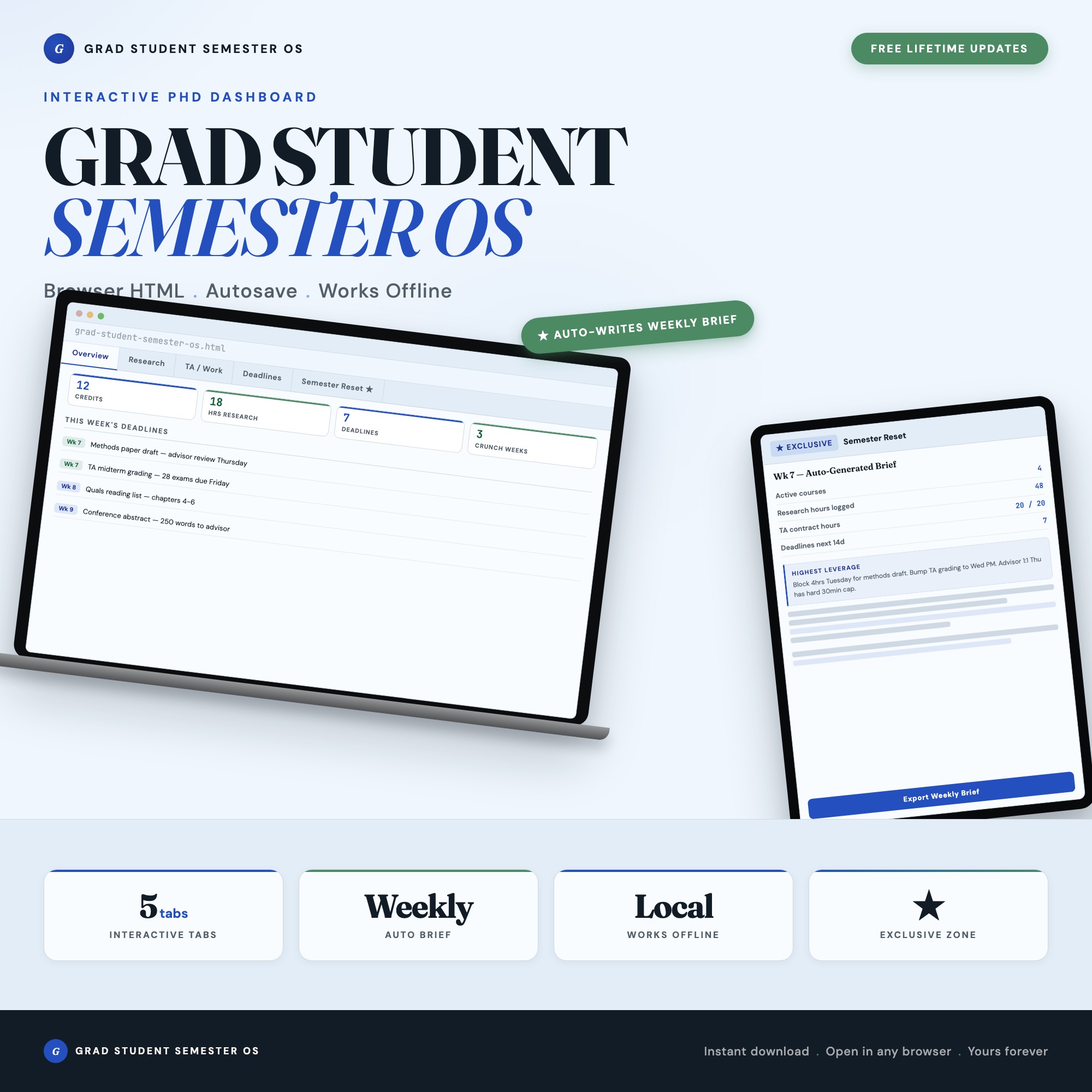
This is the system no spreadsheet can replicate. The exclusive feature in the Grad Student Semester OS is the Semester Reset Generator in Tab 5: it reads every course, research block, TA shift, and deadline you have logged across all four tabs and outputs a personalized week-by-week brief — your three crunch weeks, your overdue advisor touch-points, and your single highest-leverage task for the next 7 days. Export as Markdown to paste into your notes or share with your advisor. No competitor on Etsy ships this.
One OS for the Whole Semester
The Grad Student Semester OS is $22 one-time. Five tabs: Courses, Research, TA/Work, Deadlines, and Semester Reset Generator. Works in any browser, offline, no login or subscription required.
Frequently asked questions
- What makes grad school deadlines harder to manage than undergrad deadlines?
- The mix. Conference submission deadlines, fellowship applications, advisor meetings, TA grading, and coursework all compete on the same calendar. No single app handles all four categories — that's why they keep slipping.
- How do I avoid going over my TA contract hours?
- Log every TA shift against your contract cap as you work. Most grad students discover they went over hours retroactively, after the semester ends. The Grad Student Semester OS tracks running hours against your contract limit in real time.
- Do I need to spend a lot of money on tools?
- No. The Grad Student Semester OS costs $22 as a one-time purchase — less than two months of most subscription tools. And it is purpose-built for your workflow.
- How quickly can I get started with the Grad Student Semester OS?
- Under 5 minutes. Download the file, open it in any browser, and start using it immediately. Everything autosaves automatically.
Featured dashboards from this list
Interactive HTML dashboards — one-time purchase, works offline, no subscription.
ListingResearchOS Shop
All dashboards — single file, yours forever
Interactive HTML. No subscription. Works offline in any browser.
Browse all dashboards →