
7 Quarterly Planning Tools for Ambitious Entrepreneurs in 2026
The 7 quarterly planning tools actually worth using in 2026 — rated on execution scoring, offline access, and 12-week framework compatibility.
Published June 3, 2026
Most quarterly planning advice has a hidden assumption baked in: that the bottleneck is knowing what to do. For entrepreneurs who have already read Brian Moran’s 12-week sprint framework — and owned it for three years without ever running a real sprint — the problem is different. It is execution friction. The gap between intention and scorecard.
Here are the 7 tools worth evaluating if closing that gap is your actual goal.
1. An execution-scored sprint dashboard
The single most important feature in a quarterly planning tool is not goal storage. It is an auto-calculated execution score that tells you each week what percentage of your planned tactics you actually completed. Without this, you have a journal. With it, you have a feedback loop.
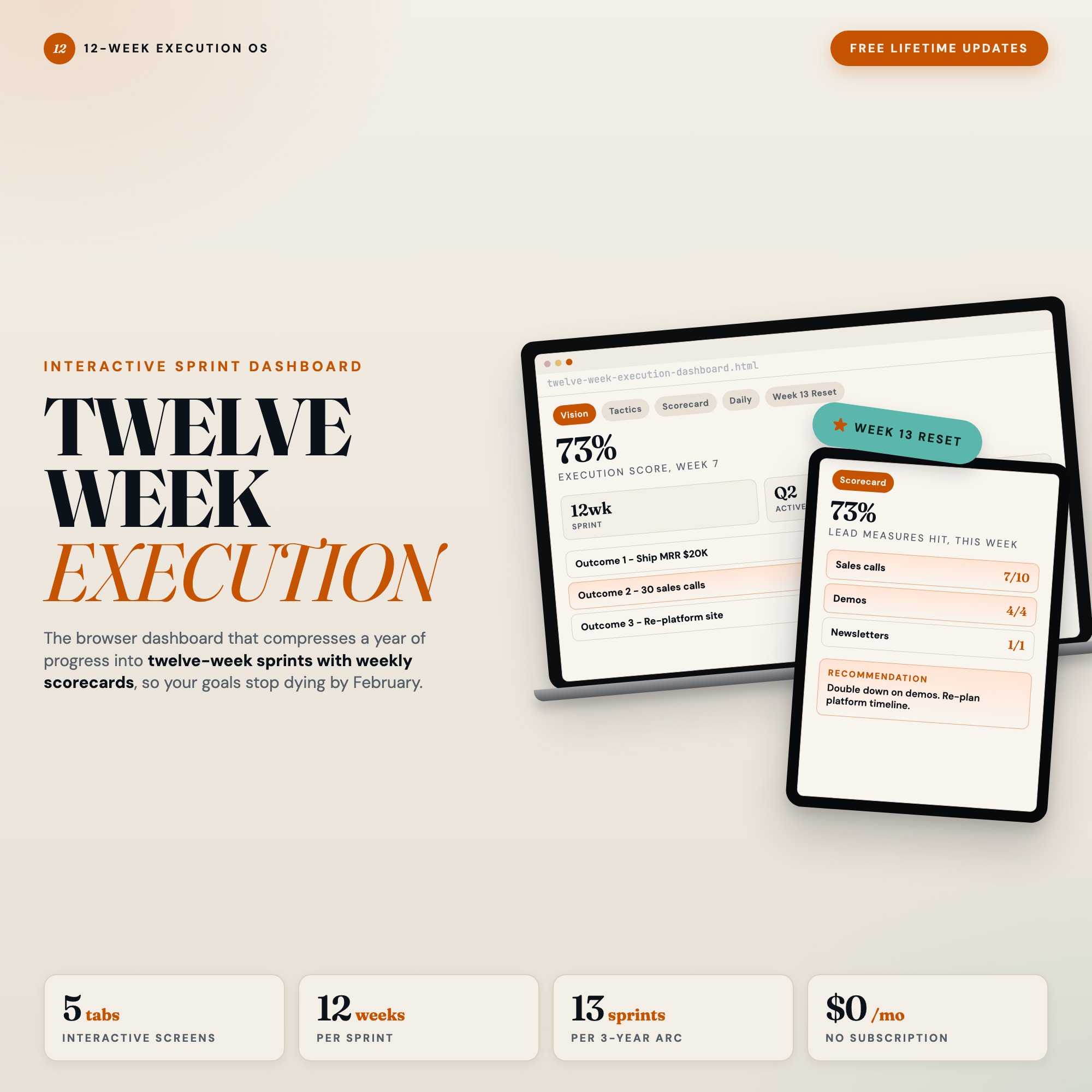
The 12 Week Execution Dashboard does this with a weekly scorecard that calculates automatically from your logged tactics — no formulas to maintain, no manual rollup. The 12-week trend grid builds itself as you go.
2. A lead-measure action table (not just goal slots)
Goals are outcomes. Lead measures are the weekly actions that create those outcomes. Most planning tools, even the expensive ones, collapse these together. The 12-week sprint framework is explicit: tactics must link to specific goals and be tracked separately.
Look for a tool where each goal has its own action table and where marking actions complete feeds directly into the execution score. The Tactics tab inside the 12 Week Execution Dashboard does exactly this — weekly actions link to whichever of your three 12-week goals they drive.
3. A daily check-in system (top 3, not top 20)
Quarterly planning collapses to daily decisions. The most effective daily interface for a 12-week sprint is narrow: today’s top 3 priorities plus the specific lead-measure action connected to each goal. Anything more and you are back to a task list with no sprint context.
4. A sprint reset mechanism
This is where most planners fail. When sprint 1 ends, most people start from scratch: new document, same chaos, same abandonment by week 4. A sprint planning tool that can carry your wins, blockers, and lessons forward into sprint 2 is a fundamentally different product from one that ends at week 12.
The 12 Week Execution Dashboard’s Week 13 Reset tab is the only feature of this kind available on Etsy. After your sprint ends, it walks you through a structured debrief — wins, blockers, lessons, stop/start/continue — and then auto-seeds your next 12-week sprint from what you captured. The compounding effect of three or four back-to-back sprints with this kind of continuity is significant.
5. A quarterly vision canvas
Before tactics, there is vision. A useful quarterly planning tool gives you a dedicated space to write your 1 to 3 twelve-week outcomes with measurable targets, not intentions. “Grow revenue” is not a 12-week outcome. “$40K revenue from the new offer by week 12” is.
The Vision tab in the 12 Week Execution Dashboard holds your three outcome slots with measurable targets, separate from the tactics that drive them.
6. Offline-first, browser-native operation
You will do your best sprint planning in places without reliable internet — early mornings, flights, focused work blocks. A tool that requires a login or a cloud connection is a tool that creates friction exactly when you need none.
A single HTML file that opens in Chrome and saves to browser localStorage works everywhere, every time, with zero latency.
7. A privacy-respecting architecture
Sprint data is business-sensitive. Your quarterly goals, revenue targets, and execution scores are not information you want on someone else’s server. Offline-first means your data never leaves your device unless you choose to export it.
Building a System That Survives Sprint 1
The 7 capabilities above rarely exist in one product. Notion templates cover goals but not execution scoring. Paper planners cover vision but not trend data. Most Etsy templates cover structure but not sprint continuity.
The 12 Week Execution Dashboard is the only browser-native tool that covers all five tabs — Vision, Tactics, Weekly Scorecard, Daily Check-In, and Week 13 Reset — in a single HTML file at a one-time cost of $22.
If the 12-week sprint framework is already on your shelf, this is the infrastructure that runs it.
Frequently asked questions
- What separates a quarterly planning tool from a generic to-do app?
- A real quarterly planning tool maps your goals to weekly lead measures and scores your execution automatically. Generic apps track tasks. Sprint tools track whether you actually moved toward your quarterly outcome.
- Do I need to spend a lot of money on tools?
- No. The 12 Week Execution Dashboard costs $22 as a one-time purchase. Less than a single month of most project management subscriptions, and purpose-built for sprint execution.
- What makes an offline HTML dashboard better than a subscription app?
- Two things that matter at crunch time: it works without internet, and it never locks your data behind a paywall. Your sprint history stays yours.
- How quickly can I get started with the 12 Week Execution Dashboard?
- Under 5 minutes. Download the file, open it in any browser, and start using it immediately. Everything autosaves automatically.
Featured dashboards from this list
Interactive HTML dashboards — one-time purchase, works offline, no subscription.
ListingResearchOS Shop
All dashboards — single file, yours forever
Interactive HTML. No subscription. Works offline in any browser.
Browse all dashboards →