
5 Weekly Review Templates for High Performers (And Which One Actually Works)
A comparison of 5 weekly review formats used by high performers: GTD, OKR, journaling, Notion, and a narrative generator, with honest pros and cons.
Published June 3, 2026
High performers who do weekly reviews consistently outperform those who do not — the evidence is straightforward. The friction is figuring out which template to actually use, because most options either feel too lightweight (a journaling prompt that does not connect to goals) or too heavy (a full GTD capture process that takes 90 minutes).
Here are the five formats most commonly used by knowledge workers and which one actually moves the needle.
1. The GTD Weekly Review (David Allen)
Format: Full capture sweep across all open loops, projects, and next actions. Typically 45-90 minutes.
Getting Things Done includes a specific weekly review checklist: process inbox, review calendar, review project lists, clarify next actions, update waiting-for lists, brain-dump any new commitments. Done correctly, it is comprehensive.
The problem with GTD for high performers is the time cost. A rigorous GTD weekly review on a complex workflow takes 60-90 minutes. Most knowledge workers do it fully for 2-3 weeks, then start abbreviating, then abandon it. GTD rewards full compliance but is brittle against partial use.
Best for: People with complex, multi-project responsibilities who can reliably protect 60-90 minutes each weekend.
2. OKR Check-In (Objectives and Key Results)
Format: Status update on each active OKR — on track, at risk, or off track — with notes on what drove progress or created obstacles.
The OKR weekly check-in is the format used by most tech-company high performers. It is goal-focused (not task-focused), relatively fast (15-20 minutes), and creates a direct line between weekly activity and quarterly outcomes.
The limitation: the OKR format does not prompt for wins logging, energy tracking, or the qualitative reflection that most high performers find useful. It answers “where are my goals” but not “what does this week mean for my development.”
Best for: People in OKR-driven organizations who need to connect personal weekly performance to company goal architecture.
3. The Sunday Journal Prompt
Format: 3-5 open-ended journaling questions reflecting on the week. Usually 20-30 minutes.
Journal-based weekly reviews are popular with founders, writers, and creatives. Common questions: What did you ship? What drained you? What did you learn? What does next week need to be?
The appeal is flexibility and depth. The weakness is that journaling does not connect to measurable quarterly goals. You can reflect brilliantly every Sunday for 12 weeks and still not know whether you moved the needle on your most important objectives. It is great for self-awareness; less effective for professional goal achievement.
Best for: Creatives and founders who prioritize qualitative reflection and are not working against specific quarterly targets.
4. The Notion Weekly Dashboard
Format: Custom database combining task rollup, goal status, and journaling in a Notion template.
Notion weekly templates are the most customizable option and the most common among productivity enthusiasts. Well-designed ones combine the best elements of GTD capture, OKR tracking, and journaling.
The challenge: Notion weekly templates require significant setup and ongoing maintenance. They break when Notion updates database behavior. They require a Notion account and live in Notion’s cloud. And they cannot auto-generate a quarterly performance narrative from your logged data — you have to manually synthesize your weeks when review season arrives.
Best for: Notion power users who are already invested in the ecosystem and have time to build and maintain a complex template.
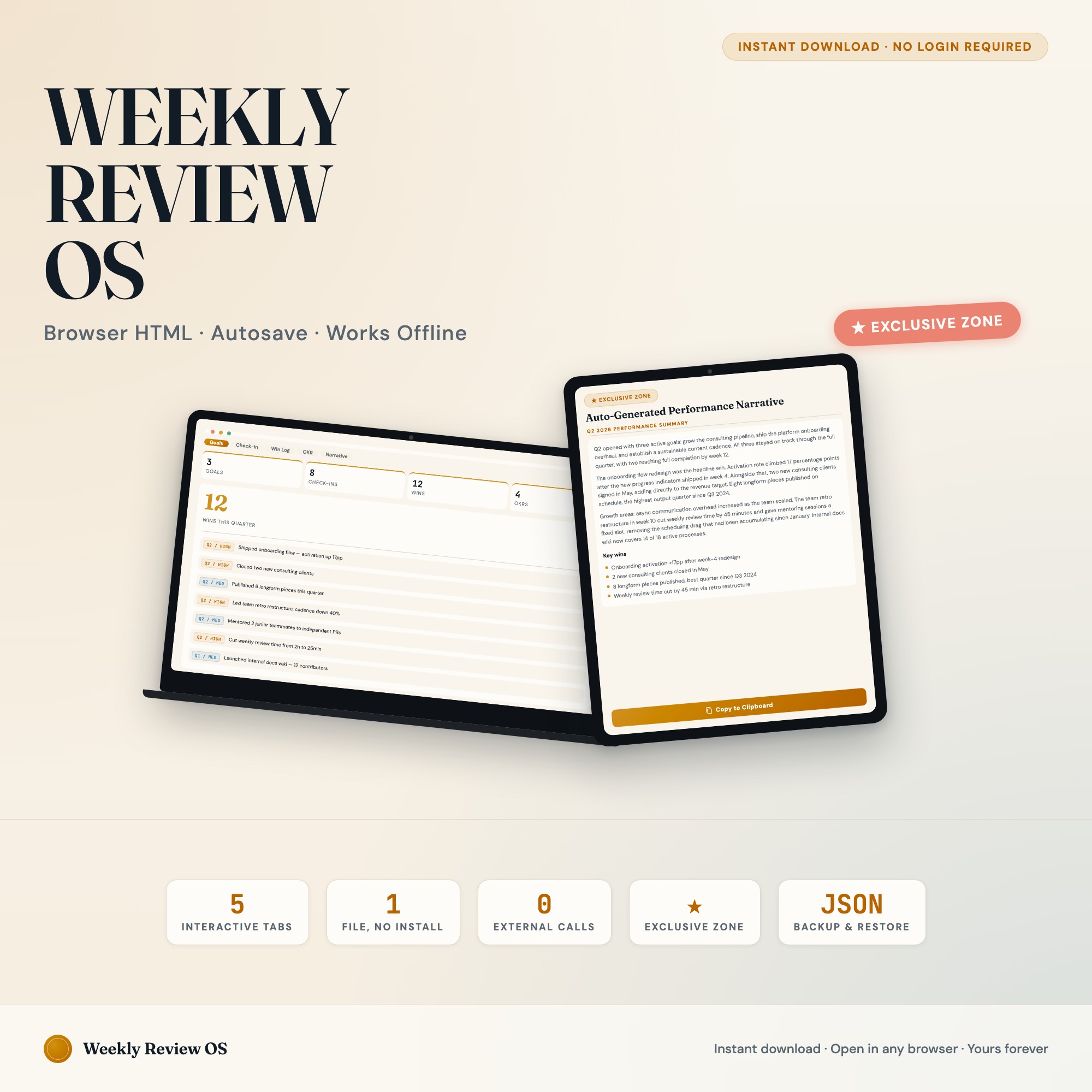
5. Weekly Review OS with Performance Narrative Generator
Format: Structured 5-tab system covering goals, weekly check-in, win log, OKR board, and a quarterly narrative auto-generator.
The Weekly Review Productivity Dashboard closes the gap that all four formats above leave open: it connects weekly reflection directly to quarterly documentation.
The Goals tab holds your quarterly objectives with status indicators. The Weekly Check-In tab captures your biggest win, biggest blocker, energy level, and next week’s priority — timestamped and stacked each week. The Win Log lets you capture individual wins tagged by goal and quarter. The OKR Board visualizes key results in a kanban view.
The differentiator is the Performance Narrative Generator: one click reads your logged wins, weekly check-ins, and OKR progress and assembles a formatted quarterly self-review. No other Etsy product ships this. When performance review season arrives, your narrative is already written from your actual data — not reconstructed from memory at 11pm the night before.
At $22 one-time, no subscription, no cloud storage. Your goals and performance data stay on your device.
Verdict: For high performers who need both weekly reflection and quarterly documentation, the Performance Narrative Generator makes this the only format that pays dividends both weekly and at review time.
Available on Etsy for $22.
Frequently asked questions
- How long should a weekly review take?
- A well-designed weekly review should take 20-40 minutes. Anything longer means the template is too complex; anything shorter means you are skimming. The goal is enough reflection to close the week cleanly and open the next one with clear priorities.
- Do I need to spend a lot of money on tools?
- No. The Weekly Review Productivity Dashboard costs $22 as a one-time purchase — less than two months of most subscription tools. And it is purpose-built for your workflow.
- What makes an offline HTML dashboard better than a subscription app?
- Cost (one-time vs. monthly), privacy (your goals and performance data stay on your device), and the Performance Narrative Generator — which assembles your quarterly self-review from logged wins automatically — something no generic app provides.
- How quickly can I get started with the Weekly Review Productivity Dashboard?
- Under 5 minutes. Download the file, open it in any browser, and start using it immediately. Everything autosaves automatically.
Featured dashboards from this list
Interactive HTML dashboards — one-time purchase, works offline, no subscription.
ListingResearchOS Shop
All dashboards — single file, yours forever
Interactive HTML. No subscription. Works offline in any browser.
Browse all dashboards →