
Time Blocking Guide: How to Stop Living Reactively and Do Your Best Work
A time blocking guide for knowledge workers who end every day reactive, and how to build the day around deep work instead of other people's requests.
Published June 3, 2026
There is a specific frustration that knowledge workers describe at the end of certain days: the calendar was full, the inbox was managed, and nothing important got done. Every task completed was handed to you by someone else. You were busy — completely, exhaustingly busy — and yet at 6pm there is nothing to show for it that you actually chose.
This is what reactive work looks like from the inside. Time blocking is the systematic response to it.
What Time Blocking Actually Is (and Is Not)
Time blocking means assigning specific work to specific time slots before the day begins. Not a to-do list. Not intentions. Actual blocks: “9:00-11:00am — deep work on the product proposal. No email. No Slack.”
What time blocking is not: a rigid schedule that collapses when one meeting runs over. Effective time blockers treat the plan as a strong intention, not a prison. When a meeting expands, you revise the blocks — but you revise them deliberately, not by default.
The difference between a knowledge worker who time-blocks and one who does not is not discipline. It is that the blocker has made visible decisions about their time before the day makes those decisions for them.
The Two Types of Work That Need Different Treatment
Cal Newport’s deep work framework (and the research behind it) draws a hard line between two categories:
Deep work requires sustained, uninterrupted concentration. Writing. Analysis. Design. Strategy. Code. These tasks degrade significantly under interruption and are cognitively expensive to resume after switching contexts. They are also the tasks that produce the most value.
Shallow work can be done with partial attention: email, Slack, scheduling, administrative tasks, most meetings. These tasks feel productive but rarely move the needle on the outcomes your job is actually measured on.
Most knowledge workers allocate deep work and shallow work randomly throughout the day — responding to whatever arrives next. Time blocking forces a deliberate allocation: deep work gets the best cognitive hours, shallow work fills the gaps.
How to Build a Time-Blocked Day
Step 1: Identify your peak hours.
Most people have 3-5 hours of genuine peak cognitive performance per day, usually in the morning. These hours are non-negotiable for deep work. Do not schedule meetings, email catch-up, or status calls during your peak window if you can control it.
Step 2: Set 3 priorities for the day — in order.
Before you open your calendar or email, write down the three things that matter today. Rank them. The first task gets your first deep work block. If you do not get to tasks 2 and 3, task 1 still happened. That is a productive day.
Step 3: Build the block structure in 15-minute increments.
A 15-minute grid is the right granularity for time blocking. Hourly blocks are too coarse — you lose track of drift. 5-minute blocks are too precise — you spend more time updating the plan than executing it.
Map your day from 6am to 10pm. Deep work blocks in the morning. A transition block around lunch. Shallow work (email, calls, admin) in the early afternoon. A second shorter deep work block in the late afternoon if your schedule allows. A brief evening review.
Step 4: Track your deep work hours weekly.
This is the metric most time-blocking guides skip. Track how many deep work hours you actually log each week. Most knowledge workers discover they average 1-2 hours per day when they first measure. The target is 4+ hours for roles where output quality determines career trajectory.
The End-of-Day Reset: The Step That Makes It Compound
The system breaks down when you end each day without deliberately closing it. You leave the office with three half-finished threads running in your head, and tomorrow morning you open your laptop already reactive — because you never decided what tomorrow is supposed to accomplish.
An end-of-day reset takes 5-10 minutes. Three questions: What did I actually accomplish today? What drained my energy? What are my top 3 priorities for tomorrow?
The last question is the critical one. Pre-filling tomorrow’s priorities tonight means tomorrow morning starts with intention, not inbox.
Using a Dashboard Built for This System
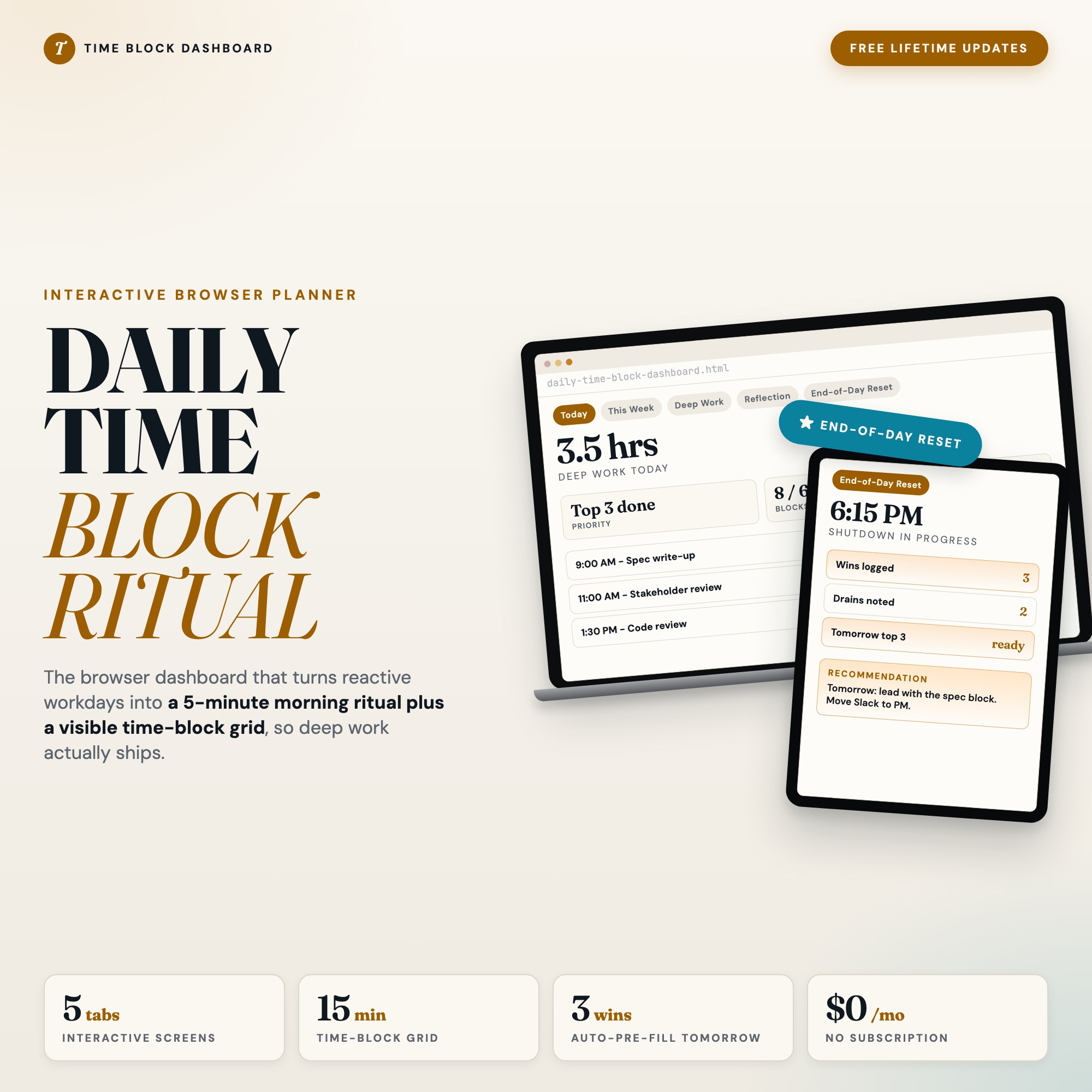
The Interactive Daily Time Block Dashboard is a single HTML file built around exactly this workflow. It includes a 15-minute time-block grid from 6am to 10pm, a morning intentions form where you set your top 3 priorities before opening anything else, and a weekly view that tallies your deep work hours across the week so you can see the trend.
The feature that differentiates it from every SaaS time-blocking app is the End-of-Day Reset — a guided 3-question shutdown built directly into the dashboard. It archives today, surfaces what drained you, and pre-fills tomorrow’s top 3 priorities automatically. No other tool at this price point ships this.
Everything saves to your browser’s localStorage. No account, no subscription, no data leaving your device. At $18 one-time, it costs less than one month of most productivity apps.
What Changes When You Block Your Time Deliberately
The first week of time blocking usually surfaces an uncomfortable truth: the calendar you thought was under your control is not. Meetings fill your peak hours. Urgent requests override deep work blocks. You finish the week having protected almost none of your best cognitive time.
That information is useful. It tells you exactly where the problem is.
The second and third weeks are where the practice starts to compound. You learn which meeting invites can be declined or shortened. You learn which tasks on your to-do list are shallow work that can be batched into a single afternoon block. You learn that three uninterrupted morning hours produces more meaningful output than a full reactive day.
Most knowledge workers who implement time blocking report the same outcome after 30 days: they are working the same hours but finishing the week with something to show for it.
The Interactive Daily Time Block Dashboard is available on Etsy for $18. Open it in Chrome, block tomorrow morning before you close your laptop tonight.
Frequently asked questions
- Do I need special software to use an offline dashboard?
- No. An offline HTML dashboard like the Interactive Daily Time Block Dashboard is a single file you open in any browser — Chrome, Edge, Safari, or Firefox. Nothing to install, no account to create.
- Is my data private if I use a browser-based dashboard?
- Yes, completely. Data stored in your browser's localStorage never leaves your device. There are no servers, no analytics, and no uploads of any kind.
- Can I back up my data?
- Yes. Every ListingResearchOS dashboard includes an Export Backup button that downloads a JSON file to your computer. Load Backup restores it on any device or browser.
- What makes an interactive HTML dashboard better than a spreadsheet?
- Spreadsheets require manual formula maintenance and lack purpose-built workflows. An interactive HTML dashboard has a pre-built 15-minute time-block grid with automated calculations and a dedicated End-of-Day Reset that a spreadsheet can't replicate without significant engineering work.
- How much does the Interactive Daily Time Block Dashboard cost?
- It is a one-time purchase of $18 on Etsy. No monthly subscription. Once you buy it, it is yours forever.
Ready-made dashboards
Skip setup — grab an interactive dashboard built for this exact workflow.
ListingResearchOS Shop
All dashboards — one-time purchase, yours forever
Single HTML files. No subscriptions. No login. Works offline in any browser.
Browse all dashboards →