
The Quarterly Review Every Side Hustler Needs: Cut the Streams That Don't Pay
A quarterly review process for side hustlers that ranks income streams by hourly profitability — so you know which to double down on and which to cut.
Published June 3, 2026
Most side hustlers with three or more income streams are working harder than their revenue justifies. The Etsy shop gets restocked when it runs low. The freelance retainer gets renewed because the client is steady. The affiliate program gets promoted because it was easy to set up. None of these decisions were evaluated against a common metric — they just continued.
A quarterly review changes that. It forces a single honest question about every stream: for every hour I invest, how much does this stream actually return?
This guide covers how to run a quarterly income stream review that produces decisions, not just summaries.
The Hourly Profitability Calculation
Revenue per stream is a useful number but an incomplete one. A stream generating $1,500/month in Etsy sales that requires 2 hours of maintenance earns $750/hour. A freelance retainer generating $2,000/month that requires 20 hours earns $100/hour. The first is 7.5x more valuable per unit of time invested.
For each income stream, calculate:
Revenue per hour = Quarterly revenue / Quarterly hours logged
To run this calculation, you need two numbers per stream: total revenue over the quarter (from your income log) and total hours invested over the quarter (from your activity log). Both must be tracked in real time, not estimated at quarter-end. Memory consistently underestimates hours on streams that feel unproductive and overestimates hours on streams that feel exciting.
Quarterly hours for each stream should include:
- Direct production time (creating products, delivering client work, writing content)
- Administrative time (customer service, invoicing, bookkeeping specific to the stream)
- Marketing time (promotions, outreach, ads management)
- Maintenance time (renewing listings, updating materials, fixing issues)
The Three Outcomes: Double Down, Maintain, or Cut
After calculating revenue per hour for each stream, every stream falls into one of three categories:
Double down: High revenue per hour, especially if it’s still growing. This stream deserves more investment — more time, more marketing, more inventory, or a premium pricing test. If your Etsy shop is generating $400/hour of net income and you’ve been treating it as secondary to a $90/hour freelance retainer, that’s an allocation problem.
Maintain: Moderate revenue per hour, stable or slowly growing. This stream doesn’t demand more investment, but it earns its place in your portfolio. Watch it for the next two quarters.
Cut: Low revenue per hour, especially if it’s flat or declining. “Cut” doesn’t necessarily mean shutting it down immediately — it might mean stopping active investment (no more time on promotion, no more inventory restocking) and letting it wind down naturally.
The cut decision is the hardest one because side hustlers are emotionally attached to streams they built. The filter question: if someone offered you an hourly contract at this stream’s revenue-per-hour rate, would you take it? If no, you’re working below your market rate on that stream.
Structure the Review in Four Steps
Step 1: Pull the quarterly numbers. Total revenue per stream for the quarter. Do not rely on estimates — pull the actual logged totals. If your income log isn’t current, spend 20 minutes reconciling it before you start the review.
Step 2: Log quarterly hours per stream. Work backward from your calendar and activity records. Be honest about maintenance and admin time — these tend to be invisible costs.
Step 3: Calculate revenue per hour per stream and rank them. The ranking is the output of the review. Highest to lowest. No narrative, no justification — just the number.
Step 4: Make one decision per stream. Double down, maintain, or cut. Write it down. A decision you don’t write down isn’t a decision — it’s a thought you’ll revisit next quarter.
Run the Review in 90 Minutes
The quarterly review should take about 90 minutes end to end, run once at the end of each calendar quarter (end of March, June, September, December). A longer review signals that your data isn’t organized enough to pull quickly — fixing that is the first priority.
- 30 minutes: Reconcile and total income by stream
- 20 minutes: Log and estimate hours by stream
- 15 minutes: Calculate revenue per hour and rank
- 15 minutes: Make double-down / maintain / cut decisions per stream
- 10 minutes: Document next-quarter action items
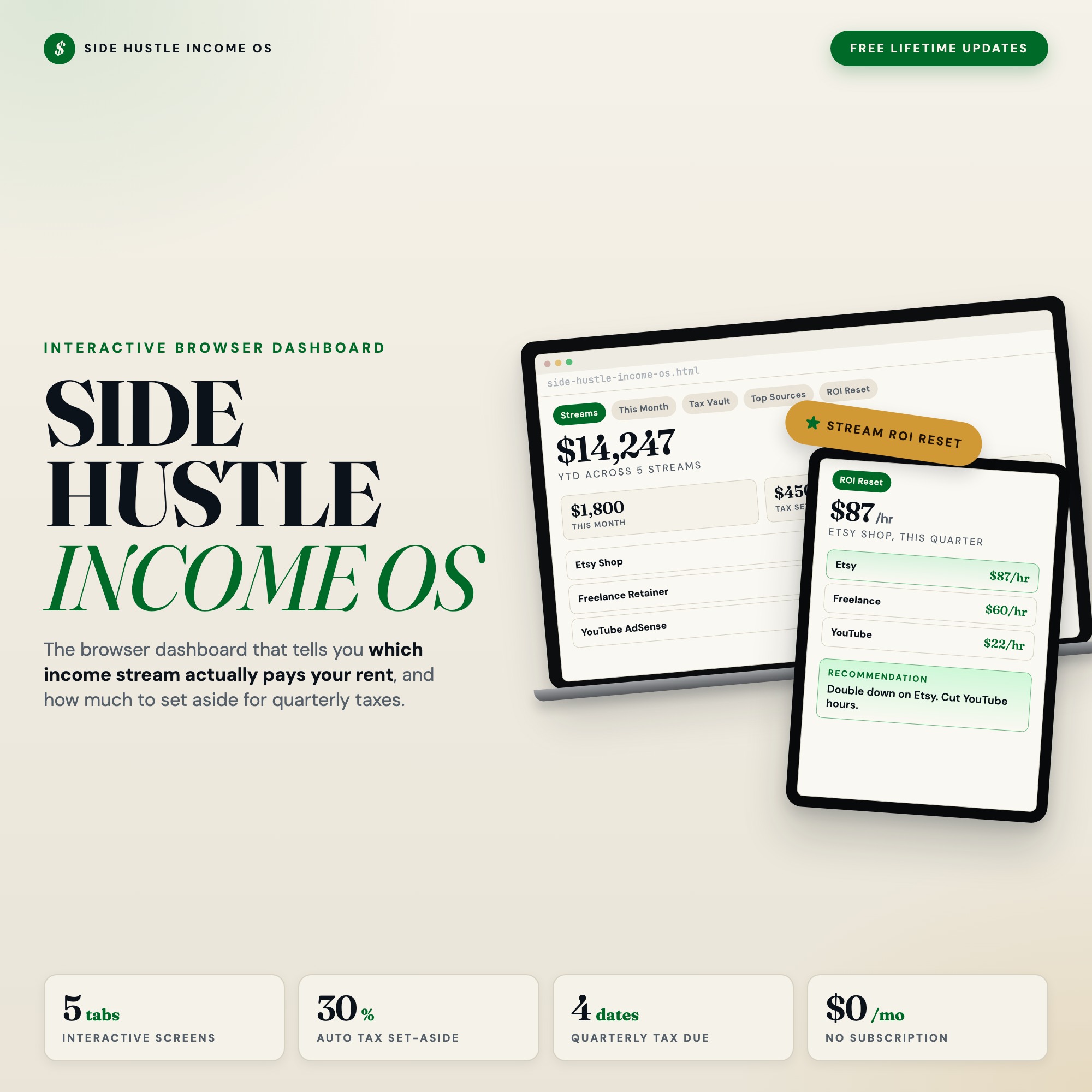
The Side Hustle Income OS has a Stream ROI Reset tab built for exactly this review. Log your hours per stream, and the dashboard calculates revenue per hour, ranks your streams from most to least profitable, and outputs a plain-language recommendation for each. It’s the only income tracker on Etsy that generates this ranking from your actual data — every competitor sells a generic template with no dynamic output.
What the Next Quarter Looks Like After a Real Review
A quarterly review produces decisions. Decisions produce a different next quarter.
Cutting a low-ROI stream doesn’t just free up the hours you were spending on it directly. It also eliminates the cognitive overhead of managing multiple systems, keeping up with multiple platforms, and juggling the mental context of several different income identities. Most side hustlers are spread thinner than the revenue warrants.
Focus compounds in a way that diversification doesn’t. The side hustler who concentrates three months of effort on their one highest-ROI stream generally builds it faster than the side hustler splitting energy across five streams with similar total revenue but far higher total hours.
The quarterly review is the mechanism that drives that focus. Run it every 90 days, act on the rankings, and watch where your energy accumulates.
One-time purchase at $22. Find it at ListingResearchOS on Etsy.
Frequently asked questions
- Do I need special software to use an offline dashboard?
- No. An offline HTML dashboard like the Side Hustle Income Tracker Dashboard is a single file you open in any browser — Chrome, Edge, Safari, or Firefox. Nothing to install, no account to create.
- Is my data private if I use a browser-based dashboard?
- Yes, completely. Data stored in your browser's localStorage never leaves your device. There are no servers, no analytics, and no uploads of any kind.
- Can I back up my data?
- Yes. Every ListingResearchOS dashboard includes an Export Backup button that downloads a JSON file to your computer. Load Backup restores it on any device or browser.
- What makes an interactive HTML dashboard better than a spreadsheet?
- Spreadsheets require manual formula maintenance and lack purpose-built workflows. An interactive HTML dashboard has pre-built logic — like Stream ROI Reset — quarterly review that ranks every income stream by hourly profitability (revenue divided by hours logged) and gives a plain-language recommendation on which stream to double down on and which to cut — that a spreadsheet can't replicate without significant engineering work.
- How much does the Side Hustle Income Tracker Dashboard cost?
- It is a one-time purchase of $22 on Etsy. No monthly subscription. Once you buy it, it is yours forever.
Ready-made dashboards
Skip setup — grab an interactive dashboard built for this exact workflow.
ListingResearchOS Shop
All dashboards — one-time purchase, yours forever
Single HTML files. No subscriptions. No login. Works offline in any browser.
Browse all dashboards →