
OKR Tracking for Individuals: How to Set and Measure Quarterly Goals
How to set personal OKRs that actually close at quarter-end: writing tight key results, running weekly check-ins, and scoring progress you can see.
Published June 3, 2026
Most personal goal-setting fails for the same reason: the goal exists in a document or app that you open enthusiastically on January 1 and never look at again. By mid-February, the goals are technically still set — you just have no idea whether you’re on track.
OKRs — Objectives and Key Results — are a framework designed for organizations, but they work equally well for individuals. The structure forces you to be specific about what success looks like (the Objective) and how you’ll measure progress toward it (the Key Results). This guide explains how to set OKRs that stay active and how to use weekly tracking to close quarters with real evidence of what you accomplished.
Writing OKRs That Are Actually Measurable
Most personal OKRs fail at the writing stage. They’re either vague objectives with unmeasurable key results, or they’re to-do lists dressed up as goals.
A well-written individual OKR looks like this:
Objective: Build a professional reputation in data science that opens new career opportunities
Key Results:
- Publish 3 technical articles on Medium with an average of 500+ views within 30 days of publication
- Complete 2 Kaggle competitions with a top-20% finish
- Earn 1 intro call with a company I’d consider joining by Q3
Notice what these key results have in common: each has a specific number, a measurable standard, and a time boundary. You can evaluate each one at quarter-end with a yes/no answer. “Improve my data science skills” is not a key result. “Complete 2 Kaggle competitions with a top-20% finish” is.
The test for a good key result: can you answer “did we hit this?” definitively? If yes/no doesn’t apply, rewrite it with a number.
The Weekly Check-In That Makes OKRs Work
Setting OKRs at the start of a quarter without a weekly review habit is how goals get forgotten. The weekly check-in is the mechanism that keeps them active.
A useful weekly OKR check-in has four questions:
- What’s the biggest thing I moved forward this week? — one specific answer
- What’s the biggest blocker I’m facing? — one honest answer
- What’s my energy level this week? — a gut-check, 1–10
- What’s the single most important thing I need to do next week? — one answer, not a list
These four questions take 5–10 minutes. Log them with a timestamp. Over a 12-week quarter, you build a 12-week record of your actual progress, challenges, and decisions.
That record has two uses: it keeps you accountable to your OKRs in real time, and it becomes the raw material for a quarterly self-review without the usual “what did I even do this quarter?” scramble.
Maintain a Win Log Throughout the Quarter
A win is any moment of meaningful progress — a key result milestone hit, a positive piece of feedback received, a skill unlocked, a proposal accepted. These accumulate in ways that are invisible without a log because you don’t celebrate the small wins in real time.
Log each win with:
- Date
- Description — one or two sentences
- Goal it connects to — which OKR or objective this advances
At quarter-end, your win log becomes evidence. It proves, with dates and specifics, that you made real progress — which is the difference between a compelling performance self-review and a vague “I worked hard this quarter.”
Run the OKR Board in Kanban View
An OKR Board gives you the at-a-glance status of every key result across all three of your quarterly objectives. The simplest effective format is three columns: Not Started, In Progress, Complete.
Move key results as you hit milestones. When you publish your first article, move “Publish 3 technical articles” from Not Started to In Progress. When you publish the third, move it to Complete.
At week 8 of a 12-week quarter, the board tells you immediately what’s done, what’s in motion, and what hasn’t started yet. That’s when you make decisions — double down on the in-progress items or deprioritize the one that’s been stuck in Not Started for two months.
Generate a Performance Narrative at Quarter Close
The quarterly self-review is where most knowledge workers realize they can’t reconstruct what they actually accomplished. Memory compresses and distorts a 12-week period into the last two weeks before the deadline.
A properly maintained OKR system produces this narrative automatically. Your logged wins, weekly check-ins, and key result completions are the raw material — you’re not writing from memory, you’re synthesizing from evidence.
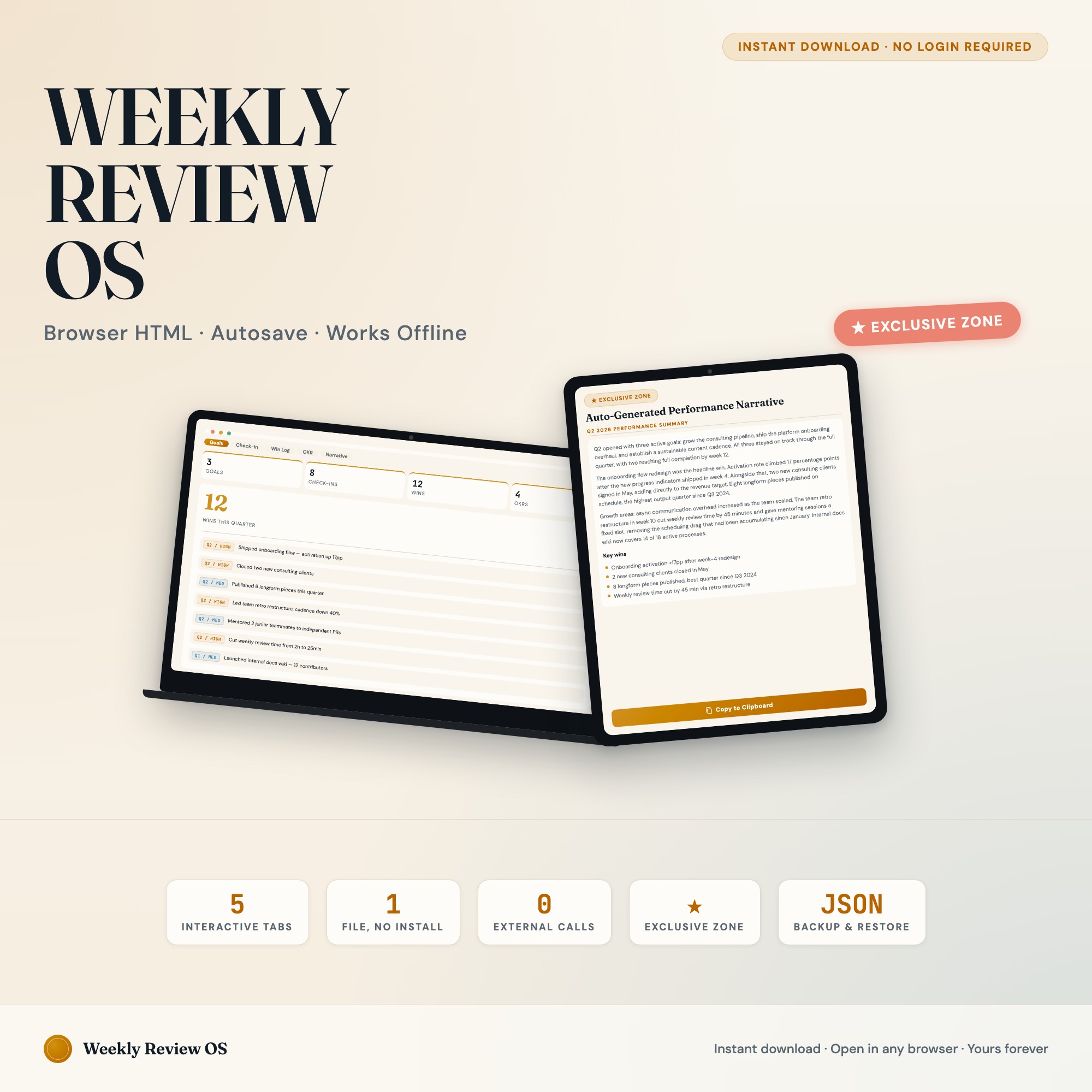
The Weekly Review Productivity OS has a Performance Narrative tab that reads your logged wins, check-in entries, and OKR completions, then assembles a ready-to-paste quarterly review. No other productivity tracker on Etsy ships this as an interactive feature. At $22 one-time, it pays for itself the first time you use it for a promotion conversation.
Find the full collection at ListingResearchOS on Etsy.
Frequently asked questions
- Do I need special software to use an offline dashboard?
- No. An offline HTML dashboard like the Weekly Review Productivity Dashboard is a single file you open in any browser — Chrome, Edge, Safari, or Firefox. Nothing to install, no account to create.
- Is my data private if I use a browser-based dashboard?
- Yes, completely. Data stored in your browser's localStorage never leaves your device. There are no servers, no analytics, and no uploads of any kind.
- Can I back up my data?
- Yes. Every ListingResearchOS dashboard includes an Export Backup button that downloads a JSON file to your computer. Load Backup restores it on any device or browser.
- What makes an interactive HTML dashboard better than a spreadsheet?
- Spreadsheets require manual formula maintenance and lack purpose-built workflows. An interactive HTML dashboard has pre-built logic — like Auto-Generated Performance Narrative: reads logged wins, weekly check-ins, and OKR completions, assembles a ready-to-paste quarterly self-review — that a spreadsheet can't replicate without significant engineering work.
- How much does the Weekly Review Productivity Dashboard cost?
- It is a one-time purchase of $22 on Etsy. No monthly subscription. Once you buy it, it is yours forever.
Ready-made dashboards
Skip setup — grab an interactive dashboard built for this exact workflow.
ListingResearchOS Shop
All dashboards — one-time purchase, yours forever
Single HTML files. No subscriptions. No login. Works offline in any browser.
Browse all dashboards →