
Low FODMAP Reintroduction Phase: How to Track Your Symptoms Properly
How to track the low FODMAP reintroduction phase properly — food log, symptom timing, FODMAP group correlations, and a doctor-ready summary for follow-up.
Published June 3, 2026
The low FODMAP elimination diet is only one half of the process. The reintroduction phase is where the real information lives — and it’s also where most people lose the data that makes their results clinically useful.
The goal of reintroduction isn’t just to feel better. It’s to identify which specific FODMAP groups trigger your symptoms so you can eat the broadest possible diet long-term without unnecessary restrictions. That goal requires systematic, dated records. Memory doesn’t cut it when a symptom from Tuesday might have been caused by the garlic in Monday’s lunch.
This guide covers how to track the FODMAP reintroduction phase in a way that produces real, usable data.
Understanding the Reintroduction Protocol
The standard FODMAP reintroduction protocol, developed by Monash University, works like this:
- You’ve completed a 2–8 week elimination phase, eating only low-FODMAP foods
- You now reintroduce one FODMAP group at a time, in a structured order
- Each test involves eating a measured serving of a test food on Day 1, waiting 2–3 days while eating baseline low-FODMAP foods to clear your system, then testing a larger serving
- If symptoms appear, you know that group is a trigger at that dose; if no symptoms appear, that group is likely tolerated
The five FODMAP groups are:
- Fructans (found in wheat, garlic, onion)
- GOS / Galacto-oligosaccharides (found in legumes)
- Lactose (found in dairy)
- Fructose (found in excess in apples, honey, high-fructose corn syrup)
- Polyols (found in stone fruits, certain sweeteners like sorbitol and mannitol)
Each group must be tested independently, which is why the protocol spans 6–8 weeks minimum.
What to Log Every Day
Effective reintroduction tracking requires a daily log with these fields for each entry:
- Date and time — critical for establishing cause-and-effect timing
- Food eaten — including preparation method (e.g., “1/2 cup canned chickpeas, rinsed” vs. “1 cup dried lentils, cooked”)
- Serving size — FODMAP content is dose-dependent; 1/4 cup onion vs. 1 cup onion are categorically different
- FODMAP groups present — which groups this food contains (some foods contain multiple)
- Symptoms — type (bloating, cramping, urgency, pain), severity (1–10), and onset time
- Bowel event log — type and timing using the Bristol Stool Scale (1–7)
- Notes — stress levels, sleep quality, exercise — all of which affect IBS symptoms independently
The timing data matters because IBS symptoms often have a delay of 2–6 hours. If you ate at noon and have cramping at 4pm, the noon meal is the suspect. If you’re not logging meal times alongside symptom times, you can’t establish that correlation.
Organize by FODMAP Group, Not Just by Date
A chronological log tells you what happened. A FODMAP-group summary tells you what it means.
After each test period, summarize your response to each group:
| FODMAP Group | Test Food | Dose Tested | Symptoms | Verdict |
|---|---|---|---|---|
| Fructans | White bread | 2 slices | Moderate bloating, 4/10 | Trigger at high dose |
| Lactose | Milk | 1/2 cup | No symptoms | Tolerated |
| Polyols | Apple | 1 medium | Severe cramping, 8/10 | Trigger |
| GOS | Canned chickpeas | 1/2 cup | Mild gas, 2/10 | Possibly tolerated |
This summary is what your GI doctor or dietitian actually needs to adjust your long-term eating plan.
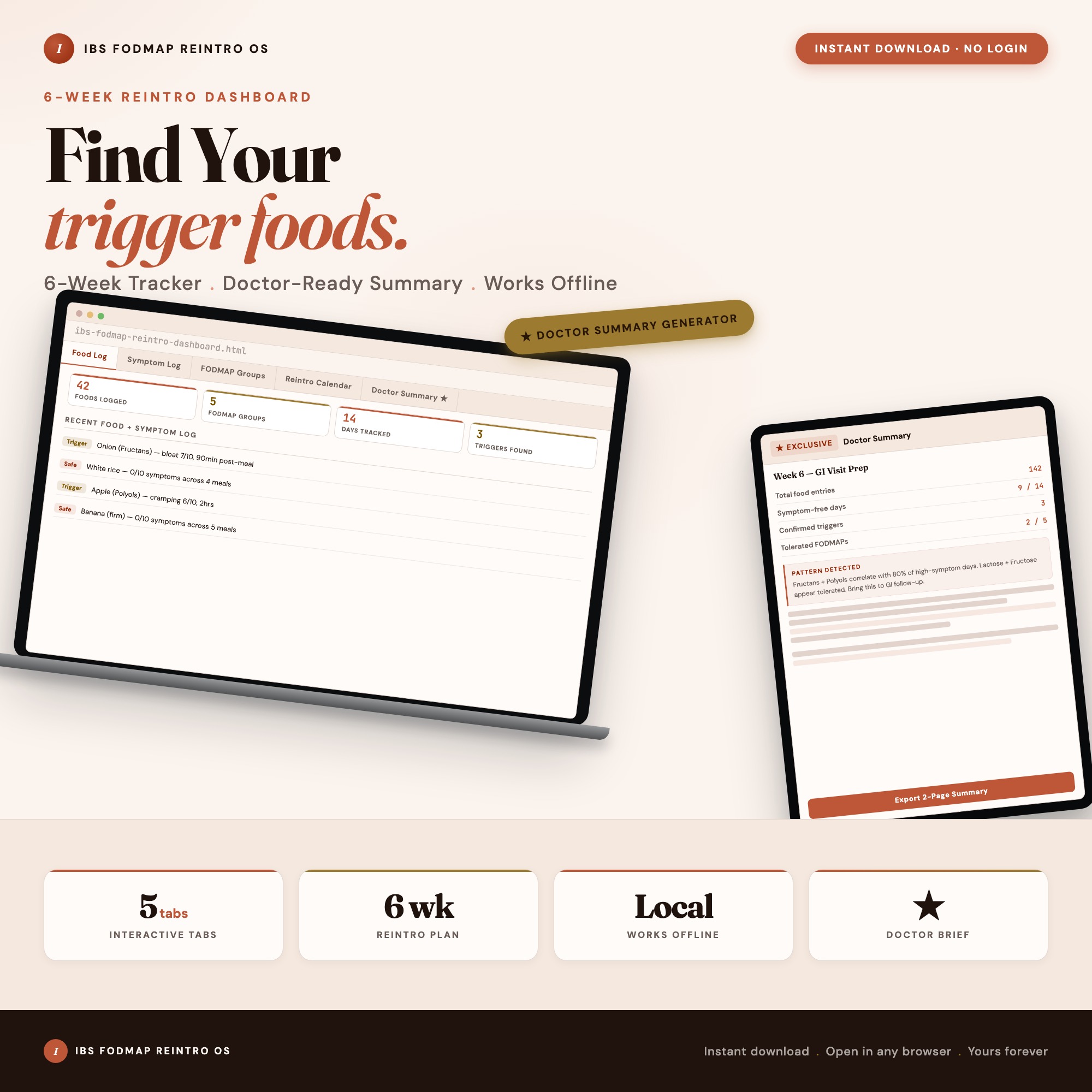
The IBS FODMAP Reintroduction Dashboard has a FODMAP Groups tab that builds this summary as you log, and a Doctor Summary tab that generates a formatted 2-page report from all your food, symptom, and bowel logs across the full reintroduction period. This is the view that turns 42 days of data into an actionable clinical document — not something any generic symptom app or food diary can produce.
The Washout Day Problem
The most common mistake during reintroduction: testing too soon after a reaction, or testing overlapping foods.
Between each test period, you need a clean 2–3 day washout where you eat only confirmed low-FODMAP foods and your symptoms have returned to baseline. Testing before symptoms clear means your next test result is confounded — you can’t tell whether symptoms are from the new test food or a residual reaction.
A reintroduction calendar view makes washout compliance visible. When you can see Day 1 (test), Day 2 (washout), Day 3 (washout), Day 4 (re-test) laid out explicitly per FODMAP group, you’re less likely to skip the washout period under the pressure of “wanting to get through this faster.”
Prepare a Summary Before Your Follow-Up Appointment
Most GI follow-up appointments are 20–30 minutes. Arriving without organized data means your doctor is working from your verbal summary, which is less reliable and less specific than documented evidence.
A useful doctor-visit summary for FODMAP reintroduction includes:
- The date of your elimination start and reintroduction start
- Your baseline symptom severity before elimination
- Results per FODMAP group: dose tested, symptoms, verdict
- Your three clearest trigger foods
- Your three clearest tolerances
- Any foods with uncertain results that need a controlled re-test
The Doctor Summary Generator in the IBS FODMAP Reintroduction Dashboard reads your logged data and assembles this format automatically. GI doctors have noted that this kind of structured summary shortens follow-up appointments significantly by eliminating the “can you walk me through what you ate” reconstruction.
One-time purchase at $22. Find it at ListingResearchOS on Etsy.
Frequently asked questions
- Do I need special software to use an offline dashboard?
- No. An offline HTML dashboard like the IBS FODMAP Reintroduction Dashboard is a single file you open in any browser — Chrome, Edge, Safari, or Firefox. Nothing to install, no account to create.
- Is my data private if I use a browser-based dashboard?
- Yes, completely. Data stored in your browser's localStorage never leaves your device. There are no servers, no analytics, and no uploads of any kind.
- Can I back up my data?
- Yes. Every ListingResearchOS dashboard includes an Export Backup button that downloads a JSON file to your computer. Load Backup restores it on any device or browser.
- What makes an interactive HTML dashboard better than a spreadsheet?
- Spreadsheets require manual formula maintenance and lack purpose-built workflows. An interactive HTML dashboard has pre-built logic — like Doctor Prep Summary Generator — Reads localStorage data from food/symptom/bowel logs across all reintro days, computes FODMAP group correlations, generates formatted 2-page doctor-ready summary — that a spreadsheet can't replicate without significant engineering work.
- How much does the IBS FODMAP Reintroduction Dashboard cost?
- It is a one-time purchase of $22 on Etsy. No monthly subscription. Once you buy it, it is yours forever.
Ready-made dashboards
Skip setup — grab an interactive dashboard built for this exact workflow.
ListingResearchOS Shop
All dashboards — one-time purchase, yours forever
Single HTML files. No subscriptions. No login. Works offline in any browser.
Browse all dashboards →