
How to Track Multiple Income Streams for Taxes as a Side Hustler
How to track 3+ income streams for taxes without spreadsheet chaos — quarterly estimated payments, per-stream tax set-asides, and a 1099 prep workflow.
Published June 3, 2026
Running three or more income streams sounds like a success problem. Until April rolls around.
When your income comes from Etsy, a freelance retainer, a content payout from a newsletter platform, and maybe some affiliate commissions, every dollar comes in on a different schedule and goes through a different payment processor. Some streams will issue you a 1099. Some won’t. Your quarterly estimated tax payments need to account for all of it — and if you’re estimating based on memory rather than tracked actuals, you’re either overpaying or about to face an underpayment penalty.
This guide covers how to track multiple income streams in a way that keeps your taxes organized all year, not just in April.
Why Multi-Stream Tax Tracking Is Uniquely Hard
Single-stream earners — a person with one W-2 job and no side income — have their taxes handled automatically via withholding. Multi-stream earners are responsible for their own tax compliance on every self-employment dollar.
The challenge compounds when streams behave differently:
- Etsy reports on Form 1099-K once you exceed $600 in sales (effective for 2024 and beyond)
- Freelance retainers may or may not issue a 1099-NEC depending on the client’s bookkeeping practices
- Content platforms (Substack, Gumroad, etc.) may issue a 1099 or provide a payout summary that doesn’t match IRS threshold rules
- Affiliate commissions vary by platform — some issue 1099s, some don’t, and you owe taxes regardless
You cannot rely on 1099s to reconstruct your income accurately. The IRS does not care whether a platform issued a 1099 — you owe self-employment tax on every dollar of profit.
Log Income by Stream, Not by Date
The most useful organization unit for multi-stream tax tracking is the income stream itself, not the calendar date.
For each stream, keep a running log with:
- Date — when the income was received or settled
- Source — the specific platform or client
- Amount — gross, before platform fees
- Platform fees taken — so you know net
- Category — which stream (Etsy, freelance, content, affiliate, etc.)
At the end of each quarter, you can roll up the totals by stream and calculate your estimated tax liability on that specific income type.
Calculate Quarterly Estimated Payments Per Stream
The IRS requires quarterly estimated tax payments if you expect to owe at least $1,000 in taxes on self-employment income. The four due dates are:
- Q1 (Jan 1 – Mar 31): Due April 15
- Q2 (Apr 1 – May 31): Due June 15
- Q3 (Jun 1 – Aug 31): Due September 15
- Q4 (Sep 1 – Dec 31): Due January 15 of the following year
For each stream, set a tax set-aside rate and apply it every time income comes in. A reasonable starting point for most self-employment income is 25–30% of net profit (covering both self-employment tax at 15.3% on 92.35% of profit, plus income tax at your marginal rate).
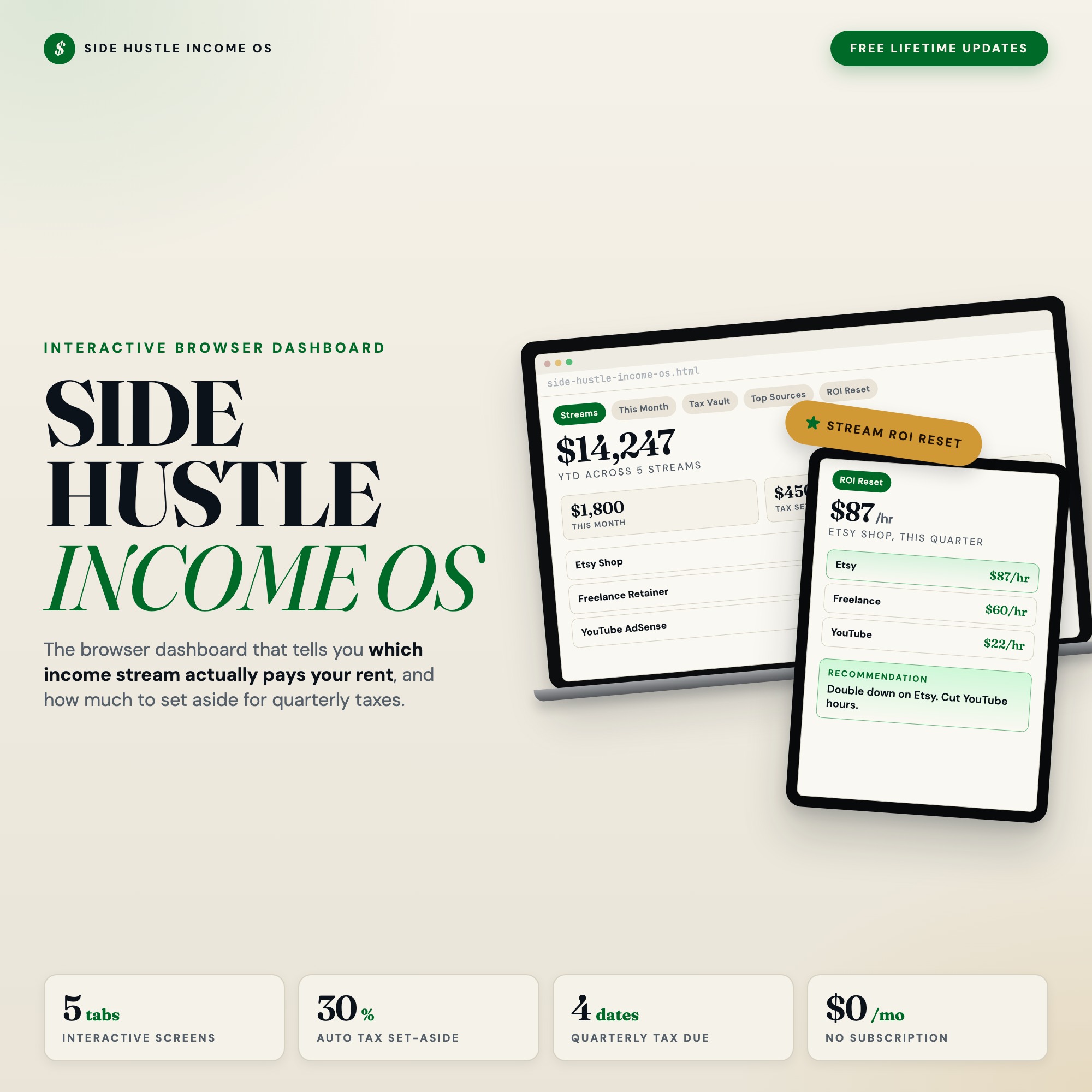
The Side Hustle Income OS includes a Tax Vault tab that lets you set a custom set-aside rate per stream and shows a running total of how much you should have moved to savings, plus a countdown to each quarterly due date. When April 15 arrives and you’re looking at your Q1 payment, you want to know whether you saved $3,200 or $1,100 — those are very different conversations with your bank account.
Know Which Stream Is Actually Worth Your Time
Gross revenue per stream doesn’t tell you which stream deserves more of your attention. A freelance retainer that pays $2,000/month but requires 30 hours of work earns $67/hour. An Etsy shop that generates $1,200/month from digital products with two hours of monthly maintenance earns $600/hour.
That calculation — revenue divided by hours invested — should inform every decision you make about where to spend creative and marketing energy.
The Side Hustle Income OS has a Stream ROI Reset tab built for this quarterly analysis. You log hours per stream, and the dashboard calculates revenue per hour, ranks your streams, and outputs a plain-language recommendation: which stream to grow, which to maintain, and which to quietly phase out. No competitor income tracker includes this view.
A 15-Minute Monthly Reconciliation
Once a month, spend 15 minutes on these four tasks:
- Reconcile each stream — cross-check your logged income against your platform payouts. Catch any deposits you missed logging.
- Update your tax set-aside total — confirm the amount sitting in your savings account matches your calculated obligation.
- Review top sources — which platforms or clients drove the most revenue this month? Did anything unexpected perform well or poorly?
- Flag any 1099 discrepancies — if a platform issues a 1099 that doesn’t match your records, you want to catch that now rather than at tax time.
This 15-minute habit prevents the end-of-year scramble where you’re piecing together a year’s worth of income from PayPal histories, Stripe dashboards, and a spreadsheet you stopped updating in September.
Get the Side Hustle Income OS at $22 one-time. Find it at ListingResearchOS on Etsy.
Frequently asked questions
- Do I need special software to use an offline dashboard?
- No. An offline HTML dashboard like the Side Hustle Income Tracker Dashboard is a single file you open in any browser — Chrome, Edge, Safari, or Firefox. Nothing to install, no account to create.
- Is my data private if I use a browser-based dashboard?
- Yes, completely. Data stored in your browser's localStorage never leaves your device. There are no servers, no analytics, and no uploads of any kind.
- Can I back up my data?
- Yes. Every ListingResearchOS dashboard includes an Export Backup button that downloads a JSON file to your computer. Load Backup restores it on any device or browser.
- What makes an interactive HTML dashboard better than a spreadsheet?
- Spreadsheets require manual formula maintenance and lack purpose-built workflows. An interactive HTML dashboard has pre-built logic — like Stream ROI Reset — quarterly review that ranks every income stream by hourly profitability (revenue divided by hours logged) and gives a plain-language recommendation on which stream to double down on and which to cut — that a spreadsheet can't replicate without significant engineering work.
- How much does the Side Hustle Income Tracker Dashboard cost?
- It is a one-time purchase of $22 on Etsy. No monthly subscription. Once you buy it, it is yours forever.
Ready-made dashboards
Skip setup — grab an interactive dashboard built for this exact workflow.
ListingResearchOS Shop
All dashboards — one-time purchase, yours forever
Single HTML files. No subscriptions. No login. Works offline in any browser.
Browse all dashboards →