
How to Track Your Etsy Shop Profit Per Listing (The Right Way)
How to calculate real net profit per Etsy listing after fees and COGS — so you know which products actually make money and which to reprice or retire.
Published June 3, 2026
Most Etsy sellers know their total shop revenue. Very few know which specific listings are actually profitable after Etsy takes its cut.
Etsy charges a transaction fee (6.5% of sale price plus shipping), a listing fee ($0.20 per listing), and payment processing (3% + $0.25 per transaction). On a $25 item, those fees alone can reach $2.40–$3.00 before you’ve accounted for materials. If your COGS on that item is $8, your net profit is roughly $14 — a 56% margin. But if you’ve been assuming it’s higher because you only looked at gross revenue, you’ve been pricing, promoting, and restocking based on wrong numbers.
This guide walks through how to calculate real per-listing profit and use that data to make better decisions about your shop.
The Full Etsy Fee Stack
Before you can calculate profit per listing, you need to know what Etsy actually takes:
- Listing fee: $0.20 per listing, charged when you publish or renew
- Transaction fee: 6.5% of the total sale price (item + shipping + gift wrap)
- Payment processing: 3% + $0.25 per transaction (for Etsy Payments)
- Offsite Ads fee: 12–15% on sales driven by Etsy’s advertising (required for shops over $10K/year)
On a $30 item with $5 shipping, the transaction fee alone is $2.28. Add payment processing ($1.15) and the listing fee allocated to that sale ($0.20), and you’re at $3.63 in Etsy fees before you’ve counted a dollar of materials.
Most sellers estimate this as “about 20%” and move on. That’s often close enough for high-margin digital products, but for physical goods where COGS is $6–$15, the difference between estimated and actual fees can flip a listing from profitable to break-even.
How to Build Your COGS Per Listing
Cost of Goods Sold for an Etsy listing includes everything that goes into producing and shipping one unit:
- Materials — fabric, components, packaging (pro-rated per unit)
- Consumables — printer ink, shipping tape, tissue paper
- Labor — your hourly rate times the minutes per item (even if you pay yourself nothing, tracking this reveals which listings consume the most time)
- Shipping supplies — box, bubble wrap, filler
- Actual postage — what you paid to ship, not what the buyer paid
Record these per-item numbers once and store them with the listing. When you update your price or materials, update the COGS. The margin calculation stays accurate without manual re-entry.
Calculate Net Profit Per Listing
With COGS and fees in hand, the formula is straightforward:
Net Profit = Sale Price - COGS - Etsy Fees
Work through an example. You sell a hand-poured candle for $22 with $5 shipping:
- Etsy transaction fee: 6.5% x $27 = $1.76
- Payment processing: 3% x $27 + $0.25 = $1.06
- Listing fee allocation: $0.20
- Total Etsy fees: $3.02
- COGS (wax, wick, vessel, label, box): $6.40
- Net profit: $22 - $6.40 - $3.02 = $12.58 (43% margin)
Now run this for every listing in your shop. The results tend to surprise sellers. Items that sell frequently at a low price sometimes earn less per hour invested than slow-selling premium items. That insight only surfaces when you look at margin, not just revenue.
What to Do with the Profit Leaderboard
Once you have per-listing net profit numbers, rank every listing from most profitable to least. This is the view that changes how you run your shop.
The top of the list tells you where to double down on promotion, restocking, and variations. A listing with strong organic traffic and high margin is worth investing in Etsy Ads for. One with weak margin isn’t worth the ad spend even if it converts well.
The bottom of the list forces a decision on each underperformer:
- Reprice — can you raise the price without killing conversion? Test a 10–15% increase. If the listing is already converting well, buyers clearly find value.
- Reduce COGS — is there a cheaper material swap or a supplier negotiation opportunity?
- Retire — if the listing costs more in time and fees than it returns in profit, removing it frees up attention for higher-margin work
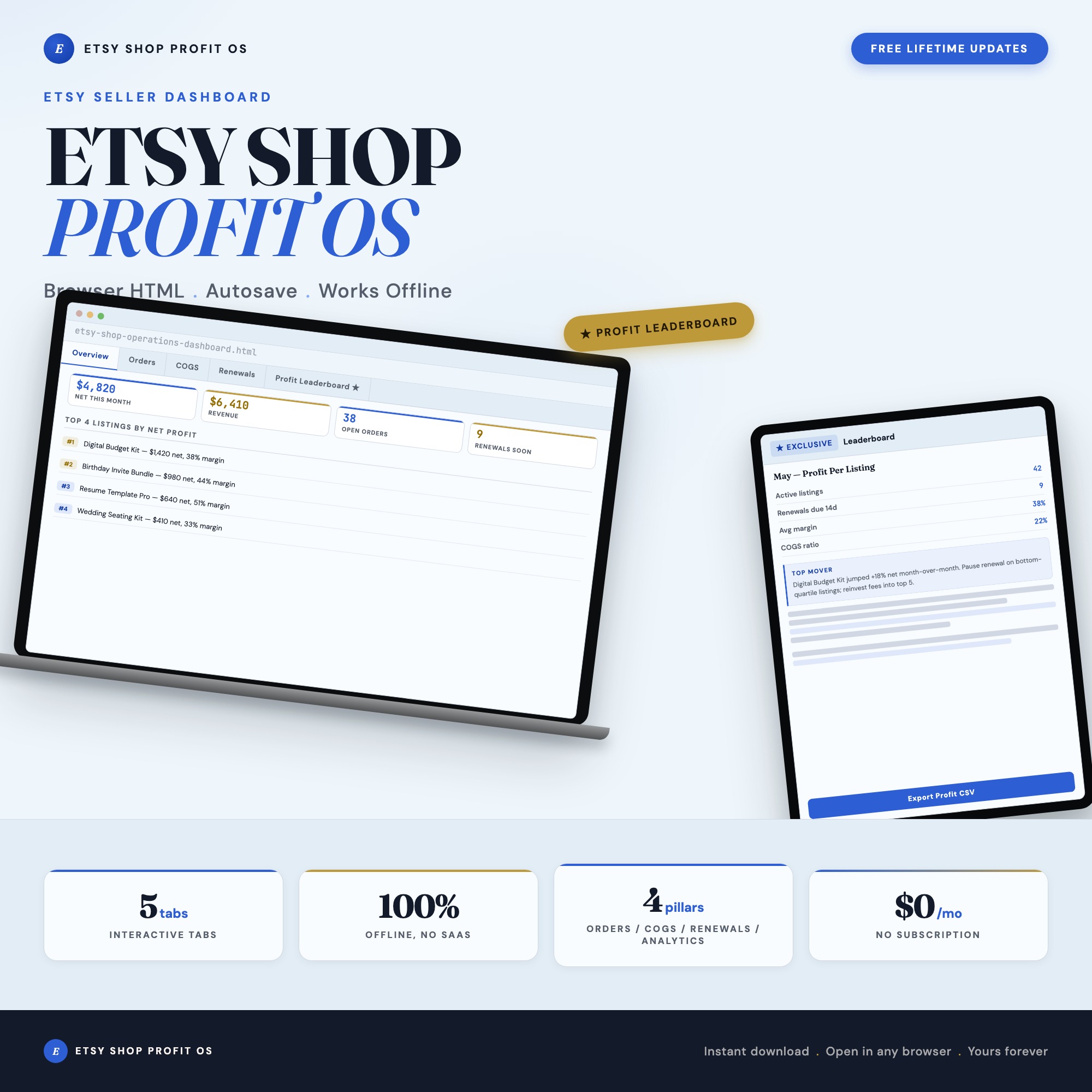
The Etsy Shop Operations Dashboard has a dedicated Profit by Listing tab that ranks your full catalog by net profit after fees and COGS. It works alongside the COGS Calculator tab where you enter your per-item material and labor costs, so the math runs automatically rather than requiring a spreadsheet rebuild for every new listing.
Track Listing Renewals Alongside Profit
Listings expire every four months ($0.20 renewal fee each time). For a shop with 30 listings that each sell once or twice before renewal, the renewal fees add up and erode margin further for low-traffic listings.
Track renewal dates by urgency. A listing with two sales in the last four months and a net margin of $2.50 per sale might not be worth renewing at all. A listing with twelve sales at $14 net profit is absolutely worth renewing immediately.
The Etsy Shop Operations Dashboard’s Listing Renewals tab shows upcoming expirations color-coded by soonest. That visibility lets you make active renewal decisions rather than auto-renewing everything by default.
A Monthly Profit Review Habit
Once a month, spend 20 minutes reviewing four numbers:
- Total net profit this month — revenue minus all fees and COGS
- Top 3 listings by profit — are you promoting them as aggressively as they deserve?
- Bottom 3 listings by margin — are any of them candidates for repricing or retirement?
- Listings with expiring renewals — active renewal decisions for the next 30 days
This review habit, consistently applied, compounds over time. Sellers who run this quarterly find their average margin improves by 5–10 percentage points as low performers get retired and high performers get more attention and inventory investment.
Get the Etsy Shop Operations Dashboard to track profit per listing without rebuilding your COGS model every month. One-time purchase at $22 — no subscriptions, no Etsy API access required, works entirely in your browser.
Find it at ListingResearchOS on Etsy.
Frequently asked questions
- Do I need special software to use an offline dashboard?
- No. An offline HTML dashboard like the Etsy Shop Operations Dashboard is a single file you open in any browser — Chrome, Edge, Safari, or Firefox. Nothing to install, no account to create.
- Is my data private if I use a browser-based dashboard?
- Yes, completely. Data stored in your browser's localStorage never leaves your device. There are no servers, no analytics, and no uploads of any kind.
- Can I back up my data?
- Yes. Every ListingResearchOS dashboard includes an Export Backup button that downloads a JSON file to your computer. Load Backup restores it on any device or browser.
- What makes an interactive HTML dashboard better than a spreadsheet?
- Spreadsheets require manual formula maintenance and lack purpose-built workflows. An interactive HTML dashboard has pre-built logic — like Profit-Per-Listing Leaderboard: every tracked listing ranked by net profit after fees and COGS — a view no static spreadsheet competitor offers — that a spreadsheet can't replicate without significant engineering work.
- How much does the Etsy Shop Operations Dashboard cost?
- It is a one-time purchase of $22 on Etsy. No monthly subscription. Once you buy it, it is yours forever.
Ready-made dashboards
Skip setup — grab an interactive dashboard built for this exact workflow.
ListingResearchOS Shop
All dashboards — one-time purchase, yours forever
Single HTML files. No subscriptions. No login. Works offline in any browser.
Browse all dashboards →