
How to Calculate RevPAR and Occupancy Rate for Your Short-Term Rental
Exact formulas for RevPAR and occupancy rate calculations, with a walkthrough of how to turn those numbers into net profit and IRS Schedule E tax prep.
Published June 3, 2026
RevPAR and occupancy rate are the two numbers Airbnb and VRBO hosts get asked about most — and the two numbers most solo hosts calculate inconsistently, if at all. This guide covers the exact math, what the numbers actually mean for a 1–5 property portfolio, how they connect to net profit, and how to get the full picture down to an estimated quarterly tax set-aside without building anything in a spreadsheet.
The Formulas, Explained Simply
Occupancy Rate is the percentage of available nights that were actually booked.
Formula: (Nights Booked / Nights Available) x 100
If your cabin is listed 30 nights in May and has 21 nights booked, your May occupancy rate is 70%. Most hosts running a single property treat this as an obvious number, but it gets more complex at 3–5 properties with different seasonal windows and different block-off patterns.
RevPAR — Revenue Per Available Room (or per available rental night) — is more useful than occupancy alone because it accounts for pricing. A property booked at 50% occupancy on a $300 nightly rate outperforms one at 80% occupancy on a $150 rate.
Formula: Nightly Rate x Occupancy Rate
Or equivalently: Gross Revenue / Nights Available
At $300/night and 70% occupancy for a 30-night month: RevPAR = $300 x 0.70 = $210 per available night. Gross revenue = $210 x 30 nights = $6,300.
These two numbers let you compare properties accurately even when they have different pricing and availability windows.
From RevPAR to Net Profit: What the Math Misses
Occupancy and RevPAR are top-line metrics. They tell you how well a property is performing as a revenue-generator — but they say nothing about what you’re actually keeping after platform fees, cleaning costs, supplies, mortgage interest, repairs, and insurance.
Net profit calculation requires layering in:
- Platform service fee (typically 3% on Airbnb host side)
- Cleaning cost per turnover multiplied by turnovers in the period
- Supplies and consumables restocked (linens, toiletries, paper goods)
- Maintenance and repair costs
- Property management software or dynamic pricing tool subscriptions
- A proportional share of mortgage interest, insurance, and property tax (for IRS purposes)
Most solo hosts know their gross revenue. Fewer know their actual net per property. The gap between those two numbers is where surprises live — and where tax underpayment happens.
IRS Schedule E and the Quarterly Estimate Problem
Short-term rental income is typically reported on IRS Schedule E (Supplemental Income and Loss). The deductible expenses are real and significant — but only if they’re organized before you need them. When you’re piecing together your rental expense records in March, you’re working from memory and partial records.
The deductible categories for STR hosts include: mortgage interest, property taxes, insurance, cleaning and maintenance, utilities (proportional to rental use), supplies, depreciation, and platform fees. Each needs to be logged by property and by category throughout the year.
The quarterly tax set-aside problem: as a self-employed host earning rental income, you likely owe estimated taxes quarterly. The safe-harbor amount is generally 100% of last year’s tax liability (or 110% if your income was over $150K). But if your rental income varies significantly — high season vs. off-season — a fixed quarterly estimate may over- or under-pay.
A better approach is calculating a target set-aside rate (typically 25–30% of net rental income for combined federal and state) and applying it monthly as you log income.
Running the Numbers Automatically
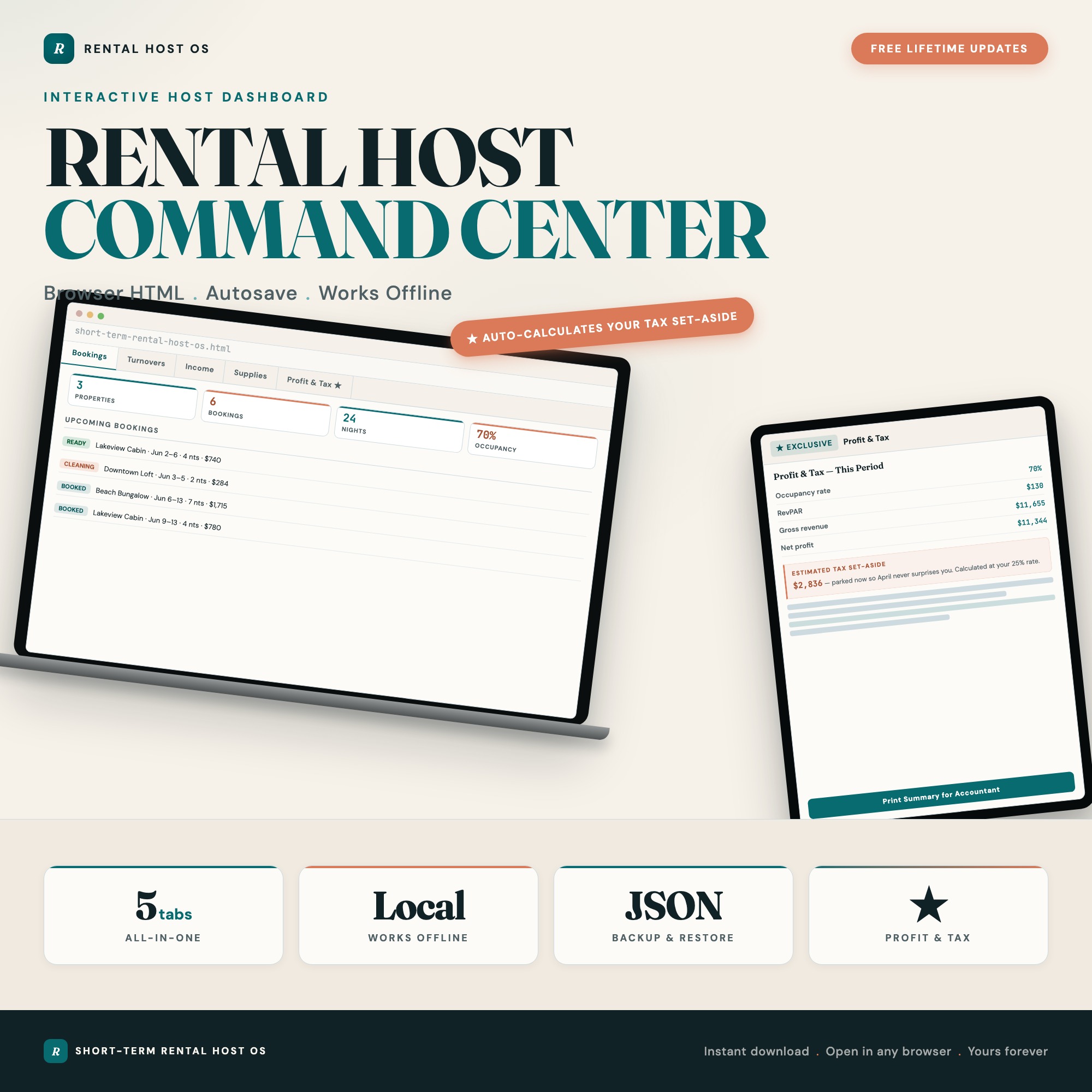
The Short-Term Rental Host Command Center handles all of this in its Profit and Tax Calculator tab. Enter nights available, nights booked, and nightly rate per property, and it returns occupancy rate, RevPAR, gross revenue, and net profit automatically. The Income and Expenses tab groups your deductible costs by Schedule E category as you log them. The Tax Calculator applies your chosen set-aside rate to net income and shows your estimated quarterly obligation.
The dashboard covers the full operation in five tabs: Properties and Bookings (reservation log per listing), Turnover and Cleaning (cleaning checklist with cleaner assignment), Income and Expenses (bookkeeping by property), Supplies and Inventory (par-level restock tracker with low-stock flags), and Profit and Tax Calculator (the automated math described above).
No Etsy competitor ships this as an interactive calculation. Every other option in this category is a static income/expense spreadsheet or a separate cleaning checklist — not an integrated system.
Single HTML file, $27 one-time purchase, works offline in any browser.
Frequently asked questions
- Do I need special software to use an offline dashboard?
- No. An offline HTML dashboard like the Short-Term Rental Host Command Center is a single file you open in any browser — Chrome, Edge, Safari, or Firefox. Nothing to install, no account to create.
- Is my data private if I use a browser-based dashboard?
- Yes, completely. Data stored in your browser's localStorage never leaves your device. There are no servers, no analytics, and no uploads of any kind.
- Can I back up my data?
- Yes. Every ListingResearchOS dashboard includes an Export Backup button that downloads a JSON file to your computer. Load Backup restores it on any device or browser.
- What makes an interactive HTML dashboard better than a spreadsheet?
- Spreadsheets require manual formula maintenance and lack purpose-built workflows. An interactive HTML dashboard has pre-built logic — like Profit & Tax Auto-Calculator takes nights-available, nights-booked, and nightly rate per property and instantly returns occupancy rate, RevPAR, gross revenue, net profit per property, total deductible expenses grouped for IRS Schedule E, and an estimated tax set-aside at the host's chosen rate — that a spreadsheet can't replicate without significant engineering work.
- How much does the Short-Term Rental Host Command Center cost?
- It is a one-time purchase of $27 on Etsy. No monthly subscription. Once you buy it, it is yours forever.
Ready-made dashboards
Skip setup — grab an interactive dashboard built for this exact workflow.
ListingResearchOS Shop
All dashboards — one-time purchase, yours forever
Single HTML files. No subscriptions. No login. Works offline in any browser.
Browse all dashboards →