
How to Build a 16-Week Marathon Training Plan From Scratch
How to build a 16-week marathon training plan: mileage structure, pace zones, taper strategy, and race-day prep for first-timers and PR chasers alike.
Published June 3, 2026
A 16-week marathon training plan sounds simple in concept: build your weekly mileage, run one long run per week, taper the last two weeks, race. The reality is that the structure inside those 16 weeks matters enormously — especially for first-timers who’ve never been through a full build, and for PR chasers who’ve discovered that running more miles without the right pace structure doesn’t automatically produce a faster finish.
This guide walks through how to actually construct a plan, what each phase is doing physiologically, how to calculate your goal pace with real data, and how to set up the tracking system that keeps the whole thing on track.
The Five Training Phases in a 16-Week Build
Most successful marathon plans follow a five-phase structure, though the phases blend together rather than starting and stopping cleanly.
Weeks 1–4: Base and Aerobic Foundation. The first month is about getting your legs used to consistent weekly mileage. Effort should feel easy — conversational pace, never gasping. Weekly long runs stay under 14 miles. The goal is adapting tendons, ligaments, and aerobic capacity without creating injury risk before the real training begins.
Weeks 5–10: Build Phase. This is the core of the plan. Weekly mileage increases approximately 10% each week, with a cutback week every fourth week to allow recovery. Long runs extend to 18–20 miles. Tempo runs and marathon-pace segments get introduced here — you’re teaching your body what race effort feels like.
Weeks 11–13: Peak Training. The highest-volume weeks. Your longest training runs happen now. Many plans cap the long run at 20 miles even for 26.2, because the recovery cost beyond that mileage outweighs the fitness gain at this point in the cycle.
Weeks 14–15: Taper. Mileage drops significantly — typically 40% in week 14 and another 20–25% in week 15. This is not coasting; it’s where fitness consolidates. Many runners feel worse during taper, which is normal. Trust the plan.
Week 16: Race Week. Short, easy runs with a few strides. The work is done. Race day prep — gear, nutrition, logistics, sleep — becomes the primary job.
How to Calculate Your Actual Goal Pace
The biggest mistake first-time marathoners make is setting a goal time based on ambition rather than training data. Saying “I want to finish in 4 hours” means nothing unless your recent long runs at marathon-effort pace are consistent with a 9:09/mile average, sustained for 26.2 miles.
The right way to calculate goal pace:
- Log your last three long runs with actual pace data.
- Identify the pace at which those runs felt like a 6–7 out of 10 effort — sustainable, not easy, not grinding.
- Add 10–15 seconds per mile for race conditions (weather, adrenaline, early miles going out too fast).
- That adjusted pace is your starting target.
Then factor in heart rate zones. If your aerobic threshold is around 145 bpm, your marathon pace should keep you comfortably below that ceiling for the first 18 miles. Runners who go out at threshold pace in miles 1–8 pay for it in miles 20–26.
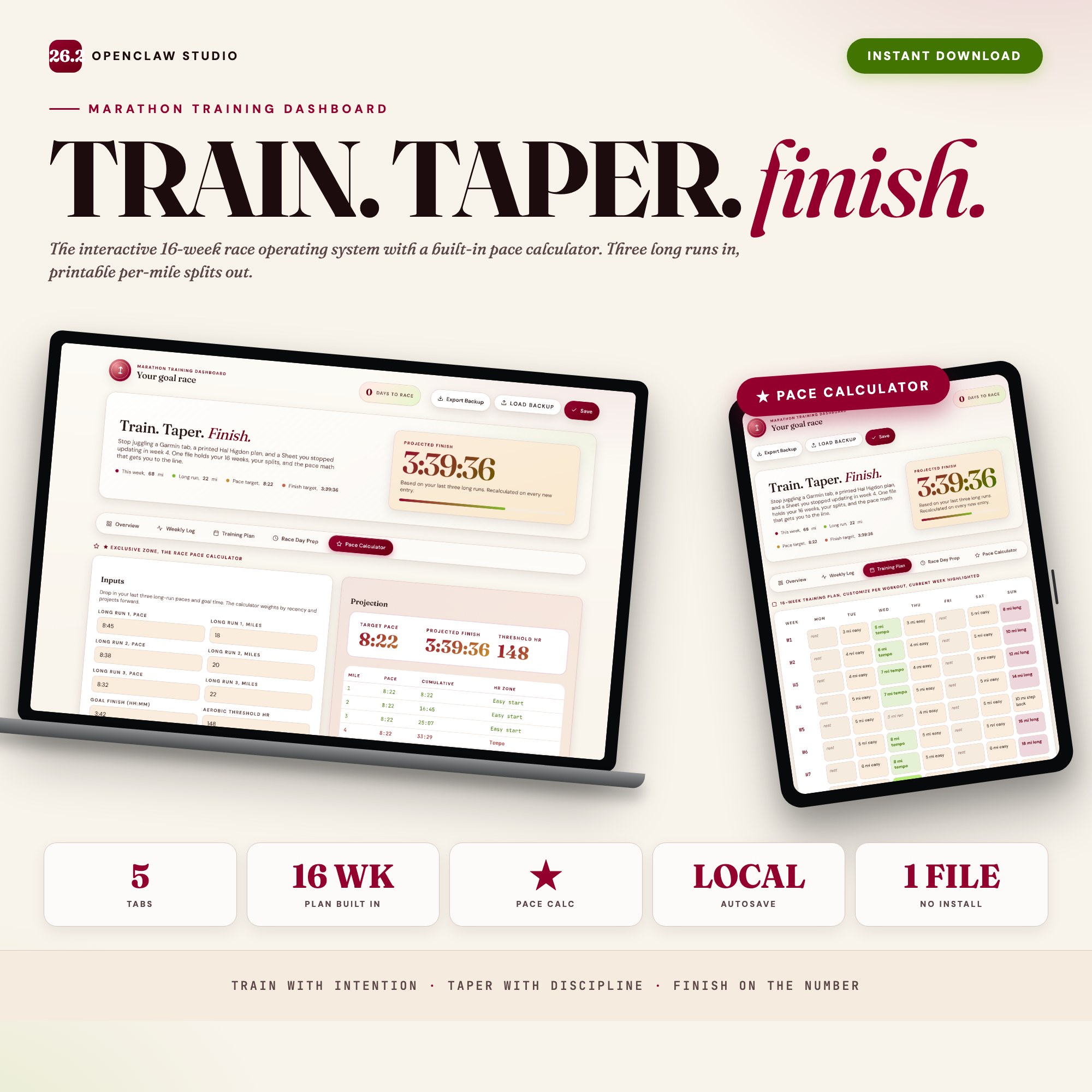
The Race Pace Calculator in the Marathon Training Dashboard does this calculation interactively. You enter your last three long-run paces and your aerobic threshold heart rate; it outputs your projected finish time, target pace per mile, and a printable pace band split by HR zone. You walk to the start line knowing the exact number.
Building the Weekly Log Habit
A training plan is only useful if you’re actually logging what happens. The two critical data points are miles run and pace — but the most valuable addition is effort level (RPE, on a 1–10 scale) and any notes on shoe, surface, or unusual fatigue.
Why RPE matters: a 9:30/mile run at RPE 8 on a hot humid day is physiologically different from the same pace at RPE 5. Logging RPE lets you see the difference between fitness improvement and good conditions.
The Marathon Training Dashboard organizes this in five tabs: Overview (race profile and weekly stats), Weekly Log (per-run entries with shoe and HR fields), Training Plan (16 weeks pre-loaded with current week highlighted), Race Day Prep (gear, nutrition, taper protocol checklists), and Pace Calculator (the exclusive zone described above).
Data autosaves to your browser — open it after your morning run, log the session in under 90 seconds, close the tab. No app to install, no Strava subscription, no account required.
Race Day Prep Is Its Own Project
Two weeks before your race, shift your focus from training execution to race logistics. This is a distinct checklist:
- Gear: race bib pickup schedule, confirmed kit (shoes, socks, shorts, shirt you’ve tested in long runs — never debut anything on race day)
- Nutrition: race-day breakfast tested in training, gel/chew timing practiced at miles 6, 12, 18
- Logistics: course map, start corral assignment, gear check details, where family will station themselves
- Sleep: race-day sleep matters less than two nights before — the night before a race is usually poor; what matters is banking sleep during taper week
The Race Day Prep tab in the dashboard covers all of this in a pre-built checklist format so nothing gets forgotten during taper-week anxiety.
One-time purchase at $24. No subscription, no login, no internet required.
Frequently asked questions
- Do I need special software to use an offline dashboard?
- No. An offline HTML dashboard like the Marathon Training Dashboard is a single file you open in any browser — Chrome, Edge, Safari, or Firefox. Nothing to install, no account to create.
- Is my data private if I use a browser-based dashboard?
- Yes, completely. Data stored in your browser's localStorage never leaves your device. There are no servers, no analytics, and no uploads of any kind.
- Can I back up my data?
- Yes. Every ListingResearchOS dashboard includes an Export Backup button that downloads a JSON file to your computer. Load Backup restores it on any device or browser.
- What makes an interactive HTML dashboard better than a spreadsheet?
- Spreadsheets require manual formula maintenance and lack purpose-built workflows. An interactive HTML dashboard has pre-built logic — like Race Pace Calculator that ingests recent training-run paces and projects finish time + per-mile splits by heart-rate zone — that a spreadsheet can't replicate without significant engineering work.
- How much does the Marathon Training Dashboard cost?
- It is a one-time purchase of $24 on Etsy. No monthly subscription. Once you buy it, it is yours forever.
Ready-made dashboards
Skip setup — grab an interactive dashboard built for this exact workflow.
ListingResearchOS Shop
All dashboards — one-time purchase, yours forever
Single HTML files. No subscriptions. No login. Works offline in any browser.
Browse all dashboards →