
Airbnb Host Taxes: How to Track Income and Expenses for IRS Schedule E
How short-term rental hosts track Schedule E income and expenses: which categories are deductible, how to calculate occupancy, and what to log monthly.
Published June 3, 2026
Tax season catches a lot of Airbnb and VRBO hosts off guard. The income showed up in their Airbnb payout summaries throughout the year, the expenses were paid from a mix of accounts, and at year-end they’re reconciling everything from memory and bank statements. The tracking problem isn’t complicated to solve — it just needs to happen throughout the year, not in February.
Here’s how to set up STR income and expense tracking that actually prepares you for Schedule E.
Understanding Schedule E for Short-Term Rentals
Most Airbnb and VRBO hosts report rental income on Schedule E, which is for supplemental income from rental properties. The key requirement: the property must be used personally for 14 days or fewer per year OR 10% or fewer of the days it’s rented out (whichever is greater). If your personal use exceeds that threshold, your deductible losses may be limited.
The practical implication for tracking: you need to know your rental days, your personal use days, and your total available days — not just your gross income.
The Expense Categories That Matter on Schedule E
The IRS groups rental expenses into these categories on Schedule E:
- Advertising — Airbnb and VRBO fees, photography, listing upgrades
- Auto and travel — mileage to and from the property for maintenance visits
- Cleaning and maintenance — cleaner payments, maintenance and repair costs
- Insurance — homeowner/landlord policy, STR rider if applicable
- Legal and professional fees — accountant fees for the rental property
- Management fees — if you use a property manager
- Mortgage interest — from your Form 1098
- Other interest — HELOC interest if applicable
- Repairs — distinct from improvements (which must be depreciated over time)
- Supplies — toiletries, coffee, linens, consumables
- Taxes — property taxes (proportional to rental days)
- Utilities — electricity, water, internet, trash (proportional)
- Depreciation — requires a separate calculation based on property basis and improvement basis
The distinction between a repair and an improvement matters: a new roof is an improvement (depreciated over 27.5 years for residential property); fixing a broken appliance is a repair (fully deductible in the year paid).
The Proportional Use Calculation
For shared-use properties, expenses like mortgage interest, property taxes, insurance, and utilities are deductible only in proportion to the rental use. Calculate this as:
Rental days / (rental days + personal use days) = rental use percentage
If you rented 150 nights and used the property personally for 30 nights, your rental use percentage is 150 / (150 + 30) = 83.3%. That percentage of your mortgage interest, property taxes, and utilities is deductible on Schedule E.
You also need to track total nights available separately from rental nights for occupancy rate purposes.
What to Track Per Property, Per Month
For each property, track:
- Nights available
- Nights booked (and which were personal use)
- Total gross revenue received
- Each expense in its Schedule E category, with date and vendor
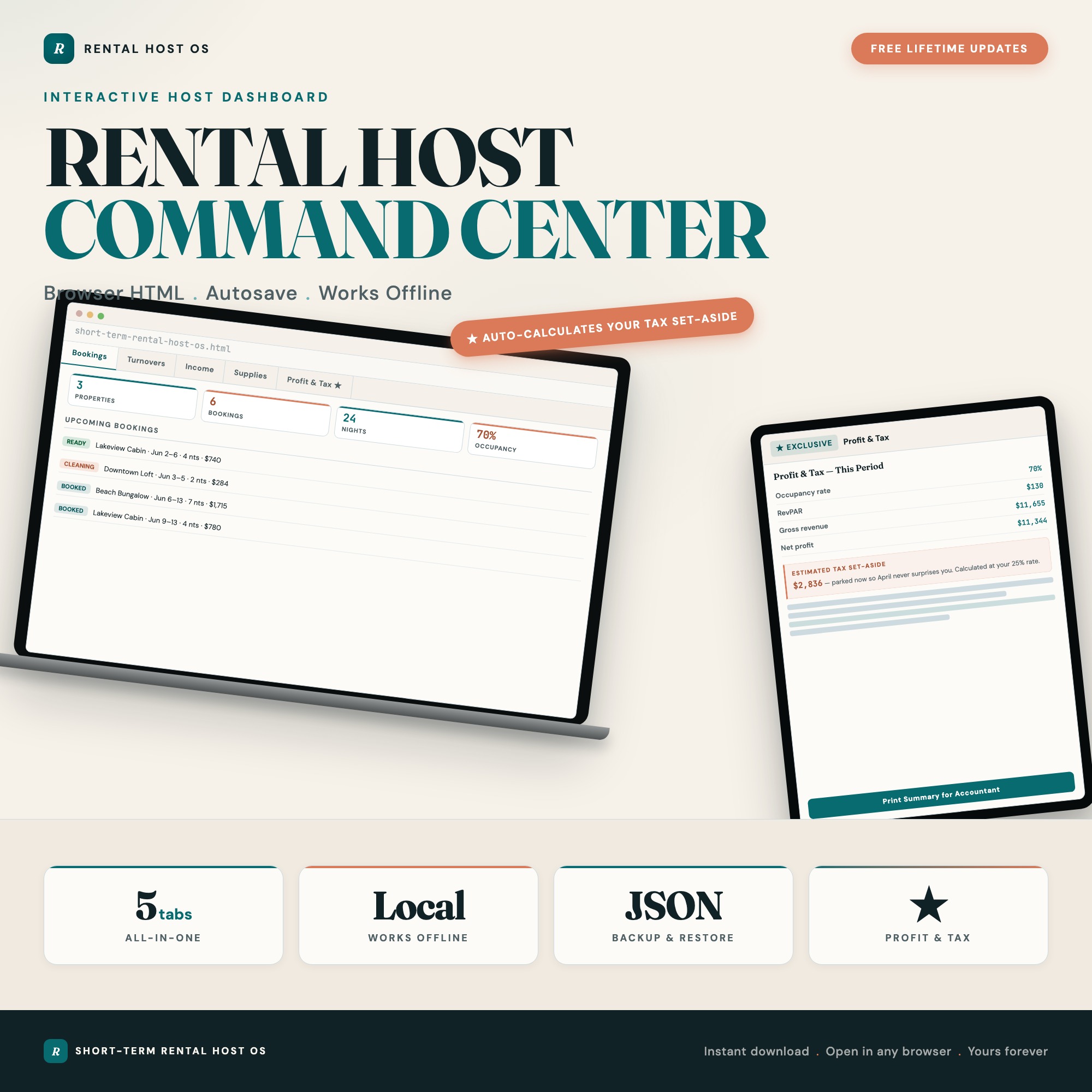
The Income and Expenses tab in the Short-Term Rental Host Command Center tracks bookkeeping by property with auto-category totals and monthly net. Expenses are grouped by Schedule E category automatically, so at year-end you have a clean summary ready for your accountant — not a spreadsheet they have to decode.
The Tax Set-Aside Math
Not setting money aside quarterly for STR income is how hosts end up with a tax bill they can’t pay in April. The Profit and Tax Auto-Calculator in the dashboard works like this: enter your nights available, nights booked, and nightly rate per property. It returns occupancy rate, RevPAR, gross revenue, and net profit per property. Set your chosen tax set-aside percentage, and it calculates how much to move to savings — updated as new bookings come in.
Running two properties? The dashboard handles multiple properties, each with their own bookings and expense lines, and sums across them for your total tax picture.
Beyond Tax Tracking: Running the Operation
The Short-Term Rental Host Command Center covers the full STR operation, not just bookkeeping. The Turnover and Cleaning tab has a reusable cleaning checklist per turnover with a Booked to Checkout to Cleaning to Ready status pipeline. The Supplies and Inventory tab tracks par levels per item and flags low stock before you run out of essentials mid-turnover.
For solo hosts running 1–5 properties without a property manager, having all of this in one offline file — rather than separate spreadsheets for income, a separate doc for cleaning checklists, and a separate spreadsheet for inventory — saves significant operational overhead.
One-time purchase at $27. No subscription. Your rental data stays on your device.
Frequently asked questions
- Do short-term rental hosts file Schedule E or Schedule C?
- Most STR hosts file Schedule E (Supplemental Income and Loss) if they rent out a property they also use personally (which includes most Airbnb situations). You file Schedule C if you provide substantial services like daily meals or cleaning — more like a hotel operation. If you're uncertain, consult a tax professional, especially for your first year.
- What expenses are deductible on Schedule E for short-term rentals?
- The main deductible categories for STR hosts are: mortgage interest (proportional to rental days), property taxes (proportional), insurance, cleaning and maintenance, supplies and amenities, platform fees (Airbnb/VRBO service fees), utilities (proportional), and depreciation. Depreciation requires a separate calculation — consult a CPA for the first year.
- How do I calculate the rental-use percentage of my property?
- Divide rental days by total days in the year. If you rented 180 nights and used the property personally for 30 nights, your rental-use percentage is 180 / 365 = 49.3%. That percentage applies to mortgage interest, property taxes, insurance, and utilities.
- What is RevPAR and why does it matter?
- RevPAR (Revenue Per Available Room/Night) is your gross revenue divided by total nights available. It combines occupancy rate and average nightly rate into one metric. If your RevPAR is $95 and your competitor's is $130, that gap is worth investigating regardless of your occupancy rate.
- What is the Short-Term Rental Host Command Center?
- It's an offline HTML dashboard with five tabs for running an STR operation: Properties and Bookings, Turnover and Cleaning, Income and Expenses (with Schedule E grouping), Supplies and Inventory, and a Profit and Tax Auto-Calculator. $27 one-time purchase, no subscription.
Ready-made dashboards
Skip setup — grab an interactive dashboard built for this exact workflow.
ListingResearchOS Shop
All dashboards — one-time purchase, yours forever
Single HTML files. No subscriptions. No login. Works offline in any browser.
Browse all dashboards →