
Side Hustle Income Tracker: Spreadsheet vs. App vs. HTML Dashboard
Wave vs. QuickBooks Self-Employed vs. Google Sheets vs. Side Hustle Income OS: what to use when you're running 3+ income streams and tax season is coming.
Published June 3, 2026
Our verdict
QuickBooks Self-Employed is the right choice if you need bank integration and automated mileage tracking. Wave is solid if you invoice clients and want free accounting software. For multi-stream income tracking with quarterly tax set-asides and hourly profitability analysis, the Side Hustle Income OS handles what accounting tools don't.
Running three or four income streams — an Etsy shop, a freelance retainer, affiliate revenue, maybe some digital products — means you’re dealing with a tracking problem that most accounting tools weren’t designed for. You need to know which stream is actually worth your time, how much to set aside for quarterly taxes across each 1099 source, and which platform is quietly underperforming.
Here’s how the real options stack up.
The Problem Accounting Tools Don’t Solve
Wave and QuickBooks Self-Employed are bookkeeping tools. They’re excellent at categorizing expenses, prepping for Schedule C, and tracking mileage. What they don’t do is answer the question most multi-stream earners actually have: “Is this side hustle worth the hours I’m putting into it?”
That’s a different question. It requires comparing revenue per hour across streams — not just total revenue — and that analysis isn’t what accounting software was built for.
Wave: Best Free Option for Basic Bookkeeping
Wave is genuinely free for accounting and invoicing, which makes it the default choice for side hustlers who need basic income and expense tracking without paying monthly. If you invoice clients, Wave’s invoicing is polished. If you need expense categorization for tax time, it handles that well.
Where it falls short: Wave doesn’t track multiple income streams separately by profitability, has no quarterly tax countdown, and doesn’t tell you which stream is paying the most per hour. It’s a ledger, not an analysis tool.
Best for: Side hustlers who invoice clients and want free accounting software with basic income tracking.
QuickBooks Self-Employed: The Most Complete Solo Self-Employment Tool
QuickBooks Self-Employed ($15/month) adds mileage tracking, estimated quarterly tax calculations, and Schedule C preparation to the basic bookkeeping feature set. If you drive for work or have significant business expenses, the mileage tracker alone can pay for the subscription at tax time. It also connects to your bank account and automatically categorizes transactions.
The limitation: it’s organized around Schedule C filing, not stream-by-stream profitability analysis. Running an Etsy shop, a freelance retainer, and affiliate income through QuickBooks looks like a single self-employment income line, not three distinct streams with different ROI profiles.
Best for: Self-employed people with significant deductible expenses who want automated tax prep.
Google Sheets: The Custom-Build Option
A well-built Google Sheets income tracker can do most of what dedicated apps do. You can build a tab per stream, a monthly totals summary, and a tax set-aside calculator with some formula work. The advantage is complete customization. The disadvantage is that every time something changes — a new income stream, a different tax rate, a new quarter — you’re maintaining the formulas instead of running your business.
Best for: People who enjoy building systems and don’t mind ongoing spreadsheet maintenance.
Side Hustle Income OS: Built for the Multi-Stream Problem
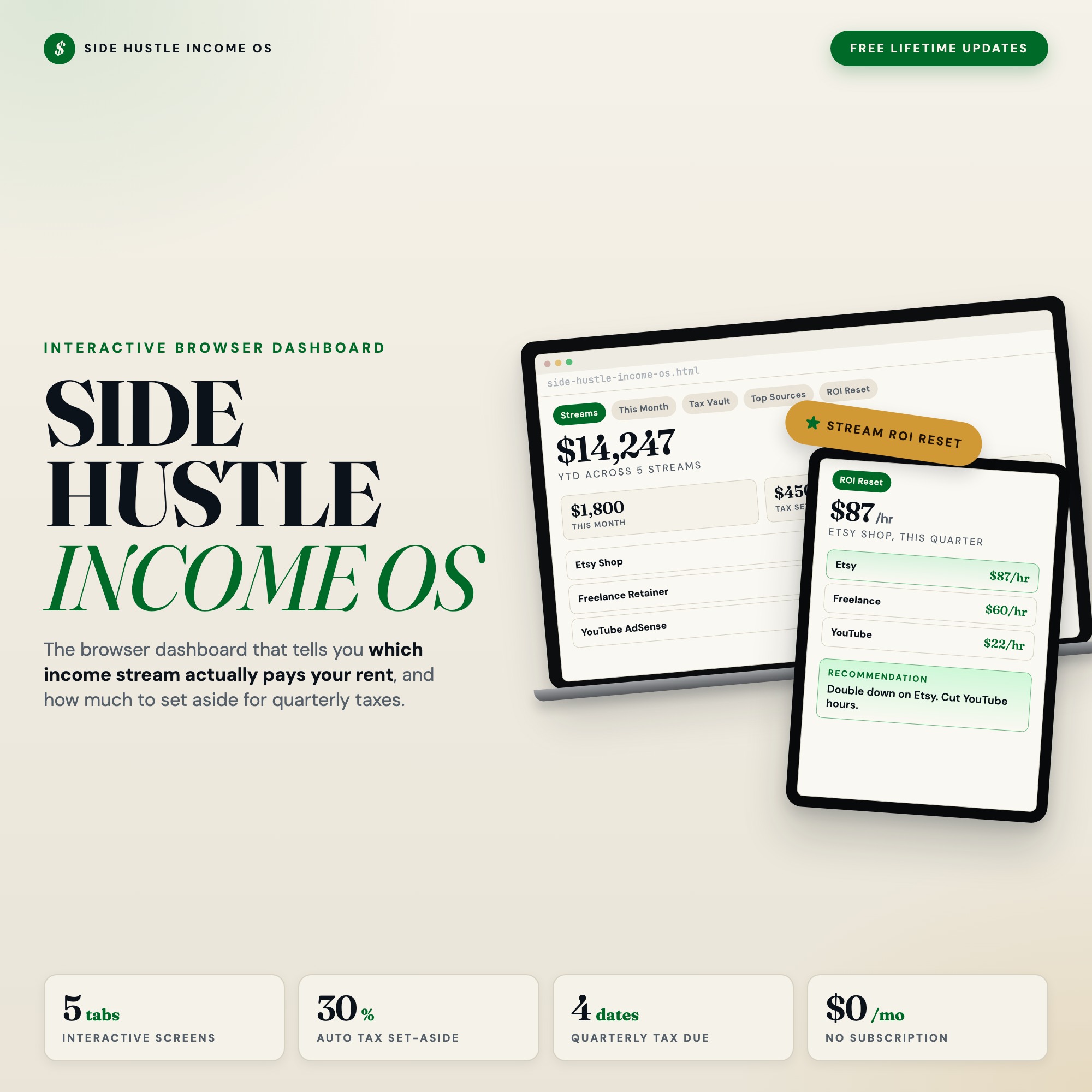
The Side Hustle Income OS is a single offline HTML file with five tabs built around the problem of running multiple income streams at once.
The Tax Vault tab tracks quarterly estimated payment deadlines (April 15, June 15, September 15, January 15) and calculates how much to set aside per stream at your chosen tax rate. If you have a high-margin Etsy shop and a lower-margin freelance client, you can set different set-aside percentages per stream.
The Stream ROI Reset tab is the feature no accounting tool ships. Each quarter, you log hours per stream. The dashboard calculates revenue per hour, ranks the streams, and tells you which one to double down on and which one to consider cutting. If you’ve been running three side hustles without knowing which one is actually worth your time, this tab answers that question with your real data.
At $22 one-time, there’s no monthly fee and nothing is uploaded to any server.
Best for: Solopreneurs and creators running 3+ income streams who need quarterly tax management and stream profitability analysis.
Decision Matrix
| Your primary need | Best tool |
|---|---|
| Free bookkeeping + invoicing | Wave |
| Mileage tracking + Schedule C prep | QuickBooks Self-Employed |
| Custom tracking, flexible build | Google Sheets |
| Multi-stream profitability + quarterly taxes | Side Hustle Income OS |
The accounting tools and the income tracker are solving adjacent problems, not identical ones. If tax prep automation is the priority, QuickBooks Self-Employed is worth the $15/month. If you want to understand which streams are profitable per hour and build a quarterly tax discipline into your system, the Side Hustle Income OS covers that more directly.
Frequently asked questions
- What's the difference between an income tracker and accounting software?
- Accounting software like Wave or QuickBooks is designed for bookkeeping, invoicing, and tax filing. An income tracker for side hustles is more focused on showing you which streams are performing, how much to set aside per quarter, and whether your time is being spent on the right income sources. They solve adjacent problems.
- Does QuickBooks Self-Employed track multiple income streams?
- QuickBooks Self-Employed ($15/month) categorizes income by source but doesn't analyze profitability per hour or tell you which stream to prioritize. It's excellent for Schedule C prep but not built for comparing three different side hustles against each other.
- Is Wave really free?
- Wave's accounting and invoicing features are free. They charge for payment processing (2.9% + $0.60 per transaction) and for payroll. If you just need income/expense tracking without invoicing, it's genuinely free.
- What is the Stream ROI Reset and why does it matter?
- The Stream ROI Reset in the Side Hustle Income OS is a quarterly review that ranks each income stream by revenue per hour logged. If your Etsy store makes $800/month but takes 30 hours, and your freelance retainer makes $1,200/month and takes 8 hours, the ROI Reset surfaces that gap and tells you where to focus. No accounting tool does this.
- Can I use the Side Hustle Income OS alongside QuickBooks?
- Yes — many users track day-to-day income and quarterly strategy in the dashboard, then hand their accountant a clean export at year-end. They're not competing tools.
The winner: interactive dashboards
No spreadsheet. No subscription. One HTML file that runs offline in your browser.
ListingResearchOS Shop
Stop comparing — start using
Interactive dashboards. One-time purchase. No subscriptions. Works offline.
Browse all dashboards →