
Notion vs. Trello vs. Offline Dashboard for Grad Students
Comparing Notion, Trello, and an offline semester dashboard for grad students: which one handles coursework, research hours, and TA duties together.
Published June 3, 2026
Our verdict
For master's and PhD students juggling coursework, research hours, TA duties, and conference deadlines simultaneously, the Grad Student Semester OS at $22 one-time consolidates all four in one offline file and generates a personalized week-by-week semester brief from your logged data — no competitor ships this.
Graduate school is unusual because it runs four parallel systems simultaneously: coursework with traditional deadlines, research with self-directed timelines, teaching or TA duties with contractual obligations, and the career development layer of fellowships, conferences, and committee milestones. Most productivity tools are built for one of these, not all four.
What Notion Handles Well for Grad Students
Notion is genuinely useful for the research and note-taking dimensions of grad school. Linked databases for papers and references, a research log connected to a literature review database, a writing project tracker with draft status — these are real, functional setups. The free personal plan handles most of it.
The structural gap: Notion does not have a TA hours tracker with a contract cap, does not consolidate fellowship and conference deadlines from multiple commitments into one urgency-sorted view, and does not generate a personalized week-by-week semester brief from your logged data. You still need to remember to look at your semester calendar and reconstruct priorities manually each week.
Setup investment is also real. Building a graduate school operating system in Notion from scratch is a meaningful project — one that most students undertake at the start of a semester when they should be attending orientation.
Trello: Good Kanban, Wrong Structure for Academic Life
Trello’s kanban boards work well for project tracking. A research project with stages from idea to submitted paper fits a Trello board. Course task management is possible.
The problems emerge quickly. The free plan limits workspaces to 10 boards. A second year PhD student with 4 courses, 3 research projects, and 2 TA sections needs more boards than that or a creative workaround. Trello also has no concept of course credits, TA contract hours, or the crunch-week prediction that a semester calendar view would reveal.
Obsidian: Strong Notes, Weak Scheduling
Obsidian is the strongest option for connected note-taking in academic research — the knowledge graph, bidirectional links, and local-first architecture suit a literature-heavy research workflow well. For the scheduling, deadline tracking, and TA hour monitoring dimensions of grad school, Obsidian requires heavy plugin setup (Tasks, Dataview, Calendar) before it can manage those workflows.
Google Calendar: Good for Scheduling, Nothing Else
Google Calendar is probably what most grad students already use for appointment scheduling. It is not a task manager, a research log, a TA hour tracker, or a deadline consolidation system. Most grad students also use Google Calendar alongside Notion, Trello, or other tools — which is exactly the fragmentation the Grad Student Semester OS addresses.
The Grad Student Semester OS
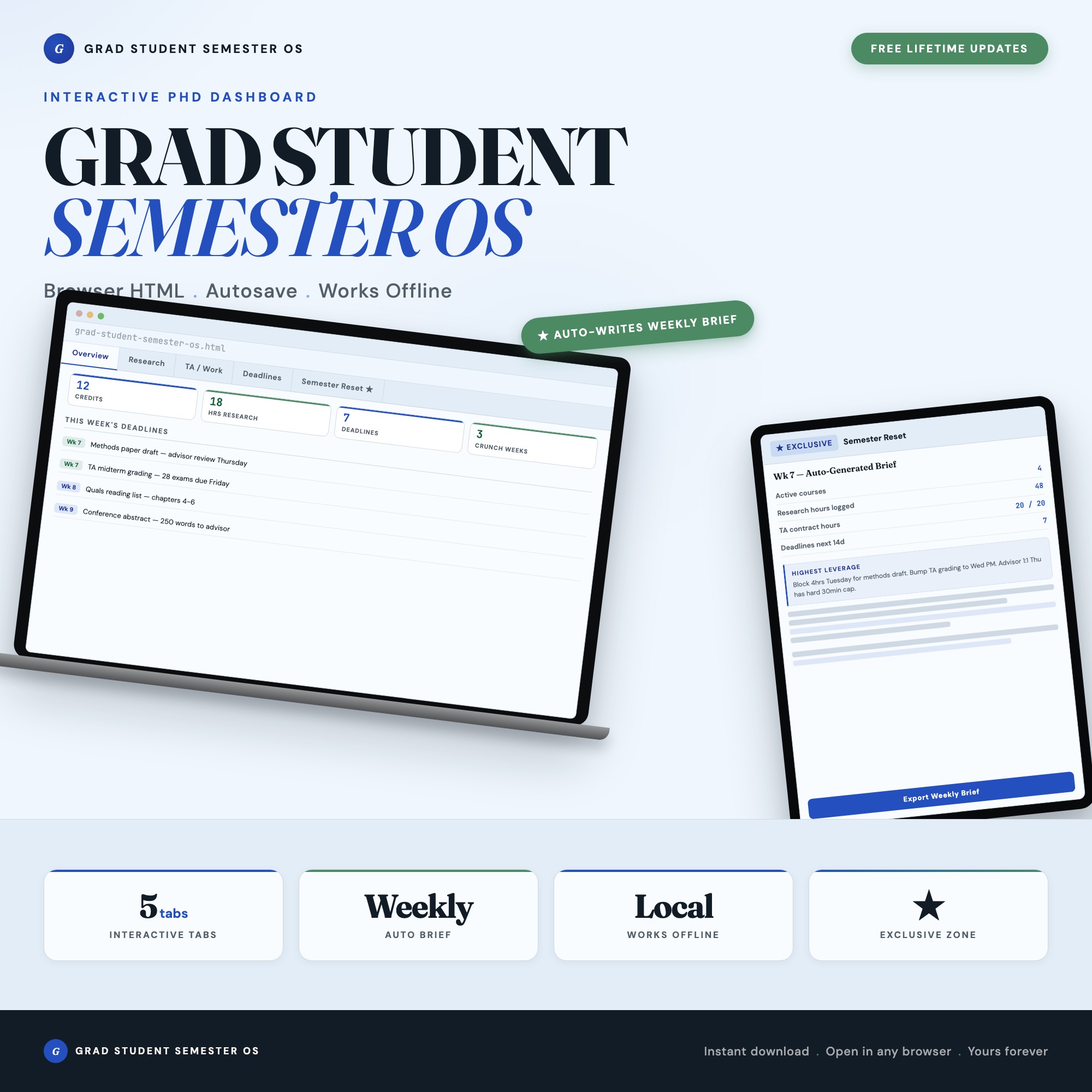
The Grad Student Semester OS is a browser-native dashboard built for master’s and PhD students managing all four dimensions of academic life simultaneously, in a single HTML file at $22 one-time.
Courses (Tab 1): Log every class with instructor, credits, grade weight, and office hours. The dashboard calculates your total credit load and color-codes schedule density so you can see overloaded weeks before you agree to additional commitments.
Research (Tab 2): Active projects, lab hours per session, paper drafts, advisor meeting notes, and IRB status. Set weekly hour targets. Track cumulative hours in real time. Your thesis timeline always visible.
TA/Work (Tab 3): Teaching duties, grading deadlines, office hours, and section prep in one place. Log hours against your TA contract cap so you see the crossing point before it becomes a problem.
Deadlines (Tab 4): A single live view of every due date across all commitments — conferences, fellowship deadlines, paper submissions, committee meetings, and exams — color-coded by urgency.
Semester Reset Generator (exclusive): Click one button. The dashboard reads all your logged data and produces a personalized weekly brief: your three upcoming crunch weeks, which advisors you are overdue to meet, and your single highest-leverage task for the next 7 days. Export as markdown. No spreadsheet, no Notion template, and no competitor ships this. The feature exists because the most dangerous semester problem is not having too much to do — it is not seeing the pattern until week 10.
What Each Tool Covers
| Notion | Trello | Obsidian | Grad Student Semester OS | |
|---|---|---|---|---|
| Course tracking with grade weights | With setup | No | With plugins | Yes |
| Research hours log | With setup | No | With plugins | Yes |
| TA hours vs. contract cap | No | No | No | Yes |
| Unified deadline view | With setup | No | With plugins | Yes |
| Week-by-week semester brief | No | No | No | Yes (Semester Reset Generator) |
| Works fully offline | Limited | No | Yes | Yes |
| Annual cost | Free-$192 | Free-$60 | Free-$120 | $22 one-time |
For grad students who are managing more commitments than any single tool was designed for, the Grad Student Semester OS brings all four dimensions into one offline file — and the Semester Reset Generator tells you what to work on next week so you can stop figuring that out yourself on Sunday evenings. Available at ListingResearchOS on Etsy.
Frequently asked questions
- What is Trello's free tier limitation for grad students?
- Trello's free plan limits each workspace to 10 boards and has no timeline view or automation beyond 250 runs/month. For a grad student managing multiple courses, research projects, and TA duties, the board count limit becomes a real constraint within a few semesters.
- Why is Notion popular with graduate students?
- Notion's flexibility lets grad students build exactly the structure they need — linked databases for papers and citations, course trackers, research logs. The free personal plan is generous. The downside is that Notion requires significant setup investment to become useful for the specific complexity of grad school.
- What is the Semester Reset Generator?
- Tab 5 reads every course, research block, TA shift, and deadline logged in the first four tabs, then assembles a personalized week-by-week semester brief: crunch weeks, overdue advisor touchpoints, and your single highest-leverage task for the next 7 days. Export as markdown to paste into your notes or share with your advisor.
- How does the TA duties tab prevent contract hour violations?
- The TA/Work tab tracks your hours against your TA contract cap. Log hours per session and the dashboard shows cumulative hours toward the cap. You see the crossing point before you accidentally go over, preventing an HR conversation about TA contract violation.
- Does the dashboard handle fellowship and conference deadlines?
- The Deadlines tab (Tab 4) consolidates every due date across all your commitments — course assignments, conference submissions, fellowship deadlines, committee meetings, and exams — color-coded by urgency: this week, this month, and later.
The winner: interactive dashboards
No spreadsheet. No subscription. One HTML file that runs offline in your browser.
ListingResearchOS Shop
Stop comparing — start using
Interactive dashboards. One-time purchase. No subscriptions. Works offline.
Browse all dashboards →