
Notion vs. Spreadsheet vs. Offline Dashboard for Your First 90 Days
Comparing new job onboarding tools: Notion, Google Docs, spreadsheets, and an offline 90-day dashboard with auto-generated manager review prep.
Published June 3, 2026
Our verdict
For knowledge workers in a new role who want to outperform ramp-up expectations rather than just survive onboarding, the First 90 Days New Job Dashboard at $25 one-time provides a stakeholder map, learning agenda, quick-wins kanban, daily wins journal, and a 30/60/90 Review Prep tab that auto-generates a manager-ready narrative.
The first 90 days of a new role have a documented success pattern: map stakeholders, build a learning agenda, ship quick wins, and prepare for structured reviews. Most new hires know this framework. The question is whether they have the infrastructure to execute it or just the intention.
The Google Doc and Spreadsheet Reality
Most new hires who think about the 90-day framework pull up a Google Doc for notes and a spreadsheet for tracking. These tools work for capturing information. They do not generate output from that information.
A stakeholder list in Google Docs does not flag which relationships you have neglected for two weeks. A spreadsheet quick-wins tracker does not organize tasks into a kanban that shows where each deliverable sits. And when Day 30 arrives and your manager asks how it is going, neither produces a structured narrative from the notes you have taken.
Notion: Strong for Organization, Manual for Review Prep
Notion handles the organizational side of a 90-day ramp well. A stakeholder database linked to a relationship health property, a learning agenda with completion percentage, a quick-wins board — all are achievable in Notion with the right template.
The gap is output generation. Notion can surface your data in views, but writing your 30-day review narrative from that data requires you to read through your notes and compose it manually. That takes an hour under deadline pressure and produces a less cohesive document than your actual performance deserves.
Cost: $10-$16/month. Also requires setup time during the weeks when you most need to be focused on actually learning the job, not configuring a workspace.
Asana and Project Management Tools
Asana is a strong task and project management tool, but it is designed for teams managing projects, not for an individual managing their personal onboarding process. The concepts of stakeholder relationship health, learning agenda domains, and quick-win credibility-building do not map naturally to Asana’s task/project model.
The First 90 Days New Job Dashboard
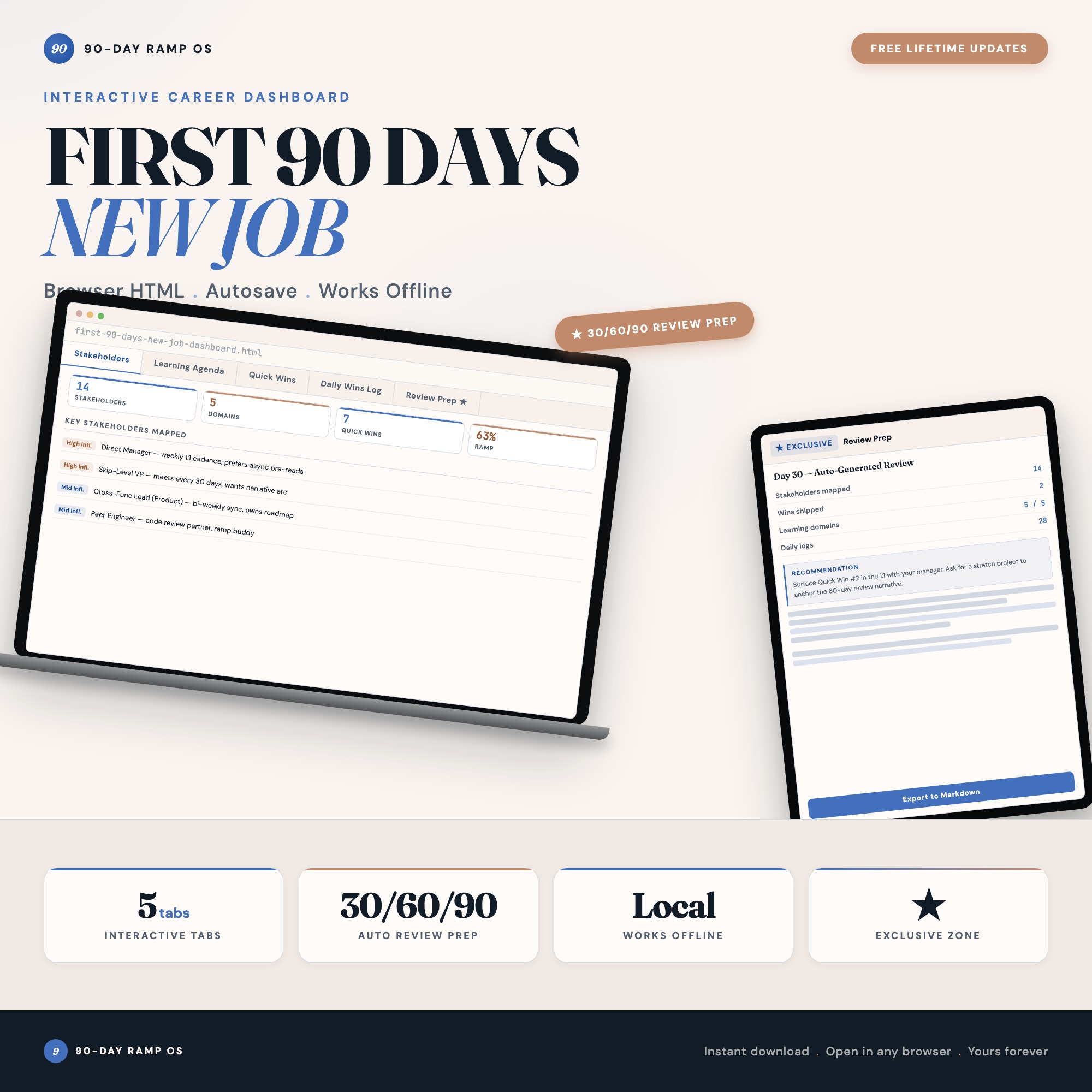
The First 90 Days New Job Dashboard is a browser-native dashboard built for knowledge workers who want to run a structured 90-day ramp, in a single HTML file at $25 one-time.
Stakeholders: Your rolodex of bosses, peers, direct reports, and cross-functional partners. Influence level, touchpoints, relationship health notes. The map that prevents invisible landmines.
Learning Agenda: Five domains — product, process, people, politics, culture. Progress percentage per domain. Source links and “next conversation” notes. A systematic close for knowledge gaps, not passive absorption.
Quick Wins: A kanban of visible-impact deliverables — Idea, In Progress, Shipped. Each card captures what it is, why it matters, and who will notice. Ship something credibility-building before the honeymoon period ends.
Daily Wins Log: An autosaved journal — what shipped, who met, what learned — updated each day. Weekly roll-up surfaces patterns. This is the evidence base for every review you will have at this company.
30/60/90 Review Prep (exclusive): The tab that no 90-day planner or Notion template ships. Click “Generate Review” at any checkpoint, and the dashboard reads your stakeholder notes, quick-wins log, learning progress, and daily entries — then produces a manager-ready performance narrative exportable as markdown. Walk into Day 30 with a document, not a verbal summary assembled under pressure.
The Quick Wins Strategy and Why Most New Hires Skip It
One of the most evidence-backed pieces of new-hire advice is to identify and ship 2-3 visible quick wins in the first 30-60 days. Small, high-impact deliverables that demonstrate competence before you have full organizational context. The challenge is that most new hires are so absorbed in absorbing information that they never systematically identify what their quick wins could be.
A quick win is not just a task you complete. It is a deliverable that was visible to someone who had expectations about you, was completed faster than expected, and signals something specific about your capabilities. The Quick Wins tab in the First 90 Days New Job Dashboard structures this explicitly: each card captures the idea, why it matters, who will notice, and current status. Filtering by “ships within 30 days” focuses you on the credibility-building window that closes whether or not you use it.
Tool Comparison for 90-Day Ramps
| Google Docs/Sheets | Notion | Asana | First 90 Days Dashboard | |
|---|---|---|---|---|
| Stakeholder map | Manual | With setup | No | Yes (structured rolodex) |
| Learning agenda by domain | Manual | With setup | No | Yes (5 domains, % tracking) |
| Quick wins kanban | No | With setup | Yes | Yes |
| Daily wins journal | Manual | With setup | No | Yes (autosaved) |
| 30/60/90 narrative generator | No | No | No | Yes (from logged data) |
| Cost | Free | $10-$16/mo | Free-$13.49/mo | $25 one-time |
The first 90 days establish your reputation for the rest of your time at a company. The First 90 Days New Job Dashboard gives you the infrastructure to make that window count — and the review prep output to prove it. Available at ListingResearchOS on Etsy.
Frequently asked questions
- What are the most important things to do in the first 30 days of a new job?
- The first 30 days should focus on stakeholder mapping (who has influence on your success), establishing your learning agenda across product/process/people/politics, identifying 2-3 quick wins you can ship visibly, and beginning a daily wins log so you have evidence for your first review.
- What does the 30/60/90 Review Prep tab generate?
- At Day 30, 60, or 90, clicking Generate Review reads your stakeholder notes, quick-wins log, learning agenda progress, and daily wins journal, then assembles a structured performance narrative formatted for a manager 1:1. Export as markdown to paste into your notes.
- Can I use Notion for my first 90 days?
- Notion works well for the organizational pieces — stakeholder notes, learning agenda, and project tracking. It does not auto-generate a performance narrative from your logged data, and it requires setup time that competes with the actual onboarding work during your first two weeks.
- What is stakeholder mapping and why does it matter in a new job?
- Stakeholder mapping identifies who has influence over your success — bosses, peers, direct reports, cross-functional partners — and captures your touchpoints and relationship health with each. New hires who skip this often step on invisible political landmines by week 6. The Stakeholders tab structures this explicitly.
- Is there value in a quick wins strategy during onboarding?
- Significant value. Shipping something visibly useful in days 30-60 builds credibility before you are expected to have full context. The Quick Wins tab is a kanban of small, high-visibility deliverables categorized by idea, in progress, and shipped — so you are always working toward something concrete rather than just absorbing information.
The winner: interactive dashboards
No spreadsheet. No subscription. One HTML file that runs offline in your browser.
ListingResearchOS Shop
Stop comparing — start using
Interactive dashboards. One-time purchase. No subscriptions. Works offline.
Browse all dashboards →