
Notion vs. Paper Journal vs. HTML Dashboard for Weekly Reviews
Comparing Notion, paper journals, and an HTML dashboard for weekly reviews: what each captures, and which one leaves output you can use at quarter-end.
Published June 3, 2026
Our verdict
For knowledge workers who do weekly reviews but cannot reconstruct what they accomplished at performance review time, the Weekly Review Productivity OS at $22 one-time connects weekly check-ins, a Win Log, and an OKR board to a Performance Narrative generator that writes your quarterly review from actual logged data.
A weekly review is only as useful as what you can do with its output. Three systems — Notion, paper journaling, and a structured HTML dashboard — produce fundamentally different kinds of output. Here is what that means in practice.
The Weekly Review Problem Most Systems Solve Partially
The goal of a weekly review is not just to feel organized for 30 minutes on Sunday. It is to build a cumulative record that answers three questions at the end of a quarter: What did I actually accomplish? What blocked me repeatedly? Which of my goals moved and which were aspirational?
Most review systems answer the first question weakly and the second and third not at all. You have a collection of weekly entries, but no mechanism to surface patterns across them.
Notion: Good for Capture, Manual for Analysis
Notion is a strong weekly review tool for capture. Linked databases let you connect your weekly review to a goals database, a project list, and a habit tracker. The flexibility is real.
The gap: Notion does not generate output from your reviews automatically. Your performance narrative at quarter end is something you write by looking back through your Notion pages manually. Rollup formulas can count wins, but they cannot synthesize them into prose. The compound value of 13 weeks of check-ins stays latent in your database unless you actively mine it.
Subscription: $10-$16/month. Works well for Notion users who already live in the platform; requires setup investment for those who do not.
Obsidian: Local-First, Plugin-Dependent
Obsidian’s local markdown files are genuinely offline and private. The weekly note templates, graph view, and DataviewJS plugin ecosystem make sophisticated review setups possible. For technical users comfortable with plugins and custom templates, Obsidian can be configured into a powerful review system.
For most knowledge workers, the configuration investment is a barrier. The base app is free; the Sync service for cross-device access is $10/month.
Paper Journal: High Commitment, No Queryable History
Paper journaling for weekly reviews has a legitimate argument behind it. Writing by hand slows down processing, which tends to produce more honest reflection. There are no notifications, no tabs to drift into, no app UI to navigate.
The structural tradeoff: you cannot search it. When your annual review arrives and you want to reconstruct Q2’s accomplishments, you are re-reading handwritten pages. There is no Win Log summary, no OKR completion count, no pattern across 13 entries.
The Weekly Review Productivity OS
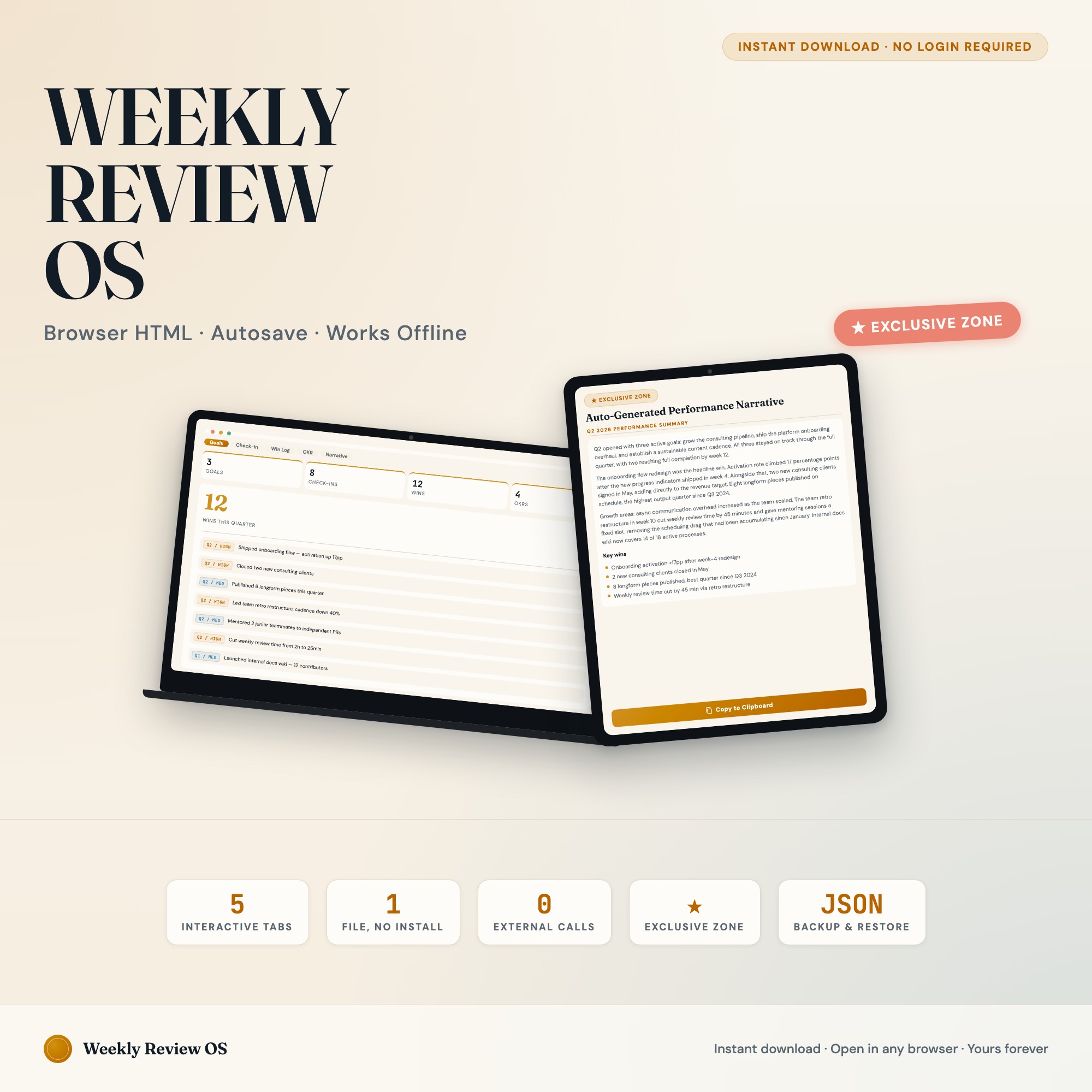
The Weekly Review Productivity OS is a browser-native dashboard built for the knowledge worker who does weekly reviews but loses the compound value of those reviews by never being able to synthesize them. Five tabs, $22 one-time.
Goals tab: Up to 6 quarterly goals, each with a target, a “why,” and a status indicator (On Track, At Risk, Off Track). Goals auto-populate into every other tab.
Weekly Check-In: Four rapid-fire questions each review session: biggest win, biggest blocker, energy level, next week’s priority. Every entry timestamps. Thirteen entries build your quarter’s timeline.
Win Log: Log individual wins any time — big or small. Each tagged to a goal and a date. The evidence base that prevents your accomplishments from disappearing into the past.
OKR Board: Visualize your Objectives and Key Results in a kanban — Not Started, In Progress, Complete. Quarter-at-a-glance progress without formulas.
Performance Narrative (exclusive): One click at quarter end assembles your weekly check-ins, top wins, and OKR completions into a structured narrative ready to paste into a self-review, a promotion case, or a personal reflection document. No other productivity tool generates this from your actual logged data. The gap between “I did a lot this quarter” and “here is what I accomplished and how it maps to my goals” closes automatically.
The Win Log: Why Capture Timing Matters
Most performance reviews happen quarterly or annually. Most wins happen daily or weekly and are forgotten within two weeks. This is the root cause of the “I know I did a lot this quarter but I cannot remember what” problem that leads to underprepared performance reviews and missed promotion cases.
The Win Log in the Weekly Review Productivity OS is designed for capture in the moment, not reconstruction at the end. When you finish a project, ship a deliverable, or receive positive feedback, you log it immediately — tagged to a goal and dated. The log does not require elaborate journaling. A one-sentence entry with a date and goal tag is enough. Over 13 weeks, you accumulate 30-60 logged wins that feed directly into the Performance Narrative generator. The difference between a review narrative assembled from memory and one assembled from 60 specific logged data points is significant — both in quality and in the confidence with which you present it.
Which System Fits Which Goal
| Notion | Obsidian | Paper Journal | Weekly Review Productivity OS | |
|---|---|---|---|---|
| Weekly capture quality | Good | Good | Good | Good |
| Searchable history | Yes | Yes | No | Yes |
| Automatic OKR tracking | With setup | With plugins | No | Yes |
| Performance narrative generator | No | No | No | Yes (from logged data) |
| Works fully offline | Limited | Yes | Always | Yes |
| Annual cost | $120-$192 | Free-$120 | Low | $22 one-time |
For anyone who has realized at performance review time that they cannot reconstruct the quarter they just lived, the Weekly Review Productivity OS solves that specific problem. Available at ListingResearchOS on Etsy.
Frequently asked questions
- What is a weekly review and why does it matter?
- A weekly review is a structured end-of-week session where you capture wins, identify blockers, assess goal progress, and set next-week priorities. David Allen's GTD framework popularized it. The value compounds over time when you have a searchable record of your reviews rather than isolated journal entries.
- What does Obsidian offer for weekly reviews?
- Obsidian is a markdown note-taking app with a local-first architecture. Its weekly note templates and graph view make it strong for connected note-taking. For structured OKR tracking and automatic performance narrative generation, Obsidian requires plugins and custom templates that most users build over months.
- What is Day One used for?
- Day One is a personal journaling app with excellent photo support, location tagging, and multi-journal organization. It is strong for narrative journaling but not for structured goal tracking or OKR-style performance measurement.
- What is the Performance Narrative Generator?
- Tab 5 of the Weekly Review Productivity OS reads your logged wins, weekly check-ins, and OKR completions, then assembles a ready-to-paste quarterly performance narrative. Use it for self-reviews, manager 1:1s, or personal reflection. No other productivity tool on the market generates this from your actual review data.
- How long does a weekly review take with this dashboard?
- A full weekly review using all 5 tabs typically takes 15-25 minutes. The Weekly Check-In tab's four rapid-fire questions take about 3 minutes. The Win Log and OKR updates run another 10 minutes. The dashboard is designed for Sunday-evening or Monday-morning use.
The winner: interactive dashboards
No spreadsheet. No subscription. One HTML file that runs offline in your browser.
ListingResearchOS Shop
Stop comparing — start using
Interactive dashboards. One-time purchase. No subscriptions. Works offline.
Browse all dashboards →