
Home Buying Tracker: App vs. Spreadsheet vs. Offline Planner
Comparing Zillow, Redfin, Google Sheets, and an offline home buying dashboard: which one tracks the closing process instead of just the property search.
Published June 3, 2026
Our verdict
For first-time home buyers who are under contract and managing paperwork, vendors, and closing deadlines, the First Time Home Buyer Planner at $29 one-time provides a 60/90-day timeline, 18-document tracker, inspection checklist, vendor rolodex, and a Closing Day Command tab with a live countdown that no app competitor offers.
The home buying process has two completely different phases with different tool needs. Property search apps dominate phase one. Once you are under contract, you need something else entirely.
The Search-to-Contract Gap
Zillow and Redfin are excellent at property search. Saved searches, property comparisons, neighborhood data, mortgage calculators — everything you need to find and evaluate homes. Millions of buyers use them daily for good reason.
The moment you are under contract, Zillow and Redfin have almost nothing to offer. They do not track your document submission status. They do not list the vendors you need to coordinate. They do not track inspection findings. They do not count down to closing day with a day-of checklist.
You exit the property search phase and immediately have no infrastructure for the most complex administrative process most people will ever navigate.
Google Sheets: The Default Solution and Its Limits
Most first-time buyers who think about organizing the closing process reach for a spreadsheet. It is free, flexible, and you can build whatever you need.
The functional limits appear quickly. A spreadsheet tracks what you tell it to. It does not flag a document as overdue. It does not distinguish between a roof issue and a cosmetic issue on your inspection report. It has no room-by-room structure for inspection notes. It does not calculate a live closing countdown. And keeping 5+ separate tabs synchronized takes more maintenance time than most buyers have mid-transaction.
Notion: Powerful but Requires Setup Time You Do Not Have
Notion can handle a complex home purchase workflow if you invest in setting it up. Templates exist. But building a linked document tracker, vendor rolodex, and inspection checklist in Notion during an active real estate transaction — when your lender is sending daily document requests and your inspection window is 10 days — is the wrong time to customize a system from scratch.
The First Time Home Buyer Planner
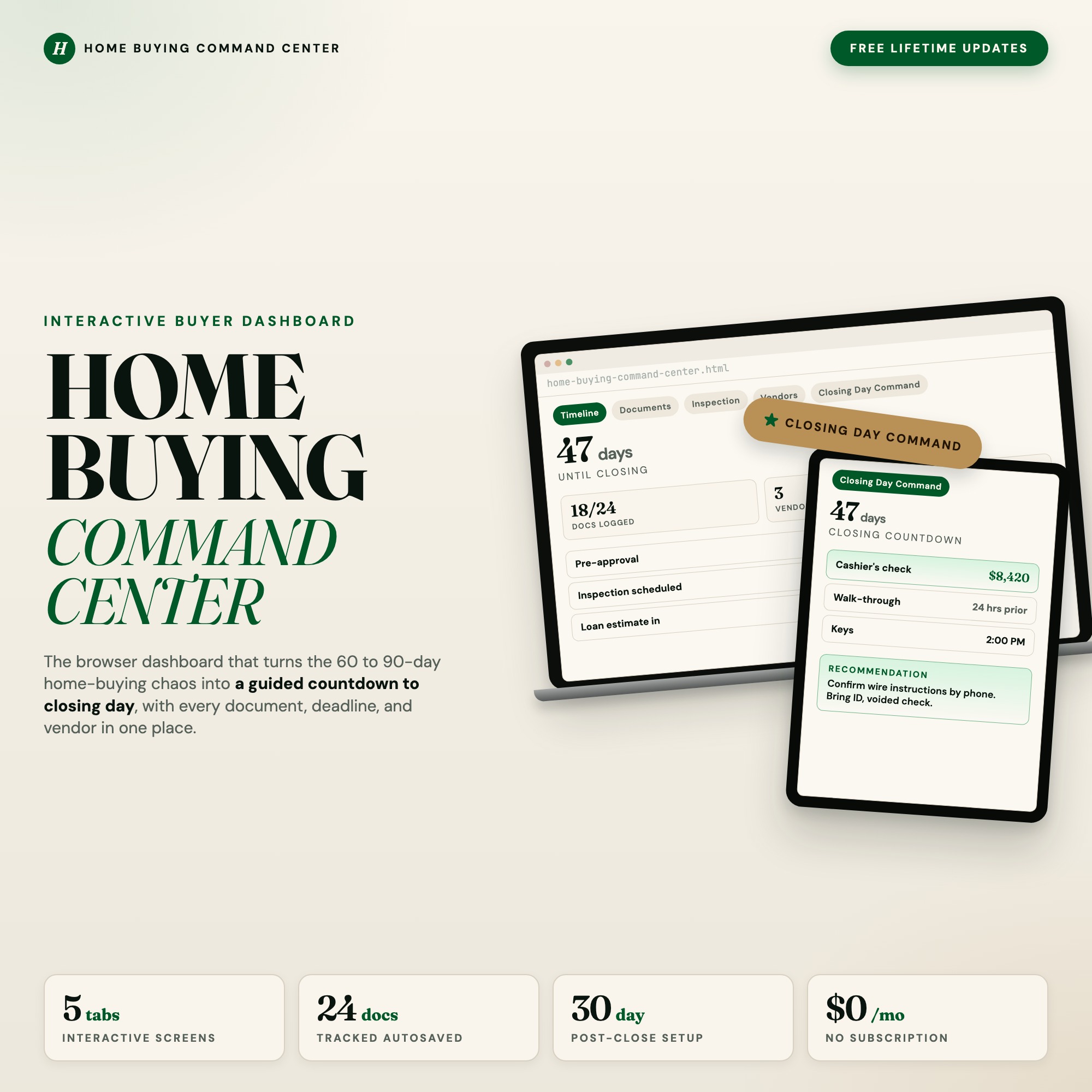
The First Time Home Buyer Planner is a browser-native dashboard for buyers who are under contract and managing the close, in a single HTML file at $29 one-time.
Timeline: 60/90-day phase view — pre-approval, offer, escrow, closing. Conditional milestone chips. Your purchase progress at a glance.
Documents: 18-document tracker with status chips: Needed, Uploaded, Approved. A progress ring showing exactly how close you are to ready. No more wondering what your lender is still waiting for.
Inspection: Room-by-room checklist covering foundation, roof, HVAC, plumbing, electrical, and more. Each item has a photo notes field. Red-flag callouts surface the issues that matter most.
Vendors: A rolodex for every person in the deal — lender, agent, inspector, attorney, insurance agent — with offer history and contact notes. No more digging through email for the inspector’s callback number.
Closing Day Command (exclusive): A live countdown to your closing date. The day-of checklist with cashier’s check amount field, photo ID reminder, walk-through notes, and key handover. A post-close 30-day setup task list. No other first-time buyer tool on the market ships this tab. The day you get keys, you know exactly what to bring, down to the dollar.
The Inspection Report Problem
The average home inspection report is 40-70 pages long, written by an inspector who is required to note everything they observe regardless of severity. First-time buyers routinely cannot distinguish between a minor maintenance item (replace weatherstripping) and a major structural concern (foundation crack at corner). Without a structured way to categorize inspection findings by urgency, the inspection becomes either a source of paralysis or a reason to walk away from a home that only needs cosmetic work.
The Inspection tab in the First Time Home Buyer Planner uses a room-by-room checklist structure with red-flag callouts for critical categories: foundation, roof, HVAC, electrical panel, plumbing main line. Each item has a photo notes field. When you sit down with your agent to negotiate inspection findings, you have an organized list by room and severity — not a 47-page PDF you are scrolling through on your phone.
Which Tool Fits Which Phase
| Zillow / Redfin | Google Sheets | Notion | First Time Home Buyer Planner | |
|---|---|---|---|---|
| Property search | Excellent | No | No | No |
| Document status tracking | No | Manual | With setup | Yes (18-doc tracker) |
| Inspection room-by-room | No | Manual | With setup | Yes |
| Vendor contact organization | No | Manual | With setup | Yes (structured rolodex) |
| Closing day countdown + checklist | No | No | No | Yes (exclusive) |
| Cost | Free | Free | Free-$18/mo | $29 one-time |
Keep Zillow or Redfin for the search phase. Once you are under contract on a $300K-$700K purchase, the First Time Home Buyer Planner keeps the paperwork organized and tells you exactly what to bring to closing. Available at ListingResearchOS on Etsy.
Frequently asked questions
- Do Zillow or Redfin help with the closing process?
- Zillow and Redfin are property search and market data platforms. They help you find, compare, and make offers on homes. Once you are under contract, they have no tools for managing closing paperwork, tracking document status, logging vendor contacts, or preparing for closing day.
- What documents does the dashboard track?
- The First Time Home Buyer Planner tracks 18 standard closing documents: pre-approval letter, W-2s, bank statements, gift letters, signed purchase agreement, inspection report, appraisal report, title commitment, homeowner's insurance declaration, and more. Each has a status chip: Needed, Uploaded, or Approved.
- What is the Closing Day Command tab?
- The Closing Day Command tab shows a live countdown to your closing date, a day-of checklist (cashier's check amount, photo IDs, walk-through notes, key handover), and a post-close 30-day setup task list. It autosaves and works in your browser.
- Can I use Google Sheets to track a home purchase?
- A spreadsheet can track documents and vendor contacts manually. It cannot show a live closing countdown, categorize inspection items by urgency, or prompt a post-close setup checklist. Most buyers who start with a spreadsheet end up with separate tabs for different areas that do not talk to each other.
- When in the process should I start using this planner?
- The planner is most useful from offer acceptance through closing — typically 30-60 days. You can start at pre-approval to use the timeline and document tracker, but the closing-focused features become most critical once you are under contract.
The winner: interactive dashboards
No spreadsheet. No subscription. One HTML file that runs offline in your browser.
ListingResearchOS Shop
Stop comparing — start using
Interactive dashboards. One-time purchase. No subscriptions. Works offline.
Browse all dashboards →