
Google Calendar vs. Paper vs. Offline Dashboard for Time Blocking
Google Calendar vs. paper vs. an offline time-block dashboard: what actually changes reactive work habits, and what only makes the day look organized.
Published June 3, 2026
Our verdict
For knowledge workers who schedule their days but end them reactive, the Interactive Daily Time Block Dashboard at $18 one-time provides a 15-minute grid, deep work project tracker, energy journal, and an End-of-Day Reset that pre-fills tomorrow's priorities from today's reflection.
Time blocking as a concept is well understood. The implementation gap — why you plan the day but still end up reactive — is where tools actually matter. Here is an honest look at what each approach can and cannot change.
Google Calendar: The Scheduling Layer Without the Execution Layer
Google Calendar is where most knowledge workers already live. Creating focus blocks, labeling them Deep Work, and defending them in a shared calendar is a legitimate time-blocking strategy. Many people do this successfully.
The gap: Google Calendar is a scheduling tool, not a planning tool. It tells you when things are happening, not whether you executed, what drained your energy, or what to put first tomorrow. There is no shutdown ritual, no deep work hour tracking against a project target, and no feedback loop between what you planned and what actually got done.
Free, well-integrated, and necessary for calendar visibility — but not a complete time-blocking system on its own.
Paper Planning: The Friction Advantage Is Real
Paper planning retains serious adherents among productivity practitioners, and the science supports it. The act of writing slows your processing enough to surface what actually matters. There are no notifications. No context-switching. Paper cannot pull you into email.
The trade-offs are real too: no searchable history, no automatic rollover of incomplete items, and no mechanism for tracking deep work hours across weeks. A paper block planner is excellent for the planning moment; it accumulates no useful data about your patterns over time.
Notion and Sunsama: The Over-Built Options
Notion’s time-blocking templates can be sophisticated. Many creators publish beautiful daily planning setups with linked databases and automated roll-ups. The setup investment is real, the maintenance is real, and the actual planning time often gets eaten by the system configuration.
Sunsama is more purposeful — a daily planning tool designed specifically for this workflow, with integrations to pull from your task managers. At $16-$20/month, it is a genuine product. For knowledge workers who want calendar and task integration alongside their time blocks, Sunsama is the strongest SaaS option.
The Interactive Daily Time Block Dashboard
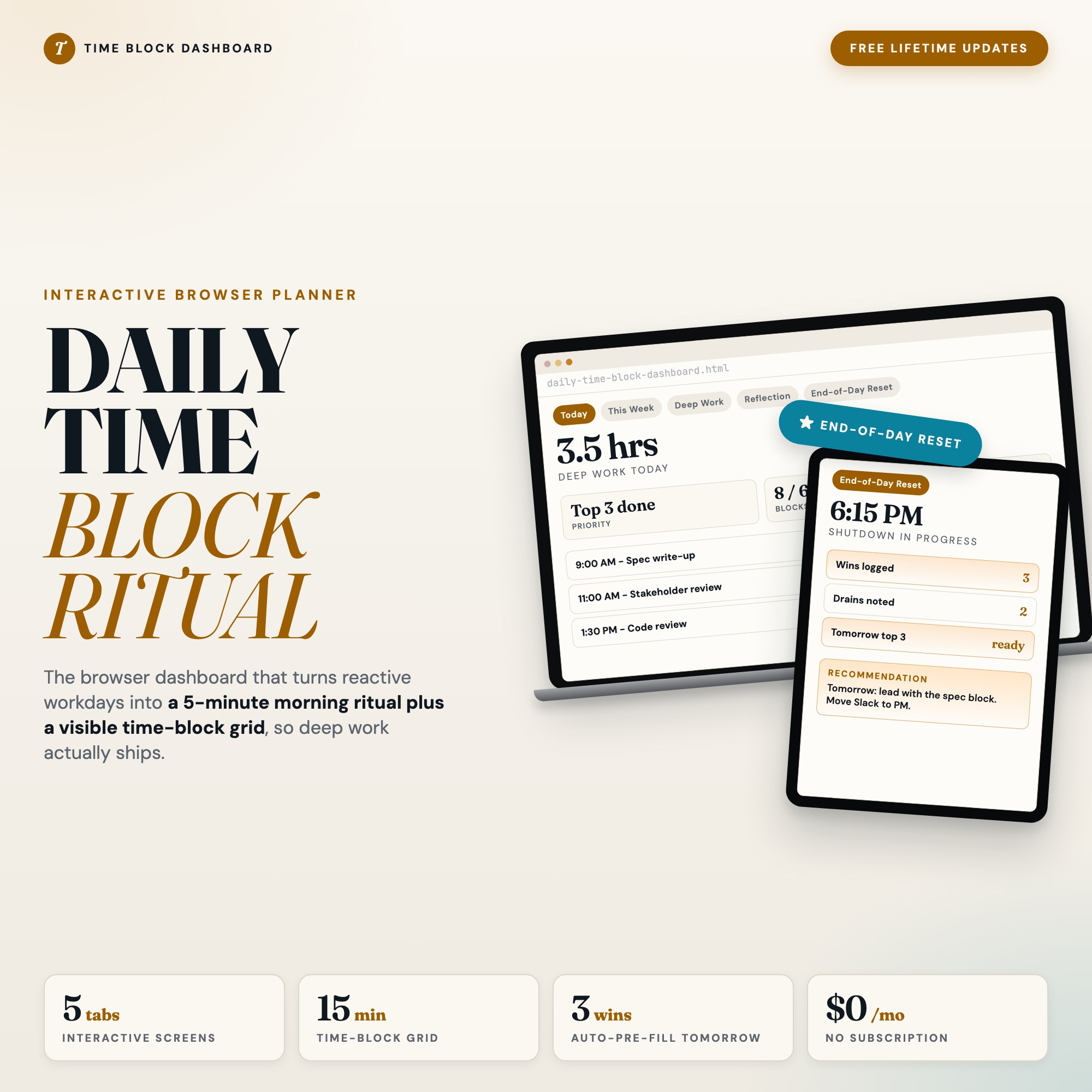
The Interactive Daily Time Block Dashboard is a browser-native planning tool built for the knowledge worker who wants a complete daily planning system without a subscription, in a single HTML file at $18 one-time.
Today (Tab 1): A 15-minute time-block grid from 6am to 10pm. Morning intentions form. Color-coded blocks: deep work amber, meetings slate, breaks sage. Autosaves as you build the day.
This Week (Tab 2): Compact 7-day calendar strip with deep work hour tallies and daily completion bars. See your focus pattern across the week, not just today.
Deep Work (Tab 3): Active project tracker with weekly hour targets, progress rings, and no-meeting zone badges. Know whether your protected time is actually going to what matters most.
Reflection (Tab 4): Daily wins and energy drains journal for evening writing. The source material for pattern recognition across weeks.
End-of-Day Reset (exclusive): Three guided questions at shutdown — biggest win, biggest energy drain, tomorrow’s top priority. Your answers pre-fill the next morning’s planning grid. No SaaS time-blocking tool ships this feedback loop at zero recurring cost.
Why Deep Work Hours Need a Separate Tracker
There is a specific measurement problem for knowledge workers: Google Calendar shows you that you blocked 8-10am for deep work, but it does not show you whether you actually used those two hours on the right projects this week, or whether your deep work sessions are trending up or down across the month. Calendar blocking is intention. Hours-tracked-per-project is execution.
The Deep Work tab in the Interactive Daily Time Block Dashboard tracks active projects with weekly hour targets, progress rings toward those targets, and a no-meeting zone badge for each. By Friday, you can see whether you put 8 hours toward your highest-leverage project this week or fragmented it across six different tasks. Over a month, you can see whether your real deep work hours match the blocks you defended on your calendar. Most people find they match less than they expect.
What Each Approach Handles
| Google Calendar | Paper | Sunsama | Interactive Daily Time Block Dashboard | |
|---|---|---|---|---|
| 15-minute block grid | Blocks (no grid) | Yes | Yes | Yes |
| Deep work hour tracking | No | No | Yes | Yes |
| Evening reflection / journal | No | Possible | No | Yes |
| Next-day pre-fill from reflection | No | No | No | Yes (End-of-Day Reset) |
| Monthly cost | Free | Low (paper) | $16-$20 | $18 one-time |
| Works offline | No | Always | No | Yes |
Keep Google Calendar for shared scheduling. If you want a planning layer that closes the loop between intention and reflection and pre-fills tomorrow automatically, the Interactive Daily Time Block Dashboard does that at the cost of one month of Sunsama. Available at ListingResearchOS on Etsy.
Frequently asked questions
- Can I time-block in Google Calendar?
- Yes, and many people do. Google Calendar lets you color-code blocks by type and mark focus time. The gap is the off-ramp: Google Calendar does not prompt a structured shutdown ritual, does not track deep work hours logged against a project target, and does not pre-fill tomorrow from today.
- Why does paper planning still work for some people?
- Paper is tactile, distraction-free, and has zero setup friction. Many productivity researchers recommend analog planning specifically because the physical act of writing slows you down enough to make intentional decisions. The tradeoff is no searchable history and no automatic rollover of incomplete tasks.
- What is Sunsama and who is it for?
- Sunsama is a daily planning tool designed for knowledge workers. It integrates with Google Calendar, Asana, Todoist, and Notion to pull tasks into a single daily plan. It is well-designed and genuinely useful. Cost is $16-$20/month.
- What does the End-of-Day Reset do differently?
- The End-of-Day Reset in the Interactive Daily Time Block Dashboard asks three guided questions at shutdown: biggest win, biggest energy drain, and top priority for tomorrow. Your answers pre-fill the next morning's planning grid automatically. You wake up ready instead of starting blank.
- How does the dashboard handle deep work sessions?
- Tab 3 tracks active projects with weekly hour targets and progress rings. Each project has a no-meeting zone badge that marks when that time is protected. The weekly deep work hour total appears on Tab 2 so you can see whether you are hitting your focus goals across the week.
The winner: interactive dashboards
No spreadsheet. No subscription. One HTML file that runs offline in your browser.
ListingResearchOS Shop
Stop comparing — start using
Interactive dashboards. One-time purchase. No subscriptions. Works offline.
Browse all dashboards →