
8 Things Every Homeowner Must Track During a Renovation
8 things to track during a home renovation, from vendor COI status and budget variance to a change order ledger that doubles as your contract paper trail.
Published June 3, 2026
Renovations have a predictable trajectory: the first two weeks feel like progress, weeks three through six are where the chaos sets in, and by weeks eight through twelve homeowners are spending more time tracking down information than making decisions. Most of that chaos is organizational, not technical. The eight tracking categories below address the specific places where renovation projects lose control.
Budget with bid-versus-actual by line item
The single number that determines your renovation’s financial outcome is not what you budgeted — it is what you are currently projected to spend. A budget tracker that shows bid versus actual by category (Demo, Framing, Mechanicals, Finishes, Fixtures, Permits, Soft Costs) tells you where the overruns are happening before they compound.
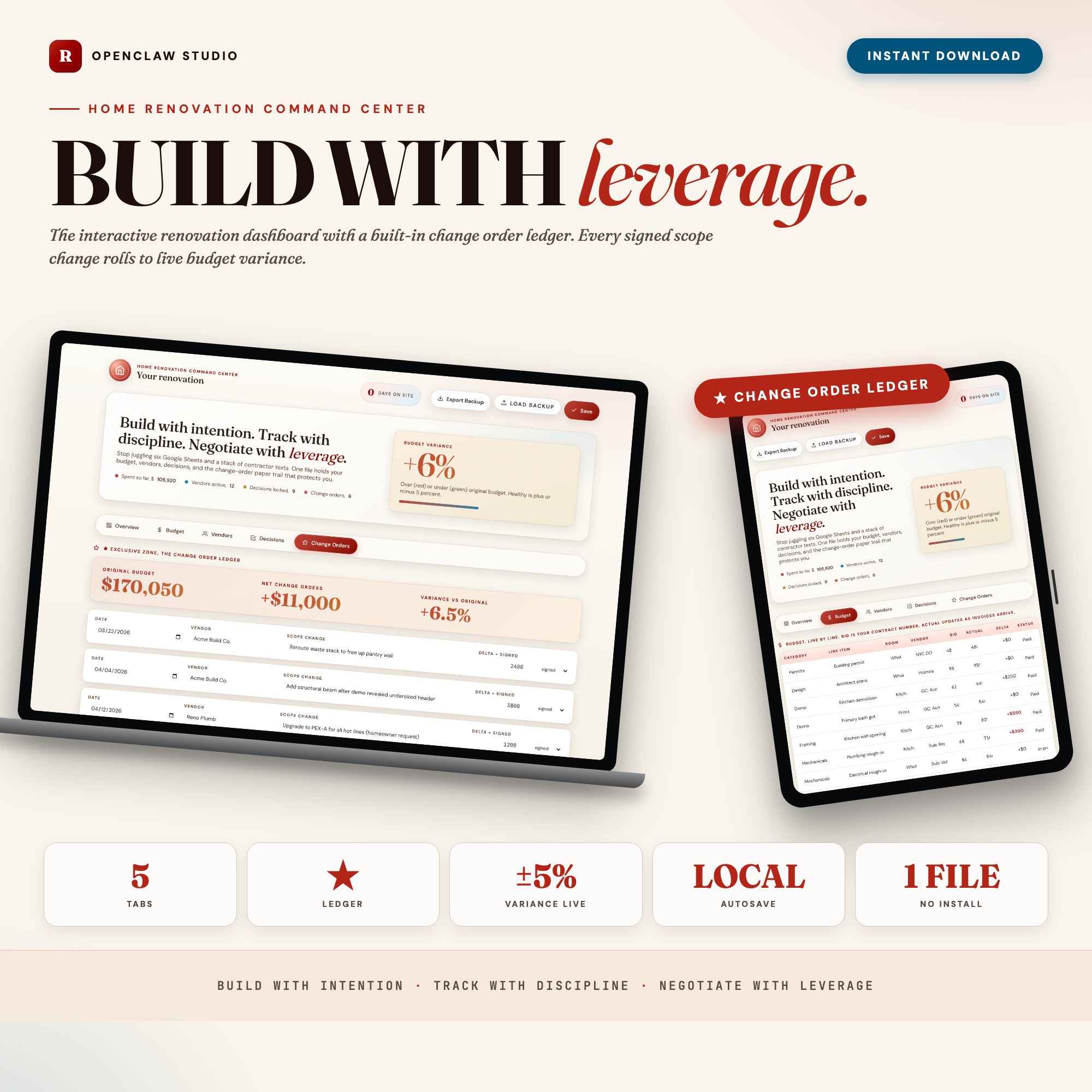
The Home Renovation Command Center Budget tab shows this line by line with a room-by-room rollup and live delta highlighting.
Change order ledger with running variance percentage
This is the tracking category most homeowners skip — and the one that costs them the most. Every “while we’re at it” decision your contractor presents is a change order. Each one should be logged with the contractor’s name, the cost delta, the date it was approved (or declined), and a one-line scope description. The change order ledger rolls everything into a live budget-variance percentage so you can see exactly which change broke the budget.
The exclusive feature in the Home Renovation Command Center is the Change Order Ledger in Tab 5. When the final invoice arrives with a number you didn’t expect, your ledger is the paper trail that supports your position.
Vendor tracker with COI status and payment schedule
Six or more trades on a renovation project means six different sets of contact information, contract terms, insurance certificates, and payment schedules. A vendor row that captures each trade’s certificate of insurance status (valid/expired/pending), next payment date, and a notes field prevents the situation where a trade walks off the job because a payment was missed in the chaos.
Finish decision log with lock status
Tile selection, paint colors, hardware, plumbing fixtures, lighting — a renovation generates dozens of finish decisions over a few months. Some are locked. Some are still open. Some are ordered and in transit. Tracking each finish with its vendor source, status, and a “final pick locked” flag prevents you from accidentally ordering the wrong finish or having a conversation where nobody can remember what was decided about the kitchen cabinet pulls.
Vendor payment history
Lien rights in most states can attach to your property if a contractor pays their suppliers with your money but fails to pay the bill. Keeping a payment log per vendor — what you paid, when, and what invoice number it covered — is basic protection. It also helps you answer contractor payment disputes when they inevitably arise.
On-site day log and milestone progress
When did framing start? When was rough mechanical inspection passed? When did the tile installer begin? A running on-site log with daily notes protects you when a contractor claims a delay was your fault, and helps you hold the project schedule when trades go quiet for days at a time.
Outstanding decisions and open questions
At any given point in a renovation, there are 5 to 10 decisions that are blocking progress — a tile selection that affects the plumber’s timeline, a lighting fixture that affects the electrician’s rough-in. Tracking open decisions with their blocking consequence and a due date creates urgency and prevents the situation where a contractor goes idle for a week while waiting for a decision you didn’t know was urgent.
Contact directory for all trades, suppliers, and inspectors
Phone number lookups in email search are slow and frustrating. A contact directory that includes each trade, supplier, and inspector with their direct number, company, and what they were hired for takes 20 minutes to build and saves 20 minutes every week.
One Dashboard for Your Renovation
The Home Renovation Command Center covers Overview, Budget, Vendors, Decisions, and Change Orders in a single HTML file for $26. Works offline in any browser, autosaves automatically.
Frequently asked questions
- What is a change order and why do I need to track each one?
- A change order is any modification to the original contract scope, usually with a cost attached. Contractors typically add 15-25% overhead on change orders. Tracking each one with the cost delta, signed date, and scope description gives you a paper trail for arbitration if the final invoice is disputed.
- What is budget variance and how do I calculate it?
- Budget variance is the difference between your original budget and your current projected total, expressed as a percentage. If you budgeted $80K and change orders plus cost overruns have pushed the projection to $92K, your variance is +15%. The Home Renovation Command Center calculates this live.
- Do I need project management software to run a renovation?
- No. The Home Renovation Command Center costs $26 one-time and covers budget tracking, vendor management, decision logging, and change orders in one browser file — without a monthly subscription.
- How quickly can I get started with the Home Renovation Command Center?
- Under 5 minutes. Download the file, open it in any browser, and start using it immediately. Everything autosaves automatically.
Featured dashboards from this list
Interactive HTML dashboards — one-time purchase, works offline, no subscription.
ListingResearchOS Shop
All dashboards — single file, yours forever
Interactive HTML. No subscription. Works offline in any browser.
Browse all dashboards →